
KAMRUI Pinova P2
4.4Editor score
Ryzen 4300U processor
16GB LPDDR4 memory
Triple 4K display support
Our Mini PC for Video Editing guide compares 10 compact systems for 4K timelines, fast rendering, multi-monitor workflows, storage, and creator performance.
A mini PC for video editing must balance processor power, capable integrated graphics, fast memory, and responsive storage while fitting neatly beside or beneath a display. The strongest choices handle demanding timelines, 4K timelines, media transfers, exports, and other creator applications without occupying an entire desk.
We compared ten mini PCs using their published processor, graphics, memory, storage, networking, display, and cooling specifications. The list covers affordable systems for lighter editing, performance-focused Ryzen configurations, premium processors, and compact workstations suited to professional multi-monitor workflows.
Each pick highlights a different reason to choose a mini PC, from expandable desktop memory to fast PCIe 4.0 storage and multiple high-resolution outputs. Product configurations, ratings, and availability can change, so readers should verify current specifications and compare offers before purchasing.
4.4Editor score

4.4Editor score

4.2Editor score
This side-by-side comparison highlights the processor, graphics, memory, storage, and display capabilities of all ten systems, making it easier to identify a mini PC for a particular editing workflow, project scale, and multi-monitor setup.



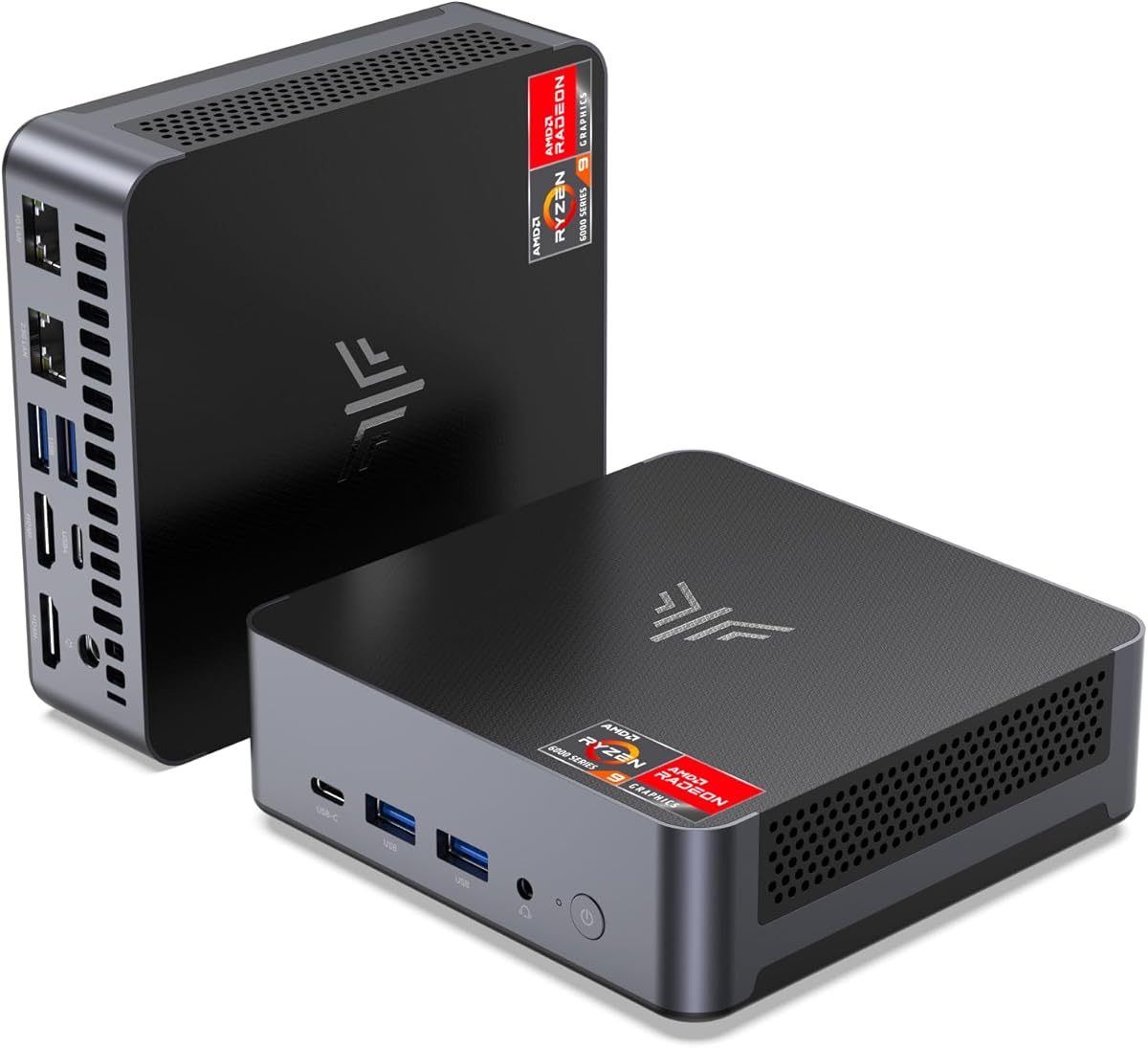
The Glorlin Mini PC combines an AMD Ryzen 7 6800H processor with Radeon 680M graphics, 16GB of dual-channel LPDDR5 memory, and a 512GB NVMe drive. Its 4.8 rating is the highest in this group, and the published specifications indicate a capable balance of processing, graphics, and connectivity for video editors who want performance without a large tower.
We may earn a commission when you buy through this link, at no additional cost to you.
The eight-core, 16-thread processor can handle multitasking across editing software, browser-based asset tools, messaging apps, and background exports. Radeon 680M graphics are described as suitable for smooth video playback, photo editing, and multimedia work, while the memory specification of 6400MT/s should help applications respond quickly. The mini PC also supports up to three 4K displays through HDMI, DisplayPort, and Type-C, an arrangement that works well for a program monitor, source monitor, and reference display.
There are two important limitations. The supplied 512GB SSD may require careful media management for editors working with high-resolution footage, particularly when caches and multiple project files are involved. In addition, LPDDR5 memory is soldered rather than presented as user-upgradable, making the included capacity more important for anyone planning a multiyear editing workflow. Dual LAN, WiFi 6, and Bluetooth 5.3 broaden its usefulness beyond the editing desk.
This is a strong recommendation for a creator who wants a compact, well-connected editing system with capable integrated graphics and three-display flexibility. It is particularly attractive for hybrid editing, social video production, photo workflows, and office tasks that run alongside timeline work. Buyers who need terabytes of internal storage or expandable memory should consider one of the systems with more flexible storage arrangements.
Triple 4K output makes this system especially useful for editors who want the timeline, viewer, and media browser visible at once. Its variety of display interfaces also reduces the need for awkward adapters when choosing or arranging monitors.
The dual-channel 16GB LPDDR5 configuration is well suited to playback, application switching, and general multitasking. Dual M.2 expansion is also listed, giving the system additional room for media or a scratch drive as a project grows.
We may earn a commission when you buy through this link, at no additional cost to you.
The KAMRUI Pinova P2 offers a straightforward path to compact video editing with a Ryzen 4300U processor, Radeon Vega 5 graphics, 16GB of LPDDR4 memory, and a 512GB M.2 SSD. Its 4.4 rating reflects a system aimed at users who need more capability than a basic office computer without moving to a full-size workstation.
We may earn a commission when you buy through this link, at no additional cost to you.
The four-core, eight-thread processor is listed for browser work, 4K streaming, virtual machines, and light photo or video editing. Its display configuration supports three simultaneous 4K screens at 60Hz through HDMI 2.0, DisplayPort 1.4, and a USB 3.2 Gen2 Type-C connection. For a creator, that makes it possible to keep a timeline, preview, and notes or reference material visible without a full tower.
The P2's 512GB drive is less generous than the one-terabyte configurations offered by several competitors, and its LPDDR4 memory cannot be replaced. However, two M.2 2280 slots allow the storage arrangement to be expanded, with the product data listing combined capacity of up to 4TB. The 5.05-by-5.05-by-1.73-inch chassis, VESA mounting support, and relatively quiet cooling also make it practical in tight spaces.
This is the best budget-oriented choice in the list for lighter video editing, educational use, social content production, and editing projects that do not demand constant 4K rendering. The P2 is less appropriate for complex color grading, large multi-cam timelines, or accelerated 4K exports than newer Ryzen 7000 systems. Even so, its display support, dual storage slots, and capable integrated graphics make it a versatile entry point.
Triple 4K output separates this budget model from many basic office mini PCs. Editors can use separate displays for source viewing, timeline work, and playback checks while preserving a compact footprint.
Two M.2 2280 positions provide a practical route to larger libraries. The included 16GB of memory handles typical creative applications, while a dedicated secondary drive can help separate source media from active projects.
We may earn a commission when you buy through this link, at no additional cost to you.
The GEEKOM A6 is the most versatile all-around editing system in this roundup, pairing a 45W Ryzen 7 6800H processor with Radeon 680M graphics, upgradeable DDR5 memory, and a 1TB PCIe 4.0 SSD. Its 4.4 rating reflects a configuration designed for demanding multitasking, 4K video editing, and professional productivity without the footprint of a conventional desktop.
We may earn a commission when you buy through this link, at no additional cost to you.
One of its strongest advantages is the dual-slot memory design, with the installed 16GB expandable to as much as 64GB. That matters for editors who run large applications, preview high-resolution footage, and keep communication or asset-management tools open simultaneously. The 1TB PCIe 4.0 drive provides a much more comfortable starting point than a smaller configuration, while Radeon 680M graphics are specifically identified for smooth 4K editing workflows.
Display connectivity is another major strength. The A6 supports up to four 4K monitors simultaneously through dual HDMI and USB connections, making it well suited to a dedicated command-center setup. A 2.5Gbps Ethernet port, WiFi 6E, and Bluetooth 5.4 also help with fast transfers and network-based workflows. The aluminum chassis and cooling system are designed for stable operation, with noise stated below 35dB.
This is the best overall recommendation for editors who want current processor performance, expandable memory, ample storage, and extensive monitor support. It is less flexible for buyers seeking processor replacement, because the CPU is not intended as a user upgrade, and the compact enclosure naturally offers less room than a tower. Even with those limitations, the combination of speed and upgradability is unusually convincing for a professional mini PC.
Unlike systems using fixed LPDDR memory, the A6 provides two memory slots and a stated maximum of 64GB. Editors can start with the included configuration and add capacity when large projects, virtual machines, or demanding applications justify it.
Quadruple 4K output makes the A6 attractive for editors who value timeline space. Separate displays can hold the viewer, scopes, media browser, and a notes or communication screen without requiring a large tower.
We may earn a commission when you buy through this link, at no additional cost to you.
The GMKtec M6 Ultra combines a Ryzen 5 7640HS processor with Radeon 760M graphics, 32GB of dual-channel DDR5 memory, and a 1TB PCIe SSD. Although it appears at fourth place in the supplied ranking and has a 4.2 rating, it stands out for creators who value memory capacity, modern codec support, and fast wired networking.
We may earn a commission when you buy through this link, at no additional cost to you.
The Zen 4 processor provides six cores and 12 threads, with a stated base clock of 4.3GHz and boost up to 5.0GHz. The Radeon 760M includes eight compute units and is described as supporting hardware encoding and decoding for AV1, HEVC, and AVC. Those codec capabilities are particularly relevant to editors who regularly export modern high-efficiency formats, preview compressed media, or work across different delivery specifications.
The system includes 32GB of DDR5 memory in a dual-channel arrangement, with support listed for expansion to 128GB. It also supports up to three displays, including 8K output through USB4 and 4K output through HDMI and DisplayPort. Dual 2.5G RJ45 ports are useful for network-heavy workflows, while WiFi 6 and Bluetooth 5.2 provide convenient wireless peripherals.
This is a premium recommendation for editors who need substantial working memory, codec flexibility, and a high-performance compact workstation. It may be excessive for casual timeline work, and its rating is lower than those of the leading products in the list. Buyers should also account for the need to install any additional storage. For intensive creative work, however, the generous 32GB starting configuration gives the M6 Ultra a compelling advantage.
Hardware support for AV1, HEVC, and AVC can reduce the friction associated with previewing and delivering compressed video. The specific benefit depends on the editing application, export settings, and project format.
The included 32GB is more appropriate for extensive timelines, audio sessions, and multitasking than many 16GB alternatives. Additional SO-DIMM expansion makes it possible to adapt the system as project demands grow.
We may earn a commission when you buy through this link, at no additional cost to you.
The BOSGAME P6 pairs a Ryzen 9 6900HX processor with Radeon 680M graphics, 24GB of LPDDR5X memory, and a 1TB PCIe 4.0 drive. Its 4.6 rating and high-tier processor position it as a strong compact workstation for editors who want more CPU capability without moving to a full-size tower.
We may earn a commission when you buy through this link, at no additional cost to you.
The eight-core, 16-thread Ryzen 9 reaches up to 4.9GHz and is identified as suitable for 1080p editing in DaVinci Resolve, photo editing, drafting, virtual machines, and multitasking. Radeon 680M graphics provide the processing capability for three simultaneous 4K displays at 60Hz through HDMI, DisplayPort, and USB-C. The 24GB memory total also gives software more room than a standard 16GB configuration.
Storage is a major strength because the included 1TB PCIe 4.0 drive offers room for source footage, project files, and caches. An additional M.2 NVMe drive can raise capacity as high as 8TB. Networking is unusually well equipped for a compact system, with two 1Gbps Ethernet ports, WiFi 6E, and Bluetooth 5.3. The latter may default to Bluetooth 5.2 until the latest driver is installed.
This recommendation is well suited to creators handling 1080p work, developers who also edit, and users operating lightweight virtual machines. It may not be the best fit for buyers who need user-replaceable memory or require maximum integration of discrete graphics. Even so, the Ryzen 9 processor, fast storage, and quiet cooling claims make the P6 a compelling high-performance editing base.
A 1TB PCIe 4.0 drive provides a much more practical starting point for active media than a small system drive. Expansion to 8TB helps accommodate growing archives, project files, and application data.
Dual Ethernet ports can support advanced network arrangements such as separate management and transfer links. The feature set is particularly interesting for editors working with NAS systems, local collaboration tools, or home servers.
We may earn a commission when you buy through this link, at no additional cost to you.
The ACEMAGICIAN S3A is a creator-focused mini PC built around a Ryzen 7 H 255 processor, Radeon 780M graphics, 16GB of LPDDR5 memory, and a 512GB PCIe 4.0 SSD. Its 4.6 rating reflects a modern configuration aimed at video editing, programming, streaming, 3D design, and other tasks that benefit from stronger integrated graphics.
We may earn a commission when you buy through this link, at no additional cost to you.
The eight-core, 16-thread processor reaches up to 4.9GHz, while the 12-core Radeon 780M operates at 2600MHz and uses RDNA 3 architecture. These specifications position the S3A above many basic mini PCs for graphics-heavy creative work. Triple 4K output through HDMI 2.0, DisplayPort 2.0, and USB4 Type-C gives editors room to organize a timeline, viewer, and reference screen.
A particularly useful feature is its three operating modes. Silent Mode operates at a reduced 20–35W for quiet work, Auto Mode balances power and performance at 30–45W, and Performance Mode reaches 40–54W for demanding applications. This flexibility can help an editor move between quieter reviewing sessions and more intensive exports without replacing the machine.
The main constraint is storage: 512GB is a modest starting point for high-resolution footage, though the tool-free removable design supports expansion to 4TB. The included 16GB of LPDDR5 is also fixed. The S3A is best for creators who value modern graphics, adjustable acoustics, and display flexibility over future memory upgrades.
The three power modes make the S3A adaptable to different working environments. Silent mode is useful for focused editing or shared offices, while performance mode provides additional processing power when exports or demanding applications need it.
Radeon 780M graphics offer a meaningful upgrade path for creators who move beyond basic timeline editing. They are particularly relevant to 3D workflows, motion graphics, detailed previews, and other visually intensive applications.
We may earn a commission when you buy through this link, at no additional cost to you.
The GEEKOM IT13 MAX is built around an Intel Core Ultra 9 185H processor with integrated Radeon 780M graphics, 24GB of LPDDR5 memory, and a 500GB SSD. Its 4.4 rating reflects a premium creative and AI-focused system for editors interested in local acceleration, high-resolution output, and flexible operating-system support.
We may earn a commission when you buy through this link, at no additional cost to you.
The Core Ultra 9 configuration is stated to reach up to 65W and includes a dedicated NPU for AI workloads. The product data highlights 20–30% faster video editing than an i9 comparison, along with twice the graphics performance of earlier approaches. Creators can use local AI features for tasks such as summarization or automation while keeping sensitive project material on the machine. 24GB of LPDDR5 at 5600MT/s supports multitasking and editing work.
The IT13 MAX supports four simultaneous displays, including 8K through USB-C and 4K through HDMI. Dual Ethernet ports and support for Windows, Ubuntu, Debian, and CentOS make it attractive to technically minded editors, developers, and homelab users. Its cooling system is designed for sustained performance in quiet spaces such as offices, studios, and shared environments.
This is a premium pick for creators who want AI capabilities and high-end processing in a compact workstation. The 500GB SSD is the biggest practical drawback, and fixed memory limits future expansion. Users should plan to add suitable storage and confirm application support for local AI features before committing to a project-dependent workflow.
A dedicated NPU can accelerate compatible AI tasks without sending all source material to a cloud service. Practical results vary by application, so creators should test the specific features they intend to use.
Support for four displays expands the usable editing canvas, while Linux compatibility broadens the audience beyond conventional Windows buyers. This makes the system attractive to creators who also maintain containers, servers, or technical workflows.
We may earn a commission when you buy through this link, at no additional cost to you.
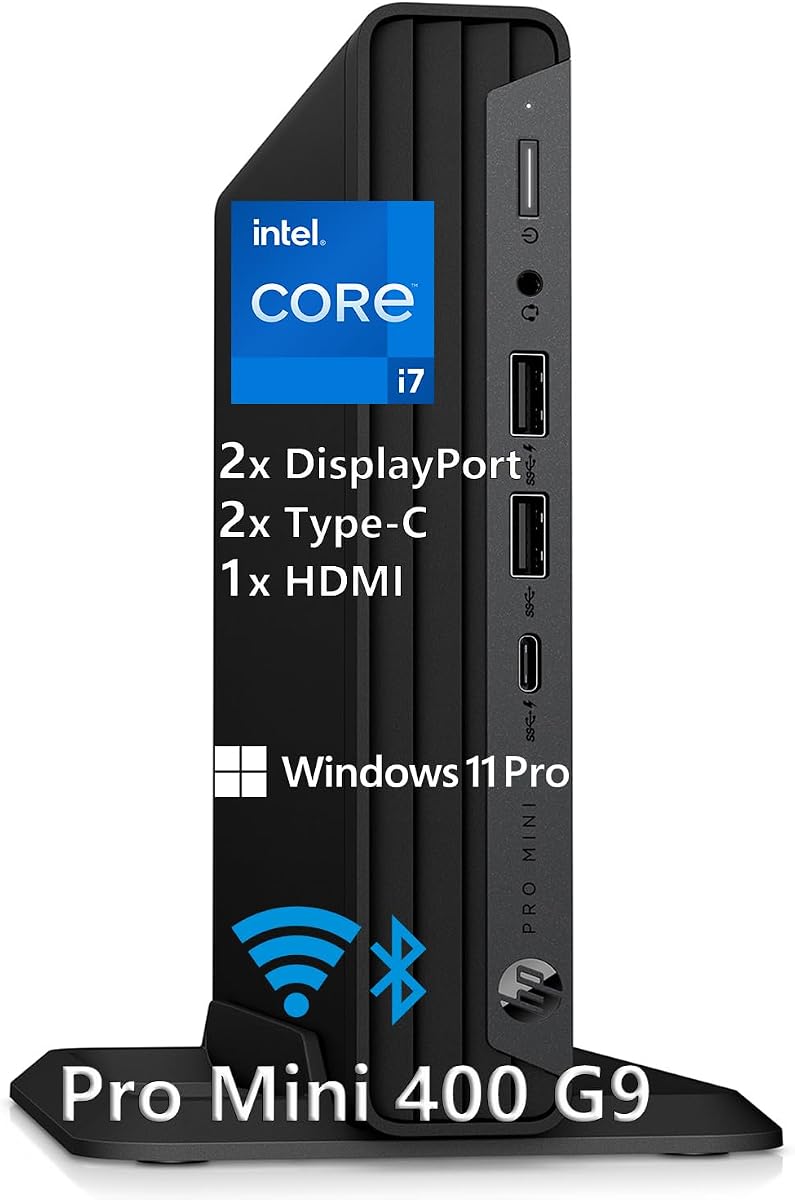
The HP Mini Desktop PC brings together a 12th-generation Intel Core i7-12700T processor, 16GB of DDR4 memory, a 512GB NVMe SSD, and Windows 11 Pro. Its 4.7 rating is among the strongest in the group, and the included keyboard, mouse, stand, and operating system make it a convenient complete desktop package.
We may earn a commission when you buy through this link, at no additional cost to you.
The i7-12700T has 12 cores and reaches up to 4.7GHz, offering solid multitasking capacity for office applications, browser workloads, communication, and video editing. Dual DisplayPort 1.4 and HDMI 2.1 outputs support three 4K monitors at 60Hz, which is a useful arrangement for timeline, preview, and reference displays. Seven high-speed USB ports, including two USB-C ports rated at 20Gbps, simplify peripheral and drive connections.
The main limitation is graphics. Unlike several Ryzen-based picks, this system relies on integrated Intel graphics rather than Radeon 780M or Radeon 680M. That makes it better suited to mainstream editing and 4K playback than demanding color work, effects, or GPU-heavy 3D workflows. The 512GB SSD also calls for attention when working with large source libraries, and its DDR4 platform is older than newer DDR5 alternatives.
This is a good recommendation for buyers who value a complete, ready-to-use package, familiar Windows administration, and a strong core processor. It may suit office-based editors, students, and hybrid teams better than professional colorists or motion graphics artists. The included accessories and three-display support simplify setup, while the compact case makes the system easy to position.
The package includes Windows 11 Pro, a wired keyboard, a wired mouse, a stand, and a 90W adapter. That bundle reduces the number of extra accessories a new buyer needs for a conventional desk setup.
Three 4K outputs support a practical command-center arrangement for editing, document work, and communication. The connection mix is broad, though the integrated graphics remain the main constraint for advanced rendering.
We may earn a commission when you buy through this link, at no additional cost to you.
The ACEMAGIC K1 is the most straightforward entry-level system in this guide, with a Ryzen 3 7330U processor, 16GB of LPDDR4 memory, a 256GB M.2 SSD, and Windows 11 Pro. Its 4.4 rating indicates a capable compact office computer, but its specifications position it better for lighter editing than intensive professional timelines.
We may earn a commission when you buy through this link, at no additional cost to you.
The four-core, eight-thread processor operates at a 28-watt power limit and boosts to 4.3GHz. AMD Radeon graphics provide support for 4K playback and a three-display arrangement through HDMI, DisplayPort, and Type-C. Six USB 3.2 Type-A ports, one 10Gbps Type-C port, Gigabit Ethernet, WiFi 5, and Bluetooth 4.2 cover everyday connectivity well.
Storage is the most significant limitation. The included 256GB drive is small for video source files, editing applications, and scratch data, although the system supports an additional M.2 SATA or PCIe 3.0 drive up to 2TB. The 16GB LPDDR4 memory is fixed, so users should be realistic about running many demanding applications simultaneously. The built-in power supply also keeps the desk tidy because only one power cable is needed.
The K1 is best for students, remote workers, and creators producing shorter social videos, presentations, or basic edited projects. Its small size, VESA compatibility, quiet cooling approach, and three-display support make it useful in home offices and shared spaces. For sustained 4K editing, however, a system with faster storage and stronger integrated graphics will serve more effectively.
The Ryzen 3 7330U and 16GB of memory provide enough capability for straightforward cutting, trimming, captions, and basic color adjustments. It is better suited to manageable projects than highly layered 4K timelines.
The integrated power supply removes the separate external brick, while VESA mounting allows the system to sit behind a display. Its compact size makes it easy to keep a modest editing workspace uncluttered.
We may earn a commission when you buy through this link, at no additional cost to you.
The KAMRUI AM21 combines a Ryzen 7 8745HS processor, Radeon 780M graphics, 16GB of DDR5 memory, and a 1TB NVMe SSD. Its 4.4 rating reflects a modern, highly expandable mini PC that offers an appealing mix of creator graphics, desktop-style memory slots, and fast storage.
We may earn a commission when you buy through this link, at no additional cost to you.
The eight-core, 16-thread Zen 4 processor has a 3.8GHz base clock and can boost to 4.9GHz. Radeon 780M graphics use RDNA 3 and support AV1, making the AM21 a strong fit for modern video formats, motion graphics, 3D applications, and high-resolution previews. Its memory uses two SO-DIMM slots and can expand to 96GB, while two M.2 2280 PCIe 4.0 positions can support up to 4TB of NVMe storage.
The AM21 also offers dual Gigabit Ethernet, WiFi 6, Bluetooth 5.2, and a 40Gbps USB4 port with display and power-delivery capabilities. It supports a quad-display arrangement using USB4 and dual HDMI 2.1 outputs. These specifications make it suitable for editors who expect their projects and peripheral needs to grow over time.
The supplied information emphasizes technical support but does not state a clear warranty duration, so buyers should verify coverage and regional service terms before ordering. SATA expansion is not supported, which matters for anyone planning to reuse older drives. With that caveat, the AM21 is a compelling recommendation for creators who want modern graphics and unusually strong memory and storage expansion without moving to a tower.
Two SO-DIMM slots and a stated maximum of 96GB distinguish the AM21 from compact systems with fixed memory. Editors can increase working memory as their applications and project complexity expand.
USB4 provides high-speed data transfer alongside display and power-delivery functions. Combined with dual HDMI, it enables a flexible four-screen workspace and simplifies connections to modern monitors.
We may earn a commission when you buy through this link, at no additional cost to you.
Choosing a mini PC for video editing requires balancing sustained processor performance, graphics capability, memory, fast storage, display support, and thermals. The most important factor is the type and resolution of footage you routinely edit, followed by how many applications and monitors you need to run simultaneously.
An editing mini PC should have enough processor cores and threads to keep the interface responsive while playback, effects, transcoding, and exports take place. AMD Ryzen 7 6800H, Ryzen 9 6900HX, Ryzen 7 H 255, and Ryzen 7 8745HS configurations offer eight cores and 16 threads, while the Ryzen 5 7640HS provides six cores and 12 threads. These are generally more appropriate for active video work than entry-level four-core systems.
Sustained performance also matters. A processor capable of briefly boosting to a high clock is less useful than one that can maintain acceptable performance in a compact enclosure. Published power modes and cooling claims provide clues, but thermal performance can vary with workload, room temperature, drive configuration, and software. For demanding work, prioritize a system explicitly designed to sustain higher processor power.
Integrated graphics matter because many video effects, color views, playback paths, and export options can place a heavy load on the GPU. Radeon 680M, 760M, and 780M configurations form the stronger end of this list. The Radeon 780M models use RDNA 3 architecture and are especially attractive for motion graphics, 3D work, detailed previews, and modern codec workflows.
Graphics capability should be matched to the project. Basic social clips and HD timelines may work comfortably on lower-end integrated graphics, while 4K multicamera projects, complex effects, and serious color work benefit from stronger hardware. Check the requirements of your editing application and graphics card. A discrete GPU remains preferable for the most intensive 4K or high-resolution editing, but it is outside the scope of these compact integrated-graphics systems.
Memory keeps the editor, preview, media browser, effects, and communication tools responsive at the same time. A 16GB configuration is a reasonable starting point for smaller projects, 24GB offers additional breathing room, and 32GB is more appropriate for large timelines, audio, and multitasking. Software requirements vary, but memory shortages can reveal themselves as sluggish timeline interaction, stuttering playback, or failed background tasks.
The most important distinction is whether memory is fixed or replaceable. The GEEKOM A6, GMKtec M6 Ultra, and KAMRUI AM21 use DDR5 slots that support expansion, while several LPDDR-based systems have soldered memory. If you expect to retain the mini PC for several years or work with increasingly complex media, upgradeable memory is usually a better long-term choice.
Video editing benefits from fast storage when importing media, opening project files, generating previews, and creating cache data. PCIe 4.0 NVMe drives are the strongest choice in this group, while lower-capacity configurations should be expanded with media or scratch storage. A larger drive can also reduce the temptation to keep active project files on slower external media.
Capacity matters as much as speed. A 256GB model is best treated as a basic starting point, 512GB works for controlled projects, and 1TB provides a more comfortable foundation for active libraries. Look for multiple M.2 positions, especially if you expect to separate operating-system files, source footage, caches, and completed exports. Confirm the supported interface and protocol before buying an expansion drive.
Multiple outputs are essential for professional editing because a single display often forces the editor to alternate between the timeline, source viewer, scopes, and communication tools. The list includes systems supporting three 4K displays and models that support four displays, including higher-resolution output over USB4. Check both the number of screens and the refresh rate required by your monitors.
Interface quality also matters. HDMI and DisplayPort are common in editing desks, while USB-C or USB4 can simplify a one-cable setup when the display supports video delivery. Ensure that the output configuration matches your actual monitor arrangement. For example, a three-display system using HDMI, DisplayPort, and Type-C may not support a fourth screen unless it has an additional suitable output.
Video creators tend to accumulate more peripherals than ordinary office users. A reliable editing setup may need external storage, card readers, microphones, audio interfaces, control surfaces, calibrated displays, and high-speed archival drives. The number and type of USB ports can determine how much desk clutter and adapter use the system creates.
The best general configuration is to look for multiple USB-A and USB-C ports, fast transfer speeds, and at least one modern display connection. Some systems include USB4, which can provide high data rates, display output, and power delivery over a single port. Check whether a dock is necessary and make sure the included power adapter has enough output for the selected performance mode and connected peripherals.
Compact mini PCs must dissipate processor heat in a much smaller space than towers. A stable cooling design helps maintain performance during long exports and prevents the system from becoming distracting in a quiet office or home studio. Fans rated at 35dB or 36dB, systems with multiple power modes, and products using active heat sinks are worth considering for sustained work.
Noise figures should be treated as useful comparisons rather than guarantees, because fan speed changes with workload and ambient conditions. If the mini PC will sit near a microphone or in a quiet room, silent and auto modes can be useful. If the system will run exports for hours, the performance mode and cooling design deserve greater attention. Proper ventilation around the enclosure also matters.
Long-term support is valuable because mini PC buyers may need help with display adapters, storage installation, memory upgrades, drivers, networking, and operating-system setup. Coverage in this roundup ranges from one year to three years for complete systems, with some brands also offering longer parts coverage or extended technical support. The exact terms should be verified on the listing and in the regional warranty policy.
Software preparation is equally important. Some systems arrive with Windows preinstalled, while others are designed for flexible Windows or Linux deployment. Confirm the operating-system inclusion, licensed status, and required driver support before purchasing. For video editing, also check that the editing application, effects, color tools, and any external hardware have compatible drivers for the selected platform.
Start by confirming the supplied power adapter, mounting hardware, display cables, and peripherals before arranging the workstation. Connect the monitor first, then storage, input devices, and audio equipment. Update the operating system and graphics, storage, networking, and media drivers, then install the editing application and test a short project before migrating an important timeline.
Organize media and project files on fast NVMe storage, and use a separate drive or clearly separated folder structure for source footage, cache files, and exports. Save projects regularly, enable periodic backups, and preserve the original camera files. Avoid filling the system drive completely, since adequate free space helps applications create previews, cache data, and temporary export files without slowing down.
Give the mini PC room to breathe and avoid placing it inside a fully enclosed cabinet. Clean dust from vents periodically, keep the system on a stable hard surface, and use the appropriate performance mode for the task. Back up important work, monitor storage health, and restart the machine after major software or driver installations when a clean application state is needed.
Yes, but the experience depends on the processor, graphics, memory, storage, codec, and project complexity. Systems with modern Ryzen processors and Radeon 680M or 780M graphics are best positioned for 4K timelines, while entry-level configurations are more appropriate for shorter or less complex projects. A dedicated graphics card remains preferable for demanding effects, sustained multicamera work, and advanced color pipelines.
16GB is a practical minimum for HD projects and can work for 4K editing when timelines and effects remain moderate. 24GB or 32GB provides more comfortable multitasking when browser-based tools, audio software, effects, and large preview files are used simultaneously. Expandable DDR5 systems are especially attractive because memory can be added as project demands grow.
An NVMe SSD, preferably PCIe 4.0, provides the fastest response for imports, previews, project files, and exports. Capacity should be chosen based on the media library, with multiple M.2 slots offering the most flexible arrangement for source files, scratch space, and archives. External media can be useful for archiving, but active editing files benefit from fast local storage.
Most models in this guide support three simultaneous 4K displays, while the GEEKOM A6 and KAMRUI AM21 support four-display arrangements. The exact maximum resolution depends on the output, refresh rate, and operating system configuration. Buyers should confirm that their preferred combination of monitors will work with the available HDMI, DisplayPort, USB-C, or USB4 ports.
It can be suitable for basic or moderate color correction, particularly with modern Radeon 780M graphics and sufficient memory. Complex grading, high-resolution effects, and demanding 3D or compositing workflows can expose the limits of integrated hardware. Check the requirements of your grading application and consider a discrete graphics system if turnaround time is critical.
That depends on the model. The GEEKOM A6, GMKtec M6 Ultra, and KAMRUI AM21 use replaceable DDR5 memory and provide expansion options, while several LPDDR-based models have fixed memory. Storage expandability also varies, so check the supported M.2 protocol, slot dimensions, and maximum capacity before purchasing an upgrade.
Mini PCs are generally more space-efficient and may consume less energy, but they are not automatically silent. Some listed systems emphasize low-noise cooling or adjustable silent modes, while sustained high-power workloads can still increase fan activity. Compare cooling claims, performance modes, and the type of workload you expect to run.
List your required editing software, project resolution, codec, typical timeline length, display arrangement, and expansion needs. Then compare those requirements with processor power, graphics, memory, storage, and port specifications. Check the current product listing, warranty terms, included operating system, and compatibility of any external peripherals before making the final decision.
The GEEKOM A6 is the strongest all-around recommendation because it combines a 45W Ryzen 7 6800H, Radeon 680M graphics, 1TB PCIe 4.0 storage, upgradeable 32GB of RAM, and support for up to four 4K displays. The KAMRUI Pinova P2 offers a more affordable route into compact editing, while the GMKtec M6 Ultra stands out for 32GB of memory, modern codec support, and premium graphics performance.
Prioritize sustained processor and graphics capability for demanding timelines, memory for multitasking, and local NVMe storage for responsive media handling. Expandable memory and multiple M.2 slots are particularly valuable for long-term ownership, while triple or quad display support can materially improve an editing workflow. Lighter users can consider the KAMRUI Pinova P2 or ACEMAGIC K1, but should plan for smaller projects or add storage.
Ratings and configurations can change over time, and current offers may differ from the information available when this guide was prepared. Before purchasing, verify the processor, graphics, included memory and storage, display outputs, operating system, warranty, and upgrade support. Comparing those details with your actual editing requirements will lead to the most suitable mini PC for the intended workflow.