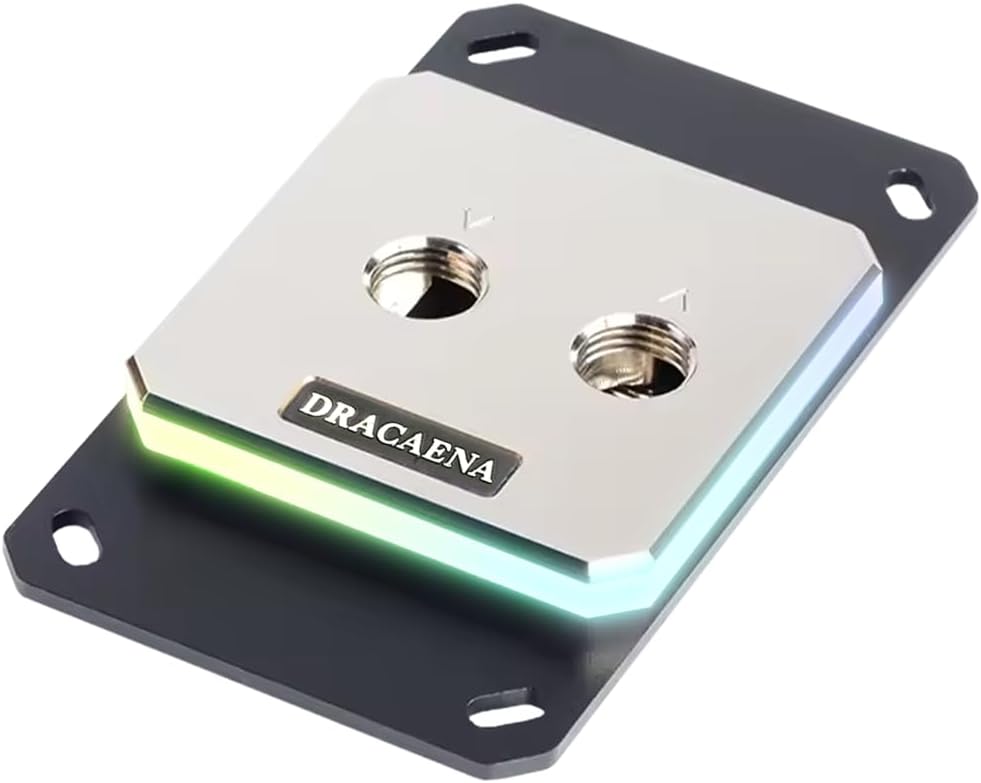
Dracaena.io CPU Water Block
4.6Editor score
Broad AMD socket support
Full-copper water channels
5V ARGB synchronization
CPU water blocks move heat from the processor into a liquid-cooling circuit, making them central to custom-loop and all-in-one systems. A strong block combines efficient cold-plate design, reliable mounting, compatible fittings, durable materials, and enough visual appeal to suit the rest of your build.
This guide compares ten CPU water blocks across AMD and Intel socket support, nickel-plated copper construction, microfin geometry, G1/4 fittings, RGB lighting, LCD or AMOLED displays, dimensions, and installation considerations. It covers both simple blocks and display-equipped premium designs.
Each review explains the product's strongest benefits, limitations, compatibility, and ideal use case so you can match the block to your processor and cooling plan. Product listings and prices change frequently, so verify current details and costs before purchasing.
4.6Editor score

4.6Editor score

3.6Editor score
As an Amazon Associate we earn from qualifying purchases.
The comparison below highlights the principal differences among ten CPU water blocks, including platform coverage, materials, port layout, display functions, and physical design.




The EKWB EK-Quantum Velocity 3 is a focused performance block for modern AMD and Intel systems. Its most appealing features include an optimized internal geometry, precise mounting pressure, and a nickel-plated copper cold plate. The transparent acrylic top also gives it a familiar premium custom-loop appearance without requiring a display or software controller.
We may earn a commission when you buy through this link, at no additional cost to you.
The product data states that its internal design improves thermal performance by up to 2 degrees Celsius compared with the Velocity 2. That comparison points to a meaningful refinement rather than a cosmetic update. Support for AM5, LGA 1700, and LGA 1851 makes it a practical choice for a new custom loop, provided your CPU uses one of those sockets.
There are trade-offs. This model does not include an LCD, AMOLED panel, RGB lighting, or a temperature sensor, so its appeal depends on thermal performance rather than visual features. Compatibility is also limited to the listed platforms rather than the broad legacy coverage offered by some older designs.
This is the strongest general recommendation for builders who want established custom-loop aesthetics, efficient copper-based cooling, and modern socket support without extra electronics. Choose it when your priority is a dependable central block, and pair it with quality tubing, fittings, coolant, and a pump capable of supporting your loop.
The nickel-plated copper cold plate and refined internal geometry form the core of this block's performance story. Its stated improvement over the preceding generation is especially relevant for users who intend to operate demanding workloads or tune their processor beyond standard settings.
Support for AM5, LGA 1700, and LGA 1851 makes this a logical choice for current systems. Confirm the exact socket and mounting hardware before ordering, particularly if your loop will serve as a long-term build rather than a temporary platform.
We may earn a commission when you buy through this link, at no additional cost to you.
The CORSAIR XC7 RGB Elite LCD is designed for builders who want a full-size visual centerpiece inside a custom loop. Its 480 x 480 IPS panel can display temperatures, animated GIFs, memes, or custom artwork, while 31 individually addressable RGB LEDs add coordinated lighting around the block.
We may earn a commission when you buy through this link, at no additional cost to you.
Cooling is handled by the Hexa-Flow engine, which is intended to reduce laminar flow and distribute coolant more evenly across multi-chip processors. A nickel-plated copper cold plate and more than 120 micro-cooling fins provide the physical heat-transfer foundation. The stated support for LGA 1700, AM5, and older platforms broadens its potential appeal.
The main compromise is complexity. A screen and addressable lighting introduce software, USB-C, and power considerations that a basic block does not have. Buyers must be comfortable configuring software and should leave enough case space for the display assembly without restricting visible coolant flow.
Choose this model when entertainment, customization, and visual presentation matter alongside cooling. It is a particularly convincing fit for showcase builds, desk-mounted systems, and anyone who wants a live readout or rotating artwork directly beside the CPU.
The 480 x 480 IPS display offers enough space for live temperature information, animated content, logos, and personal images. A 600 cd/m² backlight and 24-bit color support make the panel more useful as a presentation element than a simple static indicator.
Integrated USB-C connectivity is designed to simplify installation and automatic iCUE setup. This removes the need for a separate controller in the stated configuration, although software and cable planning remain important parts of the setup.
We may earn a commission when you buy through this link, at no additional cost to you.
The Dracaena.io CPU Water Block stands out for broad AMD socket compatibility and a straightforward custom-loop design. It supports AM5, AM4, AM3, AM3+, AM2, and AM2+, covering a remarkable range of older and current AMD platforms without an adapter.
We may earn a commission when you buy through this link, at no additional cost to you.
Its internal water channels and 0.4 mm microfin base are constructed from copper, with no aluminum listed in the water path. The block uses a compact 63 x 63 mm format, making it useful in builds where space is limited. A three-pin 5V ARGB header supports synchronization with major motherboard lighting ecosystems.
The package includes an ARGB controller, backplate, mounting hardware, and screws, which helps simplify assembly. Thermal paste is not included, so you will need to supply your own high-quality thermal interface material. The copper-only water path also requires attention to material compatibility and careful loop planning.
This is a compelling choice for an AMD custom loop, especially when retaining an older processor or moving components between generations. It is less suitable for an Intel platform, but for supported AMD sockets it delivers useful features, compact dimensions, and broad compatibility.
A copper-only water path is unusual at this level and may appeal to builders who value a straightforward material specification. The 0.4 mm microfin base is intended to increase thermal contact area, while the internal channels carry heat away from the processor.
The unusually broad AMD socket list can prevent a costly rebuild when moving from an older Ryzen or legacy AMD processor to AM5. It also gives custom-loop builders a reusable option for a collection of compatible systems.
We may earn a commission when you buy through this link, at no additional cost to you.
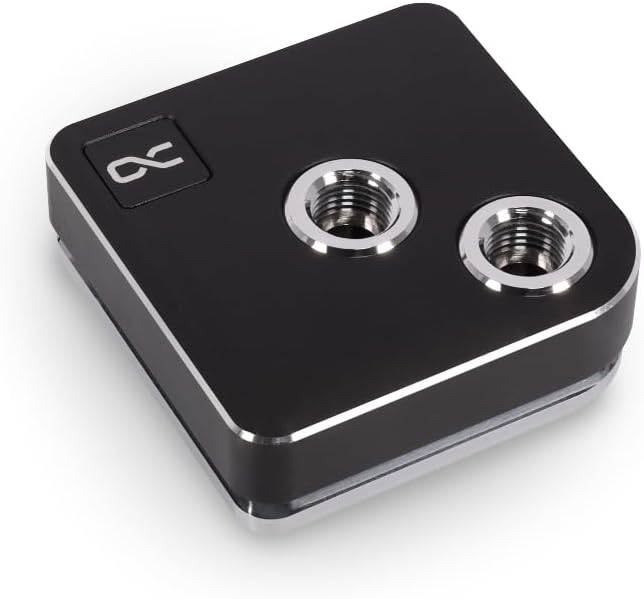
The Alphacool Core 1 is a straightforward CPU water block aimed at builders who need both modern Intel and AMD support without a display. It is listed for Intel LGA 1700 and AMD AM4 and AM5, covering the principal sockets used across recent mainstream desktop systems.
We may earn a commission when you buy through this link, at no additional cost to you.
The black finish gives it a restrained appearance that can fit comfortably within a monochrome build. Its 72 x 72 x 26.50 mm dimensions also provide a useful basis for clearance planning around large coolers, reservoirs, radiator tubing, and motherboard components.
The supplied specifications are concise, so detailed claims about fin geometry, fittings, or included lighting would be speculative. Its appeal lies in platform coverage and a restrained physical design rather than a screen, an elaborate lighting system, or a long list of accessory features.
Choose the Core 1 when you want a neutral-looking block for a mixed-platform custom loop. Verify socket support, included fittings, pump requirements, and mounting contents against the current listing before ordering, especially if your build depends on specific connector or fitting standards.
Compatibility with LGA 1700, AM4, and AM5 provides useful flexibility for builders who may move between Intel and AMD systems. The same general loop design can therefore serve several processors within the supported families.
The all-black finish avoids the visual complexity of a screen or bright RGB accents. It works especially well for restrained builds where the coolant path and surrounding components are intended to provide the decoration.
We may earn a commission when you buy through this link, at no additional cost to you.
The CPU Water Cooling Block Waterblock 50mm Copper Base is primarily a legacy-platform option. Its stated socket support includes AMD 940, AM2, AM3, Bulldozer, and several Intel platforms such as LGA 775, 1150, 1155, 1156, 1366, and 2011.
We may earn a commission when you buy through this link, at no additional cost to you.
The copper base measures 50 mm, with a height of 5 mm and an outer diameter of 10 mm at the two chrome-plated copper outlets. An internal water channel is intended to provide a larger contact area for transferring CPU heat into the coolant.
Its basic construction means it lacks features found in newer blocks, including modern socket support, RGB lighting, integrated screens, and detailed cold-plate specifications. The included accessory set is also limited to four screws, so the builder may need to source additional mounting parts or thermal interface material.
This block is best considered for restoring or building a loop around an older supported processor. Modern builders should verify mounting hardware and socket support carefully before purchasing, as compatibility with newer platforms is not listed.
The extensive list of older AMD and Intel sockets is the block's defining advantage. It can be useful for retro systems, established workstation platforms, or builders preserving hardware that newer blocks no longer support.
A copper base and internal channel create a direct route for moving heat into the loop. The simple layout can suit educational builds and older enthusiast systems where elaborate fittings or electronics are unnecessary.
We may earn a commission when you buy through this link, at no additional cost to you.
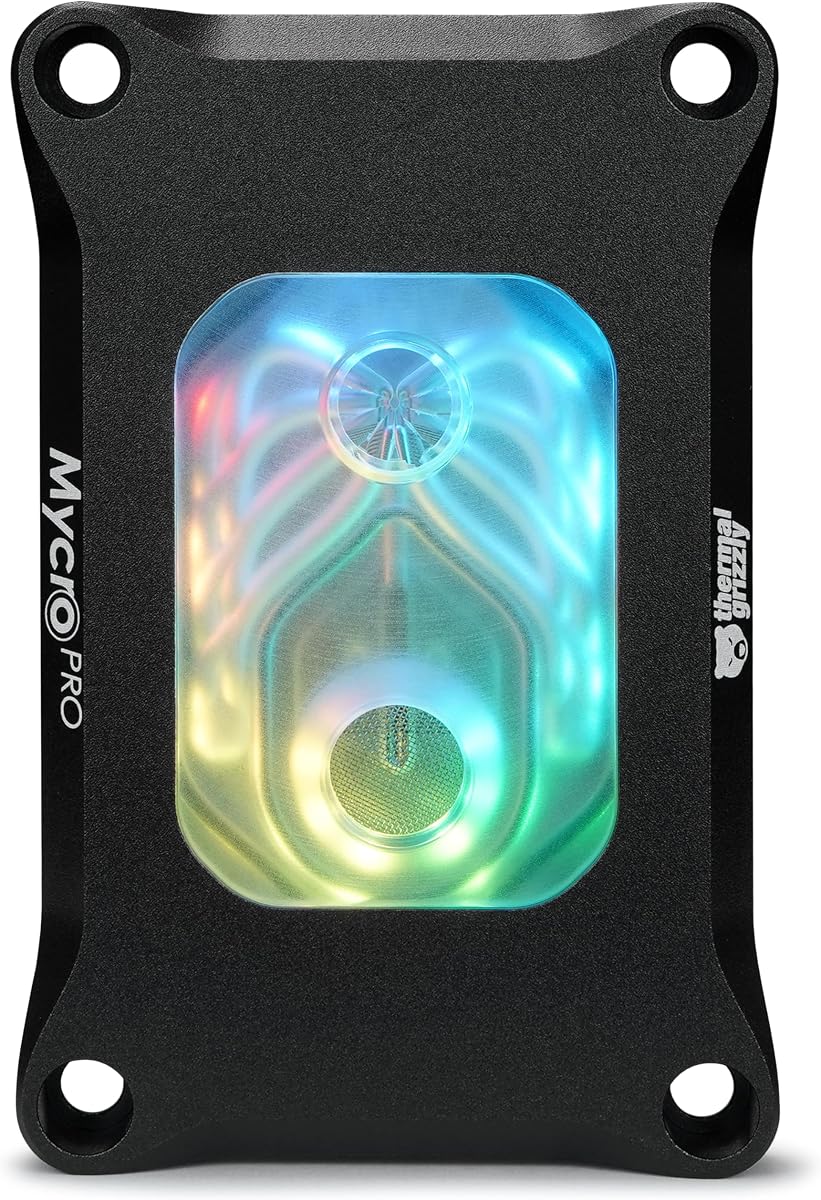
The Thermal Grizzly Mycro Pro RGB is a premium custom-loop block developed for AMD AM5 and AM4 systems. Its defining cooling features include a precision-machined nickel-plated copper cold plate and 68 microfins with a 0.2 mm structure.
We may earn a commission when you buy through this link, at no additional cost to you.
An integrated fine-mesh filter at the inlet helps trap particles that could interfere with the microfin channel. Standardized G1/4 threads make loop planning straightforward for builders already using common fittings, while an RGB window adds a controlled illuminated accent.
The material combination includes acrylic, aluminum, nickel-plated copper, and EPDM O-rings. That makes careful loop planning important, because mixed metals and coolant chemistry can affect a custom cooling system. The product is also explicitly AMD-focused, so Intel builders would need to confirm an appropriate alternative.
Choose the Mycro Pro RGB when fine cold-plate engineering, filtration, and understated lighting matter in a dedicated AMD loop. It is a refined enthusiast choice for users willing to build and maintain the complete system.
The 68 microfins and 0.2 mm structure distinguish this block from simpler copper-base designs. A nickel-plated copper cold plate supports rapid heat transfer, making the block suitable for demanding AM5 and AM4 processors in custom systems.
The integrated inlet filter helps reduce the chance that debris will reach the delicate microfin area. Regular cleaning and sensible loop assembly remain necessary, but the filter adds another layer of protection.
We may earn a commission when you buy through this link, at no additional cost to you.
The TRYX Panorama WB is built around a curved 6.67-inch 2K AMOLED display, making it the most visually ambitious block in this guide. Its 60 Hz refresh rate and 372 PPI density are designed for vivid content and immersive anamorphic effects that differ substantially from a small square LCD.
We may earn a commission when you buy through this link, at no additional cost to you.
Native GIPHY connectivity gives users access to a large library of GIF content through TRYX KANALI software. The software also offers preset anamorphic materials, monitoring data, split-screen views, filters, and support for PNG, JPG, GIF, and MP4 files.
Underneath the display, the block uses Asetek Gen8 V2 thermal architecture and a 55.5 x 55.5 mm microchannel copper cold plate. A built-in four-pin PWM fan provides targeted airflow to motherboard voltage regulators, operating up to 3300 RPM and 17.4 CFM with a listed full-load noise level of 22 dB.
This model suits display-focused showcase builds and users who value content and monitoring more than a conventional square readout. The screen, software, and auxiliary fan require more planning than a basic block, while its premium construction and dimensions may not suit every case.
The curved AMOLED panel provides a substantially larger canvas than typical square CPU screens. That extra area makes animated content, detailed artwork, and split-screen monitoring feel like an integrated part of the cooling system.
The built-in PWM fan directs airflow toward the motherboard's voltage-regulator area. It is a thoughtful addition for sustained overclocking or rendering workloads, where component temperatures around the socket deserve additional attention.
We may earn a commission when you buy through this link, at no additional cost to you.
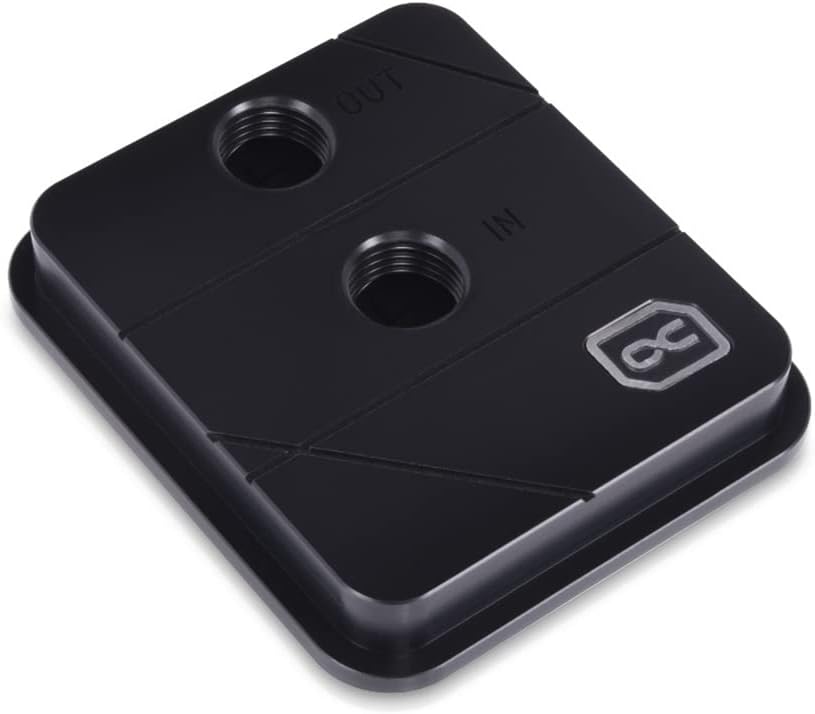
The Alphacool Core XP3 is a compact block with a straightforward set of features. It supports Intel and AMD CPUs and uses two G1/4 threaded ports, making it easy to integrate into a custom loop built around standard fittings.
We may earn a commission when you buy through this link, at no additional cost to you.
Its nickel-plated copper cooler material provides a familiar thermal construction for a water block. The overall dimensions are 73 x 63 x 21 mm, which is compact enough to consider in space-conscious builds and simpler loops.
The stated maximum working temperature is 60 degrees Celsius, so buyers should consider that limit carefully for sustained high-load or overclocking configurations. Its platform details are also less explicit than those of the newer Core 1 models in this guide.
Choose the XP3 when you need an uncomplicated block with standard ports and a compact footprint. It is better suited to straightforward custom-loop projects than display-centered builds, and current socket compatibility should be confirmed from the listing before ordering.
Two G1/4 ports allow the block to use the fittings already common in enthusiast cooling systems. This is useful when extending an existing loop or choosing components from a broad range of compatible fittings.
At 73 x 63 x 21 mm, the XP3 has a relatively shallow and compact form. Builders should still verify clearance around the socket, memory modules, reservoir, and radiator tubing before finalizing component placement.
We may earn a commission when you buy through this link, at no additional cost to you.
The CORSAIR iCUE Link XC7 RGB Elite combines a copper-based cold plate, a transparent flow chamber, and 24 addressable RGB LEDs. It is designed to fit LGA 1700, AM5, and older supported platforms, giving it broader appeal than a display-only block.
We may earn a commission when you buy through this link, at no additional cost to you.
Its Hexa-Flow cooling engine is intended to reduce laminar flow and distribute cooling more evenly across multi-chip processors. The cold plate uses nickel-plated copper and more than 120 micro-cooling fins, while a built-in temperature sensor enables more precise monitoring and control.
The defining feature is iCUE LINK connectivity. Compatible components can be daisy-chained through universal connectors using an iCUE LINK System Hub, which is sold separately. This can reduce cable clutter, but it also means the lighting experience depends on a broader CORSAIR ecosystem.
Choose this block for a coordinated RGB custom loop rather than a large display. It is especially suitable for builders already using iCUE LINK fans, lighting, or cooling hardware and willing to account for the separate hub and software requirements.
The iCUE LINK approach uses universal connectors to reduce the number of separate RGB and control leads. Once the required hub is included in the build, coordinating the CPU block with other compatible components becomes more convenient.
The built-in cold-plate temperature sensor adds a useful layer of information beyond basic software monitoring. It allows supported software and cooling control features to respond to the block's actual thermal condition.
We may earn a commission when you buy through this link, at no additional cost to you.
The Alphacool Core 1 LT combines transparent acrylic styling, digital RGB lighting, and support for current Intel and AMD sockets. It is compatible with LGA 1700, AM4, and AM5, making it suitable for a broad range of recent custom-loop projects.
We may earn a commission when you buy through this link, at no additional cost to you.
Its 71.80 x 71.80 x 28.05 mm dimensions create a square profile with enough height for a visible top section. The acrylic construction allows the coolant path to contribute to the appearance, while digital RGB lighting adds color without requiring a display panel.
Compared with the standard Core 1 in this guide, the LT model is more decorative and does not provide equally detailed information about cold-plate construction or microfin geometry in the supplied specifications. Users should therefore treat it as an appearance-focused modern block and verify its complete component list.
Choose the Core 1 LT for a colorful traditional water block rather than a software-heavy display. It is a good fit when you want transparent materials and synchronized lighting while keeping the overall design clean and familiar.
Acrylic construction showcases the coolant and internal water path, giving the block a classic enthusiast appearance. Digital RGB lighting adds a modern accent without taking over the viewer's attention like a screen.
LGA 1700, AM4, and AM5 coverage allows the block to serve several recent processor families. Confirm that the correct mounting parts are supplied for the socket in your system.
We may earn a commission when you buy through this link, at no additional cost to you.
Choosing a CPU water block means balancing processor compatibility, thermal design, loop integration, physical clearance, and visual features. The right block for a showcase build may differ from the most practical option for a compact or legacy system.
Start with the exact socket used by your processor. The blocks in this guide range from broad AMD support to combinations of AMD AM4 or AM5 and Intel LGA 1700, with some models also listing LGA 1851. A product can use the correct general platform family and still lack the precise mounting kit or support for a particular CPU generation. Check the full socket list, included hardware, and any platform limitations against your processor before considering aesthetics or cooling features.
In short, confirm the exact socket and mounting kit before ordering.
Cold-plate material is one of the most important physical specifications to examine. Nickel-plated copper appears in many of the premium and performance-oriented blocks, while the Dracaena.io model uses a copper-only internal water path and some older designs use straightforward copper bases. Copper generally offers strong thermal conductivity, but the entire loop's materials, coolant, and operating conditions must be considered together.
Prioritize copper-based contact surfaces and compatible loop materials.
A block's internal geometry determines how coolant moves across the CPU and away from the contact surface. Features listed across these products include optimized internal geometry, a Hexa-Flow engine intended to reduce laminar flow, 0.2 mm microfins, 0.4 mm microfins, and more than 120 cooling fins. These specifications can guide a performance comparison, although actual results also depend on the pump, radiator, coolant, mounting pressure, and workload.
Choose advanced flow geometry when thermal headroom is a priority.
The block's inlet and outlet connections must match the rest of your custom loop. G1/4 threading is the established standard represented throughout this guide, with the TRYX Panorama WB including brass G1/4 90-degree rotary fittings. Other blocks may use compatible G1/4 connections without listing their exact fitting orientation. Matching thread size does not eliminate the need to consider fitting depth, tube size, bend radius, and whether the ports can rotate freely.
Verify thread size, port depth, and fitting orientation.
Displays and lighting can become the visual focus of a custom build. The CORSAIR XC7 RGB Elite LCD uses a 480 x 480 IPS panel with 31 RGB LEDs, while the TRYX Panorama WB uses a much larger curved 2K AMOLED display and offers GIPHY integration. If you prefer a simpler appearance, a transparent block with digital RGB may be more appropriate. Remember that screens and powered lighting also require software, cable space, and suitable USB connections.
Treat displays and RGB as design choices, not cooling benefits.
CPU blocks occupy some of the busiest space inside a case. The listed dimensions range from the compact 63 x 63 mm Dracaena.io design to 72 x 72 mm models and taller blocks with integrated displays or top lighting. Consider tall memory modules, motherboard VRM heatsinks, the reservoir, radiator tubing, and the side-panel position. The visual center of a loop must not prevent tubes from bending naturally or make maintenance unnecessarily difficult.
Measure socket clearance and tube routing before finalizing.
A complete installation kit can make a meaningful difference in a custom-loop project. The Dracaena.io block includes an ARGB controller, backplate, mounting hardware, and screws, while the TRYX includes rotary fittings and thermal paste. Other listings mention only selected contents, so do not assume that thermal paste, paste applicators, backplates, or every screw is present. Inventory the parts you already own and check the listing's included-accessory section before ordering.
List existing mounting parts and confirm missing accessories.
Fine microfin structures and partial-copper water paths can require extra care. The Thermal Grizzly Mycro Pro RGB includes an integrated fine-mesh inlet filter, which helps trap particles before they reach the microfin channel. All custom loops still need appropriate coolant, clean fittings, sensible tubing, and regular inspection. Pay attention to the materials touching the coolant, avoid prolonged operation with unsuitable combinations, and confirm whether a particular block adds any maintenance requirements.
Plan for clean assembly, compatible materials, and routine inspection.
Before installing any block, confirm that the CPU socket, mounting hardware, backplate, and cooler dimensions are correct. Read the included instructions, identify the gasket orientation, apply suitable thermal interface material, and tighten the mounting screws gradually in a cross pattern. Uneven pressure can reduce contact or stress the socket and board, so secure mounting should be methodical rather than aggressive.
When connecting the loop, keep tubing free of kinks, avoid twisting fittings, and ensure every connection is hand-tight before final tightening. Use compatible coolant and consider the entire loop's material mix, especially when copper, aluminum, acrylic, or other polymers are present. Fill and bleed the system carefully, inspect for flow direction and leaks, and confirm that the pump is operating before powering the processor.
For display and RGB blocks, install the required software and connect every specified USB, power, or control cable before finalizing the layout. Keep the screen and internal channels clean, monitor temperatures under realistic workloads, and inspect the system for drips, residue, or unusual noise. If flow drops or temperatures rise, shut down and investigate pump operation, air pockets, blocked passages, and the condition of the coolant.
CPU water blocks can provide more thermal headroom, quieter operation under sustained heavy loads, and distinctive custom-loop styling. They are not automatically better for every system because a capable tower or dual-tower air cooler may cool mainstream processors effectively with fewer parts. Water cooling becomes more compelling for compact cases, visually driven builds, heavily overclocked systems, and configurations that need substantial sustained-load headroom.
A standalone CPU block generally requires a complete cooling loop, including a compatible pump, radiator, fittings, tubing, and coolant. Some products are sold as parts of an all-in-one liquid cooler, but the listings in this guide describe individual water blocks. Confirm the included components and intended loop type before buying so you do not end up with a block that cannot operate as part of a complete system.
Choose a block that explicitly lists your processor's socket. The guide includes AMD support ranging from AM2 through AM5, modern AMD AM4 and AM5 products, Intel LGA 1700 and LGA 1851 models, and one older block covering several legacy Intel platforms. Socket labels are not the only consideration, so also confirm the required mounting kit, cooler dimensions, and any platform-specific instructions.
They are worthwhile primarily when visual customization is a central goal. The CORSAIR XC7 RGB Elite LCD supports a 480 x 480 IPS display, while the TRYX Panorama WB offers a much larger curved 2K AMOLED screen and GIPHY integration. These features require suitable software, connections, and case clearance, so builders should compare the display experience with the simpler alternative of a transparent RGB block.
G1/4 is a standard thread size used to attach fittings to many components in custom water-cooling loops. It gives builders access to a broad selection of compatible fittings, but they must still confirm fitting depth, tube compatibility, port orientation, and clearance. Two blocks can both use G1/4 ports while presenting different tubing angles and installation requirements.
Start by treating the block as part of a complete material system rather than selecting it in isolation. Confirm which metals and plastics contact the coolant, use coolant approved for the full combination, and avoid running a mixed-material loop without understanding its limitations. Clean thoroughly before filling, flush incompatible components when necessary, and monitor the loop for discoloration, deposits, or restricted flow.
A block with a display or powered lighting may require its manufacturer's software, while a purely mechanical block may need no software beyond optional fan and pump control. The CORSAIR models connect to the iCUE ecosystem, and the TRYX uses KANALI for display controls and GIPHY features. Check the required connection, supported operating system, and software dependencies before installation.
Allow room for the block itself, tubing, fittings, and maintenance access. Dimensions in this guide range from 63 x 63 mm for the compact Dracaena.io design to larger square blocks and display-equipped models. Your case must also accommodate the reservoir, radiator, pump, and enough tube length to bend naturally without pulling against ports or restricting coolant flow.
The EKWB EK-Quantum Velocity 3 is the strongest all-around recommendation for modern AMD and Intel custom loops, emphasizing modern socket coverage and refined internal geometry. The Dracaena.io CPU Water Block is the practical budget-oriented choice for broad AMD support, while the TRYX Panorama WB stands apart for buyers who want a large curved AMOLED display and extensive visual customization.
Prioritize exact socket compatibility, cold-plate material, flow design, fitting standards, and case clearance before deciding on lighting or a screen. For basic performance, choose a clean block that matches your processor. For a showcase build, a transparent chamber, synchronized RGB, or integrated display may justify the additional complexity if you are comfortable managing software and cabling.
Finally, review the current product listing before purchasing. Socket kits, included accessories, software requirements, availability, and prices can change, and compatibility details may be updated after a listing is first published. Confirm the current specifications and complete loop requirements to make the most informed choice.