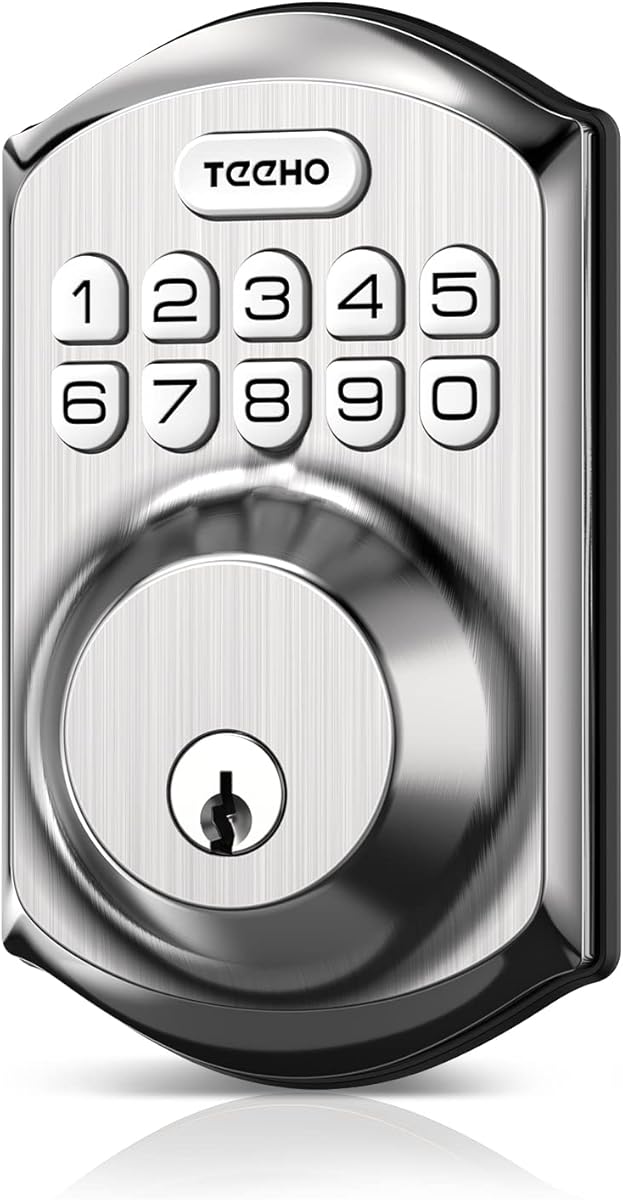
TEEHO TE001 Keypad Deadbolt
4.5Editor score
Twenty family access codes
One-time guest PIN
Automatic relocking timer
IP54 weather resistance
Our Digital Door Lock guide compares ten smart deadbolts and keypad locks by security, connectivity, access options, installation, battery life, and ease of
A digital door lock replaces the traditional key with passcodes, fingerprints, apps, and other convenient access methods. The best model depends on your door, household routines, and desired level of smart-home integration, so compatibility and long-term usability matter as much as headline features.
This guide compares ten digital door locks using the supplied product specifications, customer ratings, access methods, connectivity, installation requirements, weather resistance, battery guidance, and security functions. It covers standalone keypad locks, Bluetooth models, app-connected options, and locks with built-in Wi-Fi.
Each review explains the lock's strongest benefits, practical limitations, and ideal buyer profile. Features differ considerably across the list, from simple keypads to fingerprint recognition and remote access, while prices and availability can change, so verify current details before purchasing.
4.5Editor score
4.3Editor score
4.2Editor score
The comparison highlights the major differences among these locks, including connection type, supported entry methods, code capacity, installation needs, and environmental features. Use it to identify the model that best matches your door, network, and everyday access needs.





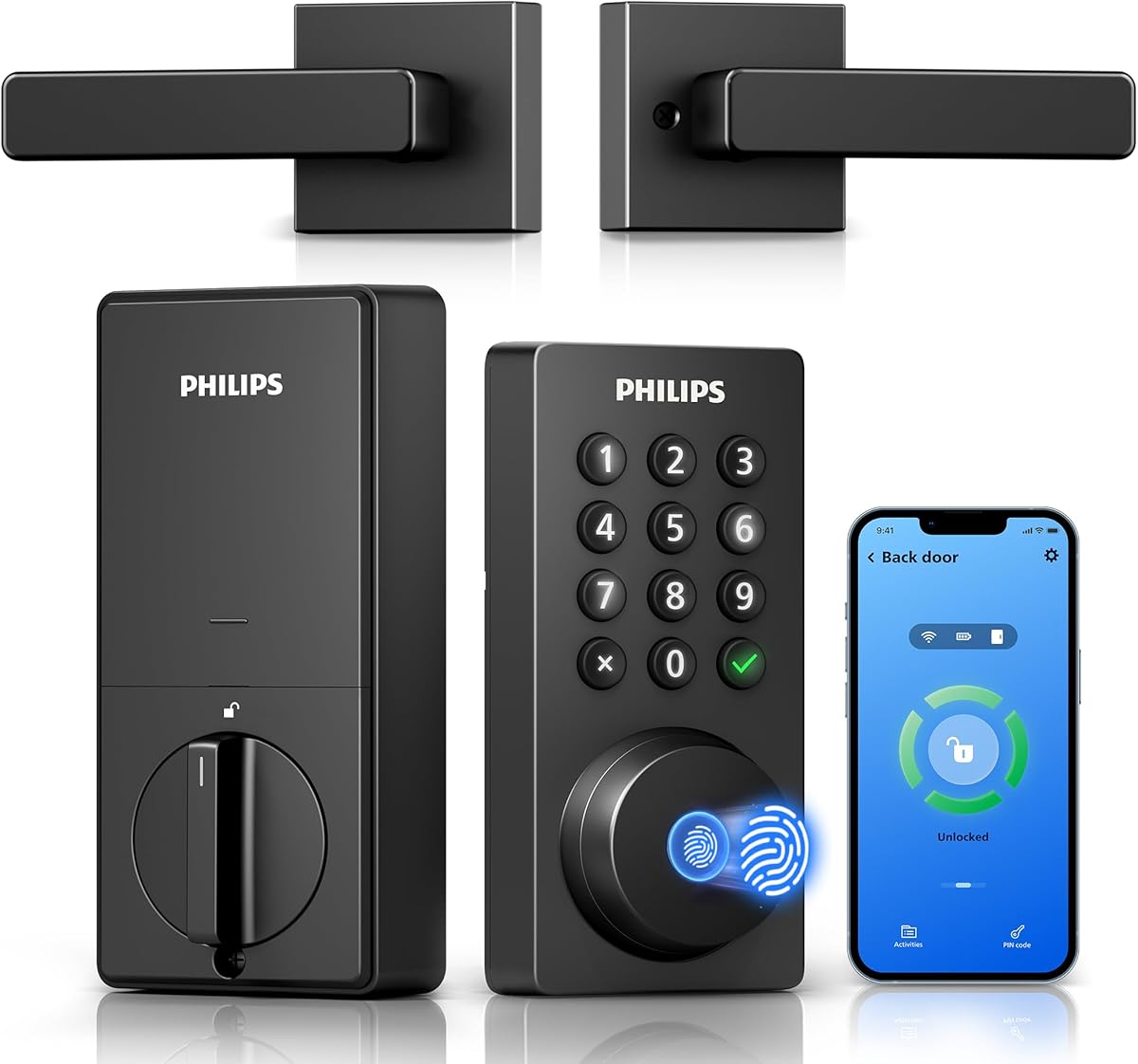
The Philips WiFi Keypad Deadbolt with Handle earns a 4.3 rating and stands out as a connected front-door upgrade that combines fingerprint entry, PIN access, app control, and voice-assistant support. Its built-in 2.4GHz Wi-Fi eliminates the need for a separate bridge, while the included matching handle makes it more complete than a bare deadbolt.
We may earn a commission when you buy through this link, at no additional cost to you.
Access management is particularly flexible. The Philips Home Access app can control the lock, manage users and fingerprints, check lock status, and review access history. Permanent, one-time, periodic, and recurring PINs suit family members, visitors, cleaners, and rental access. The fingerprint reader is advertised for 0.3-second unlocking, while auto-lock can be adjusted from zero to 180 seconds through the app.
There are a few practical qualifications. The lock must remain within 33 feet of the router for the most reliable connection, and walls or metal can weaken the signal. Auto-lock is off by default, so it must be enabled deliberately. Batteries are also not included, and the manufacturer specifically recommends standard 1.5V alkaline batteries rather than rechargeable or high-power lithium cells.
This is a strong choice for buyers who want full remote control without adding a hub, particularly when a complete handle-and-lock appearance matters. It combines generous credential options with a straightforward installation process, though the included hardware, stable 2.4GHz network, and battery requirements deserve attention before ordering.
Built-in 2.4GHz Wi-Fi lets the lock connect directly to a compatible home network, so the app can be used without purchasing an additional hub. Keep the router within the stated distance and reduce physical obstructions if remote control becomes inconsistent.
Permanent, recurring, periodic, and one-time PINs let you match access permissions to household needs. This is particularly useful for guests, housekeepers, or short-term visitors who should not retain unrestricted entry.
We may earn a commission when you buy through this link, at no additional cost to you.
The Philips Wi-Fi Smart Deadbolt has a 4.2 rating and provides a broad mix of ways to enter. Household members can choose the app, a passcode, fingerprint recognition, a physical key, or voice control through Alexa or Google Assistant. That variety makes it easier for different family members and guests to use the lock naturally.
We may earn a commission when you buy through this link, at no additional cost to you.
Remote operation comes from built-in Wi-Fi rather than a required hub. The app supports lock and unlock commands, access-code creation, real-time notifications, and an activity history that records when the door opens and locks. Up to 100 custom codes can be assigned, while one-time and scheduled credentials suit deliveries, cleaners, or visitors. Away Mode disables most unlock methods except the master code when additional control is wanted.
The model has some limitations worth considering. It operates only on a 2.4GHz network, and the product guidance recommends keeping the router and lock within 65 feet for more dependable remote control. It does not include a door sensor, batteries are not included, and the manufacturer specifies AA alkaline LR6 batteries. Its auto-lock delay can range from 10 to 180 seconds.
Overall, this Philips deadbolt is a versatile fit for buyers who value many entry options and detailed remote management. It is less suitable if a 5GHz-only network is the only option or if an integrated door sensor is essential. For compatible homes, it delivers a capable mix of convenience and access control.
App, PIN, fingerprint, key, and voice entry cover a wide range of preferences. Family members can use the quickest familiar method, while the physical key remains a useful fallback.
Away Mode restricts normal access to the master credential, adding a clear control when the home is unoccupied. It is a useful companion to scheduled and one-time PINs rather than a replacement for them.
We may earn a commission when you buy through this link, at no additional cost to you.
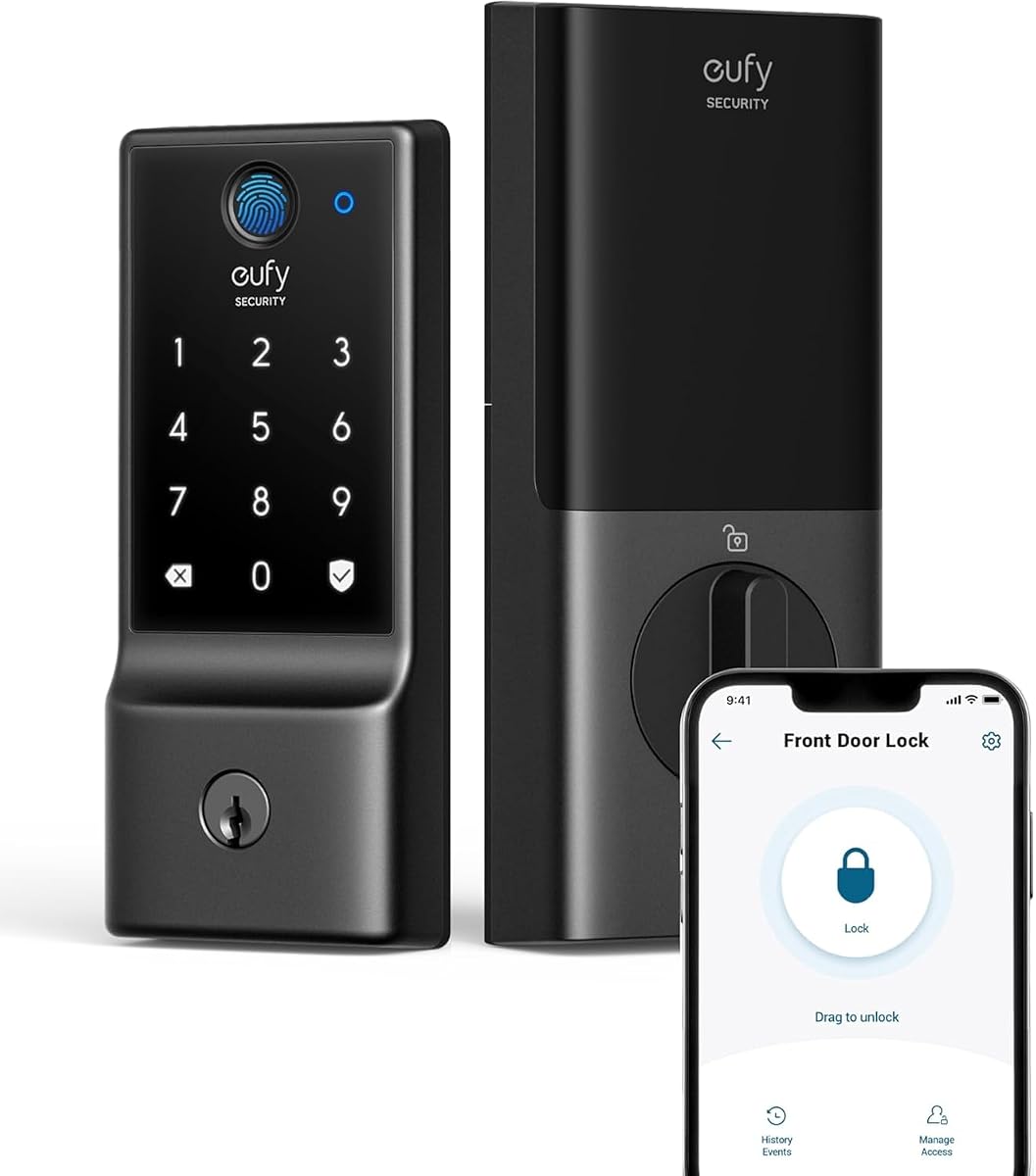
The eufy Security Smart Lock C220 carries a 4.3 rating and offers a balanced combination of security, convenience, and connected control. It supports six unlocking approaches: fingerprint, the eufy Security app, keypad, physical key, Apple Watch, and Alexa or Google Voice Assistant. Built-in Wi-Fi means a separate bridge is unnecessary.
We may earn a commission when you buy through this link, at no additional cost to you.
Its fingerprint system uses self-learning AI to refine recognition with repeated use. The lock also offers a claimed battery life of around eight months using eight AA batteries, although actual duration varies with lock activity. For households already using eufy devices, integration with routines and shared control through the eufy Security app is an important advantage.
Installation is designed to be approachable. It fits most standard deadbolts, and removal of the spacer allows it to fit bores under 54 millimeters without drilling. It has a BHMA Grade 3 certification following more than 100,000 lock cycles, an IP53 waterproof rating, and an operating range from minus 22 to 158 degrees Fahrenheit.
The C220 is best for buyers who want fingerprint convenience, app access, and home-automation integration without a hub. Its strongest appeal is inside the eufy ecosystem, but it remains a capable standalone choice. Check the bore dimensions and battery compartment carefully before installation.
The self-learning recognition system is designed to become more precise through repeated use. That can reduce repeated failed touches while allowing the lock to recognize different family members consistently.
Existing eufy doorbell owners can combine the lock with device routines in the same app. The integrated approach is more compelling than choosing a lock solely for its standalone keypad features.
We may earn a commission when you buy through this link, at no additional cost to you.
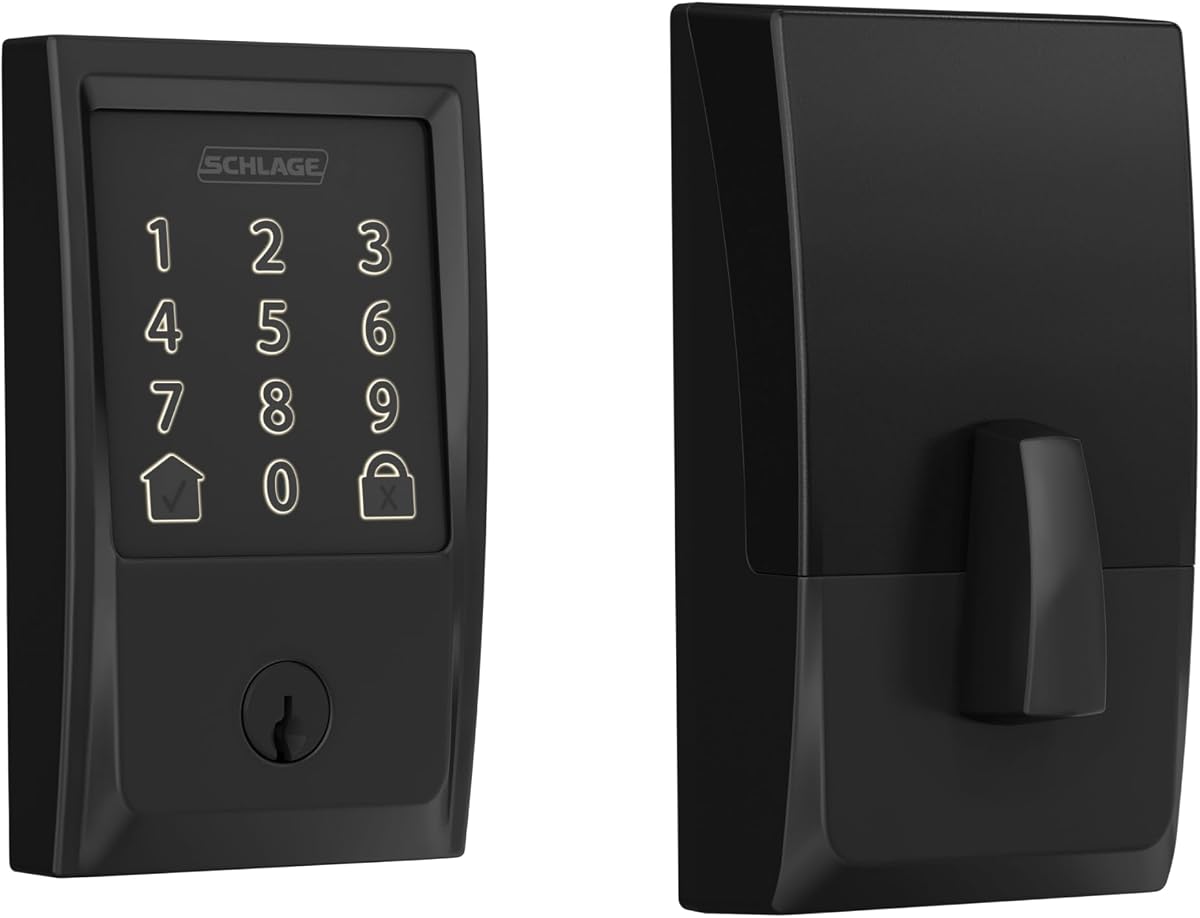
The Schlage Encode Smart WiFi Deadbolt has a 4.2 rating and is the most conventional premium deadbolt in the group. It combines a familiar touch interface with built-in Wi-Fi, secure app access, customizable notifications, and a physical backup key. The included Century trim gives the unit a finished, traditional appearance.
We may earn a commission when you buy through this link, at no additional cost to you.
The Schlage Home app supports remote locking and unlocking, access history, and management of as many as 100 access codes. Multiple connected locks can be handled from the same account. Security features include an encrypted connection, a fingerprint-resistant touchscreen, and a customizable alarm for door movement or forced-entry attempts. The product also carries BHMA's highest residential Security, Durability and Finish rating.
Installation is described as requiring only a screwdriver and no hardwiring. Its Snap 'n Stay design is intended to keep the lock supported on the door during installation. It fits doors between 1-3/8 and 1-3/4 inches thick, with specified backset options, so measuring the door is important. Four AA batteries are included, and the touchscreen and app provide low-battery warnings.
This lock is best for buyers who prioritize established residential hardware, polished security functions, and a traditional deadbolt form. It does not offer fingerprint entry, but its broad code capacity, key fallback, and app management compensate for that omission. It is a strong choice for a primary entrance where dependability and finished hardware matter most.
The configurable alarm can notify you about door movement or forced-entry attempts, while the fingerprint-resistant touchscreen limits the chance of code impressions. These details make the lock suitable for a heavily used primary door.
The Schlage Home app can manage multiple locks and their access histories in one place. This is useful for buyers replacing front and back doors or controlling a second property.
We may earn a commission when you buy through this link, at no additional cost to you.
The Yamiry Fingerprint Door Handle Lock has a 4.3 rating and combines a conventional lever handle with six keyless entry options. Fingerprint recognition, Bluetooth app control, personalized PINs, key fobs, mechanical keys, and Alexa-related control give households several ways to enter without settling for a basic keypad.
We may earn a commission when you buy through this link, at no additional cost to you.
The app supports permanent and temporary access permissions, one-time codes, and unlock records. That makes the lock especially relevant to landlords, short-term rental hosts, and property managers who need to change access for different occupants. A separately sold Wi-Fi gateway is required for remote control and the full voice-assisted remote feature.
Installation is presented as a quick replacement of an existing handle, knob, or deadbolt. The reversible handle suits both left- and right-handed doors, and the specification states that most standard American wooden front doors can be handled with a screwdriver and no additional drilling. The product's handle format is an important visual and functional distinction from the deadbolts elsewhere in this guide.
This is an appealing choice for buyers who want to replace a lever handle while adding digital access. It works best for users who are comfortable with Bluetooth proximity and understand the distinction between local app control and true remote access. Verify the gateway requirement before relying on out-of-home features.
The integrated handle format suits doors that already use lever hardware rather than a deadbolt. Buyers can modernize entry without committing to a full deadbolt-style exterior design.
Temporary and one-time PINs reduce the need to change physical locks when guests arrive and depart. The app's record keeping can also help hosts track access activity across multiple users.
We may earn a commission when you buy through this link, at no additional cost to you.
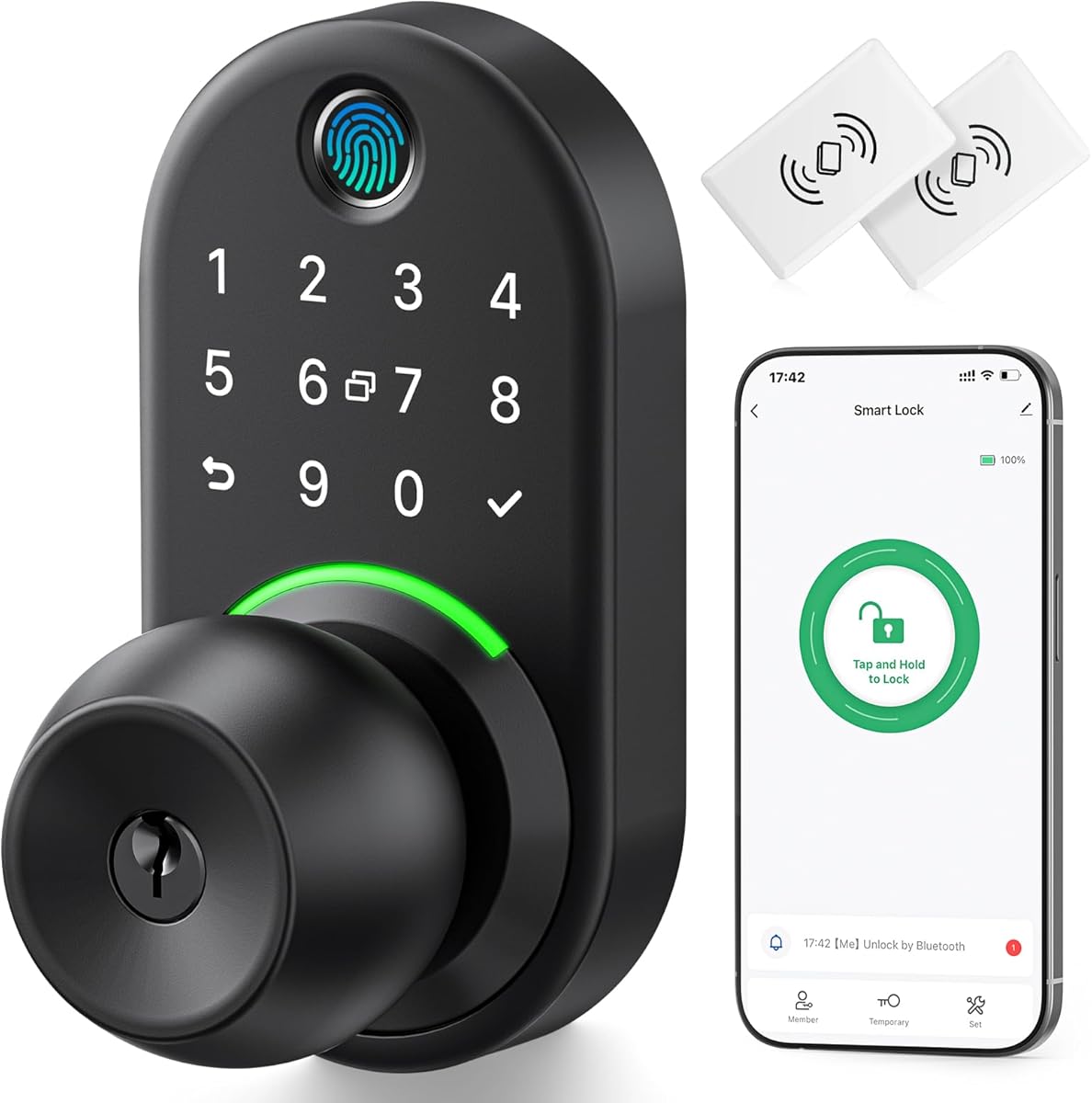
The TEEHO TE001 Keypad Deadbolt has a 4.5 rating, tying for the highest customer rating in this group, and delivers the most straightforward keypad experience. It provides 20 access codes for family members plus a temporary code for single-use guest entry, making it well suited to users who do not need fingerprint recognition or an app.
We may earn a commission when you buy through this link, at no additional cost to you.
A programmable auto-lock can relock the door after 10 to 99 seconds, although it is off by default. One-touch locking can also be performed by holding a keypad key for two seconds. The aluminum alloy body is rated IP54 for weather resistance and includes an anti-peeping feature for user codes, a solid lock cylinder, and a low-battery indicator.
The main drawback is installation compatibility. The lock is designed for a 2-1/8-inch, or 54mm, door hole and is not compatible with a 38mm hole. It uses four AA batteries, which are not included, and the stated battery life is up to 365 days under normal conditions. It must be reset before first use so it can detect the door's opening direction.
The TE001 is best for buyers seeking dependable keyless entry without app complexity or network setup. Its strong rating, straightforward controls, and generous code count make it an excellent budget-oriented choice, provided the existing door bore matches the 54mm requirement.
The lock operates without an app, hub, or voice service. That simplicity is valuable for landlords, secondary entrances, and households that want keyless entry without managing connected credentials.
This model's key limitation is its 54mm door-hole requirement, which differs from many competing locks. Measure the existing opening and confirm the door direction before removal to avoid an unnecessary installation project.
We may earn a commission when you buy through this link, at no additional cost to you.
The Yamiry Keypad Door Knob Lock has a 4.4 rating and is a practical choice for buyers who want a digital handle without fingerprint hardware, an app, or a gateway. It accepts four- to eight-digit codes, stores up to 20 credentials for family members, and can issue a one-time code for guests.
We may earn a commission when you buy through this link, at no additional cost to you.
The lock's auto-lock delay is adjustable from five to 99 seconds, and it can be disabled when desired. A mechanical key provides a fallback entry method. Construction uses aluminum alloy, while the listed security and environmental features include a backlit keypad, low-battery indicator, anti-prying user-code protection, and IP54 weather resistance.
Installation is described as taking less than 15 minutes with a screwdriver. Unlike app-controlled models, there are no connectivity features to configure, so setup focuses on programming codes and teaching the lock the door's swing direction. The simplicity reduces both installation complexity and ongoing maintenance.
This lock is best for standard residential doors where a lever-style knob is preferred and keyless family access is the main goal. It is less appropriate for smart-home users who want remote administration, voice control, or a detailed electronic access log. Its strengths are convenience, straightforward operation, and a low learning curve.
Codes can be programmed directly on the keypad without an account or network configuration. This makes the lock approachable for occasional users, older family members, and anyone who prefers a self-contained device.
The five-to-99-second delay can reflect how long you typically need the door to remain open. Disabling auto-lock is also possible, although maintaining that setting requires deliberate attention to security.
We may earn a commission when you buy through this link, at no additional cost to you.
The Yamiry Fingerprint Knob Lock has a 4.3 rating and adds fingerprint recognition to a familiar lever-handle design. It offers five unlocking methods: app, password, key fob, fingerprint, and key. That makes it a versatile middle ground between a basic keypad and a fully connected deadbolt.
We may earn a commission when you buy through this link, at no additional cost to you.
The app can store 50 passwords, fingerprints, and key fobs. When combined with a separately sold Wi-Fi gateway, it also supports remote control from outside Bluetooth range. Locking options include auto-lock, app-based locking, and a long-press button control, allowing the household to choose between automatic and deliberate locking behavior.
The lock connects over Bluetooth and is compatible with most American standard doors. Installation uses a screwdriver, although the included app and any gateway setup add more configuration than a standalone keypad. Remote functionality cannot be assumed from the standard package, so buyers should confirm whether they need a separate gateway.
The Yamiry knob is best for buyers who want several credential types without moving to a deadbolt form. It is especially suitable for a lever-handle door in a household that already uses Bluetooth accessories. If internet-based remote access is essential, budget for and configure the appropriate gateway.
Passwords, fingerprints, key fobs, app access, and a mechanical key cover nearly every common entry preference. Storing up to 50 credentials is useful for larger households or shared properties.
Bluetooth app control works locally, while remote control depends on an additional Wi-Fi gateway. Distinguishing these functions before purchase can prevent confusion during setup and daily use.
We may earn a commission when you buy through this link, at no additional cost to you.
The Veise VE017 Fingerprint Smart Lock has a 4.3 rating and stands out for extensive user management, privacy features, and access methods. The KK Home app supports remote permission changes, user authorization, activity logs, scheduled and one-time codes, and access deletion. Its design also considers multi-tenant properties and hosts managing several occupants.
We may earn a commission when you buy through this link, at no additional cost to you.
Entry is available through fingerprint, app, authorized access, a fob card, code, shared code, voice assistant, and mechanical key. The on-device fingerprint system claims recognition in under 0.2 seconds with 99.99% accuracy, and a dedicated AI chip continually refines recognition patterns. Password options include one-time, duration-based, permanent, and recurring codes.
Privacy and alert functions include locally AES128-encrypted access data, a silent mode, Away Mode, intrusion alarms, and temporary lockouts after unauthorized attempts. A USB-C emergency port and low-battery indicator add practical safeguards. Remote access, status monitoring, and Alexa or Google voice control require the separately sold Veise G1 gateway.
The VE017 is best for buyers who want extensive local smart-lock management and strong credential flexibility without built-in Wi-Fi. It accommodates common 38mm and 54mm lock holes and a broad range of standard door thicknesses. Verify the gateway requirement if out-of-home control is central to your decision.
The app allows administrators to add users, alter permissions, pause access, delete credentials, and review activity. These tools are particularly relevant for landlords and short-term rental hosts managing changing occupants.
Access records, credentials, and fingerprints are described as locally encrypted on the lock. Silent mode and Away Mode provide additional control over alerts and the types of access permitted when occupants are away.
We may earn a commission when you buy through this link, at no additional cost to you.
The Veise VE027-K WiFi Deadbolt has a 4.5 rating and combines a connected smart deadbolt with two interior knobs. Its set is especially convenient for buyers who want a coordinated front-door hardware package rather than selecting a smart exterior lock and matching interior pieces separately.
We may earn a commission when you buy through this link, at no additional cost to you.
Built-in 2.4GHz Wi-Fi enables hub-free control through the app, including status checks, battery monitoring, activity alerts, access logs, and remote user management. Entry methods include the app, fingerprint, IC card, PIN, physical key, voice control, user authorization, and code sharing. Auto-lock can be configured from 10 to 180 seconds after the door closes.
The app supports permanent, scheduled, one-time, and expiring digital keys, with capacity for 100 custom passcodes and unlimited one-time passwords. Fingerprint storage holds up to 20 registrations, using an advertised 608DPI sensor and a claimed 0.2-second recognition time. The lock uses eight AA batteries for an estimated 240 days and carries IP65 weather protection and BHMA/ANSI Grade 3 standards.
The VE027-K is best for a new installation where a complete two-knob set and direct Wi-Fi control are priorities. Installation is described as taking 10 to 15 minutes without wiring, and the lock automatically identifies left- or right-handed doors. Confirm the door dimensions, network frequency, and battery requirements before ordering.
The two included interior knobs reduce the need to source matching hardware separately. This is particularly helpful when replacing a front-door lock set and maintaining a consistent finish.
Permanent, scheduled, one-time, and expiring codes cover different occupancy patterns. The app can also revoke access and display an activity log, making the lock adaptable to visitors and household changes.
We may earn a commission when you buy through this link, at no additional cost to you.
The right digital door lock depends on your door dimensions, network, entry habits, and tolerance for app management. Comparing compatibility and access features before ordering helps prevent installation problems and ensures the lock fits daily use.
Door dimensions determine whether a lock will fit without adapters, drilling, or extensive modification. Philips models support doors approximately 38 to 50 millimeters thick, while the TEEHO TE001 is specifically limited to a 54mm door hole. The eufy C220 fits bores under 54 millimeters after removing its spacer, and the Veise VE017 accepts common 38mm and 54mm openings. The Veise VE027-K is listed for standard US doors from 1-3/8 to 2 inches thick. Always measure both the door leaf and existing bore rather than relying on the door's advertised nominal size.
In short, confirm the exact thickness, hole diameter, backset, and swing direction before buying. These measurements reduce the likelihood of needing a new door or extra drilling.
Standalone keypad locks need no network and are often the easiest to operate. Bluetooth models support nearby app administration but may require an additional gateway for internet-based remote access. Built-in 2.4GHz Wi-Fi products, including the Philips deadbolts, eufy C220, Schlage Encode, and Veise VE027-K, support more direct remote management without a separate bridge. Most built-in Wi-Fi options in this guide require 2.4GHz rather than 5GHz connectivity, so your router must support the appropriate band.
In short, choose standalone controls for simplicity, Bluetooth for local flexibility, or built-in Wi-Fi for remote access. Confirm any separately sold gateway before purchase.
A keypad is useful for family members and guests, while fingerprint access is faster for people who regularly enter and leave. Physical keys provide an important fallback, and app or voice entry can be convenient when hands are full. The options differ substantially: the TEEHO focuses on codes, the Schlage omits fingerprint access, the Veise VE017 supports eight methods, and the complete two-knob Veise VE027-K set combines a fingerprint deadbolt with interior knobs.
In short, list the methods each household member will realistically use. More methods are not automatically better if setup becomes unnecessarily complicated.
Consider how many people need permanent access and how frequently visitor credentials change. Basic models provide around 20 codes, while connected deadbolts may support as many as 100 custom passcodes. Scheduled, recurring, one-time, and expiring codes are especially helpful for cleaners, contractors, deliveries, and rental guests. A physical key backup also matters if a battery runs down or a fingerprint reader does not recognize a registered user.
In short, match code capacity and expiration options to your household or property-management needs. Temporary access is often more useful than storing extra permanent codes.
Security extends beyond the lock's exterior design. Useful features include anti-peeping codes, forced-entry or door-movement alarms, intrusion lockouts, fingerprint-resistant touchscreens, encrypted connections, and locally encrypted credential storage. The Veise VE017 includes an anti-peeping privacy code and on-device AES128 storage, while the Schlage Encode offers customizable alarms and an encrypted connection. If privacy is important, examine where data is stored as well as how the lock communicates.
In short, prioritize locks that combine physical tamper resistance with clear access logs and configurable alerts. Avoid choosing security features you will never configure.
An exterior lock must tolerate rain, dust, and seasonal temperature changes. The eufy C220 has an IP53 rating, the TEEHO TE001 and basic Yamiry keypad lock have IP54 ratings, the Veise VE017 has IP55 protection, and the Veise VE027-K reaches IP65. The eufy lists an operating range from minus 22 to 158 degrees Fahrenheit, while the Veise VE017 lists a broader range from minus 35 to 160 degrees. A higher rating can be reassuring for exposed entrances, though proper installation and weather sealing still matter.
In short, compare environmental ratings for the actual door location. A sheltered interior door does not need the same weather resistance as an exposed entrance.
Battery life varies sharply according to feature set, usage, and battery type. The eufy C220 advertises around eight months with eight AA batteries, the Schlage offers up to six months with four included AA batteries, and the Veise models claim approximately 12 months or 240 days depending on the model. The TEEHO states up to 365 days but is limited to four AA batteries. Some manufacturers specify alkaline cells and advise against rechargeable or lithium alternatives. Low-battery indicators, physical key access, and emergency power options should all be considered.
In short, follow the exact battery guidance and keep a backup key available. Treat advertised battery life as an estimate that changes with lock frequency and enabled features.
Most models install with a screwdriver and no hardwiring, but complexity varies. Standalone keypads require only physical replacement and code programming. App and Wi-Fi models also require account creation, pairing, firmware or app updates, and network verification. Deadbolts and lever handles suit different door styles and homeowner preferences. The Philips B0F61WG9F2 includes a matching handle set, and the Veise VE027-K includes two interior knobs, while the Schlage is supplied with Century trim.
In short, consider both installation effort and exterior design. A simple installer does not remove the need to follow the manual or verify door alignment.
Before installation, read the included manual and installation video, measure the door, identify the swing direction, and confirm that the deadbolt, spindle, and strike plate align correctly. Remove the old hardware only after verifying the new lock fits. Route wires beneath the latch as directed, avoid overtightening screws, and test the latch and bolt with the door fully closed before pairing any app or gateway.
For a new connected lock, create the appropriate account, connect the phone to the required 2.4GHz network, and complete in-app pairing before attempting remote functions. Set the auto-lock delay, master code, fingerprint profiles, and temporary credentials. Test every entry method while standing at the door, and confirm that the app shows the correct status and access history. If the lock supports Away Mode, configure it only after all household and guest access is understood.
Maintenance should include checking the battery warning regularly, replacing batteries with the specified type, and cleaning the keypad or fingerprint sensor with a soft, dry cloth. Keep the door and strike plate aligned and remove excess debris that could obstruct the bolt. Update the app when prompted, revoke expired guest codes, and retain a physical key or known backup method in case the lock loses power.
It depends on the model. The Philips WiFi Keypad Deadbolt, Philips Wi-Fi Smart Deadbolt, eufy C220, Schlage Encode, and Veise VE027-K have built-in Wi-Fi and are described as connecting without a separate hub. Bluetooth-based Yamiry and Veise models may require a separately sold gateway for remote internet access. Check the product's connectivity and package contents before ordering.
Usually, yes, if the dimensions and hardware match. Measure the door thickness, bore diameter, backset, and swing direction, then compare them with the lock's installation specifications. Some products support common openings while others require a 54mm bore or have narrower tolerances. The new lock must also align properly with the existing strike plate.
Most digital locks provide a low-battery warning, but they can eventually stop operating when power is exhausted. Models with a physical key can still be opened with that key, and some Veise models include a USB-C emergency power port. Replace batteries promptly when a warning appears, use the type specified by the manufacturer, and keep a backup key accessible.
Fingerprint recognition can be convenient when a person's fingerprint is easy for the sensor to learn, but young children, older adults, or anyone with fingerprints that change seasonally may experience recognition issues. A PIN and physical key should remain available as alternatives. It is also wise to register more than one authorized fingerprint where the model permits it.
A keypad lock is generally simpler and less expensive to operate because it does not need biometric registration. A fingerprint lock is quicker for regular household members and can reduce shared-code concerns. The best choice depends on your preferences, the users of the door, and whether the added electronics and app features are worthwhile for your situation.
Connected models are especially useful for this purpose. Philips, Veise, Yamiry, Schlage, and eufy options provide combinations of one-time, scheduled, recurring, or expiring credentials. A basic model such as the TEEHO TE001 also includes a single-use guest code, but it has fewer remote management features.
Many models in the guide support voice-assistant integration, although some require a particular app account, network configuration, or separately sold gateway. The Veise models explicitly require the G1 gateway for remote and voice functionality. Sign into the required account, pair the lock, and confirm compatibility before relying on voice commands.
Use a strong master code, change temporary passwords promptly, remove access for departed users, and keep the lock firmware and app updated. Enable auto-lock and Away Mode when appropriate, but verify that household members can still enter. Physical security also depends on a properly aligned door, undamaged strike plate, and regular battery maintenance.
The TEEHO TE001 is the most budget-conscious and straightforward choice, offering strong ratings, multiple codes, and a one-time guest PIN without app complexity. The Philips WiFi Keypad Deadbolt is the most flexible connected upgrade, combining direct Wi-Fi, fingerprint entry, varied PIN permissions, and a complete handle set. For a polished premium deadbolt with established residential hardware, the Schlage Encode stands out with its app, alarm, key backup, and multiple-lock management.
Before choosing, prioritize door compatibility, required entry methods, and the type of connectivity you will actually use. A standalone keypad may be ideal for a secondary entrance, while a built-in Wi-Fi model is better for remote monitoring and changing guest access. Confirm network frequency, gateway requirements, battery specifications, and the need for a matching handle set.
Product availability and prices can change, so review the current listing and seller information before buying. Also compare the included hardware, warranty terms, app requirements, and installation instructions. Taking those final steps helps ensure the selected digital door lock integrates smoothly with your door, household, and security routine.