
ARCTIC P12 Slim PWM PST
4.6Editor score
Slim 15mm installation
PWM speed control
Three-fan pack
Our static pressure fans for PC cooling guide compares 10 leading 120mm options for radiators, heatsinks, and tight builds based on airflow, pressure, noise
Static pressure fans for PC cooling are designed to move air through restrictive spaces such as radiators, dense heatsinks, and narrow case passages. Unlike basic case fans, they maintain airflow when resistance increases, making them especially useful for compact systems, all-in-one liquid coolers, and performance-oriented builds that need dependable cooling in confined areas.
This guide compares ten 120mm fans using the specifications and features supplied for each product, including static pressure, airflow, maximum speed, noise information, bearing design, PWM control, installation depth, daisy-chaining, and lighting. The list covers standard-depth and slim fans, single and multi-packs, plain and ARGB versions, with particular attention to how each option suits different cooling configurations.
Each review explains the practical strengths and limitations of its featured fan, while the buying guide explains how to match pressure, airflow, dimensions, controls, and noise characteristics to your system. Product availability and prices can change over time, so confirm the current listing and specifications before purchasing, especially when radiator size and mounting clearance are important.
4.6Editor score

4.8Editor score
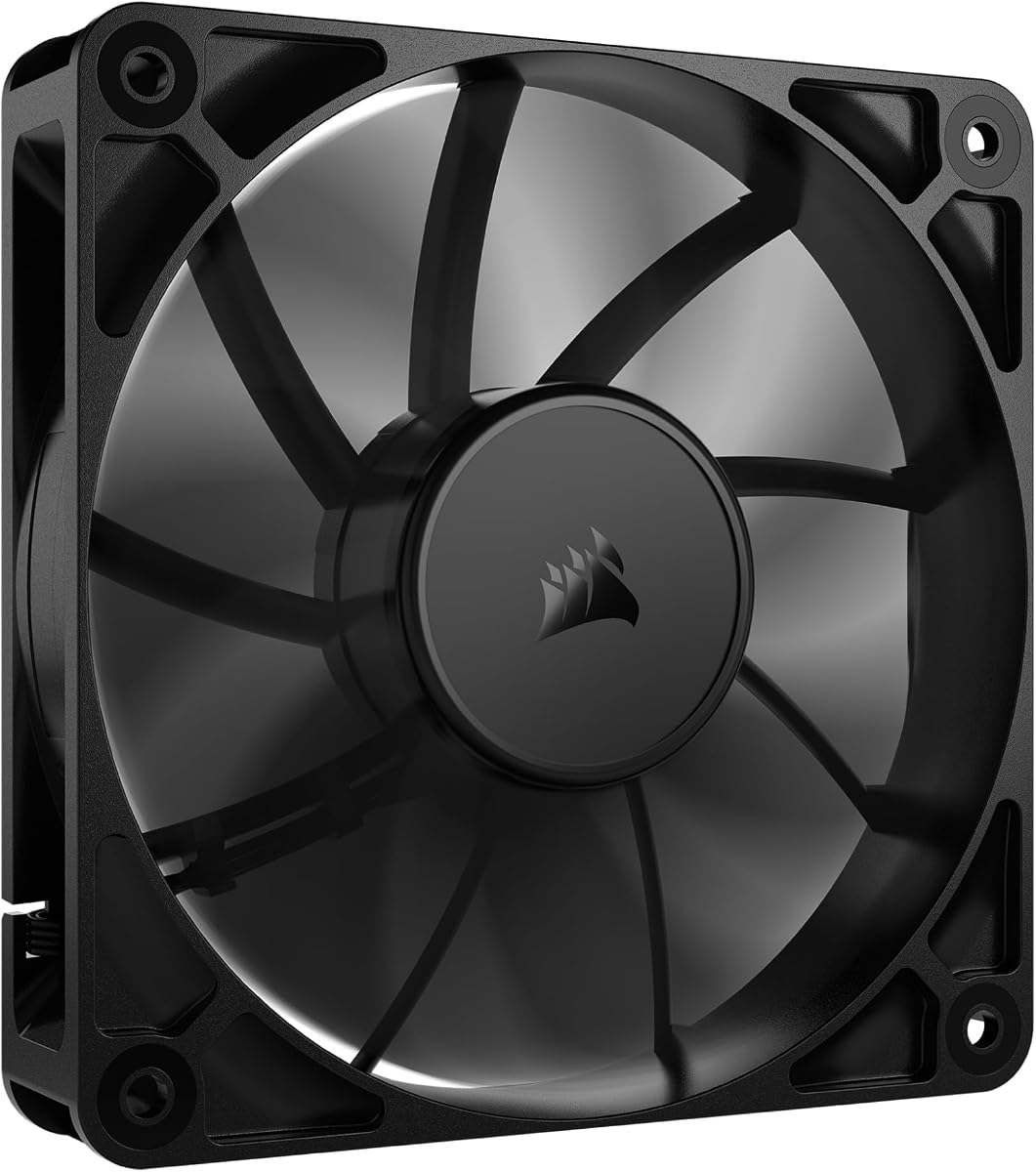
4.7Editor score
The table below compares all ten fans by their most important cooling and installation characteristics, helping you identify the right option for radiators, CPU heatsinks, compact cases, quiet systems, or illuminated builds.


The ARCTIC P12 Slim PWM PST three-pack earns a 4.6 rating and stands out as a practical option when installation space is more important than maximum thickness. Its 15mm depth makes it substantially easier to fit than a conventional 25mm fan, making this set a natural choice for slim radiators, compact enclosures, and CPU coolers with limited clearance.
We may earn a commission when you buy through this link, at no additional cost to you.
All three fans use a pressure-optimized design intended to maintain efficient airflow through increased air resistance. The listed specifications give each fan a speed range of 200 to 2100 RPM, airflow of 34.51 CFM, static pressure of 1.33mm-H2O, and a noise level of 0.3 Sone. Four-pin PWM control allows the motherboard or another compatible controller to reduce fan speed when additional cooling is unnecessary.
The main trade-off is that the slim design does not offer the same airflow or pressure ceiling as the full-size ARCTIC P12 PWM PST or the high-output CORSAIR RS120. Its 34.51 CFM rating and 1.33mm-H2O pressure are well suited to moderate restrictions, but demanding radiators and heavily finned heatsinks may benefit from a deeper fan with more headroom.
This set is a strong recommendation for builders assembling a small-form-factor PC, a space-constrained air-cooled system, or a multi-fan radiator installation where mounting depth is the decisive limitation. It combines a useful three-pack format with broad speed control and a widely useful 120mm size, making it an accessible balance for many PC cooling projects.
The 15mm profile is the defining advantage. It can unlock mounting positions that reject standard 25mm fans, allowing a slim radiator to be installed without compromising the rest of the cooling layout.
The 4-pin PWM interface and 200 to 2100 RPM range make it possible to create a quieter cooling curve. The fan can remain at a lower speed under light workloads and increase when heat demand rises.
We may earn a commission when you buy through this link, at no additional cost to you.
The Noctua NF-P12 redux-1700 PWM carries a 4.8 rating and is the most versatile recommendation in this guide. It combines a pressure-optimized blade design with a maximum speed of 1700 RPM, giving it a balanced performance profile for CPU air coolers, liquid-cooling radiators, and quieter case ventilation.
We may earn a commission when you buy through this link, at no additional cost to you.
Its key strength is the way the listed specifications support real-world versatility. Noctua describes strong CFM output and high static pressure for use with air-based CPU coolers, water-cooling radiators, or low-noise chassis ventilation. The four-pin PWM connection works with automatic motherboard control, allowing the fan to run slowly during idle periods and accelerate under heavier thermal loads.
At 120 by 120 by 25mm, this is a standard-depth fan, so it will not fit locations designed exclusively for slim 15mm models. Its 1700 RPM ceiling is also lower than the 2100 RPM maximum listed for the CORSAIR RS120 and the slim ARCTIC P12 variants. Nevertheless, the balance of pressure, airflow, and a maximum noise figure of 25.1dB(A) makes it a sensible all-round choice.
Choose this fan if you want proven pressure performance without prioritizing RGB lighting or maximum rotational speed. It is particularly well suited to a quality air cooler or moderately restrictive radiator, and the automatic PWM behavior offers an easy way to keep the system quiet during normal use. For a broad range of cooling jobs, it is the editor's choice.
The pressure-optimized blades are designed to deliver useful airflow while maintaining low noise. Automatic PWM control complements that design by allowing the fan to settle into a quieter state whenever lower cooling demand permits.
This model can support a large air cooler, a liquid-cooling radiator, or general chassis ventilation. That flexibility reduces the need to maintain separate fan types for different parts of a build.
We may earn a commission when you buy through this link, at no additional cost to you.
The black CORSAIR RS120 PWM single pack holds a 4.7 rating and offers the strongest restricted-air performance specification in this group. Its stated airflow reaches 72.8 CFM, while its 4.15mm-H2O static pressure is the highest figure listed for the non-ARGB model.
We may earn a commission when you buy through this link, at no additional cost to you.
That combination makes it well suited to radiators, dense CPU heatsinks, and other obstructed locations where a fan must continue pushing air rather than simply recirculating it. AirGuide anti-vortex vanes are intended to focus airflow toward hot components, and the 2100 RPM ceiling gives installers meaningful speed-control headroom for demanding thermal loads.
The magnetic dome bearing is designed to minimize friction and noise, while the daisy-chain connection simplifies a multi-fan installation by allowing several fans to use one four-pin PWM connection. As the single-pack version, however, it does not include the convenience of a pre-grouped trio. Buyers assembling a full radiator set will need to purchase additional units separately.
This is the premium recommendation for a high-output build with a standard 120mm fan position. Its combination of airflow, pressure, adjustable speed, and streamlined wiring makes it especially attractive for radiators. Choose the ARGB alternatives instead if synchronized lighting is also important to your system.
The 4.15mm-H2O pressure specification is the headline feature. It indicates that the fan is engineered for restrictive paths, such as radiator fins and tightly packed heatsink fins, where maintaining flow is more difficult.
Daisy-chaining lets connected fans share a single PWM input. This reduces the number of available headers required on the motherboard and keeps cable routing around a radiator or large heatsink simpler.
We may earn a commission when you buy through this link, at no additional cost to you.
The Thermalright TL-C12C X3 three-pack has a 4.6 rating and combines a generous stated airflow figure with useful pressure performance. Its 66.17 CFM airflow and 1.53mm-H2O static pressure make it more ambitious than many basic case-fan sets while remaining suitable for cases, radiators, and CPU coolers.
We may earn a commission when you buy through this link, at no additional cost to you.
Each 120 by 120 by 25mm fan reaches up to 1550 RPM and uses a four-pin PWM connection. Thermalright highlights automatic motherboard control, allowing fan speed to respond to motherboard temperature. The included S-FDB bearing is intended to limit blade vibration, while four silicone corner pads help reduce vibration transferred into the surrounding frame and mounting surfaces.
The most significant limitation is the 1550 RPM maximum, which is lower than the 1800 to 2100 RPM ceilings found among several competitors. That difference may matter in a densely finned radiator or a high-power CPU configuration where extra speed headroom would be helpful. The PWM cable is also listed as up to 55cm, which can be restrictive in larger cases with unconventional routing.
This three-pack is a strong choice for a new build that needs several coordinated fans. It covers case ventilation, CPU heatsink support, and moderate radiator use, while its airflow rating is among the highest in the group. It is particularly appealing for users who value a complete 120mm set and automatic speed control without requiring ARGB lighting.
Three matching fans simplify a coordinated case or cooling installation. The set can provide intake and exhaust airflow or be installed together around compatible cooling hardware.
The S-FDB bearing and silicone corner pads target two common sources of fan noise: internal blade vibration and movement at the mounting points. These features support the set's low-noise positioning.
We may earn a commission when you buy through this link, at no additional cost to you.
The single ARCTIC P12 Slim PWM PST earns a 4.6 rating and is a straightforward choice when one particular fan position cannot accept a standard 25mm model. Its 15mm depth gives it exceptional flexibility around radiators, compact CPU coolers, and small-form-factor cases.
We may earn a commission when you buy through this link, at no additional cost to you.
The fan shares the core characteristics of the three-pack version, including a pressure-optimized design, 4-pin PWM control, a speed range of 200 to 2100 RPM, airflow of 34.51 CFM, static pressure of 1.33mm-H2O, and a stated noise level of 0.3 Sone. These figures make it suitable where moderate resistance must be overcome without sacrificing installation clearance.
Compared with the CORSAIR RS120 and standard ARCTIC P12, its airflow and pressure ratings are lower. A radiator with very fine fins may benefit from a full-depth high-pressure fan, while a 15mm fan is often better suited to shallow radiators, replacement installations, and space-constrained cooler mounts. The single pack also means multi-fan configurations require additional purchases.
Buy this model if your case or cooler has room for only a slim fan and you need a broad speed-control range. It is particularly valuable when preserving case clearance takes priority over maximizing airflow. For ordinary open airflow positions, a full-depth model generally offers more thermal headroom, but for tight installations this slim ARCTIC is an effective solution.
At 15mm thick, the fan can fit where a 25mm unit would interfere with a radiator, side panel, heat pipe, or other internal component. That makes it a valuable problem-solving option rather than merely a smaller alternative.
The 200 to 2100 RPM range gives the installer considerable control. Low minimum speed supports quiet operation, while the upper end provides more airflow for demanding thermal conditions.
We may earn a commission when you buy through this link, at no additional cost to you.
The black CORSAIR RS120 ARGB triple pack has a 4.6 rating and combines the RS120 airflow platform with synchronized lighting. It is a logical choice for a visible gaming build where a radiator, air cooler, or case ventilation area should look coordinated without sacrificing PWM speed control.
We may earn a commission when you buy through this link, at no additional cost to you.
Each fan reaches up to 2100 RPM and provides up to 72.8 CFM airflow. Anti-vortex vanes are designed to direct air toward hot components, while the listed 2.8mm-H2O static pressure supports radiator use through moderate restrictions. Eight LEDs per fan are controlled through a compatible motherboard's built-in ARGB system using a +5V ARGB connection.
The triple pack uses daisy-chaining, so the fans can share a single four-pin PWM connector and one +5V ARGB connector. That keeps the installation relatively tidy. Its static pressure is below the 4.15mm-H2O figure listed for the plain black RS120, and ARGB-equipped models generally require additional lighting control, compatible software, and a free 5V header.
This set is best for builders who want coordinated lighting and strong airflow from a ready-made trio. It works well around a radiator or as a matched set of case fans, provided the motherboard supports the appropriate ARGB ecosystem. Buyers prioritizing maximum pressure over appearance may prefer the non-lighting black RS120 triple pack.
Matching ARGB fans make it easier to maintain a consistent appearance across a case. Customizable lighting adds visual interest while the PWM connector still provides conventional speed control.
The 2100 RPM ceiling and 72.8 CFM airflow rating offer good thermal headroom. Automatic control can reduce the operating level when the system is cool and increase it when additional cooling is required.
We may earn a commission when you buy through this link, at no additional cost to you.
The ARCTIC P12 PWM PST five-pack carries a 4.8 rating and offers one of the strongest combinations of airflow and static pressure in the guide. Its stated 56.30 CFM airflow and 2.20mm-H2O pressure make it suitable for radiators, tower heatsinks, and other moderately restrictive cooling positions.
We may earn a commission when you buy through this link, at no additional cost to you.
PWM Sharing Technology is the defining convenience feature. The 4-pin connection allows the fan speed to be regulated across a broad 200 to 1800 RPM range, including a stop state below 5 percent as stated in the specifications. The neodymium-iron-boron motor is designed to operate efficiently, while the product data notes that lower motor temperature can extend service life.
This is a full-depth 25mm fan rather than a slim model, so adequate mounting clearance is required. It also lacks integrated ARGB lighting, so builders seeking illuminated components need a different solution. As a five-fan pack, it is intended for users who want enough matching fans to complete a large case, radiator, or dual-zone cooling layout without mixing models.
This is an excellent choice for a comprehensive build with several 120mm mounting positions. It combines a high 4.8 rating with substantial airflow, respectable pressure capability, broad PWM control, and the convenience of five coordinated fans. Choose it when you need a full matching set and prefer understated cooling hardware over RGB.
The five-pack format suits systems with multiple intake, exhaust, heatsink, or radiator positions. It can also provide spare units for future expansion or replacement.
PWM Sharing Technology simplifies grouped control, while the broad speed range supports quieter cooling curves. The option to stop at very low duty cycles is particularly useful during light workloads.
We may earn a commission when you buy through this link, at no additional cost to you.
The white CORSAIR RS120 ARGB triple pack is aimed at light-colored systems that need matching illuminated fans. Its 4.6 rating reflects a capable cooling design that preserves the useful RS120 traits of high airflow, 2100 RPM maximum speed, and pressure-focused airflow routing.
We may earn a commission when you buy through this link, at no additional cost to you.
The listed performance reaches 72.8 CFM and 2.8mm-H2O static pressure. Anti-vortex vanes direct airflow toward components mounted on a heatsink or radiator, while the magnetic dome bearing is designed to minimize friction and noise. Eight ARGB LEDs in each fan provide customizable effects through compatible motherboard controls.
Daisy-chaining means the triple set can operate from one four-pin PWM connection and one +5V ARGB connection. A compatible ARGB header and control software are required, so this set is less convenient for a plain, non-lit system. Compared with the black RS120 models listed at 4.15mm-H2O, this version has a lower stated maximum static pressure.
Choose this set when appearance, color coordination, and lighting are priorities alongside cooling. It is especially attractive in a white chassis with a white radiator or CPU cooler. Buyers who need the absolute highest stated pressure in the RS120 range should select a non-ARGB version instead, while those who do not need lighting can save complexity with a plain PWM model.
The white finish allows the fan set to blend into a pale case interior or complement white cooling hardware. Customizable ARGB lighting adds visual customization without changing the basic 120mm format.
Shared PWM and ARGB connections reduce cable clutter around grouped fans. This makes the triple pack convenient for a radiator or a coordinated case layout.
We may earn a commission when you buy through this link, at no additional cost to you.
The single-pack CORSAIR RS120 ARGB gives builders a way to add one illuminated 120mm fan without purchasing a larger group. It has a 4.6 rating and retains the core RS120 performance figures of up to 72.8 CFM airflow, a 2100 RPM maximum, and 2.8mm-H2O static pressure.
We may earn a commission when you buy through this link, at no additional cost to you.
Its anti-vortex vanes are designed to focus airflow through a radiator or heatsink, while the magnetic dome bearing targets lower friction and quieter operation. The fan reaches up to 2100 RPM and supports four-pin PWM control, providing compatibility with conventional motherboard fan headers and automatic cooling curves.
ARGB lighting is the feature that distinguishes this version from the plain black RS120. Eight LEDs can be customized through a compatible motherboard, but the system also needs a +5V ARGB connection and appropriate control software. The single-fan package is less convenient for a complete radiator set, although the daisy-chain design lets additional RS120 units be linked without using a separate PWM header for each fan.
This is the right choice for a builder who needs only one illuminated replacement or wants to test the RS120 ARGB design before expanding. It delivers strong airflow and a broad speed range in a familiar 120mm format. If lighting is not important, the non-ARGB model provides a simpler setup and a higher listed pressure figure.
A single-fan pack makes it easy to replace one component or complete a partial layout. It can also be combined with other daisy-chain-compatible RS120 units as the build expands.
ARGB effects are separate from the PWM cooling connection. Users can synchronize the appearance with other compatible components while still applying a normal motherboard fan curve.
We may earn a commission when you buy through this link, at no additional cost to you.
The black CORSAIR RS120 PWM triple pack has a 4.7 rating and combines the highest listed static pressure in the guide with a ready-made group of three high-speed fans. It is a strong option for a radiator or other constrained cooling assembly where every fan needs substantial pressure capability.
We may earn a commission when you buy through this link, at no additional cost to you.
Each fan can spin up to 2100 RPM and provides up to 72.8 CFM airflow. The 4.15mm-H2O static pressure specification indicates a design aimed at overcoming obstructions, while anti-vortex vanes focus the resulting airflow toward the components that need cooling. A magnetic dome bearing is used to reduce friction and noise.
The three fans can be daisy-chained and controlled through one four-pin PWM connector, simplifying installation and preserving useful motherboard headers. The trade-off is that there is no integrated lighting, so this pack will not coordinate visually with an ARGB setup. It also requires three suitable 120mm mounting positions, making it less appropriate for a very compact enclosure.
This pack is ideal for a high-output build that prioritizes cooling and straightforward wiring over decorative lighting. The combination of 72.8 CFM airflow, 4.15mm-H2O pressure, and 2100 RPM maximum speed provides substantial performance headroom for demanding radiators and tower heatsinks. It is a particularly compelling option when three matching, high-pressure fans are needed.
The 4.15mm-H2O rating is the strongest stated figure among the listed options. It gives this pack an advantage in dense radiators, large heatsinks, and other locations where air has difficulty passing through.
Connecting the group through a single PWM output reduces cable clutter and header consumption. The arrangement is clean around a radiator, where several closely spaced fans would otherwise create a bundle of separate cables.
We may earn a commission when you buy through this link, at no additional cost to you.
A suitable static pressure fan must fit the available space, overcome the resistance created by the intended cooling hardware, and operate quietly under your preferred control scheme. The most important factors are pressure capability, airflow, dimensions, noise behavior, and installation compatibility.
Static pressure indicates how effectively a fan can continue moving air when the path becomes restrictive. Radiator fins, closely spaced heatsink fins, filters, and narrow case channels all create resistance that can reduce the airflow visible at the fan outlet. A pressure-optimized blade design helps maintain movement through those obstructions, while a higher stated pressure rating provides more capability for demanding radiator densities and tall CPU coolers.
Compare pressure with the actual destination rather than choosing on rating alone. A moderately restrictive radiator may be served by a 1.33mm-H2O or 1.53mm-H2O fan, while a dense radiator or large tower heatsink benefits from a model rated around 2.20mm-H2O or higher. The CORSAIR RS120 PWM versions offer the strongest listed figures in this guide, whereas the slim ARCTIC models prioritize installation depth.
Airflow describes the volume of air a fan can move under its specified test conditions, while maximum RPM indicates how much speed headroom it offers. High airflow can improve overall case circulation, but the useful result depends on the pressure the fan can sustain behind a heatsink or radiator. Comparing both figures gives a more complete picture than focusing on RPM alone.
Look for a balance between airflow and controllability. A 72.8 CFM fan offers a high listed volume, but a lower maximum speed may better suit a quiet system. Broad PWM ranges allow fans to run slowly under light loads, so high peak specifications do not mean the fan must always run at maximum speed.
Fan depth is often the most immediate compatibility issue. Standard 120mm fans are generally 25mm thick, while slim alternatives can be as thin as 15mm. The slim format may be necessary beside a long motherboard, beneath a broad radiator, inside a compact case, or behind a bracket that leaves limited clearance. Always measure the available space instead of assuming a fan will fit based on its nominal 120mm width.
A thicker fan is not automatically better. Full-depth models generally have more room for larger blades and stronger motors, but a slim pressure fan can be the only practical option in a constrained location. Consider the entire cooling assembly, including radiator fins, tubing, motherboard heatsinks, and any manufacturer-installed rear or front fan brackets.
Cooling fans produce both aerodynamic noise and mechanical noise. Useful published measurements are not always directly comparable because manufacturers may use different testing methods, so stated figures are best treated as general guidance. Bearing design, blade balance, frame vibration, and mounting pads also influence perceived noise, particularly during slow-speed operation.
The Noctua NF-P12 redux-1700 PWM lists a maximum of 25.1dB(A), while the ARCTIC P12 variants list 0.3 Sone. These use different measurement systems and should not be directly equated. Look for anti-vibration pads and stable bearing designs, and use a PWM curve to keep each fan at the lowest effective speed during light workloads.
A four-pin PWM connection allows the motherboard to regulate fan speed by varying power duty cycle, producing a smoother and quieter response than simple on/off control. It also makes it easier to create temperature-based cooling curves. Confirm that your motherboard or fan controller provides enough headers, particularly when adding fans beyond its included set.
ARGB fans require a separate +5V ARGB connection and compatible software or a physical controller. Daisy-chain designs can reduce PWM and lighting-header requirements, but compatibility with the system's lighting ecosystem still matters. If illumination is not important, a plain PWM fan offers simpler wiring and avoids unnecessary lighting software.
Not every popular case fan is equally effective against a dense radiator. A radiator fan should be evaluated primarily for pressure and airflow, as its job is to push air through the fin stack. A tower-heatsink fan benefits from strong airflow along the fins and should be oriented to pull cool air through the heat sink. Case-intake and exhaust positions are less restrictive, making airflow and acoustics more important there.
The ARCTIC P12 Slim models are explicitly suited to heat sinks and radiators despite their reduced thickness. The CORSAIR RS120 range uses anti-vortex vanes to concentrate airflow through radiators and heatsinks. The standard ARCTIC P12 PWM PST balances high airflow with moderate-to-strong pressure, making it versatile across both restrictive and open positions.
Pack size affects both convenience and future planning. A three-pack or five-pack is useful when several case positions or a full radiator must be populated with matching fans. A single pack is better for a replacement, a test installation, or a build that only needs one additional fan. Daisy-chain designs can make multi-fan groups easier to wire, even when each fan is purchased separately.
Avoid buying more fans than you have usable mounting positions. Also consider whether the system has sufficient airflow direction to make every installed fan useful. In some layouts, a smaller number of unobstructed, well-placed fans can produce better results than a larger set operating against competing air paths.
Lighting is a separate decision from cooling performance. ARGB fans are appropriate when a build's appearance depends on synchronized lighting, while plain black or white models may integrate more cleanly with minimal or industrial themes. Check the case's internal color scheme, motherboard lighting support, available 5V headers, and the software needed to control the selected ecosystem.
The listed CORSAIR ARGB models provide eight customizable LEDs per fan and are available in black or white. The plain PWM models avoid that extra connection and emphasize cooling and wiring simplicity. Choose illumination only when it improves the finished build, rather than allowing it to override a better fit for the radiator, heatsink, or case constraints.
Before installation, identify whether the fan will serve a radiator, a CPU heatsink, or general case ventilation. Check the mounting-hole pattern, available depth, connector type, and airflow direction. A radiator or heatsink fan usually works most effectively when configured to push air through the cooling fins, while case positioning should support a coherent intake-and-exhaust path.
Mount the fan securely with the supplied hardware and avoid pressing it against uneven surfaces that could put pressure on the frame. Connect the four-pin PWM lead to an appropriate motherboard or controller header, and connect ARGB versions to a compatible +5V header if required. Configure a temperature-based fan curve rather than leaving every fan at full speed, especially in a quiet build.
During routine care, power the system down before removing a fan. Dust can reduce airflow and increase noise, so gently clean accessible blades with compressed air and keep the frame and bearing area free of loose debris. If a fan becomes noisy, vibrates, or stops responding to PWM control, check mounting alignment, cable connections, and clearance before considering replacement.
Static pressure fans are usually better when air must pass through a restrictive component such as a radiator or dense heatsink. They are designed to maintain airflow as resistance increases. For open case positions, either type can work well, so a broader selection based on airflow, noise, and dimensions may be appropriate.
Higher pressure can be beneficial, particularly with a dense radiator, multiple fans, or a restrictive mounting configuration. The appropriate rating depends on the radiator fin density and available clearance. A model around 1.33 to 1.53mm-H2O may suit lighter applications, while options near 2.20 to 4.15mm-H2O provide more headroom for difficult installations.
You can use a slim fan if the radiator and mounting hardware provide sufficient clearance. Many slim radiators are designed for 15mm fans, whereas standard radiators and many CPU coolers may require 25mm units. Confirm the total thickness of the radiator, fans, and any tubing before installation.
PWM control lets the motherboard or controller vary the fan's duty cycle instead of running it continuously at full speed. This makes it easier to reduce noise during cool periods while increasing airflow under load. It also provides a smoother response than simple voltage or on/off control in many installations.
Daisy-chaining is primarily a wiring convenience and is supported by the listed CORSAIR RS120 products. The motors still receive power and PWM control, but installations should follow the manufacturer's connection and current guidance. Poor cable routing, an inadequate power source, or using the arrangement beyond its intended design can cause problems.
Lighting does not automatically make a fan quieter or louder. Noise depends on the fan's aerodynamic and mechanical design, operating speed, mounting, and the hardware it moves air through. An ARGB version may share a similar cooling platform with a plain version, while any lighting controller or software adds setup requirements rather than acoustic benefits.
Either arrangement can work, but pushing air through the radiator fins generally helps maintain the pressure needed to overcome their resistance. The best choice also depends on the case layout, tubing, fan thickness, and whether a push-pull configuration is possible. Match the fan's airflow direction to the position where it is installed.
Create a PWM curve that allows each fan to run at its lowest effective speed, install anti-vibration pads where appropriate, and confirm that the frame is not under tension. Also verify that the fan is not fighting against another fan's direction. Higher static pressure may require more speed, so matching the fan to the actual cooling task can improve both noise and results.
The ARCTIC P12 Slim PWM PST three-pack is the leading budget-oriented choice for constrained installations, while the Noctua NF-P12 redux-1700 PWM offers the strongest all-round balance for air coolers, radiators, and general case ventilation. The CORSAIR RS120 PWM stands out for premium performance, with the guide's highest listed airflow and static-pressure figures plus a convenient daisy-chain connection.
Prioritize the dimensions and pressure requirement before focusing on other features. A 15mm fan may be essential in a tight case, while a full-depth model with higher pressure is preferable for a dense radiator. After confirming fit, consider the PWM curve, bearing design, cable requirements, and whether coordinated ARGB lighting will improve the finished build.
Ratings, product configurations, and market availability can change, and current prices should be checked before purchase. Use the comparison table to verify the latest dimensions, speed, airflow, pressure, and connector information, then review the current retailer listing to ensure the selected model is suitable for your exact cooler and case.