
HUANUO FlowLift Pro Monitor Arm
4.5Editor score
Mechanical spring construction
Tool-free VESA attachment
Visible tension calibration
A PC desk arm for gaming can transform a crowded workstation into a more adaptable command center. The best arms free desk space, improve screen positioning, and make it easier to switch between competitive play, streaming, and everyday computer use. The right model depends heavily on monitor size, weight, VESA layout, and the number of displays you want to position.
This guide compares all ten products by examining supported screen sizes, load limits, mounting patterns, articulation, installation methods, stability, cable management, and ergonomic value. It includes single-monitor, dual-monitor, and triple-monitor options alongside two desk arm supports that can complement a gaming setup even though they do not hold a display.
Each recommendation highlights the feature that best distinguishes the product and also explains its limitations. Ratings and specifications reflect the supplied product information, while availability and pricing can change over time. Checking your monitor and desk measurements before ordering is especially important.
4.5Editor score

4.6Editor score

4.6Editor score
As an Amazon Associate we earn from qualifying purchases.
The table below compares screen capacity, load limits, adjustment mechanisms, mounting choices, and the type of gaming workstation each product is designed to support.


The HUANUO FlowLift Dual Monitor Stand is the most complete option in this guide for gamers who want more than one display without crowding the desktop. It carries a 4.6 rating and supports two 13–32-inch screens, with each arm rated for monitors weighing 4.4 to 19.8 pounds. That range covers many popular gaming panels and gives each side its own adjustable arm rather than forcing both screens onto one shared bracket.
We may earn a commission when you buy through this link, at no additional cost to you.
Its standout feature is the combination of reach, height adjustment, and rotation. The arm supports plus 85-degree and minus 50-degree tilt, plus or minus 90-degree swivel, and 360-degree rotation, while lifting the screens as much as 15.75 inches. Those movements make it practical to bring a game screen closer during a match, move a secondary display out of the way, or rotate a display vertically when switching from gaming to productivity tasks.
Installation flexibility is another major strength. Buyers can choose a dual C-clamp arrangement or a grommet base, and the clamp uses a larger platform intended to limit wobble or slipping. Built-in cable guides help route wires along the arms. The trade-offs are specific but manageable: the manufacturer recommends a wooden desk, the supported thickness is 0.59 to 3.54 inches, and cross beams or panels beneath the tabletop can interfere with the clamp.
This is the recommendation for a dual-screen gaming rig, competitive station, or mixed gaming-and-streaming desk. Buyers should verify both monitors meet the size, weight, and VESA requirements and should inspect the underside of the desk before installation. If both checks pass, the combination of independent movement, substantial load support, desk clearance, and tidy cable routing makes it the strongest overall choice.
Independent dual arms make it easier to place a primary game display directly in front of the player while angling a chat, streaming, or performance display elsewhere. The broad tilt, swivel, and rotation ranges make these position changes possible without moving the entire desk setup.
Lifting both displays creates usable room for a keyboard, mouse, notebook, and other accessories. Cable guides along the arms add another organizational benefit, helping the installation look more deliberate and reduce visual clutter.
We may earn a commission when you buy through this link, at no additional cost to you.
The HUANUO FlowLift Pro Monitor Arm is a strong single-screen choice for gamers who want straightforward adjustment, simple installation, and a mechanically stable support. Its 4.5 rating reflects a well-rounded feature set, while the mechanical spring design is intended to maintain consistent positioning without the pressure loss associated with some gas-spring arms.
We may earn a commission when you buy through this link, at no additional cost to you.
The most distinctive detail is the PrecisionView window. Instead of relying entirely on feel, the arm provides visible feedback as the tension is calibrated to the monitor's weight. That can be especially helpful for first-time users because it reduces repeated over-tightening and makes the initial setup more predictable. The LockSteady system is designed to resist droop and support smooth one-finger movement when repositioning the screen.
Assembly is also thoughtfully simplified. A quick-release VESA plate lets the monitor snap into place, and the package is described as having one base and one screw for the simplified main installation. C-clamp and grommet bases are both offered. The main limitations are the 15.4-pound load ceiling, which is lower than several competing mounts, and the recommendation to use a wooden desk between 0.59 and 3.54 inches thick.
This model is ideal for a single gaming monitor, a compact battlestation, or a user who wants a tool-free VESA connection. It is especially attractive when a visible tension indicator and mechanical spring support matter more than maximum weight capacity. Confirm that your display falls within the stated size and weight limits before buying.
The PrecisionView indicator makes the initial balance process more transparent. Users can watch the tension setting change while matching the arm to the display, which is helpful for panels that feel light or heavy during initial adjustment.
The tool-free VESA plate reduces the need to align and secure several screws while supporting a display. This makes the product more convenient for users who want a quick setup or plan to move the monitor between compatible desks.
We may earn a commission when you buy through this link, at no additional cost to you.
The HUANUO FlowLift Single Monitor Mount delivers the kind of smooth, one-handed positioning many gamers want from a primary display arm. It has a 4.6 rating, supports 13–32-inch monitors, and handles screens from 4.4 to 19.8 pounds. It is a focused alternative to the dual-arm model for anyone who values refined adjustment over managing multiple displays.
We may earn a commission when you buy through this link, at no additional cost to you.
Adjustment covers the primary directions a gamer is likely to need. The screen tilts from minus 50 degrees to plus 85 degrees, swivels through plus or minus 90 degrees, and rotates 360 degrees. It can also be raised 39.6 centimeters from the desktop. These ranges make it easier to align the display precisely for a seated match and then bring it closer when leaning into the game.
The product description emphasizes stability and longevity, noting the use of automotive-grade components and testing through 20,000 motion cycles. A one-piece arm design also shortens installation: attach the base, connect the monitor through the VESA plate, and adjust tension. Buyers can select a C-clamp or grommet installation, provided the wooden tabletop is within the stated thickness range and no beams or panels obstruct the underside.
Choose this mount when your gaming setup centers on one display and you want a generous load rating plus extensive articulation. It is less appropriate if your plan requires two or three monitors. Within that single-screen use case, the combination of stable construction, broad movement, quick setup, and a high user rating makes it a particularly polished recommendation.
The arm's range of motion allows a display to be pulled closer, pushed back, angled away, or rotated between landscape and portrait positions. That flexibility is useful when different games demand different screen distances or when the same workstation also supports reading and communication.
The stated 20,000-cycle motion testing suggests attention to long-term use. This is particularly relevant for an arm that may be moved several times each day rather than installed once and left untouched.
We may earn a commission when you buy through this link, at no additional cost to you.
The ErGear Single Monitor Arm is a practical pick for gamers with a large or curved display. It carries a 4.4 rating and supports flat or curved monitors from 13 to 34 inches, including screens up to 19.8 pounds. Compatibility with 75x75mm and 100x100mm VESA patterns covers the mounting standards found on many mainstream gaming displays.
We may earn a commission when you buy through this link, at no additional cost to you.
Its useful advantage is the combination of 17.5 inches of height adjustment and up to 18.1 inches of reach. That lets a player bring a wide screen into a closer position or shift it away to free the desktop. Tilt ranges from plus 80 degrees to minus 50 degrees, swivel reaches plus or minus 90 degrees, and rotation extends to 360 degrees.
The product also emphasizes a stable VESA connection. A 40-percent-wider VESA head and tighter-fitting panel are intended to improve support, while the core has reportedly been tested through more than 20,000 adjustment cycles. Tool-free VESA mounting speeds up screen attachment, and upgraded cable clips open without tools for simpler maintenance.
Users should note the installation limits. The C-clamp supports desks from 0.39 to 2.56 inches thick, while the grommet base supports 0.39 to 2.95 inches. It is a strong recommendation for a single large display, particularly an ultrawide panel, but it does not solve the space requirements of a multi-monitor command center.
A 34-inch ceiling and 19.8-pound load rating provide room for larger flat or curved gaming monitors. The broad VESA head also gives oversized displays a more substantial connection than a lightweight general-purpose arm.
The upgraded clips can be opened without tools, making it easier to route or remove cables. This is a small convenience that becomes useful when the arm needs repositioning or additional accessories are connected.
We may earn a commission when you buy through this link, at no additional cost to you.
The NB SmooVex Monitor Arm is a compact, mechanically driven option for a single gaming display. It carries a 4.5 rating and supports flat and curved screens up to 32 inches with standard 75x75mm or 100x100mm VESA mounting patterns. Its slim arm design is intended to save desk space and reduce obstruction around the display.
We may earn a commission when you buy through this link, at no additional cost to you.
The mechanical spring system is the defining feature. Rather than relying on a gas spring, the arm uses a precision mechanical mechanism intended to deliver smoother movement, stable support, and reduced sagging over time. The manufacturer also highlights the absence of a gas-leakage concern, which can provide peace of mind for a permanent gaming installation.
Adjustment includes plus or minus 90-degree rotation, minus 25-degree to plus 90-degree tilt, swivel movement, and 230 millimeters of height travel. Installation is described as a three-step process, with both C-clamp and grommet options included. These features make it suitable for a compact desk where a smaller arm or reduced footprint is desirable.
The product's main limitation is that the supplied specifications do not provide a precise maximum load figure. It also tops out at 32 inches, so it cannot accommodate every large ultrawide model. For a gamer who wants a slim mechanical-spring arm for a standard gaming monitor, it is a clear and capable option.
A mechanical spring offers a distinct alternative to gas-based counterbalance arms. The stated design goal is consistent support with less long-term droop, while the compact construction helps preserve visual space around the monitor.
The straightforward installation and included clamp and grommet bases make this a convenient arm for a first gaming desk. Its adjustment range supports everyday repositioning, including height changes and screen rotation.
We may earn a commission when you buy through this link, at no additional cost to you.
The WALI Adjustable Single Monitor Arm stands out for its 26.4-pound maximum load for flat screens, the highest stated flat-screen capacity among the single-monitor arms in this guide. It has a 4.3 rating and accommodates flat or curved displays from 13 to 34 inches, although curved models are limited to 19.8 pounds.
We may earn a commission when you buy through this link, at no additional cost to you.
Its movement range is generous. The arm extends 19.3 inches, raises up to 17.3 inches above the desktop, swivels from plus 180 to minus 180 degrees, tilts from plus 70 to minus 45 degrees, and rotates 360 degrees. This is especially useful for positioning a large screen toward the center of a gaming chair and then shifting it for a secondary seated position.
Like many competing models, it uses a wider VESA head and a tighter-fitting VESA panel to promote stability. The durable core is described as having passed more than 20,000 adjustment cycles. Cable management is built into the arm, helping keep display leads routed along its structure.
The trade-off is that buyers must distinguish between the flat-screen and curved-screen load limits. Installation is also best on a wooden desk, preferably without a crossbeam, with either C-clamp or grommet mounting for desktops from 0.39 to 2.76 inches thick. It is a good fit for a heavy flat gaming monitor and a single-screen command center.
The 26.4-pound rating gives this arm an advantage when supporting a large, heavy flat panel. Buyers with curved screens should use the lower 19.8-pound figure rather than assuming it applies to every compatible display.
A plus 180 to minus 180-degree swivel range allows the screen to move around either side of the base. This creates more placement options in a gaming corner or a shared workstation where the display needs to be available from different seated positions.
We may earn a commission when you buy through this link, at no additional cost to you.
The HUANUO Triple Monitor Mount is designed for gamers who want an immersive command center rather than a simple single-screen setup. It carries a 4.5 rating and supports three 13–27-inch monitors, with each arm rated to hold up to 19.8 pounds. Each display must use a 75x75mm or 100x100mm VESA pattern.
We may earn a commission when you buy through this link, at no additional cost to you.
The mount provides 360-degree rotation, plus or minus 90-degree swivel, and plus or minus 45-degree tilt. Its 12.2-inch height adjustment helps bring the screens toward a comfortable eye level. The arms are described as aerospace-grade aluminum, and each arm is stated to have undergone 20,000 lift cycles to support lasting stability.
Installation is compatible with desks between 0.39 and 3.15 inches thick, which offers more tolerance than many competing products at the upper end of that range. Tilt-lock bolts and tension can be adjusted for each display, and built-in cable clips help route wiring. Elevating all three screens also opens substantial space for a keyboard, mouse, and gaming accessories.
This product is best suited to a wide desk and three smaller or medium gaming displays. It is not the right solution for large ultrawides because the maximum supported size is 27 inches. When those constraints are met, it offers one of the most complete multi-screen configurations in the guide.
Three separately articulated arms make it possible to arrange a central game, a secondary application, and a utility or chat display in a more functional composition. Each screen can also be rotated independently to match the task.
Support for desktops up to 3.15 inches thick gives the product an installation advantage for substantial wooden gaming desks. The arm still needs enough clearance to secure the base without obstructing desk hardware.
We may earn a commission when you buy through this link, at no additional cost to you.
The MEKASS L-Shaped Desk Elbow Pad is not a monitor mount, so it serves a different role in this guide than the other products. It is an ergonomic companion for a PC desk arm setup, helping support the forearms and elbows where they contact the edge of a desk during long gaming sessions. It has a 4.4 rating.
We may earn a commission when you buy through this link, at no additional cost to you.
Each cushion measures 11.8 by 4.3 by 0.78 inches and uses slow-rebound memory foam beneath a textured Lycra surface. The L-shaped profile wraps around a desk edge rather than occupying a large rectangular area, while the two-piece format allows the sections to be spaced according to the user's preferred arm position.
A non-slip rubber base is designed to keep the pads stable during rapid typing or intense gaming. The breathable texture is intended to reduce heat buildup, and the smooth, stain-resistant cover can be wiped with a damp cloth. These details make the pads more suitable for regular use than untreated hard desk edges.
Choose the MEKASS set if the main concern is arm and elbow comfort rather than display positioning. It can be especially useful for players who use a monitor arm but still rest their forearms near the front edge of the desk. It does not provide screen support, and its primary benefit comes from cushioning rather than adjustable hardware.
The L-shaped cushions create a softer contact point for elbows and forearms than a bare wooden or composite desk edge. This can reduce concentrated pressure during extended play sessions.
The rubberized base helps the pads remain in place when the user's arms move rapidly. The breathable Lycra cover also supports everyday use by managing heat and allowing simple cleaning.
We may earn a commission when you buy through this link, at no additional cost to you.
The VIVO Dual Monitor Stand is a well-established-looking choice for two-screen gaming setups, combining mechanical spring counterbalance with wide articulation. It has a 4.5 rating and supports two 17–32-inch flat or curved screens, each weighing 4.4 to 19.8 pounds, with standard 75x75mm or 100x100mm VESA patterns.
We may earn a commission when you buy through this link, at no additional cost to you.
The mounting brackets offer plus 90 to minus 90-degree tilt, 180-degree swivel, and 360-degree rotation. Tool-free screen placement is possible through open-top VESA plates that slide onto the compatible mounting hardware. The mechanical spring system is designed to counterbalance the displays and permit positioning in multiple directions.
The stand can attach with a heavy-duty C-clamp to surfaces up to 3.1 inches thick or an optional bolt-through grommet mount for surfaces up to 1.9 inches. All required hardware and step-by-step instructions are included. The note that the backs of the arms extend beyond the desk edge is important because it affects placement near a wall or tight room boundary.
This model fits gamers who want two standard-size monitors with a straightforward mechanical support system. It may not suit very small displays because the minimum size is 17 inches, but it comfortably covers many conventional gaming monitors. Confirm desk clearance behind the edge before installation.
Independent spring-supported arms make each display easier to reposition while keeping the support system consistent. The approach is particularly suitable for mixed layouts where one screen is centered and the other sits farther to the side.
The open-top VESA plates let compatible monitors slide into place without the alignment burden of a conventional enclosed plate. This can make screen installation and repositioning more convenient.
We may earn a commission when you buy through this link, at no additional cost to you.
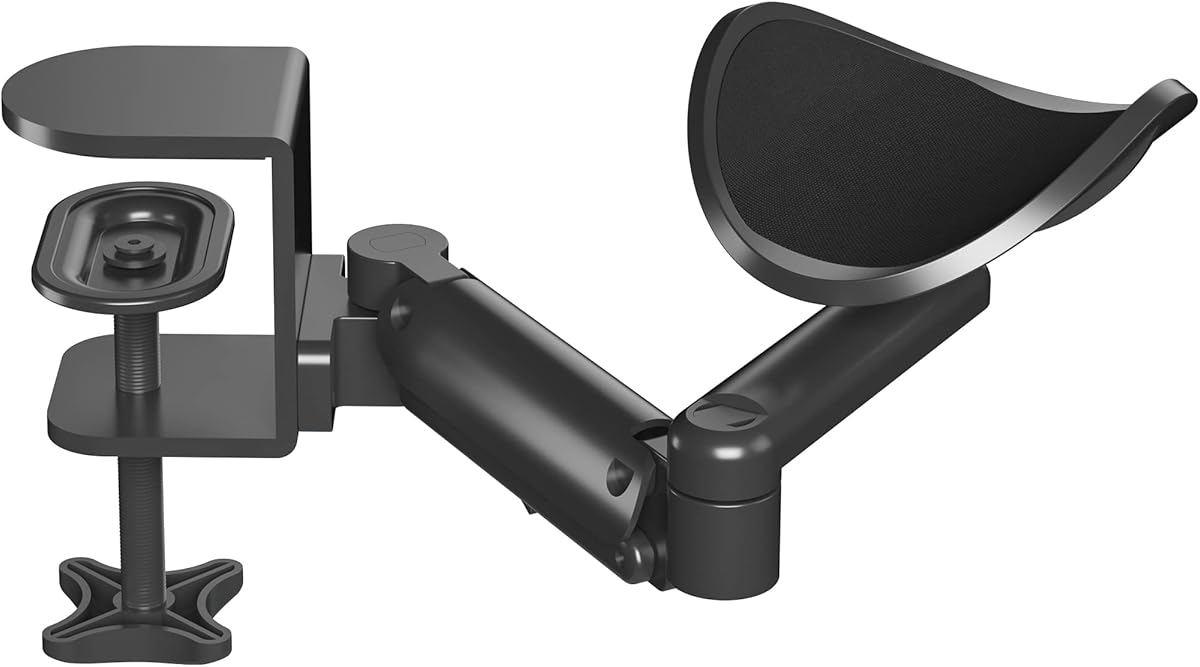
The BONTEC Adjustable Arm Rest is another ergonomic companion rather than a display-holding arm. It is designed to support the arm and elbow during gaming, office work, or study sessions. With a 4.4 rating, it offers a mobile cradle, flexible adjustment, and a material combination aimed at daily durability.
We may earn a commission when you buy through this link, at no additional cost to you.
The cradle rotates 360 degrees and extends as far as 13 inches, allowing it to move with the user's arm and adapt to different sitting positions. Its height can be adjusted from 2.4 to 5.3 inches above the desktop, making it relevant to both seated and standing setups. The construction combines an aluminum frame with an ABS tray.
Unlike a conventional monitor arm, this product does not hold a screen. It is intended specifically for arm and elbow support and should not be treated as a wrist rest. It is designed for left- and right-handed users and for flat-edged desks, but not for surfaces with sloping edges or raised decorative strips.
The BONTEC arm rest is a useful addition for a player who has already optimized the monitor position but still experiences forearm fatigue. Its stated 26.5-pound load capacity and adjustable cradle distinguish it from fixed foam pads. Check the desk-edge shape before installation, as compatibility with irregular edges is specifically limited.
The rotating and extending cradle lets the user's arm rest move with the arm rather than remaining fixed at one point. That mobility can make it easier to maintain a relaxed posture while reaching different areas of the desk.
A height range from 2.4 to 5.3 inches allows the support to be configured for different desk postures. This is useful in gaming rooms where the user may alternate between a chair and a standing setup.
We may earn a commission when you buy through this link, at no additional cost to you.
The best monitor arm for a gaming desk is determined less by extra movement than by compatibility, stability, and the way it fits your screen layout. Review these factors before choosing a single, dual, or triple configuration.
Begin by deciding how many displays the arm must support. A single-monitor model offers the simplest cable arrangement and generally requires less desk width, while a dual setup is useful for separating a game from chat, system monitoring, or streaming tools. A triple mount creates the most immersive command center, but it demands a broad desk and careful planning for the side screens. Monitor size limits matter just as much: most dual arms in this guide support displays up to 32 inches, whereas the triple mount is limited to 27 inches per screen.
Check whether the back of each monitor has standard 75x75mm or 100x100mm VESA mounting holes. Most arms in this guide support both patterns, but the mount still must physically fit the display and connect securely. Some curved or unusually designed monitors may use another arrangement or require an adapter that is not included. Even when an adapter exists, it can affect clearance, stability, and weight distribution, so the safest choice is a monitor with a directly compatible VESA interface.
A monitor arm must support the combined demands of the display and its leverage as it is extended. Review both the maximum screen size and maximum load rather than looking at only one figure. Several products accept larger panels but impose lower weight limits, while curved screens may have separate capacity limits even when flat displays can carry more. For example, the WALI arm lists a 26.4-pound maximum for flat screens and 19.8 pounds for curved screens. Match the exact display model to the relevant specification.
Useful movement usually includes height adjustment, extension, swivel, tilt, and rotation. The best gaming arms let you bring the display closer for a match, move it away to reclaim space, or angle it beside a keyboard. Pay attention to how the holding force is controlled. Mechanical spring arms provide consistent support without relying on gas pressure, while gas-based or self-locking designs may serve different preferences. A visible tension indicator can make initial setup easier by reducing trial and error.
Most monitor arms offer a C-clamp and a grommet base, but the appropriate method depends on the desktop. C-clamamps grip the edge and are useful when there is no existing cable pass-through. Grommet mounts require suitable holes and provide a cleaner look. Check the permitted tabletop thickness, material, and edge geometry for each option. The HUANUO products particularly emphasize wooden desks, and many models warn against cross beams or panels beneath the surface because they prevent the clamp from seating correctly.
A gaming arm should remain steady when the screen is touched, repositioned, or reached past. Look for a tight VESA connection, a substantial joint, and a support core tested through repeated motion cycles. Several products in this guide cite 20,000 or more cycles, which provides useful evidence of attention to repeated adjustment. Mechanical springs are also promoted for resisting long-term droop. Stability is especially important with dual and triple arms because force from one extended display can influence the stability of the whole structure.
The main benefit of an elevated monitor is reclaimed desktop space, but the arm's footprint and reach still matter. Dual and triple models need enough lateral room to open the screens without pushing them into one another. Some arms extend beyond the rear edge of the desk, which can be inconvenient near a wall. Built-in cable clips or guides help route display leads, while a quick-release or tool-free VESA plate can simplify installation and future moves. Evaluate the complete arrangement, including mouse space and cable bend requirements.
A monitor arm addresses screen position, but it does not support the arms and elbows resting on the desk. The MEKASS elbow pads and BONTEC arm rest illustrate two different approaches: fixed cushioned contact and a movable adjustable cradle. These can complement a monitor arm during long sessions, particularly for players who use a wide desk or alternate between sitting and standing. They are accessories rather than display mounts, so they should be considered separately from VESA compatibility and screen load ratings.
Begin by fully identifying every monitor, including its size, weight, curvature, and VESA hole pattern. Compare those specifications with the arm's stated limits, then measure the desktop thickness and inspect the area beneath the edge. Remove crossbars, cables, and other obstructions from the installation area before attaching the base. If using a grommet mount, confirm that the holes are correctly positioned and that the desk can support the base.
Attach the base securely using the specified screw or tightening mechanism, but avoid forcing a clamp onto a desk outside its supported thickness range. Connect the VESA plate to the display and tighten the attachment hardware evenly. Next, balance the arm according to the display's weight, using a visible tension indicator when one is provided. Move the display through its full range and verify that it remains stable without drifting or settling downward.
For daily care, wipe the arm and attachments with a soft, dry or lightly damp cloth, and avoid abrasive cleaners that could damage the finish. Keep the joints free from dust, gaming accessories, and trapped cables. Periodically check the clamp, VESA screws, and tension setting, particularly after moving the desk or rearranging cables. Treat the stated cycle ratings as design-testing guidance rather than a guaranteed service life, since real usage varies.
Choose an arm that supports both your monitor's diagonal size and its weight. Most options here cover 13–32-inch screens, while the ErGear and WALI models extend to 34 inches and the HUANUO triple mount stops at 27 inches. Also check whether curved screens have a different load limit and verify the VESA pattern before purchasing.
A dual arm can be better when you want to separate a primary game from chat, streaming, system statistics, or a second game. Each screen can be positioned independently, but the setup requires a wider desk and more cable planning. A single arm is usually simpler and works well when one main display already provides the desired field of view.
No. Check the manufacturer's desk material, thickness, and underside-clearance requirements before installation. Most of these products are recommended for wooden desks, and several specify different thickness ranges for C-clamp and grommet bases. Cross beams, panels, raised strips, and sloping edges can prevent the hardware from fitting securely.
A C-clamp attaches to the edge of a desk and usually requires no permanent tabletop modification. A grommet base passes a bolt through an existing hole and can create a cleaner appearance or use less edge space. The supported desktop thickness differs by model, so follow the specific product instructions rather than assuming both methods work equally on every desk.
Yes. Mechanical spring arms are designed to provide stable counterbalance and smooth repositioning without relying on gas pressure. They can be especially attractive for users who frequently move their display or want to avoid the sagging and leakage concerns associated with some gas-spring mechanisms. Correct tension adjustment remains essential.
A monitor arm does not directly improve frame rate or graphics performance. It can improve the experience by freeing desk space, allowing a more comfortable viewing position, and making it easier to arrange multiple displays. The benefit is primarily ergonomic, organizational, and space-related, which may help you maintain focus during long sessions.
It depends on your comfort needs. A monitor arm elevates and positions the screen, while an elbow pad or movable arm rest supports the forearms where they meet the desk. If you still feel pressure or fatigue despite a good screen position, one of the supplemental supports in this guide may provide a more comfortable setup.
Set the tension or counterbalance according to the manufacturer's instructions for the monitor's exact weight. Mechanical spring arms should also be calibrated to the display they support. If the arm continues to drift, avoid over-tightening unrelated joints and recheck the VESA attachment, base clamp, and installation instructions.
The HUANUO FlowLift Dual Monitor Stand is the leading all-around recommendation because it combines independent 13–32-inch screen support, substantial load capacity, extensive movement, cable guidance, and two installation methods. For a single display with a simpler installation, the HUANUO FlowLift Pro Monitor Arm stands out through its tool-free VESA plate and visible tension indicator, while the HUANUO FlowLift Single Monitor Mount offers refined full-motion control.
Prioritize compatibility before features. Confirm the number of screens, each display's size and weight, the VESA pattern, the desk material and thickness, and the clearance beneath the edge. After that, favor the arm that offers the adjustment range and holding system you will actually use, along with cable management that suits a dual or triple-screen gaming layout.
Finally, review current product details, availability, and pricing before ordering, since all three can change over time. The ratings and specifications in this guide reflect the supplied information for October 2026, but a careful compatibility check remains the most reliable way to avoid installation problems and ensure that your chosen PC desk arm for gaming fits the workstation as planned.