
Acer Chromebook Plus Spin 714
Intel Core Ultra 5
Convertible touchscreen design
Thunderbolt 4 connectivity
Chromebooks for AI combine ChromeOS, Gemini-powered assistance, cloud-based workflows, and capable everyday hardware in a simple, approachable package. A strong model should not merely include AI branding; it should also provide enough processing power, memory, display quality, and connectivity to make those tools useful every day.
This guide compares 10 models based on processor capability, memory, storage, display specifications, Google AI features, battery claims, ports, wireless standard, and practical suitability for students, professionals, and creative users. The list covers everything from a compact 11.6-inch travel device to larger touchscreen models and a more advanced convertible.
Each review explains who benefits most from the selected Chromebook, where its compromises may appear, and which everyday tasks it handles especially well. Product configurations and promotional terms can change over time, so readers should verify the current specifications, compatibility, and offer details on the retailer listing before purchasing.

4.9Editor score

3.8Editor score
As an Amazon Associate we earn from qualifying purchases.
The comparison below places each Chromebook's processor, memory, storage, display, and AI-oriented features side by side, revealing which models prioritize mobility, large-screen productivity, creative flexibility, or value.


The Acer Chromebook Plus 514 CB514-5HT-33RD is the strongest all-around recommendation in this guide, carrying an exceptionally high 4.9 rating. It pairs the 12th-generation Intel Core i3-1315U processor with 8GB of LPDDR5 memory, a 256GB PCIe Gen 4 SSD, and a 14-inch WUXGA touch display, giving it a more confident specification sheet than many similarly positioned Chromebooks.
We may earn a commission when you buy through this link, at no additional cost to you.
Its productivity credentials extend beyond the processor. Wi-Fi 7 support, Bluetooth 5.3 or later, two USB-C ports, two USB-A ports, HDMI, and an FHD camera make it well suited to commuting, hybrid work, and online collaboration. Gemini features include handwriting conversion, complex-text simplification, photo cleanup, question answering, and integration with Google services such as Gmail and Docs.
The main limitation is storage, as 256GB can become restrictive once applications, offline media, and large project files are added. The display specification also contains a minor inconsistency between 1920 by 1080 and 1920 by 1200 in the supplied listing, so buyers should confirm the exact panel resolution. Neither issue undermines its broad suitability for cloud-centered work.
Choose this model for students, professionals, and frequent browser-based multitaskers who want strong processing power without moving to a premium workstation-style Chromebook. It is particularly attractive when Gemini and Google AI features are central to the intended workflow, while the extensive port selection reduces the need for adapters.
The Core i3-1315U provides a useful balance of responsiveness and efficiency for browser tabs, Google Workspace, collaborative calls, and AI-assisted writing. The included Gemini tools can turn rough notes into editable text, simplify dense material, and assist with image cleanup without requiring a separate desktop workflow.
Wi-Fi 7, four full-size USB data ports, HDMI, and DisplayPort-capable USB-C make the laptop easier to connect to a full desk setup. The 1080p camera with a privacy shutter and blue glass lens is especially useful for frequent video calls, where image quality and controllable privacy both matter.
We may earn a commission when you buy through this link, at no additional cost to you.
The ASUS Chromebook Plus CX34 CX3402CBA-DH386-WH is the value-focused choice for buyers who want access to Google AI features without moving to a high-end model. Its 3.8 rating is the lowest among the rated products in the list, but the core specification remains balanced: an Intel Core i3-1215U processor, 8GB RAM, 256GB UFS storage, and a Full HD display.
We may earn a commission when you buy through this link, at no additional cost to you.
The Chromebook Plus feature set adds practical tools such as Magic Eraser, video-call noise cancellation, lighting enhancement, and generative image features. The listed promotion includes 12 months of Google One AI Premium, Gemini Advanced, Gemini in Gmail and Docs, and 2TB of cloud storage, subject to the stated eligibility and redemption conditions.
Its trade-offs include UFS storage rather than a PCIe SSD and an older Core i3 generation. Although those differences may be invisible in everyday document editing and video calls, they can matter for large local files or more demanding ChromeOS workloads. The 256GB capacity also remains modest by modern standards.
This Chromebook is best for students, casual users, and budget-conscious families seeking a crisp display and useful AI utilities. It is also a sensible choice for writing, browsing, video conferencing, and Google Workspace, provided the buyer does not expect the most intensive multitasking or the highest possible specification.
Magic Eraser, generative backgrounds, photo reimagining, noise cancellation, and lighting enhancement add visible utility to ordinary ChromeOS tasks. These features are especially helpful for remote learners and workers who regularly communicate through a webcam.
The 14-inch 1920 by 1080 NanoEdge anti-glare display provides a useful balance of screen area and portability. Its Full HD resolution also offers more room for documents, browser windows, and collaboration tools than a smaller HD-class panel.
We may earn a commission when you buy through this link, at no additional cost to you.
The Acer Chromebook Plus 515 CB515-2HT-33M4 is built for users who prefer a roomier workspace. Its 15.6-inch Full HD ComfyView touch display is the largest here, making it particularly suitable for document review, browser research, presentations, and split-screen productivity.
We may earn a commission when you buy through this link, at no additional cost to you.
The Intel Core i3-1305U processor, 8GB of LPDDR5X memory, and 256GB PCIe Gen 4 SSD form a capable everyday platform. Wi-Fi 6E, Bluetooth, HDMI, two USB-C ports, and a USB-A port cover common needs. Google AI Pro features, including NotebookLM and Gemini in Docs and Gmail, add value for research and writing.
The larger screen inevitably makes the laptop less convenient to carry than the 11.6-inch and 14-inch alternatives. Its 720p HD webcam is sufficient for routine calls but falls behind the 1080p cameras found on several competing Acer models. Storage remains limited to 256GB.
Buy the 515 if your desk is the primary workspace or you regularly work with spreadsheets, lesson plans, long documents, and multiple browser tabs. It is less compelling for travelers who require minimal size and weight, but it rewards users who value screen space.
The 15.6-inch panel makes side-by-side materials much easier to manage than on a compact model. Touch input is useful for scrolling lengthy pages, presenting directly from the screen, and navigating education or collaboration software.
The supplied information highlights Microsoft 365 applications, Adobe Photoshop, LumaFusion, and GeForce NOW availability, although some require subscriptions. Gemini features help summarize, rewrite, and organize content without disrupting the familiar ChromeOS workflow.
We may earn a commission when you buy through this link, at no additional cost to you.
The Acer Chromebook Plus Spin 714 is the most premium-oriented option here, built around an Intel Core Ultra 5 115U processor and a convertible 14-inch WUXGA touch display. The listing does not provide a customer rating, so the machine's appeal is best assessed from its specifications rather than a numerical review history.
We may earn a commission when you buy through this link, at no additional cost to you.
The Core Ultra platform includes a dedicated AI engine intended to support emerging on-device experiences, while the 8GB of LPDDR5 memory and 256GB SSD should handle standard ChromeOS productivity well. Gemini can convert handwriting, simplify complex writing, remove distractions from photos, and answer questions directly within the operating system.
Its key advantage is versatility. A touchscreen, convertible format, backlit keyboard, and Thunderbolt 4 connection make it suitable for note-taking, presentations, media viewing, and desk-based work. The 1920 by 1200 narrow-bezel display and DTS audio also position it as an entertainment-capable device. The supplied information is less detailed about battery life, weight, and exact ports than some entries.
Choose the Spin 714 for buyers who prioritize processor capability, flexible physical design, and premium connectivity. It suits a professional, student, or creative user who wants Chromebook AI tools in a more versatile chassis, while those mainly needing standard typing and cloud browsing may find less expensive models sufficient.
The convertible touchscreen design supports several working styles, from conventional laptop use to touch-oriented browsing and note-taking. A backlit keyboard adds comfort in dim environments and differentiates this model from many entry-level alternatives.
Thunderbolt 4 offers a modern high-bandwidth connection for compatible displays, storage, docks, and accessories. That makes the Spin 714 more practical for users building a multi-monitor desk arrangement or connecting specialized peripherals.
We may earn a commission when you buy through this link, at no additional cost to you.
The Acer Chromebook Plus 514 with Intel Core i3-N355 stands out for balancing a large 512GB SSD with a 3.09-pound chassis. Its 4.3 rating suggests generally positive user sentiment, and the configuration is particularly appealing to students and professionals who want more local file space without moving to a bulky notebook.
We may earn a commission when you buy through this link, at no additional cost to you.
The eight-core processor, 8GB of LPDDR5X memory, and 512GB SSD are well matched to browsing, Google Workspace, remote classes, video calls, and moderate multitasking. The 14-inch 1920 by 1200 IPS touchscreen has 300-nit brightness, while the white backlit keyboard, 1080p privacy-shutter webcam, and Wi-Fi 6E complete a capable everyday package.
The N355 is not intended to replace a high-end workstation, and the listed 512GB storage consumes a meaningful portion of the available capacity once ChromeOS and applications are installed. The product listing also notes that the computer was resealed to upgrade its system, with Acer providing a one-year warranty; buyers should review that disclosure carefully.
This model fits users who retain media, coursework, or project files locally and need a light, durable laptop with a generous drive. It is also strong for education and business because it supports up to three external monitors, broad USB connectivity, and a security-conscious webcam design.
The 512GB SSD provides room for downloaded media, project folders, and locally available educational resources. It is a meaningful advantage over the 128GB and 256GB configurations found elsewhere in this roundup, particularly for users working beyond a cloud-only setup.
Meeting MIL-STD 810H standards supports the product's suitability for travel and frequent daily use. Two USB-C and two USB-A ports, HDMI, Wi-Fi 6E, and support for multiple external monitors make it flexible for both mobile work and a permanent desk.
We may earn a commission when you buy through this link, at no additional cost to you.
The Lenovo 2026 14-inch student Chromebook is an education-focused model with a perfect 5.0 supplied rating. It combines a 14-inch WUXGA 1920 by 1200 IPS touch display, 400-nit brightness, and anti-glare coating with a portable 2.99-pound design, making it well matched to classrooms, libraries, and campus study spaces.
We may earn a commission when you buy through this link, at no additional cost to you.
Its MediaTek Kompanio 540 processor has eight cores and works with 4GB of LPDDR5X memory and 64GB of UFS 2.2 storage. The specifications should support ChromeOS browsing, productivity applications, online lectures, and routine multi-tab work, though 4GB of memory and 64GB of storage are more constrained than the 8GB and 512GB configurations available in this guide.
The 50Wh battery, 65W USB-C charging, dual 2W speakers, and physical camera shutter support a full day of classes and calls. Two USB-C, two USB-A, HDMI, and an audio jack cover most student needs. Unlike several models here, the supplied information does not explicitly enumerate Gemini-specific features, so buyers should confirm Chromebook Plus and Google AI eligibility.
Buy it for students who prioritize an excellent screen, portability, privacy, and a strong rating over maximum storage and processing power. It is also compelling for families seeking a dedicated school and travel computer, provided usage remains centered on web-based applications and cloud storage.
The 400-nit anti-glare touchscreen remains practical in bright instructional environments while supporting interactive textbook navigation. Its 2.99-pound weight and 50Wh battery reduce the burden of carrying it between classes, study locations, and home.
The 720p webcam, dual-array microphones, and physical privacy shutter provide useful controls for virtual classes and study sessions. The shutter offers a straightforward way to prevent video capture when it is not wanted.
We may earn a commission when you buy through this link, at no additional cost to you.
This Acer Chromebook Plus 514 configuration combines an Intel Core i3-N355 processor, 8GB of LPDDR5X memory, and 512GB SSD in a 3.09-pound 14-inch chassis. It shares the strongest practical formula found among the N-series models here: ample storage, adequate memory, and a screen that is large without becoming excessively portable-hostile.
We may earn a commission when you buy through this link, at no additional cost to you.
Google AI Pro tools, Gemini Advanced, NotebookLM, and Gemini integrations in Gmail and Docs add value to the standard ChromeOS applications. The dedicated Quick Insert key is also designed to simplify image creation and writing assistance. Outside AI workflows, the device handles coursework, spreadsheets, presentations, browser tabs, and video meetings well.
The Core i3-N355 has four cores and eight threads and is intended for efficient, mainstream workloads rather than demanding local computation. The listing mentions that the system was resealed to upgrade the operating system and includes a one-year Acer warranty. This disclosure deserves attention even though the basic warranty adds reassurance.
Choose this version when storage and memory matter more than benchmark-leading performance. It is a strong fit for students downloading lessons, professionals keeping large project folders, and anyone who wants Google AI features in a light 14-inch device that can also drive multiple external displays.
Gemini can help organize creative drafts, optimize materials, and assist with writing, while NotebookLM offers a structured way to work with source material. These tools are most valuable when combined with the generous local storage available on this model.
The 300-nit IPS touchscreen supports daily documentation, browsing, and presentation work, while the white backlit keyboard helps in varied lighting. The 1080p webcam with privacy shutter is a welcome improvement for frequent remote meetings.
We may earn a commission when you buy through this link, at no additional cost to you.
The Acer Chromebook Plus 514 Core 3 N355 is a straightforward Chromebook Plus option for buyers who prioritize storage, memory, and a high-resolution display. Its 4.0 rating places it in the middle of the group, while the listed 8GB of memory and 512GB PCIe SSD provide a more future-friendly foundation than many entry configurations.
We may earn a commission when you buy through this link, at no additional cost to you.
The 14-inch LED-backlit touchscreen operates at 1920 by 1200, giving users a comfortable 16:10 workspace for Google Docs, browser research, and presentations. Wi-Fi 6E and Bluetooth 5.3 handle modern wireless connectivity, while the Intel Core 3 N355 provides sufficient power for standard ChromeOS tasks.
The supplied product information is intentionally brief and does not detail battery life, port counts, camera quality, weight, or included AI promotional terms. Those omissions make it especially important to review the current listing. The N355 processor is also best suited to browser work, documents, communication, and light multitasking rather than intensive local projects.
This model makes sense for students, home users, and office workers who want a large touchscreen and generous storage in a Chromebook Plus format. It is a practical alternative to configurations with only 128GB or 256GB, especially when files need to remain available offline.
A 512GB PCIe SSD provides ample room for applications, cached files, media, and coursework without requiring constant cleanup. The use of PCIe storage also distinguishes this listing from systems equipped with UFS drives.
The 1920 by 1200 IPS-style panel offers enough vertical space for reading and multitasking. Touch support can be helpful for casual browsing, zooming into diagrams, and using tablet-oriented ChromeOS applications.
We may earn a commission when you buy through this link, at no additional cost to you.
The Acer Chromebook Plus 514 CB514-3H-R6G5 is the only AMD-powered model in this guide, giving buyers an alternative to the many Intel configurations. Its 4.5 rating is among the strongest supplied scores, and the Ryzen 3 7320C is accompanied by 8GB of LPDDR5X memory for responsive everyday ChromeOS use.
We may earn a commission when you buy through this link, at no additional cost to you.
Its AI-oriented video tools are particularly notable. The 1080p webcam can enhance clarity and lighting, cancel noise, and blur backgrounds across video-call applications. Gemini adds handwriting conversion, writing simplification, question answering, and photo cleanup, while the listed Google AI Pro promotion includes advanced Gemini tools and 5TB of cloud storage for 12 months.
The 128GB SSD is the clearest weakness because it is only one-quarter of the capacity offered by several other picks. A MIL-STD 810H rating, spill-resistant keyboard, Wi-Fi 6E, DTS audio, and claimed battery life of up to 12 hours help offset that limitation for users who work primarily in the cloud.
Choose this model for buyers who prefer AMD hardware, excellent camera-assisted communication, and strong everyday responsiveness. It is particularly attractive for remote workers and students who value a durable device and will use cloud storage rather than maintaining large libraries of files locally.
Automatic clarity enhancement, lighting adjustment, noise cancellation, and background blur can improve the appearance of online meetings. These tools are valuable on a Chromebook that doubles as a conference-room or classroom communication device.
The MIL-STD 810H military-grade durability claim and spill-resistant keyboard support use in schools, shared workspaces, and busy homes. These practical protections are often more valuable to daily users than a small difference in synthetic performance.
We may earn a commission when you buy through this link, at no additional cost to you.
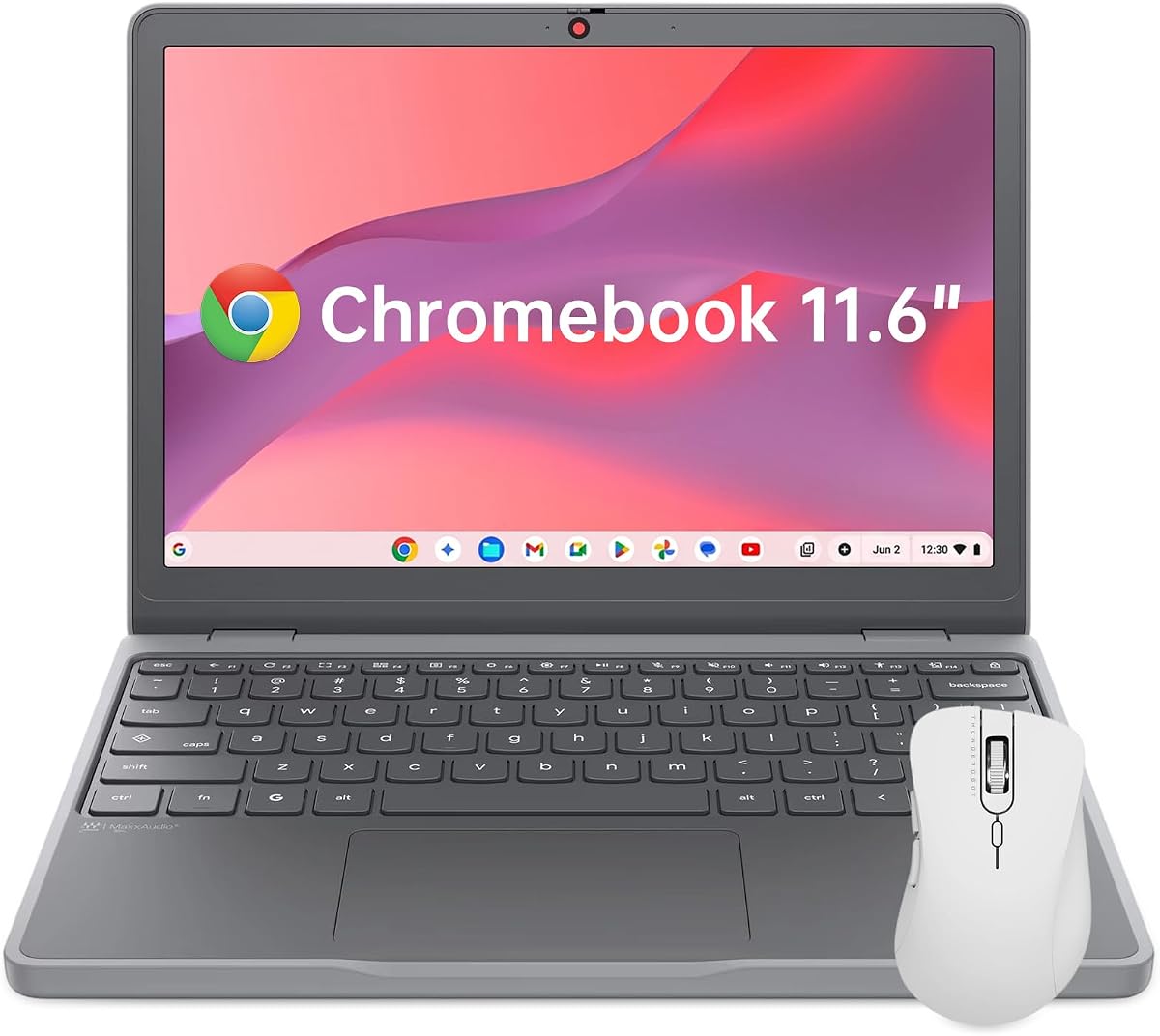
The Lenovo Chromebook 11.6-inch is the most compact option here and is tailored to students, travelers, and users who want a simple secondary computer. It weighs 2.69 pounds, measures 0.73 inches thick, and carries a 4.4 rating, making portability its clearest advantage.
We may earn a commission when you buy through this link, at no additional cost to you.
Inside are an Intel N150 four-core processor, 4GB of soldered LPDDR5X memory, and 64GB of UFS 2.2 storage. These components target ChromeOS browsing, online classes, video calls, and document-based work rather than heavy local projects. The 1366 by 768 IPS display includes 250-nit brightness and TÜV Rheinland low blue light certification.
Its 50Wh battery, 65W USB-C adapter, dual USB-C ports with DisplayPort and Power Delivery, dual USB-A ports, and HDMI make it well equipped for travel. A physical camera shutter, Google H1 security chip, Kensington Nano Security Slot, MIL-STD 810H construction, and TPU corners add useful protection.
Buy it as a lightweight travel, homework, or secondary-work device rather than a primary workstation for demanding software. The limited memory, modest storage, and HD display make larger 14-inch models more comfortable for prolonged productivity, but few provide the same easy-to-carry experience.
The compact shell, 50Wh battery, and USB-C fast charging make the Chromebook convenient for flights, commutes, and study sessions away from an outlet. A 65W charger replenishes the battery conveniently through the USB-C connection.
Protective TPU corners, MIL-STD 810H testing, a physical webcam shutter, and the Google H1 security chip create a practical security and durability package. The Kensington slot adds another option for securing the device in shared environments.
We may earn a commission when you buy through this link, at no additional cost to you.
Choosing a Chromebook for AI means balancing cloud-based assistance, local responsiveness, display quality, memory, storage, and mobility. The most useful model is the one that supports your specific Gemini, coursework, communication, and creative workflows without forcing unnecessary compromises.
A capable processor keeps ChromeOS responsive when many browser tabs, video calls, background applications, and AI-assisted writing tools operate at once. The Core i3-1315U in the Acer 514, Core Ultra 5 in the Spin 714, and Ryzen 3 7320C offer a useful upper tier for everyday AI workflows, while Core i3-N355 and Intel N150 configurations focus more heavily on efficiency and affordability.
Prioritize a processor with enough capability for your regular workload, but avoid paying for performance you will never use. Cloud-based Gemini features do not eliminate the need for a responsive CPU, because the operating system, browser, video calls, and background applications still run locally.
Memory determines how comfortably ChromeOS can hold multiple tabs and applications open. The 8GB configurations give you more breathing room than the 4GB models, particularly when using video-conferencing software, many browser-based productivity apps, and AI features simultaneously.
For ordinary school, office, and browsing use, choose 8GB when it is available in your preferred design. Four gigabytes can be workable for a light, cloud-focused setup, but it offers less flexibility as usage expands or applications become more demanding.
Storage determines how much coursework, media, and project data can live on the device without relying on a connection. The 512GB Acer configurations provide the most local room, while 128GB and 256GB models work well for users who depend on cloud storage and manage files carefully.
Check whether cloud storage is included in any promotional AI bundle, but do not treat a temporary cloud allowance as a replacement for adequate local capacity. Students downloading videos and professionals retaining project archives should favor 512GB, while web-focused users can manage a smaller drive more easily.
Screen size has a direct effect on portability and productivity. The 11.6-inch Lenovo is easy to carry, the 14-inch models offer a strong balance of workspace and mobility, and the 15.6-inch Acer 515 is best for desk-based work. Touchscreens make navigation, annotation, and casual tablet use more convenient.
Resolution, brightness, and anti-glare treatment matter just as much as size. WUXGA and Full HD panels provide more useful space than an HD display, while 300-nit or 400-nit brightness helps in classrooms and other bright environments. Choose based on where you expect to use the device most often.
Gemini capabilities can include handwriting conversion, writing assistance, question answering, image cleanup, video-call enhancement, background blur, and integration with Google Workspace. Some models also advertise Google AI Pro or Google One AI Premium for a limited period, with tools such as Gemini Advanced and NotebookLM.
Confirm that the exact configuration is Chromebook Plus eligible and review redemption conditions, age requirements, and expiration dates. The included trial is valuable, but a strong Chromebook should remain useful if the promotion ends or cloud AI availability changes.
A Chromebook intended for school, travel, or remote work should be easy to carry and able to last through several hours of realistic use. The listed capacities and claims range from a 50Wh battery in the compact Lenovo models to up to 17 hours of claimed battery life in the Acer 514 i3-1315U, though actual results vary with network conditions and workload.
Consider weight, charger size, and charging method along with battery claims. Models around three pounds offer a practical balance, while a 2.69-pound device is easier to carry but has a smaller, lower-resolution display and more constrained specifications.
USB-C, USB-A, HDMI, and an audio jack provide a dependable mix of peripheral support. The strongest configurations add Wi-Fi 6E or Wi-Fi 7, Bluetooth 5.3 or later, and DisplayPort over USB-C. Several Acer models also support multiple external monitors, which is useful for desks and shared workspaces.
Check the number and speed of ports before buying if you use external storage, wired networking, a docking station, or more than one monitor. Thunderbolt 4 on the Spin 714 provides the most advanced expansion potential, while USB-C DisplayPort works well for simpler single- or dual-screen arrangements.
Online learning and hybrid work make camera and microphone quality important. A 1080p camera produces a clearer image than the 720p options, and built-in tools for lighting, noise cancellation, and background blur can improve call quality. A physical privacy shutter offers a simple, reliable way to block the camera.
Audio matters too. Dual stereo speakers with Waves MaxxAudio, DTS, or other tuning can make lectures and media more enjoyable. Remote workers should also look for dual-array microphones and easy mute controls, while travelers may appreciate the integrated security features and physical locks.
Begin by completing the ChromeOS sign-in process, connecting to Wi-Fi, and confirming that the device is recognized as Chromebook Plus. Review the included Google AI offer before activating it, noting the redemption deadline, eligible account, storage allowance, and any age or region restrictions. Open Gemini, Gmail, Docs, and other relevant tools to confirm the features you expect are available on your particular configuration.
Organize AI use around your actual work rather than treating every prompt as a one-off request. Keep source documents and reference files in clearly named folders, use NotebookLM when appropriate for supplied materials, and use Gemini for rewriting, summarizing, and drafting while independently checking important facts. For handwriting conversion and image editing, verify the results before incorporating them into coursework or a professional deliverable.
Protect the device by keeping ChromeOS current, using a strong account password and screen lock, and taking advantage of the available camera shutters and security chips. Clean the screen gently with a soft microfiber cloth, avoid placing liquids directly against vents, and use a padded case when carrying the Chromebook. Periodically review local storage, browser extensions, synced files, and accessories so the device remains fast and secure.
Many of the models explicitly include Google AI, Gemini, or Chromebook Plus capabilities, including handwriting conversion, writing assistance, photo cleanup, and video-call tools. However, exact features can depend on the device configuration, country, language, account, and software availability. Confirm the product listing and your account before purchasing, particularly for the Lenovo student model whose supplied details focus on hardware.
For most students and professionals, 8GB is the more comfortable choice because it leaves room for numerous browser tabs, video calls, and productivity applications. Four gigabyte configurations can handle light cloud-based work, but they are less flexible when several demanding applications remain open. GPU-accelerated local AI is not the main focus of these models, so memory and processor responsiveness matter more for everyday Gemini use.
Not necessarily. The supplied listings describe promotional periods, such as 12 months of access to particular Google AI plans, subject to eligibility and redemption conditions. The benefit is not necessarily permanent or automatically renewed, so check the current terms. Choose the hardware for its long-term utility rather than relying on a temporary promotion as the sole reason to buy.
A larger screen is generally better for reviewing documents, comparing research, and working in multiple browser windows. The 15.6-inch Acer Chromebook Plus 515 offers the most workspace in this group, while 14-inch models provide a more balanced screen-to-portability ratio. A smaller 11.6-inch display remains useful for travel and light homework but is less comfortable for prolonged productivity.
Several product listings say Microsoft 365 applications and Adobe Photoshop are available through the ChromeOS app ecosystem. Some capabilities require a subscription, and individual feature support can differ from native desktop software. Verify current app availability and account requirements before committing, especially if advanced Photoshop functions are central to your work.
The Lenovo 11.6-inch is the smallest and lightest model here, with a 2.69-pound weight, thin profile, 50Wh battery, and USB-C fast charging. The 14-inch Acer models are still highly portable but provide larger, higher-resolution screens and stronger specifications. Travelers should balance screen comfort against weight rather than focusing on portability alone.
Large local storage is not strictly required because many AI tools operate through cloud services, but it provides more room for documents, media, offline learning materials, and application data. The 512GB Acer configurations are most appropriate for users who retain files locally. Cloud-focused buyers can use a 128GB or 256GB model, provided they manage local space carefully.
Yes, for cloud-centered roles using email, video conferencing, Google Workspace, browser-based applications, and AI-assisted writing. Models with 8GB memory, 1080p cameras, backlit keyboards, and multiple external-display support are particularly practical. Heavy professional software, intensive local processing, or specialized offline applications may require a more powerful conventional laptop.
The Acer Chromebook Plus 514 i3-1315U is the strongest general recommendation because it combines a capable Core i3 processor, 8GB of memory, a touch display, advanced Gemini features, modern Wi-Fi 7, and an unusually broad port selection. The Acer Spin 714 is the premium choice for flexible convertible design, Core Ultra processing, and Thunderbolt 4, while the ASUS CX34 provides the clearest budget route into Chromebook Plus AI features.
Prioritize memory when your work involves many browser tabs and frequent calls, storage when you retain substantial local media or coursework, and display quality when reading or presenting are central. Portable users should also account for weight and battery capacity, while remote workers benefit from 1080p cameras, noise cancellation, privacy shutters, and flexible connectivity.
Promotional Google AI terms, retailer configurations, and component availability can change, and current pricing should be checked on each listing. Review the final specification, included software, warranty terms, and AI redemption conditions before buying so the selected model remains useful well beyond any introductory offer.