
PC USB Dancing Mat
3.9Editor score
Eight directional buttons
USB PC connection
Non-slip PVC surface
Our DDR electronic dance pads guide compares ten options for PC, Wii, and Xbox 360, highlighting connectivity, controls, compatibility, and features.
DDR electronic dance pads turn stepping, rhythm, and full-body movement into an interactive home experience. A satisfying pad needs responsive pressure detection, secure footing, straightforward setup, and compatibility with the games and displays you already own. The best choice depends on whether you want a focused PC mat, a console accessory, or a complete wireless dance system.
We compared the listed products by examining their connection methods, supported platforms, control layouts, dimensions, materials, included accessories, game modes, and setup requirements. The roundup includes basic USB mats for Windows computers, official Konami controllers for Wii and Xbox 360, and camera-equipped systems designed for televisions, projectors, family parties, and mixed-age play.
Each review identifies the strongest reasons to consider a model while also noting practical limitations. Products with higher customer ratings receive favorable attention, but features, platform fit, and ease of use remain central to the recommendations. Prices and promotions can change, so confirm the current listing and compatibility details before making a purchase.
3.9Editor score

4.6Editor score

5.0Editor score
The comparison covers dedicated console controllers, straightforward PC mats, and wireless television-based systems, with particular attention to platform compatibility, control options, included components, and the kinds of activities each design supports.


The PC USB Dancing Mat is a straightforward eight-direction controller for players who want the essential DDR stepping experience without paying for a full entertainment system. Its appeal lies in familiar arrow-based navigation, a wired USB connection, and a non-slip PVC surface. The listed customer rating is moderate, but the core design remains appealing for budget-conscious PC users who already own compatible Windows software.
We may earn a commission when you buy through this link, at no additional cost to you.
The mat uses a highly sensitive chip to register each directional press, which is important because missed or late inputs can interrupt rhythm combinations. Its eight buttons cover the standard directional layout, while the included USB cable connects the mat to a computer. The stated operating-system support includes Windows 98, 2000, XP, and Windows 7, giving the product a distinctly traditional PC focus.
Construction is practical rather than elaborate. The product description highlights durable, environmentally friendly PVC, a wear-resistant surface, and a design intended to resist slipping during active play. The mat can serve as a gaming controller, an informal fitness aid, or a family activity that is less involved than a camera-based system. Its primary limitation is platform focus: it is designed for PCs rather than direct television play or console systems.
This is a sensible recommendation for someone who wants an inexpensive USB dance controller and is comfortable using compatible PC software. It may not suit a household that wants wireless freedom, a bundled camera, or modern console integration. Even so, for a simple eight-button setup, the combination of sensitivity, non-slip construction, and low complexity makes this one of the strongest budget-oriented choices in the roundup.
The sensitive chip and familiar directional layout make the mat suitable for step patterns, arrow combinations, and games designed around keyboard-style movement. Its simple design also keeps the learning curve low for beginners.
A wired USB connection removes battery management from the equation and provides a consistent link to a compatible computer. The non-slip PVC surface is intended to keep the mat stable while users step quickly.
We may earn a commission when you buy through this link, at no additional cost to you.
The Wireless Camera Dance Pad is built for families that want more than conventional arrow-stepping. It connects to televisions, computers, and projectors through HDMI and includes an HD camera, two wireless controllers, and numerous dance, exercise, and motion-sensing modes. Its 4.2 customer rating places it among the stronger-reviewed products in this diverse group.
We may earn a commission when you buy through this link, at no additional cost to you.
The defining feature is the integration of physical and camera-based play. Users can explore music tracks, interactive dance games, 3D camera challenges, yoga programs, and running games rather than remaining limited to fixed button patterns. The smart camera captures body movements for motion-sensitive experiences, while the controllers add options for synchronized two-player play and a broader game library.
Physical design is a major strength. The 15mm flannel surface is described as soft, wrinkle-resistant, non-toxic, hypoallergenic, and securely grippy. It can be folded flat or rolled for storage, which helps in homes where floor space is limited. The system does require six 1.5V AAA batteries, which are not included, and users need a display with an available standard HDMI input.
This mat is a good match for families seeking variety, cooperative play, and exercise options for both children and adults. It is less appropriate for someone who wants only a conventional DDR controller or must avoid a camera-centered design. For the broader feature set, however, the mix of camera tracking, wireless controllers, cushioned footing, and multiple activity modes is unusually complete.
The HD camera transforms the mat into a platform for body-sensing adventures, running challenges, and yoga content. That feature helps it serve both children attracted to active games and adults interested in low-impact exercise.
Two 2.4GHz wireless controllers allow coordinated multiplayer sessions without requiring everyone to stand on the same small panel. The cushioned flannel surface also adds comfort during longer family sessions.
We may earn a commission when you buy through this link, at no additional cost to you.
The PC USB Non-Slip Dance Pad is a basic computer-only stepping mat built around the traditional DDR format. It measures 94 by 82 centimeters, provides the familiar directional-control concept, and is aimed at users who already run compatible games on a Windows PC. Its 3.6 rating reflects the limited appeal of an older-style accessory in a category now populated by wireless and camera-equipped systems.
We may earn a commission when you buy through this link, at no additional cost to you.
The manufacturer states that the pad was redesigned to provide better sensitivity, more accurate play, and improved performance. That focus on the input mechanism makes sense for a game accessory: reliable registration of directional steps is essential when players need to react quickly to scrolling cues. The package includes the mat, a CD driver, and a user manual.
This product is explicitly computer-only. It cannot be used directly with a television, and it is not intended for iOS devices. Installation also involves a CD driver, with updated setup pictures included for reference and a contact option for obtaining an installer if the disc is unusable. The listed system requirements cover several older Windows versions and include basic memory, storage, and graphics specifications.
The pad is best for a PC gamer who wants a dedicated stepping controller and is comfortable with legacy software and driver installation. It will not serve someone looking for console support, wireless controls, or modern television features. For its narrow purpose, though, the redesigned sensitivity, compact size, and included installation materials make it a functional choice.
The redesign emphasizes sensitivity and accurate game play, helping players register directional inputs consistently. This remains the most important technical consideration for a mat built around fixed-step DDR mechanics.
A CD driver and printed manual are included, while updated instructions are provided in the product images. Users should confirm that the target computer and software meet the listed system requirements.
We may earn a commission when you buy through this link, at no additional cost to you.
The PUXING USB Dance Floor Mat offers a familiar stepping experience for PC and laptop users. It connects through USB, uses a sensitive control chip, and emphasizes a durable, non-slip PVC surface. Its 3.4 customer rating is the lowest in this roundup, so buyers should consider it as a simple accessory rather than an all-in-one entertainment platform.
We may earn a commission when you buy through this link, at no additional cost to you.
The product description calls the mat plug-and-play, easy to use, compatible with PCs and laptops, and suitable for children, adults, and family home entertainment. High-quality PVC is used to create an environmentally friendly and wear-resistant surface, while the non-slip treatment is intended to improve stability. These qualities align closely with what a traditional DDR-style floor controller needs to do.
The main limitation is its simplicity. There are no listed cameras, wireless controllers, television applications, or extensive exercise modes. It also does not indicate support for console platforms. As a result, its appeal depends on owning compatible PC rhythm software and wanting a physical controller rather than a broader gaming ecosystem.
This mat suits budget-minded users who want a dependable USB stepping surface for computer-based dancing. It is less suitable for a child expecting a console game library or a family system designed to work directly with a television. For a focused traditional pad, the combination of plug-and-play USB use, sensitive controls, and durable non-slip construction remains sensible.
The wired USB design makes the mat approachable for PC and laptop users. It avoids camera placement, display adapters, and wireless controller pairing.
A wear-resistant, non-slip PVC construction supports confident movement during repeated step sequences. The mat is better suited to a focused gaming session than to a broad collection of fitness applications.
We may earn a commission when you buy through this link, at no additional cost to you.
The Non-Slip PC USB Dance Mat is a traditional computer controller centered on directional stepping. It shares the same core positioning as the PC USB Non-Slip Dance Pad: a 94 by 82 centimeter mat, redesigned sensitivity, a CD driver, and support for older Windows environments. Its customer rating is solid within the basic-PC category.
We may earn a commission when you buy through this link, at no additional cost to you.
The stated improvement in sensitivity is intended to support more accurate performance. Accurate inputs are especially valuable in games where consecutive arrows, rapid footwork, and split-step patterns determine the score. The included package contains one dance mat, one CD driver, and one user manual, giving users the core materials required for setup.
Compatibility limitations are significant. The mat is designed only for computers, cannot operate directly with a television, and is not applicable to iOS. The listed requirements include compatibility with several versions of Windows, at least 64M of memory, at least 1G of free hard-disk space, and a DX7.0-or-higher version. Updated installation steps appear in the product images.
It is a suitable choice for someone who already owns compatible PC software and prefers a compact, conventional controller. Prospective buyers who expect modern console integration, television-based menus, or wireless multiplayer should look elsewhere. For its intended role, the redesigned sensor performance, recognized footprint, and supplied installation resources create a practical package.
The familiar directional format makes this mat intuitive for players who understand standard rhythm-game controls. Its primary appeal is focused, computer-based dance gameplay.
Listing the supported operating systems and hardware requirements makes it easier to judge whether the mat will work with an existing computer. Checking those details before ordering can prevent installation disappointments.
We may earn a commission when you buy through this link, at no additional cost to you.
The Konami DDR Stand Alone MAT is purpose-built for DanceDanceRevolution on the Wii system. Rather than trying to serve as a universal controller, it focuses on the classic directional dance experience with an anti-slip underside. Its 4.1 rating makes it one of the better-reviewed choices, especially for a product associated with a long-established console platform.
We may earn a commission when you buy through this link, at no additional cost to you.
Compatibility is the key strength. The mat was specially designed as a controller for DanceDanceRevolution and is intended to work with compatible Wii software. That specificity gives buyers confidence in the form factor and intended experience, since it was created around the game rather than adapted from a generic keyboard-and-mouse design.
The anti-slip surface on the bottom helps keep the mat stable during energetic routines. Its game-oriented purpose also extends beyond score chasing: DanceDanceRevolution is described as combining entertainment with a workout, making it useful for players who want rhythmic exercise alongside gaming.
The trade-off is platform rigidity. This is not a PC mat, wireless television system, or universal accessory, and it does not offer the camera, controller, or multi-mode features found in newer systems. It is best for a household with a Wii and compatible DDR software, especially for someone who values a dedicated Konami controller over modern connectivity.
Using a controller created specifically for DanceDanceRevolution gives the stepping experience a clear, traditional identity. The dedicated format is especially appropriate for Wii owners with compatible software.
The anti-slip underside supports stable movement during DDR routines. Combined with the game’s exercise emphasis, the mat can serve as a motivating alternative to passive screen time.
We may earn a commission when you buy through this link, at no additional cost to you.
The Xbox 360 Original DDR Pad is a dedicated Konami controller for DanceDanceRevolution games on Xbox 360. It includes the Freestyle Mode introduced for that platform, which removes strict arrow requirements, and Quest Mode for character customization. Its 3.5 rating reflects the appeal of classic console hardware against newer HDMI and wireless dance systems.
We may earn a commission when you buy through this link, at no additional cost to you.
The product is described as compatible with Xbox 360 DDR games, making platform fit clear. For players who prefer console menus, console-installed titles, and Xbox Live integration, this is a more natural option than a PC-only mat. Online play, downloadable music, and related services were part of the game experience supported by the original hardware.
Freestyle Mode may be the feature that matters most to beginners or casual players. Rather than forcing users to match arrows precisely, it permits freer movement, reducing the intimidation associated with traditional DDR charts. Quest Mode adds progression through a custom character, while the dedicated pad provides a familiar stepping interface.
Its limitation is generational. The controller is tied to Xbox 360 and cannot provide the broad television mode library or camera features of current all-in-one systems. It is best for an existing Xbox 360 household, DDR collectors, or players who want original Konami hardware and an easier on-ramp to rhythm games.
Freestyle Mode allows users to dance without following precise arrows, reducing pressure for new players. The feature makes the pad a practical choice for families introducing DDR-style games to children.
As a dedicated Xbox 360 controller, the mat works with compatible DDR titles and supports console features such as Xbox Live. It provides a more focused experience than a generic multi-purpose dance system.
We may earn a commission when you buy through this link, at no additional cost to you.
The OSTENT USB StepMania Mat is a finely focused PC rhythm controller with a 3.6 customer rating. It is based on DanceDanceRevolution, supports Windows-oriented games, and offers eight difficulty levels. Compared with many generic mats, its materials are described in unusual detail, including high-elastic cotton, non-toxic printing ink, and a high-density black EVA layer.
We may earn a commission when you buy through this link, at no additional cost to you.
The layered design is intended to balance grip, resilience, and step comfort. A non-slip arenaceous surface is printed with non-toxic ink, while the cotton layer adds elasticity and the EVA matte provides cushioning. At 920 by 800 millimeters and 4 millimeters thick, the mat remains relatively compact and low-profile for a floor controller.
Connectivity is handled through a high-grade USB interface and a listed 172-millimeter cable. The DDR-based StepMania foundation means users can choose from eight levels of difficulty, which is useful for both newcomers and experienced rhythm players who want a steeper challenge.
This product is ideal for PC gamers who want a responsive physical controller for Windows rhythm software and value specific material construction. It is not aimed at direct TV use, console owners, or families seeking a camera, wireless controllers, and varied exercise modes. Its strengths are compactness, focused DDR gameplay, and a thoughtfully layered stepping surface.
High-elastic cotton, a dense EVA layer, and a printed non-slip surface work together to create a more structured stepping area. The low profile also makes the mat easier to incorporate into a compact computer-gaming setup.
Eight selectable levels make the StepMania-based experience approachable for beginners while preserving harder challenges for experienced players. The short USB cable keeps the setup visually and physically uncomplicated.
We may earn a commission when you buy through this link, at no additional cost to you.
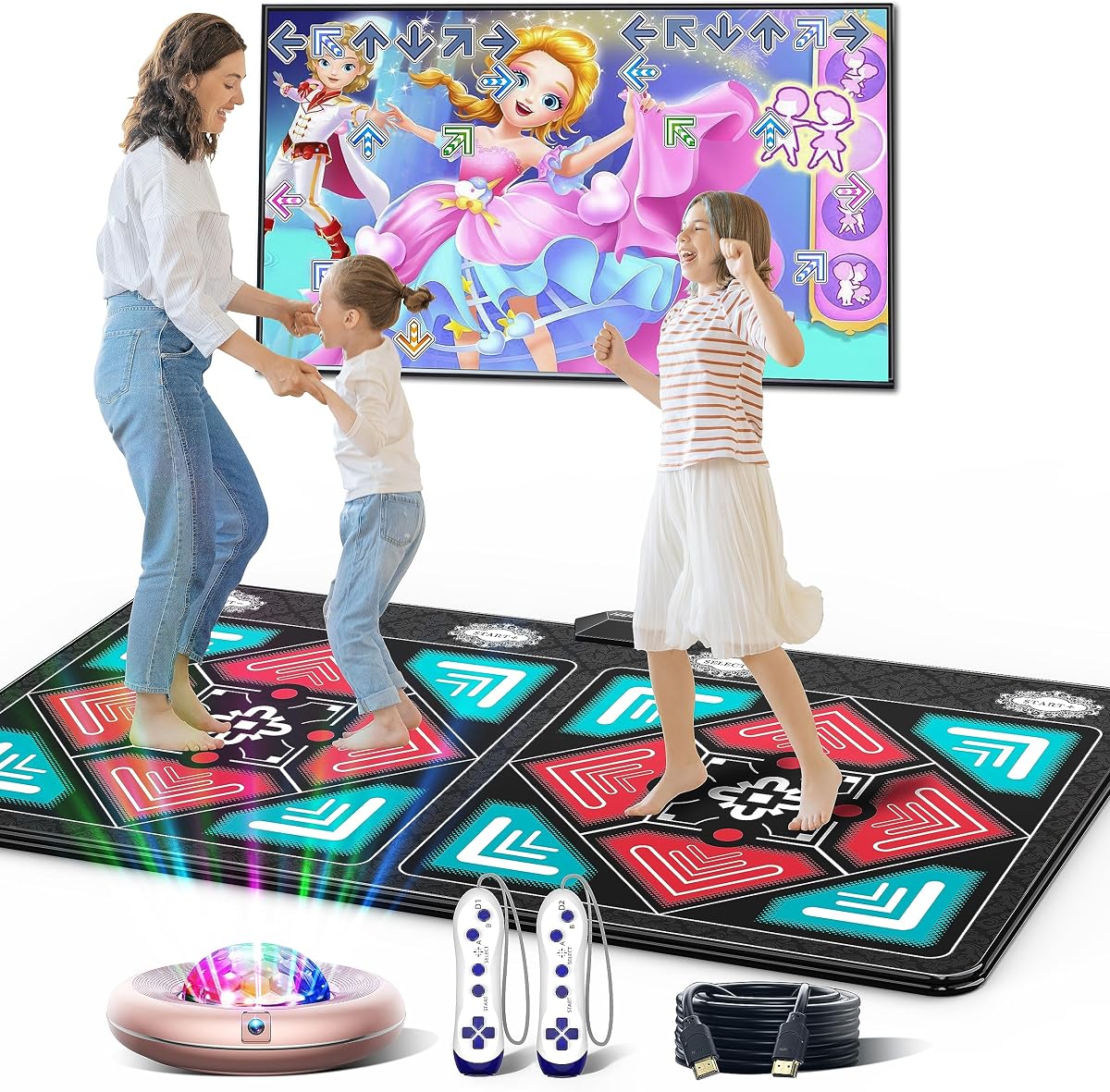
The Wireless HDMI Dance Mat is the most complete all-round option in the guide, combining physical stepping, television gameplay, camera-based interaction, and wireless multiplayer. Its 4.6 customer rating is the second-highest among the listed products, reflecting a favorable reception for a system with an unusually broad feature set.
We may earn a commission when you buy through this link, at no additional cost to you.
The mat uses a quad-core HD chip and supports more than ten core modes, including four-key and six-key dance, hands-and-feet play, cartoon and MTV-style options, yoga, aerobics, gamepad use, and a 3D camera. The package includes over 149 tracks, more than 72 games, three running or yoga programs, an HD camera, a built-in disco-ball lamp, and quarterly software updates.
Setup is designed to be quick. The system connects through HDMI to a television, monitor, or projector, with no Wi-Fi or additional software needed. Two 2.4GHz wireless controllers support solo and competitive play. The 15mm PEVA surface is described as heat-resistant, crack-proof, waterproof, easy to clean, and backed by a granular non-slip bottom, while EVA foam provides knee protection.
The only notable inconvenience is the requirement for six 1.5V AAA batteries, which are not included. Even with that caveat, the mat stands out as a strong recommendation for families, parties, and mixed-age users who want substantial variety without assembling a separate PC setup. Its software breadth, sturdy cushioning, and wireless competition features justify the Editor’s Choice designation.
Dance charts, running programs, yoga routines, controller games, and camera challenges give the system far more replay value than a basic directional mat. The included track and game libraries also reduce the need to source separate software.
The five-minute plug-and-play approach is one of the clearest advantages over PC mats. With no network connection or extra software required, the system can move from unboxing to active play using an available HDMI port.
The 15mm PEVA construction, EVA foam, and granular non-slip underside balance cushioning with stability. Foldability also makes the mat practical to store away when the floor is needed for other activities.
We may earn a commission when you buy through this link, at no additional cost to you.
The Two-Player Interactive TV Dance Mat stands out for its 5.0 customer rating and a feature set centered on social, screen-based entertainment. It supports four-key and six-key dance, hand-foot coordination, MTV and cartoon modes, yoga, aerobics, gamepad play, and 3D camera activities. The system includes 150 popular tracks, 72 interactive games, and nine motion-sensing games.
We may earn a commission when you buy through this link, at no additional cost to you.
Its strongest distinction is the breadth of entertainment. The two wireless controllers support 72 controller games ranging from puzzles and block challenges to basketball-style action. An augmented-reality-style camera captures body movements and projects the player’s image onto the screen, turning the living room into a game hall, theme park, or gym without requiring wearable equipment.
The mat also supports a range of physical challenges. Running and dance modes offer beginner-to-advanced levels, while yoga and aerobic modes broaden its appeal beyond a single controller style. Physical construction uses soft velvet fabric over a thick, shock-absorbing, non-slip base. Setup requires only an HDMI connection and no network service, although six 1.5V AAA batteries are needed and are not included.
This is the premium recommendation for families or party hosts who want extensive built-in content, two-player interaction, and motion-aware experiences in one package. It may be unnecessary for a PC gamer seeking a simple USB mat or a dedicated console owner with a specialized controller. For television-based group entertainment, however, its excellent customer feedback, large library, and varied control methods provide the strongest overall package.
With 150 tracks, 72 games, and multiple motion-sensing experiences, the system offers enough variety for repeated family sessions. Content does not have to be sourced from a separate game library.
The camera captures movement and places the player’s image into the activity on screen. This adds a more social, visually engaging dimension than standard arrow-panel dance play.
Two wireless controllers allow side-by-side challenges in supported games. The mat is therefore well suited to parent-child activity, sibling rivalry, and group gatherings where a shared score creates excitement.
We may earn a commission when you buy through this link, at no additional cost to you.
The right DDR electronic dance pad depends first on the platform you own, followed by the balance of physical controls, software variety, multiplayer functions, comfort, and setup complexity. Reviewing these factors before buying helps prevent an expensive compatibility mistake or an experience that feels repetitive.
Choose a product that matches equipment you already own, rather than planning to buy a new console or computer solely for the mat. Confirm the stated operating-system version, required software, and whether the manufacturer includes a driver or installer.
Prioritize a connection method that matches your existing setup. If you want immediate television play without extra software, look for HDMI plug-and-play operation; for a simple PC controller, USB is usually the most direct option.
Look for accurate, responsive controls and a familiar layout. Consider whether strict chart timing appeals to you or whether freer movement and camera-based modes would create a more enjoyable experience.
Choose based on the intended audience. Dedicated pads serve focused DDR play, whereas multi-mode systems are stronger for family entertainment, exercise, birthdays, and parties.
For households that regularly host multiple players, bundled wireless controllers add meaningful value. Check the number of controllers, supported game modes, and battery requirements before choosing.
Prioritize a secure surface, adequate cushioning, and a footprint that fits your room. Check whether the mat folds or rolls for storage and whether its thickness could create a trip hazard.
Measure the available floor area before buying, especially for children who may run or perform hand-and-foot routines. Follow the material-specific cleaning guidance and keep moisture or debris away from electronic controls.
Use the manufacturer’s age guidance and choose a difficulty level suited to each player. Confirm the product’s grip and cushioning before allowing vigorous movement, especially around children.
Begin by preparing a clear, level floor and checking the mat, cable, controllers, camera, and display connections. For USB models, confirm that the computer meets the operating-system and software requirements before installing the supplied driver. For HDMI systems, connect the mat to an available television, monitor, or projector input, position the camera where the full body can be seen, and install the required controller batteries before the first session.
Begin with a lower difficulty level and a short practice routine. Allow new users to learn the directional layout, hand-and-foot combinations, camera movements, or controller commands before increasing the pace. Keep the performance area free of furniture and toys, and use a non-slip rug or suitable flooring if the mat’s underside does not remain stable. Multiplayer sessions work best when each player has enough room to move without contacting another person.
To care for the mat, disconnect the cable and remove controller batteries before cleaning. Wipe the stepping surface with a slightly damp cloth, remove dirt from the non-slip base, and allow the mat to dry completely before folding or storing it. Avoid immersing electronic components, using harsh chemicals, or placing heavy objects on the cushioning. Fold or roll wireless models as described, keep traditional PC mats flat when possible, and inspect the cable and controls periodically for wear.
Only the HDMI-based systems in this guide are designed for television use. The traditional PC USB mats are explicitly computer-only, while the Wii and Xbox 360 controllers require compatible games and hardware on those respective consoles. For an HDMI system, the television or projector must have an available HDMI input, and the included wireless controllers require AAA batteries.
A USB dance mat is a focused controller that sends directional inputs to compatible PC software through a cable. A wireless TV system includes a broader entertainment package with HDMI video, built-in tracks and games, wireless controllers, and often camera-based motion play. USB is generally simpler, while HDMI systems are more versatile for family and group entertainment.
They can be, provided the manufacturer’s age guidance is followed and an adult supervises younger players. Camera systems may be easier for beginners because some modes track broader movement rather than requiring precise arrow timing. The viewing area must be clear, the camera positioned correctly, and enough space maintained for safe running or hand-and-foot actions.
The dedicated console products work with compatible DDR games for Wii or Xbox 360. The HDMI television systems also have built-in tracks, games, and exercise programs, allowing their core features to be used without separately sourcing PC software. The generic USB mats require compatible computer software and, in some cases, a supplied CD driver.
First disconnect the USB cable or HDMI lead and remove the controller batteries. Use a soft, slightly damp cloth to wipe the surface, avoiding harsh chemicals and preventing water from entering buttons or electronics. Clean debris from the underside, let the mat dry fully, and then fold or store it according to the manufacturer’s instructions.
Look for a clearly stated non-slip base, a surface designed to resist moisture and wear, and enough thickness to remain comfortable during repeated steps. The OSTENT mat uses a printed non-slip surface, elastic cotton, and EVA layers, while the wireless systems emphasize granular non-slip bottoms and thicker cushioning. Always test stability on the type of floor where the mat will be used.
It depends on the design. The two wireless television systems include dual 2.4GHz controllers for solo and two-player modes, and the wireless camera model supports multiplayer, synchronized play, and shared activities. Traditional one-panel PC and console mats can also support competitive play, but the number of simultaneous players depends on the installed games.
The listed wireless systems require six 1.5V AAA batteries, and those batteries are not included with either product. Wired USB mats avoid the need for controller batteries in the mat itself. It is useful to keep a fresh set available if you expect frequent play, since an interrupted controller can end a multiplayer session.
The best budget choice is the PC USB Dancing Mat, which delivers the essential eight-direction experience through a simple wired connection. The Konami DDR Stand Alone MAT stands out for Wii owners seeking purpose-built hardware, while the OSTENT mat offers a refined PC rhythm alternative. At the feature-rich end, the Wireless HDMI Dance Mat earns the Editor’s Choice for its broad modes, two-player controllers, camera, and easy television setup.
The Two-Player Interactive TV Dance Mat is the premium recommendation for households seeking the largest built-in content library, real-time body interaction, and competitive party entertainment. Before deciding, prioritize platform compatibility, the type of games desired, available floor space, and whether the added camera and controller functions justify a more complex system. A simpler mat can deliver a more focused experience, while an all-in-one system offers greater variety.
Finally, verify the current listing, package contents, age guidance, system requirements, and battery needs before ordering. Ratings and feature sets provide useful guidance, but the best DDR electronic dance pad is ultimately the one that works with your existing equipment, suits your preferred style of play, and will be used often enough to justify the space it occupies.