
TP-Link ER605
4.4Editor score
Three configurable WAN ports
20 IPsec VPN tunnels
USB cellular WAN backup
Advanced firewall policies
DoS defense
Compare the best Dual Wan Router options for failover, load balancing, VPN security, Wi-Fi, multi-gig networking, and remote management in this expert guide.
A dual WAN router connects two internet services so a home office, small business, or remote workspace can remain online when one connection fails. The best models also balance traffic, secure remote access, manage VLANs, and provide useful diagnostics, making them much more versatile than basic routers.
We compared the ten routers below by examining WAN port count and flexibility, failover and load-balancing support, VPN capabilities, wired and wireless performance, security features, remote management, and practical deployment options. The list includes wired business routers, cloud-managed models, OpenWRT-based systems, and a Wi-Fi 7 option.
Each review identifies the product's strongest use case, along with limitations that could affect a particular installation. Ratings reflect the supplied customer feedback, while product specifications come from the manufacturer information. Current prices and availability can change, so confirm the latest listing before purchasing.
4.4Editor score

4.4Editor score

4.2Editor score
The table below compares all ten routers across the features most likely to influence a dual WAN installation, including WAN flexibility, VPN support, wireless coverage, wired speed, security, and remote administration.



The Peplink B One earns a 4.4 customer rating and stands out as the most balanced option in this guide for branch offices and businesses that need resilient internet without giving up wireless access. Its defining combination is two Gigabit WAN ports, four Gigabit LAN ports, dual-band Wi-Fi 6, a USB WAN interface, and SpeedFusion technology designed to keep communications stable when the primary service is interrupted.
We may earn a commission when you buy through this link, at no additional cost to you.
Resilience is the main reason to consider the B One. The dual-WAN architecture can use an existing internet connection and a backup provider, while automatic failover moves traffic away from a failed primary line. SpeedFusion is intended to smooth the experience of applications such as video calls by intelligently managing traffic across available connections. That makes the router a compelling choice for distributed teams, retail locations, and professional home offices where dropped calls or interrupted sessions would be disruptive.
The wired design is also thoughtfully balanced. Two Gigabit WAN ports accommodate a primary and secondary connection, while four Gigabit LAN ports support office devices and switches. The USB WAN interface expands the range of possible backup sources, and the stated integration with Starlink adds flexibility for satellite, cable, DSL, or fiber arrangements. The trade-off is that this is still a Gigabit-class platform rather than a 10G multi-gig router, and its feature set may exceed what a basic household needs.
This is the most complete pick for buyers who want a single appliance to combine dual WAN resilience, Wi-Fi, and business-grade traffic handling. It is particularly suitable for enterprise branch connectivity, hybrid offices, and installations where application continuity matters. If a simpler wired model meets every requirement, the TP-Link ER605 may offer a more economical route, but the B One is the stronger all-around recommendation.
Basic failover keeps traffic moving after an outage, while SpeedFusion adds a layer intended to make the transition less disruptive. That distinction is especially relevant for VoIP, conferencing, and other real-time applications. Buyers should still test both services and their failover behavior under realistic workloads.
Integrating Wi-Fi 6 with a business dual-WAN platform reduces the need for a separate wireless access point in smaller installations. The four Gigabit LAN ports also leave room for wired workstations, printers, and network switches without requiring an additional downstream device.
We may earn a commission when you buy through this link, at no additional cost to you.
The TP-Link ER605 has a 4.4 rating and delivers the essentials of a dual WAN business router without adding Wi-Fi or higher-speed multi-gig interfaces. It offers three configurable WAN connections through one Gigabit WAN port, two Gigabit WAN/LAN ports, and two Gigabit LAN ports. For a home office, small company, or branch location, that is a practical and economical architecture for primary, secondary, and locally served connections.
We may earn a commission when you buy through this link, at no additional cost to you.
VPN support is one of its strongest features. The ER605 supports up to 20 LAN-to-LAN IPsec connections, 16 OpenVPN connections, 16 L2TP connections, and 16 PPTP connections. That range makes it suitable for connecting remote sites or providing encrypted access for traveling users. Its firewall tools add another layer of control through advanced policies, DoS defense, IP, MAC, and URL filtering, speed testing, VPN pass-through, and local management.
The router also accepts a compatible 4G or 3G modem through its USB port for WAN backup. This is a valuable continuity tool when a wired provider fails, although buyers should consult the TP-Link compatibility list because not every cellular modem is supported. The main limitation is that the ER605 is a wired model, so a separate access point is required for Wi-Fi. Its Gigabit interfaces also do not suit installations with 2.5G, 10G, or fiber backhaul requirements.
The ER605 is best for buyers who need straightforward multi-WAN failover, VPN connectivity, and a USB cellular backup route at a relatively accessible entry point. It is less appropriate for a modern wireless-heavy office or a high-speed campus deployment. Even so, it covers a broad range of business essentials and deserves consideration as the budget selection in this roundup.
The mix of dedicated and configurable Gigabit ports gives administrators useful flexibility. One connection can act as the principal WAN, another can carry backup traffic, and a configurable port may serve a local network. Load balancing and failover can therefore be combined without relying on a single secondary line.
The stated tunnel allowances provide room for site-to-LAN and remote-user connections without moving the VPN role to a separate appliance. Protocol support also makes it easier to accommodate different client types, although administrators should verify compatibility with their preferred VPN applications and operating systems.
We may earn a commission when you buy through this link, at no additional cost to you.
The NETGEAR PR60X carries a 4.2 rating and represents the premium, high-speed end of this roundup. Its hardware includes one 10G or multi-gig configurable LAN/WAN port, one 2.5G WAN port, three 2.5G LAN ports, and one 10G SFP+ port. The combination gives administrators room to build a fast wired network while preserving a dedicated path for WAN connectivity.
We may earn a commission when you buy through this link, at no additional cost to you.
Dual WAN failover and load balancing are central to the design, making the PR60X well suited to professional offices, creative studios, and small enterprises that cannot afford frequent connection interruptions. NETGEAR Pro Wi-Fi access points and select smart switches can be integrated into a broader enterprise network solution. The router itself does not include wireless radios, so wireless coverage is handled through separate access points when required.
Remote access options are unusually broad. IPSec Site-to-Site and Client-to-Site VPN, OpenVPN, and WireGuard are supported, with capacity for up to 100 client device connections and 30 VPN tunnels. The router also supports up to 32 VLANs, helping separate users, devices, and network segments. NETGEAR Insight provides remote management, and the package includes a one-year subscription. Buyers who need long-term management services should factor the renewal structure into their planning.
The PR60X is the recommendation for installations that genuinely need multi-gig performance, SFP+ backhaul, or a high-capacity wired core. It offers more than enough speed and flexibility for modern business networks, although users with a modest home connection may not use every port. For those who need comparable NETGEAR cloud management in a rack-oriented package, the Cloud Care listing is also included in this guide.
The mixture of 10G, 2.5G, and SFP+ interfaces makes this more than a simple dual WAN gateway. The SFP+ port can support long-distance backhaul requirements, while the multi-gig ports allow administrators to connect modern wired equipment without being limited to one-gigabit Ethernet.
NETGEAR Insight allows administrators to monitor and manage the router away from the premises. That is especially useful for branch offices, temporary locations, and networks without a full-time on-site technical team. The included subscription period should be considered when comparing longer-term operating plans.
We may earn a commission when you buy through this link, at no additional cost to you.
The Cudy R700 has a 4.4 rating and stands out for network administrators who want more control than a conventional business-router interface provides. It can connect as many as five ISPs with automatic failover and load balancing, giving it one of the broadest multi-WAN configurations in the group. Five Gigabit Ethernet ports provide a practical foundation for a home lab, small office, or branch connection.
We may earn a commission when you buy through this link, at no additional cost to you.
Its OpenWRT readiness is the defining feature. Full OpenWRT support opens the door to VLAN segmentation, advanced firewall rules, custom QoS policies, and community-developed packages. This makes the R700 attractive to technically experienced buyers who want to create a tailored network rather than rely only on fixed vendor menus. The router can also be managed through a web interface or the Cudy app, with TR-069 support for remote administration.
The built-in VPN gateway suite includes WireGuard, OpenVPN, IPsec, PPTP, and L2TP in server and client roles. That supports site-to-site tunnels, remote user access, and routing selected VLANs through encrypted connections. Security features include an SPI firewall, DoS prevention, IP and MAC binding, domain filtering, and DMZ hosting. Built-in Ping, Traceroute, NSLookup, and system-log tools help speed up troubleshooting.
The R700 is best for technically capable buyers who value choice, multi-ISP support, and granular traffic controls. It may be less attractive to someone expecting a polished consumer setup wizard, integrated wireless, or a cloud-managed experience. Buyers should also confirm how the supplied OpenWRT environment is intended to be configured and maintained. For advanced small networks, however, it provides an exceptional balance of capability and flexibility.
Supporting up to five ISPs is unusual for a compact business router and creates room for several broadband, fiber, or cellular sources. Failover can preserve connectivity when one service fails, while load balancing can distribute selected traffic according to the network's operating rules.
OpenWRT expands the router from a fixed appliance into a more adaptable platform. Advanced firewall policies, VLANs, QoS, and additional packages provide extensive control, but they also require more attention than a basic router. New users should understand the consequences of package and configuration changes.
We may earn a commission when you buy through this link, at no additional cost to you.
The Omada ER707-M2 has a 4.4 rating and targets small and medium networks that need multi-gig WAN options, strong VPN capacity, and centralized administration. Its port layout includes a 2.5Gigabit WAN port, a 2.5Gigabit WAN/LAN port, four Gigabit WAN/LAN ports, a Gigabit SFP WAN/LAN port, and a USB 2.0 port. Several ports can be reassigned as the network changes.
We may earn a commission when you buy through this link, at no additional cost to you.
Performance specifications are designed for a substantial number of clients. The router supports up to 500,000 concurrent sessions and more than 1,000 clients. These figures indicate a high-capacity platform, although real application performance will still depend on internet bandwidth, encryption overhead, and the traffic being handled. The mix of 2.5G and SFP options is particularly useful for sites that need flexible uplink arrangements.
VPN capacity is another major strength. The ER707-M2 supports up to 100 LAN-to-LAN IPsec connections, 66 OpenVPN connections, 60 L2TP connections, and 60 PPTP connections. A USB-connected LTE dongle can provide another backup route, while the SFP port opens options for fiber or other compatible connections. The Omada app and remote cloud access support centralized management across sites from one interface.
This is a strong choice for growing organizations that want 2.5G and multi-site management in a wired router. It does not include built-in Wi-Fi, so compatible access points are needed for a wireless deployment. The Omada ecosystem also makes it most suitable for users who prefer a consistent managed environment. Its warranty, support availability, and broad VPN allowances make it particularly compelling for professional deployments.
The ER707-M2 offers a practical upgrade path beyond basic Gigabit networking. A 2.5G WAN can support faster broadband plans, while configurable WAN/LAN and SFP ports allow administrators to adapt the router to different fiber, copper, or downstream-switch arrangements.
Remote cloud access and the Omada app allow a central administrator to oversee distributed sites from a single interface. This reduces the need for on-site configuration during routine maintenance and makes it easier to coordinate network changes across offices or remote facilities.
We may earn a commission when you buy through this link, at no additional cost to you.
The ASUS RT-BE88U has a 4.3 rating and is the clear wireless-focused selection. It supports Wi-Fi 7 throughput up to 7.2 Gbps with Multi-Link Operation and 4096-QAM, while a quad-core 2.6 GHz 64-bit processor is designed to support demanding wireless and high-speed wired applications. Unlike most products in this roundup, it combines next-generation Wi-Fi with multi-WAN and 10G options.
We may earn a commission when you buy through this link, at no additional cost to you.
Its wired capabilities include one 10G SFP+ port and one standard 10G WAN/LAN port, allowing the router to support up to 34G of wired network capacity as described by the manufacturer. AI WAN detection and flexible WAN configuration make it easier to use different internet services, while the USB port can accept a 4G LTE or 5G mobile tethering connection as a backup. This makes it relevant to buyers who want wireless and business-class resilience in one device.
The router supports up to five SSIDs, Guest Network Pro for separate IoT setups, instant VPN connections, parental controls, and AiMesh for whole-home expansion. Security features include AiProtection Pro powered by Trend Micro, one-tap security scanning, comprehensive VPN support, and site-to-site VPN. These functions are especially useful for households and creative offices where several device classes need network separation.
The main consideration is client readiness. Wi-Fi 7 benefits are most apparent when compatible devices are available, and the product information does not provide the same detailed VPN tunnel allowances shown by several business routers in this list. Even so, the RT-BE88U is an excellent choice for users who prioritize high-speed wireless, 10G wired connections, flexible backup WANs, and mesh expansion over a conventional enterprise management platform.
Multi-Link Operation and 4096-QAM are central to the router's wireless design. They help take advantage of compatible newer clients, while the quad-core processor supplies processing capacity for demanding applications. Older Wi-Fi devices can still use the network, but they will not gain the full benefit of the newest standard.
The 10G SFP+ and 10G WAN/LAN ports provide considerable headroom for fast broadband, local servers, and high-bandwidth storage. The SFP+ interface also gives administrators more flexibility for longer-distance or specialized fiber links than a conventional copper-only arrangement.
We may earn a commission when you buy through this link, at no additional cost to you.
The ASUS ExpertWiFi EBG15 has a 3.8 rating and offers an approachable security-focused design for small businesses. It includes one Gigabit WAN port and two Gigabit WAN/LAN ports, allowing up to three Ethernet connections to operate as WAN lines with load balancing. A separate USB port can be configured as a backup WAN by connecting a mobile phone hotspot, giving the network a practical emergency path.
We may earn a commission when you buy through this link, at no additional cost to you.
Network separation is a notable strength. Each Ethernet port can be assigned to one or more VLAN IDs, which helps isolate staff, guests, cameras, point-of-sale equipment, or other operational groups. The router also provides an intrusion prevention system, deep packet inspection, virtual patching, Safe Browsing, VPN features, and a Layer 7 firewall. Together, these features make it more security-oriented than a typical home router.
Administration is designed to be approachable. Setup and management can take place through a web browser or the ASUS ExpertWiFi mobile app, with Bluetooth-assisted setup intended to simplify initial configuration. This is useful for small-business owners who want security features without assuming the role of a full-time network engineer. Remote management through the app also provides a convenient way to monitor the installation away from the office.
The EBG15 is best for a small or home-based business that values layered security, VLAN assignment, and multiple WAN options over multi-gig speeds. Its Gigabit interface limit and lack of integrated Wi-Fi may restrict larger or more bandwidth-intensive deployments. The 3.8 rating is also lower than most alternatives here, so buyers should pay particular attention to the current customer feedback and confirm that the app and management features meet their needs.
The combination of IPS, deep packet inspection, virtual patching, Safe Browsing, and a Layer 7 firewall gives the EBG15 a stronger security orientation than many consumer routers. These features help administrators inspect and control traffic beyond simple port forwarding, although their practical value depends on correct configuration.
Assigning Ethernet ports to VLAN IDs creates a straightforward way to separate network functions. The approach can limit unnecessary access between business systems, guest devices, and sensitive equipment without requiring a separate managed switch for every basic use case.
We may earn a commission when you buy through this link, at no additional cost to you.
The D-Link DSR-250V2 has a 2.9 rating and is a specialized option for organizations that place regulatory compliance and remote-access support near the top of their requirements. It is made in Taiwan and follows TAA and NDAA standards, giving it particular relevance to government agencies, contractors, and other organizations operating under strict procurement rules.
We may earn a commission when you buy through this link, at no additional cost to you.
The router supports dual WAN failover and load balancing through one Gigabit WAN port, three Gigabit LAN ports, and one configurable Gigabit LAN/WAN port. It can automatically switch to a backup internet source when the primary fails, which helps preserve continuity during calls, file sharing, and other essential tasks. Web-based and SNMP management provide visibility for routine administration and troubleshooting.
Its VPN capabilities cover IPSec, PPTP, L2TP, OpenVPN, and SSL, with encryption options including DES, 3DES, and AES. The stated capacity is up to 75 VPN tunnels, including 50 IPsec tunnels. It can operate as a dedicated hardware VPN gateway or support client-based access for traveling users, making it adaptable to both remote-office and mobile-workforce requirements.
Other specifications include firewall throughput of 950 Mbps, support for 50,000 sessions, 300 policies, 16 VLANs, and RIPv1, RIPv2, and OSPF dynamic routing. The limitation is its 2.9 rating, the lowest in this group, which deserves careful review rather than dismissal. The model may still fit highly regulated buyers, but buyers should confirm current feedback, software expectations, and compatibility with their management systems.
TAA and NDAA adherence may be the decisive requirement for agencies and contractors whose purchasing rules restrict certain supply chains. The made-in-Taiwan construction and stated compliance make the DSR-250V2 more relevant to those buyers than a general-purpose consumer router.
Using the router as a dedicated gateway or as support for client-based VPN gives administrators flexibility in how remote users connect. A broad protocol list and up to 75 tunnels provide room for different site and user requirements, though administrators must align the selected protocol with the security policies of their organization.
We may earn a commission when you buy through this link, at no additional cost to you.
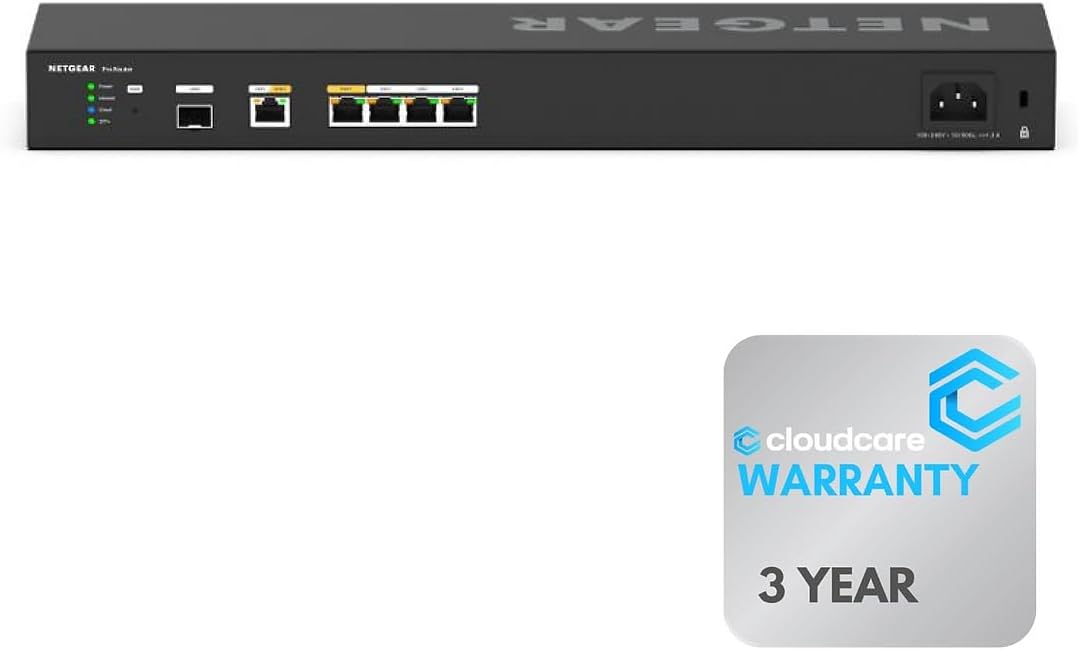
The Cloud Care NETGEAR PR60X has the highest customer rating in the group at 4.6 and focuses on a professional, rack-friendly deployment. Its six 10G and multi-gigabit Ethernet ports provide a generous amount of wired capacity, while dual WAN ports support load balancing and failover for continuous internet access. The hardware is designed for professional and enterprise environments rather than casual home use.
We may earn a commission when you buy through this link, at no additional cost to you.
Physical placement is an important detail. The router can be rack-mounted or wall-mounted, allowing administrators to keep a network cabinet organized and avoid placing a business-grade device in an inconvenient living space. With six multi-gig ports, it can serve as a compact wired core for offices, studios, or small branches that need consistent high-speed connectivity across multiple devices.
NETGEAR Insight supplies remote cloud-based management, simplifying monitoring and maintenance from outside the premises. The Cloud Care listing also includes an All-in-one Warranty SupportPlus option for covered purchases made through the relevant listing, allowing claims for multiple manufacturers to use the same form. That service adds convenience for organizations managing a broader collection of networking equipment.
This product is best for buyers who want the PR60X platform in a rack-oriented package and value centralized administration. It shares the core appeal of the other PR60X listing, including multi-gig performance and dual WAN resilience. It does not include built-in Wi-Fi, and cloud management means a remote-management service is part of the intended operating model. Buyers should review subscription and support terms before committing.
Rack-mount and wall-mount support makes the router easier to integrate into an organized network installation. This is a meaningful advantage over a consumer router designed to sit on a desk, particularly where several network devices need to be maintained in one cabinet.
NETGEAR Insight provides remote visibility into the network, reducing routine travel and on-site intervention. Cloud Care support also simplifies warranty handling for a broader mixed-brand setup. Buyers should still understand which features and support processes depend on an active service.
We may earn a commission when you buy through this link, at no additional cost to you.
The Linksys LRT224 has a 4.0 rating and serves as a straightforward business router centered on dual WAN reliability. Its defining features are load balancing and WAN failover, allowing two internet connections to support a more resilient network. This makes it a practical choice for small offices that need redundancy without the complexity of a higher-speed cloud-managed platform.
We may earn a commission when you buy through this link, at no additional cost to you.
The router supports up to 50 IPsec tunnels for site-to-site and client-to-site VPN connections, plus five OpenVPN tunnels for iOS and Android users. This supports a mixture of branch connectivity and remote-worker access. Its firewall throughput is listed at 900 Mbps, while IPsec throughput is 110 Mbps, a distinction that matters when administrators are planning encrypted data movement across the tunnels.
The LRT224 is aimed at a relatively defined need: dependable business networking with dual internet paths and established VPN protocols. It is not designed for buyers seeking 2.5G or 10G ports, modern cloud dashboards, integrated Wi-Fi 7, or an extensive OpenWRT ecosystem. Users who need more specialized traffic policies may find that a more capable platform provides a better long-term foundation.
The LRT224 is best as a focused solution for a small business that values classic business-router functions: dual WAN failover, load balancing, and conventional VPN support. The manufacturer points buyers to the user manual for troubleshooting, which suggests a more hands-on approach to configuration and maintenance. Confirm current software behavior and device requirements before installing an existing model, but it remains a relevant, uncomplicated dual WAN option.
Automatic WAN failover protects basic connectivity when the primary service is interrupted, while load balancing can distribute traffic across available lines. These functions cover the essential purpose of a dual WAN router and make the LRT224 suitable for straightforward small-office requirements.
The stated firewall and IPsec throughput figures serve very different roles. A 900 Mbps firewall figure does not mean encrypted VPN traffic will move at that rate, so administrators should use the 110 Mbps IPsec figure when estimating the capacity of remote tunnels.
We may earn a commission when you buy through this link, at no additional cost to you.
The right dual WAN router depends on connection speed, recovery requirements, VPN demand, network segmentation, wireless needs, and how the equipment will be managed. Review the following factors before making a final selection.
A dual WAN router should provide at least two independent ways to reach the internet, but the number and type of WAN ports determine how easily the router can grow. Some models offer two dedicated Gigabit WAN connections, while others allow multiple Ethernet ports to be reassigned as WAN or LAN. Models with USB WAN support can also add a cellular modem or phone hotspot as an emergency source.
Choose a port layout that matches your current providers and plausible future changes. Confirm whether both primary lines need dedicated ports or whether one can be shared with local traffic. For fiber or other high-speed services, verify that the router supports the required WAN speed and any appropriate SFP or transceiver arrangement.
Failover is the central benefit of a dual WAN router, but implementation details matter. Look for automatic switching, clear health checks, and policies that determine when a secondary connection should take over. Load balancing can improve utilization across two lines, although not every application or traffic type benefits equally from being distributed.
Test the behavior in your own environment if continuity is critical. A router that reconnects promptly may still interrupt an active call, while WAN smoothing can improve the experience. Consider the quality and latency of both providers as well as their advertised bandwidth.
Remote access and site-to-site connectivity are common reasons to choose a business router over a basic consumer model. Compare the supported protocols, including IPSec, OpenVPN, WireGuard, L2TP, and PPTP where relevant. Also examine the stated number of client connections and tunnels, since a large tunnel allowance does not necessarily mean high encrypted throughput.
Match protocol support to the devices employees or branch offices will use. Security-sensitive organizations should also review encryption standards, key management, firewall rules, and whether remote administration can be restricted. Compatibility with an existing VPN server or client is essential before purchasing.
Dual WAN capability does not guarantee fast internal networking. Gigabit Ethernet is sufficient for many small offices, while 2.5G and 10G ports benefit users with fiber service, high-resolution media workflows, large file transfers, and modern NAS systems. An SFP+ backhaul can also be valuable when a network cabinet or distant switch is involved.
Look at the whole topology, including switches, access points, and client adapters. A fast router cannot deliver full speed if the surrounding equipment only supports one-gigabit Ethernet. Select multi-gig hardware when the internet service and local devices can justify it.
Most dedicated dual WAN business routers are wired, so they need separate access points for Wi-Fi. Some consumer-oriented models, such as the ASUS RT-BE88U, include high-performance wireless directly. Mesh support can be valuable in larger homes and offices, while multiple SSIDs and guest networks help separate IoT equipment, visitors, and core business systems.
Decide whether wireless coverage is the router's primary role or simply another requirement. If separate access points are already planned, spending on enterprise port speed and management may be more useful. If no wireless infrastructure exists, a combined router can simplify installation.
A dual WAN router often sits at the boundary between sensitive business systems and the public internet. Look for a capable firewall, denial-of-service protection, IP or MAC filtering, URL or domain controls, intrusion prevention, and secure remote administration. VLAN support is especially important when staff devices, guests, cameras, and servers need different trust levels.
Configuration complexity matters too. A feature-rich router can still be insecure if defaults are left unchanged or firmware is neglected. Review automatic update behavior, administrator access options, logging, and the complexity of the rules that must be maintained.
A cloud-managed router is valuable when equipment is distributed across branches or managed by a small IT team. Remote dashboards can reveal uptime, configuration status, and connectivity issues without a site visit. OpenWRT and conventional web interfaces offer deeper customization but demand more hands-on knowledge.
Review what happens to management features when a subscription ends. Also compare manufacturer support, documentation, diagnostic tools, and warranty coverage. A model with strong features but poor local support may be less convenient than a simpler router with dependable assistance.
Begin by documenting the WAN services, desired failover order, LAN address plan, VPN users, and any VLAN assignments. Connect the primary and secondary providers, but do not rely on the automatic policy alone. Test each line independently, then simulate a primary outage to confirm that devices reconnect and essential services remain reachable.
After installation, change any default administrative credentials, apply firmware updates, restrict remote access, and review firewall policies. If the router supports USB WAN backup, document the compatible modem or phone procedure and test it periodically. Keep a local record of VPN keys, network diagrams, and recovery settings in case the device must be replaced.
Treat the router as part of an ongoing operations process. Review logs, check failover events, update VPN clients, and confirm that WAN and LAN utilization remain within reasonable limits. For cloud-managed systems, confirm that remote administration remains active and that subscription details are current. Replacing an aging router or reviewing outdated configurations can prevent avoidable service interruptions.
A dual WAN router can use two internet connections, automatically shifting to a backup service when the primary fails. It may also distribute traffic across both lines for better utilization. The greatest benefit is continuity, especially for calls, transactions, remote access, and other important applications.
Most business-oriented dual WAN routers in this guide are wired and do not include wireless radios. A separate access point or mesh system is therefore needed for Wi-Fi coverage. The ASUS RT-BE88U is the primary exception, combining dual WAN capability with integrated Wi-Fi 7.
No. Failover moves traffic to a backup connection after a primary failure, while load balancing distributes selected traffic across working connections. Some routers support both. The best configuration depends on the providers, application requirements, and the router's policy controls.
Several routers support a USB phone hotspot as a backup WAN. The TP-Link ER605 supports compatible 4G or 3G modems, while the ASUS ExpertWiFi EBG15 can use a connected phone's hotspot. Check the manufacturer's compatibility information and test the complete outage-recovery process before relying on it.
The correct number depends on branch connections, traveling users, and whether clients connect to the router or a separate VPN server. The routers here range from modest allowances to as many as 100 IPsec connections. Count simultaneous remote users and sites, then leave room for future growth.
It depends on whether the router is also responsible for wireless service. Wi-Fi 7 is most useful when recent compatible clients are present and high local wireless throughput is needed. A business network with separate managed access points may gain more from multi-gig wired ports and centralized management instead.
The router should support the actual service speed and the intended local network capacity. Gigabit WAN can cover many small-office connections, while 2.5G or 10G options are more appropriate for ultrafast broadband, demanding file transfers, and high-speed internal storage. Check whether the provider requires a specific WAN port or transceiver.
Test it during initial setup and at regular intervals, such as every quarter or whenever the provider, firmware, or configuration changes. Disconnect the primary WAN service under realistic conditions and confirm that calls, VPN sessions, and critical applications recover as intended. A backup link that has never been tested should not be considered dependable.
The Peplink B One is the strongest overall choice for buyers who want dual WAN resilience, integrated Wi-Fi 6, and business-oriented traffic handling in one appliance. The TP-Link ER605 stands out as the budget option with three configurable WAN ports, broad VPN support, and USB cellular backup. For demanding wired networks, the NETGEAR PR60X provides multi-gig performance, SFP+ backhaul, extensive VPN choices, and cloud management.
Your final decision should begin with the internet services, local traffic, and continuity requirements that actually matter. Choose 2.5G or 10G only when the service and connected devices justify it, select VPN protocols based on client compatibility, and determine whether remote management fits your technical team. Models such as the Cudy R700, Omada ER707-M2, and ASUS ExpertWiFi EBG15 are compelling when segmentation and administration are more important than raw port speed.
Finally, check the current listing, specifications, support policy, and customer feedback before purchasing, because product details and availability can change. A router is only as dependable as its configuration, so plan failover tests, apply updates, and document recovery procedures. Those practical steps will help preserve the availability advantage that brought you to a dual WAN router in the first place.