
HP OfficeJet Pro 9135
3.9Editor score
Single-pass duplex ADF
Two 250-sheet trays
4.3-inch color touchscreen
Office color printing
Our Printer with Top Feeder guide compares ten leading models for document handling, wireless printing, duplexing, scanning, copying, and home-office usability.
A printer with a top feeder can simplify the repetitive work of scanning, copying, and sending multipage documents without repeatedly moving individual pages onto the scanner glass. The right model combines a dependable automatic document feeder, clear controls, useful wireless features, and print performance suited to your home or office.
This guide compares ten printers based on their documented feeder capacity, print and scan functions, duplexing, connectivity, display options, and intended users. It includes compact inkjets, monochrome laser models, refillable ink-tank printers, and office-oriented all-in-ones, with each entry highlighting both the reasons to choose it and its limitations.
The picks show that no single printer wins every category: some prioritize affordable document handling, others emphasize color output, faster office productivity, or reduced cartridge waste. Ratings reflect the supplied customer feedback, and specifications may vary by region or update, so readers should confirm current features, compatibility, and pricing before buying.
3.9Editor score

4.2Editor score

4.1Editor score
The comparison below highlights the major differences in feeder size, color capability, connectivity, and document-handling features. It is designed to help readers identify the printer that best matches their home, creative, or small-office routine.
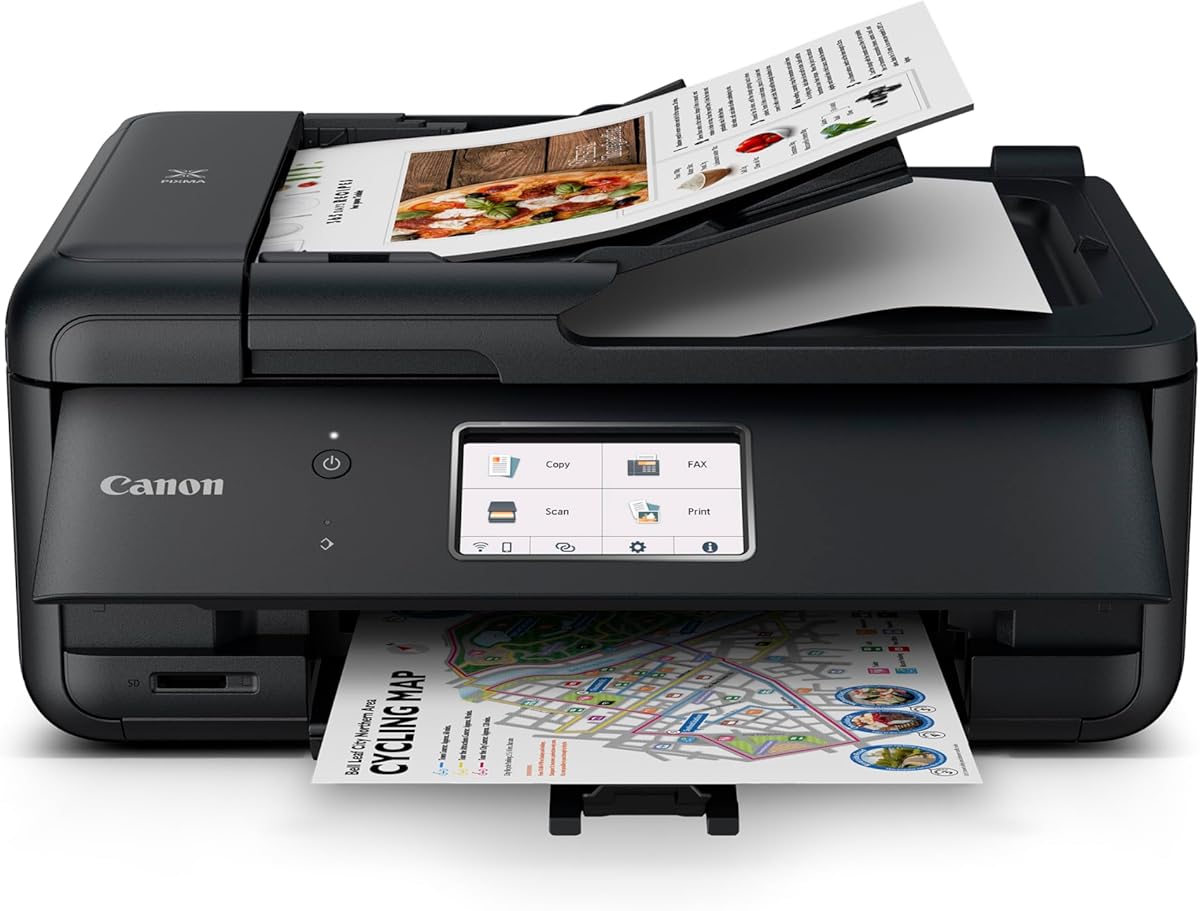




The Canon PIXMA TR7120 is a wireless color inkjet all-in-one with a 4.2 customer rating. Its defining strengths are a useful automatic document feeder, automatic two-sided printing, and a compact footprint. It suits households and hybrid workers who need scanning, copying, and color documents without investing in a large office machine.
We may earn a commission when you buy through this link, at no additional cost to you.
The feeder makes short multipage jobs more convenient, while automatic duplexing reduces unnecessary paper use for documents printed on both sides. Canon supports printing from smartphones and tablets through the Canon PRINT App, Apple AirPrint, and Mopria Print Service, while dual-band Wi-Fi can provide a more stable connection on compatible networks.
Its two-cartridge hybrid ink system is a trade-off for buyers who want minimal maintenance. It is not a laser printer, and the supplied information does not list a fax function, so users who routinely send paper faxes should look elsewhere. Even so, the TR7120 balances document productivity, photo capability, and a relatively small physical design.
This is a strong all-around recommendation for home users, students, and hybrid workers who regularly scan or copy pages and occasionally print photos. The OLED display makes status checks straightforward, and the combination of feeder, duplexing, and wireless connectivity addresses the most important daily needs without unnecessary complexity.
The automatic document feeder lets users scan or copy multipage sets more efficiently than handling each sheet on the flatbed. Automatic two-sided printing also makes it easier to keep long reports and reference documents compact.
A relatively small footprint helps the TR7120 fit into home workspaces, while dual-band Wi-Fi and mobile printing services support flexible placement. The OLED display provides a quick view of ink levels, printer status, and selected settings.
We may earn a commission when you buy through this link, at no additional cost to you.
The Canon PIXMA TR8620a is a home-office all-in-one offering print, copy, scan, and fax functions, along with an automatic document feeder. Its 4.0 rating reflects a generally capable feature set, and it is most attractive to users who want a single device to cover several document workflows.
We may earn a commission when you buy through this link, at no additional cost to you.
A 200-sheet capacity combines a 100-sheet cassette with a 100-sheet rear feed, providing more flexibility than the smallest paper trays in the category. Automatic two-sided printing helps with routine reports, and the stated print speed reaches 15 pages per minute in black and 10 pages per minute in color.
Its Alexa integration is unusual in this lineup. The printer can send low-ink notifications, and users enrolled in smart reorders can have replacement ink arranged through Amazon. This can reduce interruptions, although it is an optional convenience rather than a requirement for normal printing.
The TR8620a is a practical fit for home offices that still send faxes, create photo prints, and handle substantial paper volume. It offers more capability than a basic home printer, but buyers who only need occasional copying may find its broad feature set unnecessary.
Print, copy, scan, and fax coverage reduces the need for separate devices around a home office. The automatic feeder supports routine multipage workflows, while automatic duplexing adds convenience for long documents.
The 100-sheet cassette and 100-sheet rear feed provide a combined 200-sheet capacity. This makes the printer more adaptable when switching between ordinary document paper and photos or other media.
We may earn a commission when you buy through this link, at no additional cost to you.
The Canon PIXMA TR4720 is a wireless four-function printer rated 3.9 stars. It includes an automatic document feeder, built-in fax, mobile printing, and automatic duplexing, giving home users a broad set of document capabilities in a relatively straightforward package.
We may earn a commission when you buy through this link, at no additional cost to you.
Its black-document speed reaches approximately 8.8 pages per minute, while color documents print at approximately 4.4 pages per minute. The printer supports borderless photos and documents up to 8.5 by 11 inches, making it relevant for school projects, household records, and occasional photo projects.
The 100-sheet tray is modest compared with the 200-sheet and 250-sheet options elsewhere in this guide. Its 3.9 rating is also below the strongest products here, so prospective buyers should weigh overall value and feature requirements carefully. Nevertheless, the feeder, duplexing, and fax are meaningful for a home office.
Choose the TR4720 when wireless printing, multipage copying, and fax are important but advanced office controls are not. It is less compelling for high-volume users who need larger paper reserves, faster output, or a more sophisticated touchscreen interface.
The combined print, copy, scan, and fax functions cover the most common office needs. Automatic duplexing and the document feeder reduce the manual effort involved in multipage paperwork.
Canon designed the cartridge installation and replacement process to be straightforward. A 100-sheet input tray keeps the printer suitable for everyday use, though heavier workloads may call for additional paper storage.
We may earn a commission when you buy through this link, at no additional cost to you.
The HP OfficeJet Pro 9135 is an office-focused wireless color inkjet with a 3.9 rating. It combines print, scan, copy, and fax functions with a single-pass duplex automatic document feeder, making it one of the strongest choices for a productivity-oriented home office.
We may earn a commission when you buy through this link, at no additional cost to you.
Its two 250-sheet input trays reduce the need for frequent refills, and print speeds reach up to 25 pages per minute in black and 20 pages per minute in color. The 4.3-inch color touchscreen provides direct access to settings, while the HP app supports printing, scanning, copying, and faxing from a smartphone.
The printer's HP AI formatting tools are designed to clean up webpages and emails before printing, and dual-band Wi-Fi is intended to improve connection reliability. On the other hand, it requires cartridges with original HP chips or circuitry and blocks cartridges using non-HP chips. The included Instant Ink trial also leads to a monthly fee unless canceled.
This model best suits a busy home office or small workplace that values speed, paper capacity, and advanced document handling over the lowest possible rating or cartridge freedom. Its two large trays, duplex feeder, and touchscreen create a notably capable office workflow.
The ADF scans both sides of a sheet in a single pass, helping reduce the time and handling involved in copying or faxing two-sided documents. This is especially useful for recurring office paperwork.
Two 250-sheet trays hold 500 sheets in total. That capacity is particularly useful for teams that print reports, forms, and presentations without wanting to refill the paper supply constantly.
We may earn a commission when you buy through this link, at no additional cost to you.
The Brother DCP-L2640DW is a compact monochrome laser all-in-one with a 4.1 rating. It combines printing, scanning, and copying, and its 50-page automatic document feeder is among the most substantial feeders in this guide for handling multipage office sets.
We may earn a commission when you buy through this link, at no additional cost to you.
Document output reaches speeds of up to 36 pages per minute, while scanning reaches 23.6 pages per minute in black and 7.9 pages per minute in color. Dual-band Wi-Fi, Ethernet, and USB provide flexible connection options, while Brother Mobile Connect helps users print, scan, and manage the device from a mobile device.
Its major limitation is the absence of color output. The supplied information also does not list fax capability, so it may not suit users who need to send traditional paper faxes. For black-and-white contracts, invoices, reports, and internal documents, however, its speed and feeder capacity are highly relevant.
Choose the DCP-L2640DW for a small business or document-heavy home office that values speed, monochrome consistency, and compact laser hardware. It is a strong alternative to color inkjets when color documents are not part of the regular workload.
A rated speed of up to 36 pages per minute makes this model well suited to routine reports, invoices, and internal documents. Laser output also aligns with professional monochrome work where sharp text is the priority.
The 50-page ADF supports longer scanning and copying sets. Combined with automatic duplexing, it offers an efficient path through repetitive two-sided paperwork without constant manual intervention.
We may earn a commission when you buy through this link, at no additional cost to you.
The Epson EcoTank ET-4800 is a wireless color all-in-one with a 3.8 rating. Its defining attraction is the cartridge-free EcoTank system, which uses refillable high-capacity ink tanks and Epson EcoFit bottles instead of conventional small ink cartridges.
We may earn a commission when you buy through this link, at no additional cost to you.
The printer produces sharp text and supports color photos and graphics across a variety of paper types. A high-resolution flatbed scanner and color display add copying and navigation functions, while wireless support makes the unit suitable for placement away from a computer.
The supplied product details do not list an automatic document feeder capacity, so buyers whose priority is automating large multipage jobs should verify that feature before choosing. The 3.8 rating is also among the lowest here. Nevertheless, the refillable system addresses cartridge waste and simplifies ink replenishment compared with a traditional cartridge setup.
The ET-4800 is most appropriate for households that print a meaningful amount of color or regularly replace cartridges and prefer bottled ink. It also works for students and home users who want a straightforward scanner and copier alongside refillable color printing.
EcoFit bottles drain into the printer's high-capacity tanks, avoiding the cycle of purchasing small replacement cartridges. The refill design is intended to be easy and reduce ink waste.
Epson's Micro Piezo print technology supports sharp text, photos, and graphics. The built-in scanner and copier make the printer useful beyond occasional photo printing.
We may earn a commission when you buy through this link, at no additional cost to you.
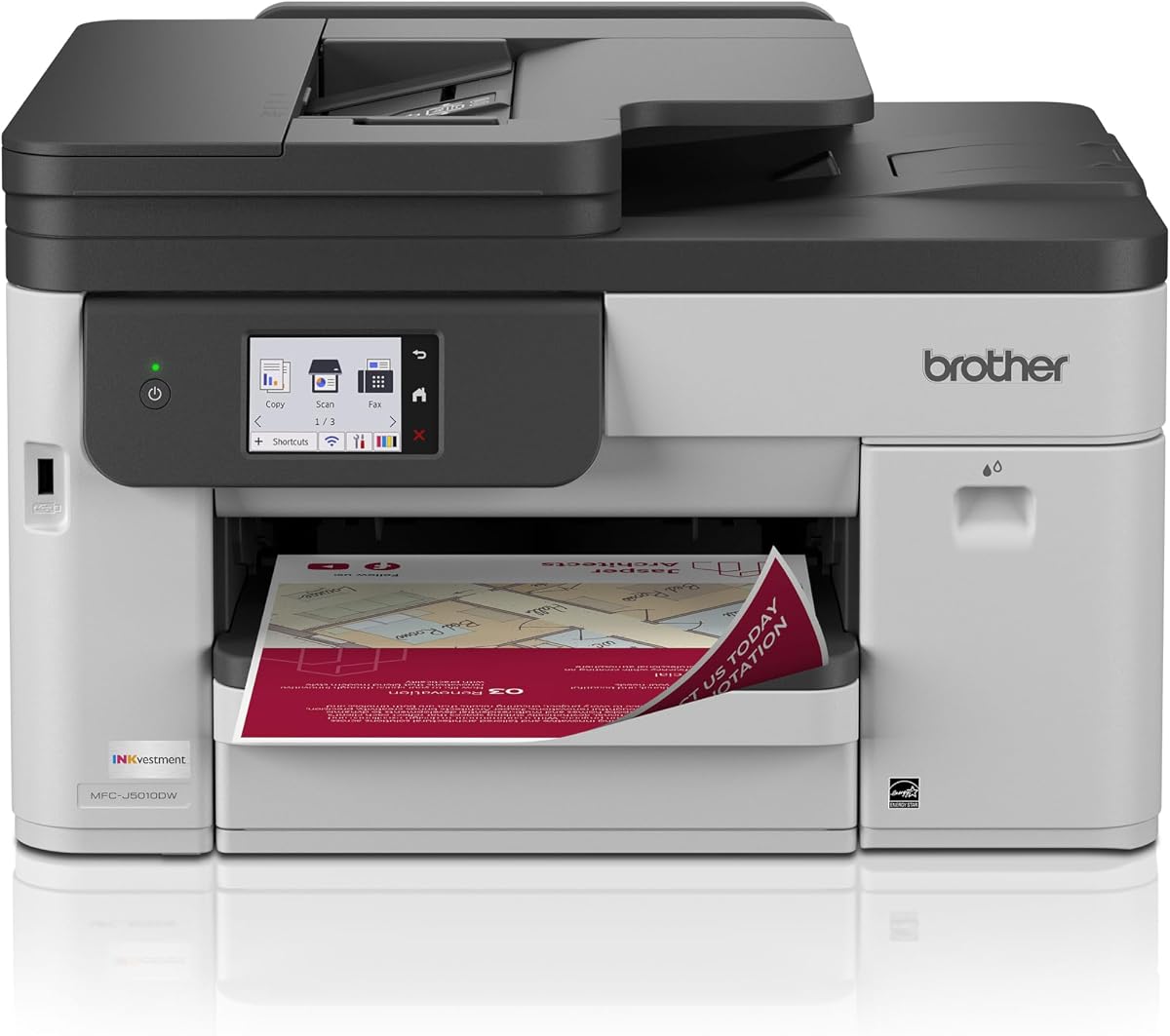
The Brother INKvestment 5010 is a wireless color inkjet all-in-one with a 4.2 rating. It supports print, copy, scan, and fax functions, with a 50-page single-pass duplex automatic document feeder and a 2.7-inch color touchscreen for direct control.
We may earn a commission when you buy through this link, at no additional cost to you.
Print speeds reach up to 28 pages per minute in black and 26 pages per minute in color. A 250-sheet paper tray provides useful capacity, and automatic duplex printing extends to documents up to 8.5 by 14 inches. The supplied starter set includes a 1,800-page black cartridge and 750-page cyan, yellow, and magenta cartridges.
Its business-oriented security features, Ethernet option, Wi-Fi Direct, and cloud-app access make it a versatile work device. Brother recommends its genuine LC506 ink, which limits cartridge compatibility compared with more open refillable systems. The 2.7-inch display is usable, though smaller than the 4.3-inch screen on the HP OfficeJet Pro 9135.
This printer is a strong match for small businesses and advanced home offices that need color documents, faxing, automatic two-sided scanning, and reliable paper handling. It offers more office capability than a basic home model without expanding into a large enterprise footprint.
The single-pass duplex ADF processes both sides of a page in one pass. This is a meaningful productivity advantage when copying contracts, forms, and reports with content on both sides.
Wi-Fi, Wi-Fi Direct, Ethernet, and USB support different network and device arrangements. The color touchscreen also allows users to work with supported cloud applications directly from the printer.
We may earn a commission when you buy through this link, at no additional cost to you.
The HP Smart Tank Plus 651 is a wireless ink-tank all-in-one rated 3.8 stars. It includes an automatic document feeder and combines print, copy, scan, and fax functions, making it a versatile choice for home users who want to minimize ongoing cartridge purchases.
We may earn a commission when you buy through this link, at no additional cost to you.
The supplied data states that the package includes enough ink for up to 8,000 color pages or 6,000 black pages. Refills use HP's easy-access, mess-free bottle system, which connects to the cartridge-free tanks and lets the ink drain without squeezing or spilling.
Its 3.8 rating is tied for the lowest in this list, and the supplied information does not describe an advanced display. It also prioritizes high-volume home printing rather than the larger paper trays and faster office output found in premium models. Even so, the included ink and simple refill process may reduce interruptions for heavy users.
The Smart Tank Plus 651 is ideal for households and remote workers that print frequently, mix color and black pages, and want scanning, copying, and faxing without a traditional cartridge cycle. It is especially compelling where consistent ink availability matters more than office-style controls.
HP's bottle-based refill system is designed to drain cleanly into the ink tank. That approach is simpler than handling small cartridges and supports convenient high-volume color printing.
Printing, copying, scanning, and faxing are combined with an automatic document feeder, borderless output, and mobile printing. This makes the device more versatile than a print-only ink tank.
We may earn a commission when you buy through this link, at no additional cost to you.
The Epson Expression Premium XP-7100 is a wireless color inkjet all-in-one with a 4.1 rating. It combines a 30-page automatic document feeder, automatic two-sided printing, copying, and scanning, while its 4.3-inch touchscreen makes photo selection and printer navigation more direct.
We may earn a commission when you buy through this link, at no additional cost to you.
Creative output is a major strength. The printer supports specialty paper, printable DVDs, and borderless photos up to 8 by 10 inches. USB and SD card connectivity provide ways to work with image files, while wireless printing, Ethernet, and Wi-Fi Direct cover conventional office and camera-free mobile workflows.
The main limitation is its reliance on Epson Genuine cartridges, which the manufacturer states should be used exclusively. Its 30-page feeder is smaller than the 50-page units offered by two Brother models, and its 250-sheet-style office capacity is not specified in the supplied details. It is better suited to creative and home-office use than high-volume corporate work.
Choose the XP-7100 for students, families, and creative professionals who want the combination of a document feeder, touchscreen photo tools, and wireless color printing. The generous display and flexible media support distinguish it from simpler budget-oriented models.
The 4.3-inch color display lets users view and edit photos before printing. Support for SD cards and USB media makes it convenient to produce borderless prints and images on specialty paper.
A 30-page automatic document feeder handles moderate multipage scanning and copying tasks. Automatic duplex print, copy, and scan functions further improve the efficiency of routine paperwork.
We may earn a commission when you buy through this link, at no additional cost to you.
The Epson EcoTank ET-4950 is a wireless duplex color inkjet all-in-one rated 4.1 stars. It combines refillable ink tanks with an automatic document feeder, a 250-sheet paper tray, automatic duplexing, copying, scanning, and fax, giving it one of the broadest productivity combinations in the guide.
We may earn a commission when you buy through this link, at no additional cost to you.
The printer is supplied with enough ink for up to 6,600 black pages and 5,500 color pages. Its keyed EcoFit bottles are designed to simplify refilling and reduce mix-ups, while the large paper tray supports a steady supply for documents and photos.
Print speeds reach 18 black pages and 9 color pages per minute, with no warmup time stated. A 2.4-inch color display provides on-device navigation, although it is much smaller than the touchscreens on the HP and Brother office models. The refillable system is ideal for frequent users, although it occupies more space than a basic cartridge printer.
The ET-4950 is a compelling recommendation for home offices and small businesses that print both color and monochrome documents, handle two-sided paperwork, and occasionally send faxes. It balances high-volume ink capacity with a full office-style feature set.
The combination of a 250-sheet tray, automatic document feeder, duplexing, and fax covers common office tasks. It is especially useful for users who want fewer cartridge interruptions without moving to a laser printer.
Epson's uniquely keyed EcoFit bottles help prevent incorrect tank insertion. The cartridge-free design also reduces the recurring waste associated with replacing small conventional cartridges.
We may earn a commission when you buy through this link, at no additional cost to you.
The most important considerations are feeder capacity, the device functions you actually need, output type, paper handling, connectivity, and ongoing operating requirements. Comparing those factors before shopping will prevent a printer with convenient extras from lacking the essentials you use most.
An automatic document feeder is the defining feature for anyone copying, scanning, or faxing multiple pages. A 30-page feeder is useful for moderate household jobs, while a 50-page feeder handles longer reports, contracts, and office packets with fewer interruptions. The Brother DCP-L2640DW and Brother INKvestment 5010 both provide 50-page feeders, while the Epson XP-7100 offers 30 pages.
Choose a capacity that matches your typical job size rather than simply the largest available. A small feeder may be sufficient for receipts and short forms, whereas regular multi-page paperwork favors 50 pages or more.
Automatic duplex printing handles both sides of a document without manual page turning. Duplex scanning is especially important for copying or faxing two-sided records. The Brother INKvestment 5010 and HP OfficeJet Pro 9135 feature single-pass duplex feeders, while several Canon models and the Epson XP-7100 support automatic two-sided operations.
Prioritize duplex support when your documents regularly contain information on both sides. It saves paper, shortens handling time, and creates a more professional result.
Color all-in-ones are more versatile for photos, charts, school projects, and polished reports. Monochrome models can serve offices that mainly produce contracts, invoices, and internal documents. The Brother DCP-L2640DW focuses exclusively on black-and-white laser output, while the other picks provide color printing.
Choose monochrome if crisp, high-volume text is the core requirement. Choose color if graphics, images, or presentation materials are part of your regular workflow.
Paper capacity affects how often you must reload a tray. The HP OfficeJet Pro 9135 stands out with two 250-sheet trays, while the Brother INKvestment 5010 and Epson ET-4950 each offer a 250-sheet tray. The Canon TR8620a provides 200 sheets across its cassette and rear feed, while the TR4720 and XP-7100 emphasize a more compact 100-sheet approach.
For a busy office, choose at least 250 sheets and consider a second tray. For a small home space, moderate capacity may be acceptable if the machine is easy to refill and handles the media you need.
Traditional cartridge printers are familiar and may suit occasional users. Refillable tank systems, including the Epson ET-4800, ET-4950, and HP Smart Tank Plus 651, can be attractive for frequent printers because they reduce cartridge replacement frequency. The HP OfficeJet Pro 9135 uses original-chip cartridges and blocks cartridges without original HP chips or circuitry.
Consider cartridge availability, refill convenience, included ink, and printer size together. A refillable system is not automatically preferable for a light user who values a smaller footprint and simple setup.
Wi-Fi allows flexible printer placement, while dual-band connectivity can improve stability on crowded or more demanding networks. Mobile apps, Apple AirPrint, Mopria, Wi-Fi Direct, USB, and Ethernet offer different ways to send jobs. The Canon TR7120, Brother DCP-L2640DW, and OfficeJet Pro 9135 support dual-band Wi-Fi, while the Brother INKvestment 5010 and Epson XP-7100 add Ethernet.
Check which mobile services and computer connections you use before purchasing. Also consider the router in your home or office, since a compatible network setup is essential for dependable wireless operation.
A monochrome OLED provides quick status information, while a color touchscreen makes photo selection, cloud access, and job management more visual. The Epson XP-7100 has a 4.3-inch touchscreen, the HP OfficeJet Pro 9135 has a 4.3-inch color touchscreen, the Brother INKvestment 5010 has a 2.7-inch display, and the Epson ET-4950 has a 2.4-inch color display.
A larger display is helpful for creative work and frequent standalone operation. For basic printing, a small status screen may be sufficient, especially if mobile and computer controls are easy to use.
Printers labeled as all-in-ones do not necessarily include every function. The Canon TR8620a and TR4720, HP OfficeJet Pro 9135, Brother INKvestment 5010, HP Smart Tank Plus 651, and Epson ET-4950 list fax. The Canon TR7120 lists copying and scanning but no fax, and the Brother DCP-L2640DW is specified as a three-function printer.
Verify the required function list before ordering. Buyers who need fax should avoid selecting a print-copy-scan model, while those who never send faxes can focus on feeder, duplexing, and printing features instead.
Begin by unboxing the printer, removing packing material, installing the correct ink or toner, and loading the paper tray with the appropriate media type. Connect the unit using its supported wireless, Ethernet, or USB option, install the manufacturer's app if needed, and confirm that the computer or phone can detect it before beginning a large job.
For feeder-based work, place pages neatly in the tray and align the edge guides so the machine can grip them. Use the display or app to select the correct copy, scan, or fax settings, choose the original size, and enable duplex scanning when the pages are printed on both sides. Keep the scanner lid closed and the feeder path clear for the most consistent results.
To maintain the printer, keep the document feeder and flatbed glass clean, use suitable ink or toner, and avoid leaving unnecessary media in the input tray. Follow the maker's cleaning guidance for the print path, and schedule periodic print tests. Software updates and correctly installed genuine supplies can also help maintain consistent output, though cartridge restrictions vary by model.
In this guide, top feeder refers to the document-handling area that feeds multipage originals for scanning, copying, or faxing. A flatbed scanner remains useful for single pages, photographs, and fragile documents. The best choice depends on how often you process multipage sets and how large those sets typically are.
The Brother DCP-L2640DW and Brother INKvestment 5010 each list a 50-page automatic document feeder. The Epson Expression Premium XP-7100 has a 30-page feeder, while several other models include automatic document feeding but do not state a capacity in the supplied information. Confirm the specification before purchasing for a particular workflow.
The listed models all feature automatic two-sided printing or automatic duplex print, copy, and scan functions, although the implementation differs. Some use single-pass duplex scanning in the feeder, while others process sheets differently. Check the original listing if the speed of two-sided document handling is especially important.
A monochrome laser model can be preferable when contracts, invoices, and internal reports make up most of the workload. The Brother DCP-L2640DW offers fast black-and-white output and a 50-page feeder. Color remains preferable for charts, photos, branded material, and presentations that need visual impact.
They can be, especially if their larger tanks and bottle-based refills suit your space and printing habits. A refillable printer may be unnecessary for someone who prints only a few pages each month, while it can be more convenient for frequent users tired of replacing small cartridges. Consider the physical footprint and included ink as well.
Most of the listed models support wireless or mobile printing, and several offer companion apps for scanning, copying, faxing, and device management. Canon models also reference AirPrint, the Canon PRINT App, and Mopria. Confirm app and operating-system compatibility before purchase, particularly if your documents will be scanned rather than printed.
A duplex automatic document feeder scans both sides of a sheet in a single pass. It saves time compared with feeding each side separately and is especially useful for contracts, forms, and two-sided reports. The HP OfficeJet Pro 9135 and Brother INKvestment 5010 specifically list single-pass duplex ADF capability.
Choose a model with fax if your workflow still involves sending paper documents directly from the printer. The Canon TR8620a, Canon TR4720, HP OfficeJet Pro 9135, Brother INKvestment 5010, HP Smart Tank Plus 651, and Epson ET-4950 list built-in fax. If fax is unnecessary, prioritize feeder capacity, duplexing, and output quality instead.
The Canon PIXMA TR7120 is the strongest compact all-rounder, combining an automatic document feeder, duplex printing, useful wireless support, and an easy-to-read OLED display. The HP OfficeJet Pro 9135 is the feature-focused office choice, while the Epson Expression Premium XP-7100 offers an approachable combination of feeder capability, a large touchscreen, and creative color features.
Prioritize the functions you will genuinely use: feeder capacity for long document sets, duplex scanning for two-sided paperwork, color output for visual projects, and monochrome speed for routine office forms. Refillable systems can suit heavy printers, while traditional cartridges may be more convenient for occasional use, and every model has distinct connection and cartridge-compatibility rules.
Ratings and feature details can change, and current pricing varies by retailer, region, promotion, and bundle. Before purchasing, confirm the full specification, available accessories, ink or toner requirements, connectivity, and return terms so the selected printer remains suitable for your workflow over time.