
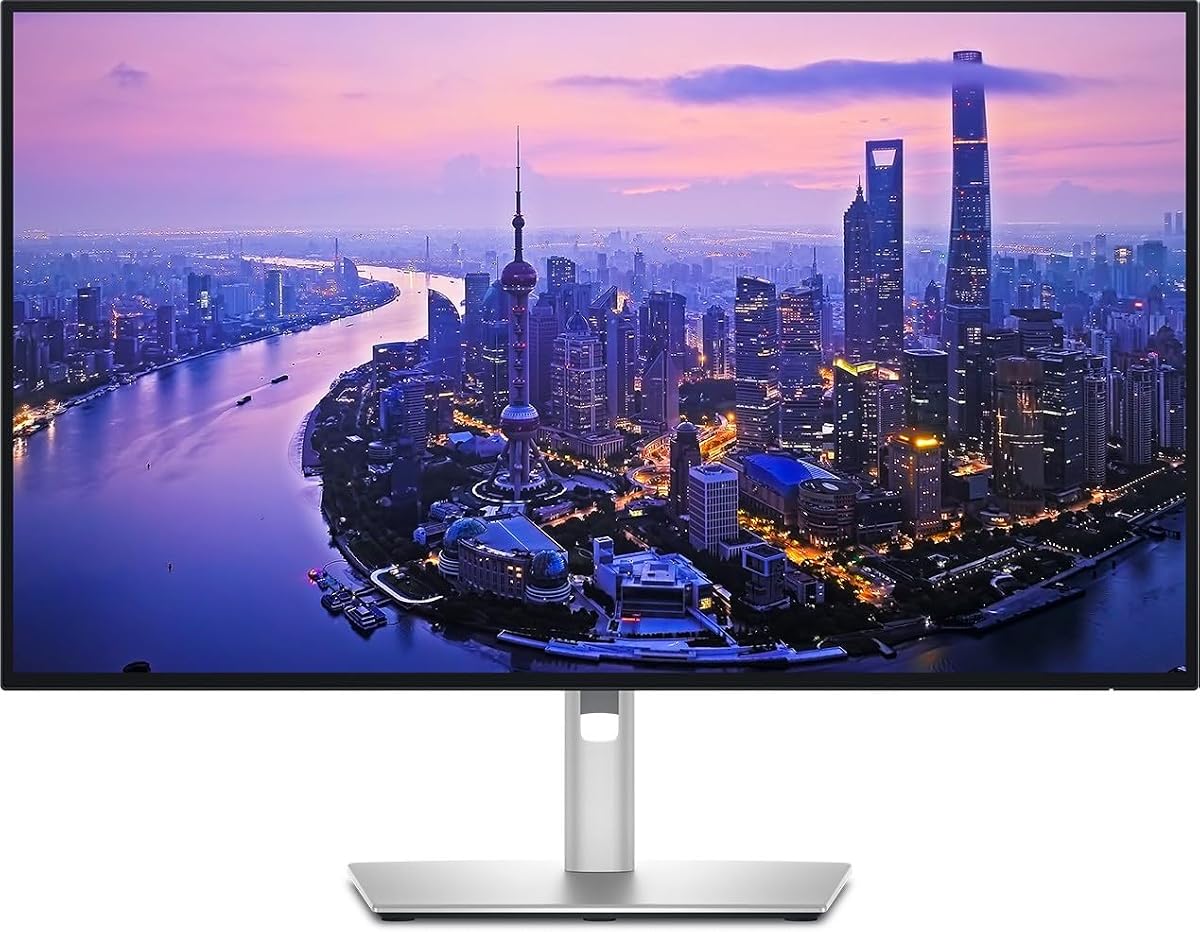
Dell UltraSharp U3226QER
4.6Editor score
32-inch Enhanced IPS Black
3000:1 contrast ratio
Built-in KVM switching
A 4K monitor with Thunderbolt can simplify a modern desk by combining a sharp 3840 x 2160 display, high-speed data transfer, video input, and device charging in one connection. The strongest models also support hub functions, daisy-chaining, rich color, and flexible ergonomic positioning.
This guide compares ten relevant 4K monitors using their stated specifications, including panel technology, refresh rate, color coverage, USB-C and Thunderbolt support, power delivery, docking capabilities, HDR, ergonomics, and intended use. Products without confirmed Thunderbolt connectivity are included for comparison and clearly identified rather than presented as direct matches.
Each review explains who the monitor is best for, the strengths that set it apart, and the compromises worth considering. The top picks cover a compact Thunderbolt 4 option, a 27-inch productivity model, and a 32-inch creator-focused display. Product listings and prices can change, so verify current specifications and availability before purchasing.
4.6Editor score
4.4Editor score

4.1Editor score
As an Amazon Associate we earn from qualifying purchases.
The comparison covers ten 4K monitors with an emphasis on confirmed Thunderbolt or USB-C connectivity, while clearly flagging listings that do not specify Thunderbolt. Panel size, color performance, refresh rate, charging capacity, hub features, and ergonomics reveal how the models differ.


The Dell S2725QC is a 27-inch 4K UHD IPS monitor built for users who want crisp everyday productivity without moving to a large pro workstation. It carries a 4.4 rating and stands out with a 120Hz refresh rate, 0.03ms response time, AMD FreeSync Premium, and a single USB-C connection that can deliver up to 65W of power.
We may earn a commission when you buy through this link, at no additional cost to you.
Its 3840 x 2160 resolution provides enough pixel density to keep dense documents, spreadsheets, code, and browser windows readable while still fitting several applications into one screen. The IPS panel covers 99% sRGB, and the stated 1500:1 contrast ratio gives it a more nuanced picture than many general-purpose 4K panels. ComfortView Plus reduces blue light emissions to 35% or less for extended work sessions.
The main limitation is that the supplied product information does not identify the USB-C hub as Thunderbolt. It remains a capable one-cable display for compatible devices, but buyers specifically requiring Thunderbolt data transfer should choose a model whose listing explicitly confirms that standard. Its audio is also designed more for convenient desktop use than for serious entertainment, despite the re-engineered speaker specification.
This is a strong match for office workers, students, and hybrid employees who value a fluid 4K panel, tidy USB-C power delivery, and a practical refresh rate. It is less appropriate for professional colorists because 99% sRGB is narrower than the DCI-P3 or Display P3 coverage found among the leading Thunderbolt models. For confirmed Thunderbolt, however, the Dell U2725QE is the more relevant choice.
The 120Hz refresh rate and 0.03ms response time make ordinary interface movement and scrolling feel more fluid than a conventional 60Hz office monitor. That smoothness also benefits casual games, although the sRGB specification indicates this is not primarily a wide-gamut gaming display.
A compatible laptop can receive video, data, and up to 65W of power over one USB-C cable. This reduces desk clutter, although it does not replace the higher bandwidth and explicit hub capabilities offered by Thunderbolt 4 models.
We may earn a commission when you buy through this link, at no additional cost to you.
The Dell UltraSharp U2725QE is the strongest all-around recommendation in this guide because it combines a polished 27-inch 4K display with a clearly specified Thunderbolt 4 connection. Its 4.4 rating reflects a well-rounded feature set, while the IPS Black panel, 120Hz refresh rate, factory calibration, and broad port selection distinguish it from basic 4K productivity screens.
We may earn a commission when you buy through this link, at no additional cost to you.
Thunderbolt 4 is the centerpiece: one connection can transmit video, data, and up to 140W of power while also supporting a daisy chain of up to two additional 4K monitors. That is ideal for a laptop-centered desk where peripherals, networking, storage, and display signals should run through a single monitor cable. HDMI 2.1, USB-C, USB-A, and Ethernet expand the hub further.
Color performance is equally considered. The 4K UHD IPS Black display is factory calibrated to cover 99% DCI-P3 with a stated Delta E below 1.5, making it more appropriate for photography, design, and professional video than a basic sRGB monitor. The 120Hz refresh rate and 5ms response time provide fluid motion for both work and gaming. ComfortView Plus and an ambient light sensor support long-session comfort.
Buyers who want one dependable display to serve a laptop, accessories, and color-sensitive workflows will find this model especially balanced. The 140W charging ceiling is also useful for many power-hungry notebooks, although users should still confirm whether their computer requires a separate charger for maximum performance. The principal trade-off is that this advanced hub and calibration package belongs to a higher tier than simpler 4K monitors.
A single Thunderbolt 4 link can carry display output, high-speed data, and up to 140W of charging. The ability to daisy-chain two additional 4K monitors makes the U2725QE a practical central hub for a compact multi-screen workstation.
Factory calibration to Delta E less than 1.5 and 99% DCI-P3 coverage provide a more dependable starting point for color-sensitive work. The result is a monitor that can serve general office, design, photography, and video workflows without requiring a separate wide-gamut display.
We may earn a commission when you buy through this link, at no additional cost to you.
The Dell UltraSharp U3226QER is a 32-inch Thunderbolt hub monitor built for creators, developers, and executives who want a large, polished workspace. It has the highest rating in the supplied group at 4.6, and its defining specifications include a 120Hz refresh rate, Enhanced IPS Black technology, 99% Display P3 coverage, and a 3000:1 contrast ratio.
We may earn a commission when you buy through this link, at no additional cost to you.
The 3,000:1 contrast ratio is the key visual upgrade. Dell states that it produces blacks 47% deeper than conventional IPS, giving shadows more depth and making color appear more vivid. Factory calibration with a Delta E below 1.5 supports photo, video, and design work, while the 120Hz rate keeps interaction and motion fluid.
Its productivity features are equally polished. A built-in KVM function allows two computers to be managed with one keyboard and mouse, which is valuable for developers moving between a personal laptop and work device. Fast Ethernet, a near-borderless design, a light ash finish, and macOS testing make it particularly appealing to Mac users who also want access to Dell Display and Peripheral Manager for fine-tuning.
This is the premium recommendation for buyers who value screen area, color depth, and a mature hub ecosystem more than minimal desk footprint. The 32-inch panel can replace many smaller productivity displays, but it will demand more room and may encourage further desk organization. Its larger size and advanced panel make it less suitable for users who need a compact secondary screen.
The 3000:1 contrast ratio and Enhanced IPS Black panel produce deeper shadows than conventional IPS, improving the perceived depth of images and interfaces. This makes the monitor particularly compelling for photo review, video editing, and design work where tonal separation matters.
The built-in KVM supports switching between a personal laptop and a work device using one keyboard and mouse. That makes the large display useful for developers, analysts, and hybrid workers who regularly move between separate systems.
We may earn a commission when you buy through this link, at no additional cost to you.
This Dell UltraSharp U2725QE listing offers a 27-inch 4K display with a built-in Thunderbolt hub and broad color coverage. Its 3.8 rating is the lowest numerical rating among the products with established reviews, but the supplied specifications make it relevant for designers, photographers, and other professionals who prioritize color, connectivity, and ergonomics.
We may earn a commission when you buy through this link, at no additional cost to you.
Its standout color specification is coverage of 100% sRGB and 100% Display P3. Unlike a general-purpose monitor that merely advertises a wide gamut, this model presents its wide-gamut capability as the foundation for photo editing, video production, and graphic design. The 3840 x 2160 resolution provides enough detail for demanding visual tasks while retaining a familiar 27-inch footprint.
The Thunderbolt hub handles daisy-chaining, high-speed data transfer, and a single-cable laptop connection. Multiple USB-A, USB-C, and Thunderbolt ports allow it to serve as the central point for storage, accessories, and displays. The stand supports height, tilt, swivel, and pivot adjustment, while Dell also highlights sustainable materials and energy-efficient operation.
The lower rating and missing refresh-rate information make comparison difficult, so prospective buyers should inspect the listing and current product documentation carefully. The listing itself also appears to represent another U2725QE configuration, creating some overlap with the second-ranked model. Buyers should compare warranty, included accessories, and exact port details before deciding which listing better meets their needs.
Full Display P3 coverage provides a substantial working color space, while full sRGB support helps preserve compatibility with the web and mainstream content. Factory calibration is also stated, improving consistency for color-critical projects.
The built-in Thunderbolt hub turns the display into a central desk connection point. Daisy-chaining and high-speed transfer make it well suited to laptops that need displays, data, and peripherals connected with minimal cable clutter.
We may earn a commission when you buy through this link, at no additional cost to you.
The LG 27UP850K-W is a 27-inch UltraFine 4K IPS monitor that blends strong color with useful USB-C power delivery and entertainment features. Its 4.5 rating makes it one of the better-reviewed products in the list, although the supplied specifications do not explicitly identify the USB-C connection as Thunderbolt.
We may earn a commission when you buy through this link, at no additional cost to you.
The display produces a 3840 x 2160 image with up to 95% DCI-P3 color gamut expression and supports VESA DisplayHDR 400. That combination suits general creative work, high-quality media consumption, and gaming, although DisplayHDR 400 is an entry-level HDR tier rather than evidence of a high-brightness reference monitor.
Its USB-C port handles data and delivers up to 90W of power, so many compatible laptops can charge through the display. DisplayPort, two HDMI connections, two USB 3.0 ports, and a headphone jack provide additional flexibility. Built-in stereo speakers with Waves MaxxAudio reduce the need for separate desktop speakers, while Black Stabilizer and Dynamic Action Sync add gaming-oriented tools.
The Switch app can divide the display into as many as six sections and provides convenient shortcuts for layouts, calls, and switching between the PC and built-in webOS platform. This makes the LG especially flexible for mixed work and streaming. Buyers whose primary requirement is explicitly Thunderbolt rather than USB-C should verify that distinction before purchase; for media, productivity, and a clean laptop connection, it is a well-rounded choice.
USB-C data and up to 90W power delivery can reduce desk clutter while keeping a compatible laptop charged. The additional DisplayPort, HDMI, and USB connections ensure that the monitor remains useful with desktop systems and accessories.
Built-in stereo speakers, HDR support, and gaming tools make the LG useful beyond document work. At the same time, the Switch app turns the 4K canvas into several virtual work areas for calls, applications, and streaming.
We may earn a commission when you buy through this link, at no additional cost to you.
This listing identifies the Dell UltraSharp U2725QE with model code W129125896 and describes it as a 27-inch 4K Thunderbolt hub monitor. It is best understood as an alternate product listing for a model also represented elsewhere in the guide, rather than as a separately documented display with a unique feature set.
We may earn a commission when you buy through this link, at no additional cost to you.
The product title supplies two useful points: the display is 4K resolution, and it includes Thunderbolt hub functionality. Those qualities place it in the same general category as the more fully specified U2725QE listing. However, the supplied information includes only the model code and does not provide refresh rate, color coverage, power-delivery capacity, port layout, or stand adjustments.
A notable drawback is the absence of a numerical customer rating, represented here as zero because the source lists it as N/A. Without a rating or detailed specifications, there is less evidence for making direct quality comparisons. The buying experience also carries more uncertainty because users may not be able to determine the exact regional configuration, included cable set, or warranty terms from the provided listing text.
This option may be relevant if the specific W129125896 configuration is the one locally available, but buyers should compare the complete product listing against the better-documented U2725QE entries. Confirm the Thunderbolt version, charging wattage, color calibration, included power cable, and warranty before ordering. It is not a separate recommendation so much as an alternate route to the same UltraSharp hub-monitor family.
The listing points to the U2725QE hub-monitor platform, known in the supplied data for a 27-inch 4K format and Thunderbolt connectivity. Buyers comparing it with another U2725QE listing should focus on configuration and included components rather than assuming every detail is different.
The absence of a rating and detailed specifications makes verification essential. Check the port labels, power-delivery figure, calibration information, stand, cables, and warranty on the current listing before making a final decision.
We may earn a commission when you buy through this link, at no additional cost to you.
The ViewSonic VP2488-4K is a compact 24-inch 4K IPS monitor designed for Mac-oriented creative desks and Thunderbolt 4 workflows. Its 4.5 rating, 40 Gbps data capability, and 100W charging make it one of the most clearly specified Thunderbolt options in the guide, despite its smaller physical dimensions.
We may earn a commission when you buy through this link, at no additional cost to you.
Thunderbolt 4 carries 4K video and data over one cable at speeds up to 40 Gbps, while also supporting high-speed daisy-chain setups. Power delivery of up to 100W allows a compatible MacBook to charge through the display. The monitor also offers USB-C, HDMI, and DisplayPort, giving users flexibility when moving between a Mac, PC, or other compatible equipment.
Color is another major strength. The IPS panel covers 100% sRGB and 98% DCI-P3, and the display is Pantone Validated for color fidelity. That makes it a credible compact option for creative editing tasks where accurate color and high pixel density matter. Its fully adjustable stand supports tilt, swivel, rotation, and height changes, reducing the ergonomic compromises often associated with smaller professional monitors.
The principal advantage over larger 4K models is desk footprint: it provides a dense image without demanding the depth or width of a 32-inch display. The trade-off is less room for side-by-side applications and detailed timeline work. Buyers who need maximum workspace, very high refresh rates, or a higher power-delivery ceiling may prefer a 27-inch or 32-inch alternative, but the VP2488-4K is an excellent fit for compact Thunderbolt desks.
The 24-inch panel preserves 4K sharpness while remaining easier to fit into a compact creative workspace. Thunderbolt 4 and 100W charging bring the same broad single-cable convenience offered by larger models without requiring the same display footprint.
Full sRGB and 98% DCI-P3 coverage provide a useful wide-gamut foundation. Pantone Validated status adds confidence for workflows that demand consistent color reproduction, while USB-C power delivery keeps a laptop connected with fewer desk cables.
We may earn a commission when you buy through this link, at no additional cost to you.
The Samsung ViewFinity S7 S71H is a 32-inch 4K UHD IPS monitor offering a large, detailed productivity canvas. It has the highest supplied customer rating at 4.8, making it an attractive general-purpose option, but the available specifications do not confirm Thunderbolt, USB-C charging, or hub functionality.
We may earn a commission when you buy through this link, at no additional cost to you.
Its 3840 x 2160 resolution reveals fine detail and supports complex diagrams, intricate designs, dynamic video, and dense productivity applications. The 32-inch size offers more usable workspace without requiring the multi-monitor arrangements common on smaller displays. This makes the S71H relevant to office professionals, analysts, and media users who prefer a single large screen.
HDR10 is supported, and Samsung states a gamut of more than one billion accurate colors with darker blacks and brighter highlights. Eye Saver Mode is TÜV certified and is designed to reduce eye strain by limiting blue light and preventing screen flicker. A Game Mode adjusts color and contrast instantly for clearer scenes, adding a casual gaming option without turning the monitor into a dedicated gaming display.
The lack of confirmed Thunderbolt is decisive for shoppers whose priority is a single-cable laptop workflow. HDMI and DisplayPort are listed, so the screen remains versatile for conventional PC and laptop connections, but buyers should not expect the charging, data-transfer, or daisy-chain benefits demonstrated by the ViewSonic and Dell Thunderbolt models. As a large 4K productivity option, it remains strong on visual quality and user rating.
The 32-inch 4K format provides a broad canvas for complex documents, timelines, diagrams, and creative applications. High pixel density preserves useful text detail while reducing the need for as many separate windows or displays.
TÜV-certified Eye Saver Mode is intended to limit blue light and prevent flickering. HDR10 support and a dedicated Game Mode add flexibility, although neither substitutes for the explicit Thunderbolt connectivity found in the top picks.
We may earn a commission when you buy through this link, at no additional cost to you.
The Dell U3225QE is a 31.5-inch 4K UHD LED monitor built around an integrated Thunderbolt hub. Its 4.0 rating provides a reasonable customer-history indicator, while the large display, slim bezel, modern finish, and explicit hub integration make it a practical choice for expansive professional workspaces.
We may earn a commission when you buy through this link, at no additional cost to you.
The 3840 x 2160 resolution and 31.5-inch panel provide a substantial amount of screen real estate for multitasking and detailed work. That can be especially valuable when comparing lengthy documents, editing visual material, or maintaining several productivity windows. The slim bezel and premium black finish are intended to complement professional environments without adding visual bulk around the panel.
The integrated Thunderbolt hub is the defining feature, offering a route to connect compatible peripherals and devices while reducing workspace clutter. HDR support broadens the intended media use. However, the supplied information does not state charging wattage, supported downstream display modes, daisy-chain capacity, refresh rate, or exact color-gamut coverage, so these should be confirmed before purchase.
This monitor makes the most sense for users who want a large 4K canvas and a built-in hub in a professional design. Compared with the U3226QER, it provides less published information about color calibration, contrast, KVM functionality, and power delivery. Buyers needing a fully documented creator workflow should favor the latter, while those prioritizing a spacious Dell hub display may find the U3225QE more practical.
The 31.5-inch 4K panel creates enough room for multiple applications while retaining sharp text and detailed imagery. This can help users consolidate windows that would otherwise require a second display, reducing desk complexity.
The integrated Thunderbolt hub provides a central route for compatible devices and peripherals. Confirm the exact port configuration, charging capacity, and daisy-chain support for your workflow because those details are not included in the supplied listing.
We may earn a commission when you buy through this link, at no additional cost to you.
The Samsung TU87F Series is a 31.5-inch 4K UHD monitor with two Thunderbolt 3 ports, a 60Hz refresh rate, and a fully adjustable stand. Its 4.1 rating and extensive connectivity make it a practical Thunderbolt option for dual-screen and mixed-device users, though it targets productivity more directly than fast gaming.
We may earn a commission when you buy through this link, at no additional cost to you.
Thunderbolt 3 supports data transfer at speeds up to 40 Gbps while transmitting video and charging a connected device at up to 90W. The two ports support compatible Mac and PC systems, daisy-chaining, and a simplified dual-4K arrangement. Video, USB data, Ethernet, and power can all travel over a single cable, reducing the number of separate connections needed at the desk.
The 4K UHD VA panel provides wide 178-degree viewing angles, while the stated color specification reaches 99.9% sRGB and supports HDR10. Picture-by-picture and picture-in-picture modes allow two sources to be viewed simultaneously, and the included software assists with window management. Eye Saver Mode, a three-sided borderless design, and VESA compatibility improve comfort and multi-screen aesthetics.
The main trade-off is the 60Hz refresh rate, which is less fluid for fast motion than the 120Hz Dell models. The VA panel also has different viewing characteristics from IPS, so buyers should consider personal sensitivity to contrast and color. Even so, this remains a well-equipped Thunderbolt 3 monitor for users who value dual 4K, KVM-like source management, charging, and extensive port integration more than gaming performance.
Having two Thunderbolt 3 connections allows compatible displays and accessories to be organized in more than one way. The daisy-chain support also makes it possible to build a two-monitor 4K setup without routing every signal back to the computer.
Picture-by-picture and picture-in-picture modes make it possible to view separate computer sources at the same time. Combined with video, data, Ethernet, and up to 90W charging over a single cable, the monitor is well suited to command desks and mobile workstations.
We may earn a commission when you buy through this link, at no additional cost to you.
The right 4K Thunderbolt monitor depends on whether your priority is a compact creative canvas, a calibrated professional workflow, a large multitasking display, or an affordable multi-screen setup. Evaluate the connection standard, power delivery, panel characteristics, and hub functions before comparing screen size.
USB-C, Thunderbolt 3, and Thunderbolt 4 are related but distinct. A USB-C display port may carry video, data, and power without providing Thunderbolt's full transfer bandwidth, while Thunderbolt 3 and Thunderbolt 4 support high-speed peripherals and daisy-chaining. The ViewSonic VP2488-4K explicitly specifies Thunderbolt 4 at 40 Gbps, the Samsung TU87F explicitly uses Thunderbolt 3, and the Dell UltraSharp U2725QE is documented as a Thunderbolt 4 hub monitor. Several other products in the comparison only mention USB-C, so their presence should not be interpreted as confirmed Thunderbolt support.
Choose based on your actual ecosystem and peripherals. If you need maximum bandwidth, multiple high-speed docks, or modern laptop compatibility, prioritize explicit Thunderbolt 4. If an existing Thunderbolt 3 setup already meets your needs, the Samsung's dual-port design may be more attractive. Do not assume a USB-C symbol means every Thunderbolt function is available.
Power delivery determines whether a monitor can meaningfully charge a connected laptop. The Dell U2725QE supports up to 140W, making it the strongest option in the group for high-power notebooks. The ViewSonic VP2488-4K provides up to 100W, while the Samsung TU87F and LG 27UP850K-W are listed at up to 90W. The Dell S2725QC supports up to 65W, which may be sufficient for many ultraportables but is not guaranteed to meet every workstation's needs.
Even when the monitor meets a laptop's charging requirement, some manufacturers recommend a separate charger for maximum performance under sustained heavy workloads. Check your computer's power requirements and the monitor's supported power profile. A higher limit provides more headroom, but actual charging speed also depends on the laptop, cable, and operating state.
A Thunderbolt hub can reduce a laptop-centered desk to one display cable while still supporting external storage, peripherals, networking, and additional displays. The Dell U2725QE supports daisy-chaining as many as two additional 4K monitors. The ViewSonic supports high-speed daisy-chain setups, and the Samsung TU87F is designed for a dual-4K arrangement using its two Thunderbolt 3 ports. These features are more useful than raw video refresh rate when building a multi-computer or multi-display workstation.
Check the full port inventory before purchasing. You may need USB-A storage, Ethernet, audio, multiple display inputs, or a specific number of downstream monitors. A monitor can advertise Thunderbolt while still lacking the exact ports, data bandwidth, or power delivery required by your devices.
A 24-inch 4K panel offers high pixel density in a compact footprint and can be ideal for a MacBook user or creator working on a smaller desk. The 27-inch models represented by Dell and LG sit in the middle, providing more room for side-by-side work without becoming unwieldy. At 31.5 or 32 inches, a 4K display offers the greatest single-screen workspace, but the panel and stand require more desk depth and may make nearby content feel larger.
Think about viewing distance and intended use. A compact 24-inch display can be easier to position at a comfortable distance, while a large 32-inch model benefits from an adjustable arm and a deliberate viewing arrangement. Choose enough space to remove constant window switching, but not so much that you must turn your head or repeatedly lean forward to read small text.
For professional work, look beyond the word 4K and examine gamut coverage, calibration, and contrast. The Dell U2725QE and U3226QER provide 99% DCI-P3 or Display P3 coverage with factory calibration, while the ViewSonic claims 100% sRGB, 98% DCI-P3, and Pantone Validated status. The Samsung TU87F lists 99.9% sRGB. These wide-gamut specifications are more relevant to photography and video than the standard 99% sRGB coverage of the Dell S2725QC.
Contrast also changes how images and text look. The U3226QER's stated 3000:1 ratio provides deeper blacks than conventional IPS, while the S2725QC lists 1500:1. Wide color and high contrast are useful for editing, but general office work may place more value on accurate text, stable viewing angles, and comfortable brightness controls.
Refresh rate affects how fluid menus, scrolling, pointer movement, and motion appear. Several Dell models offer 120Hz, and the U3226QER combines that rate with creator-oriented color. The Samsung TU87F operates at 60Hz, which is sufficient for conventional office productivity and many media tasks but trails the smoother models. The Dell S2725QC also reaches 120Hz while adding a stated 0.03ms response time, although its focus remains productivity and general use.
Do not treat refresh rate and response time as interchangeable. Refresh controls the number of frames shown per second, while response time describes how quickly a panel changes state. A higher refresh rate can make daily interaction feel less sluggish even when the monitor is not used for competitive gaming. For fast games, also examine the product's gaming features and input performance specifications.
Height, tilt, swivel, and pivot adjustment help place the display at a comfortable height and angle. The Dell U2725QE, ViewSonic VP2488-4K, LG 27UP850K-W, and Samsung TU87F all provide substantial adjustment support, while the Samsung TU87F is also VESA compatible for a wall or separate arm. Ergonomic features are especially important for 32-inch displays because their size makes precise positioning more difficult.
Consider bezel thickness as well. Narrow or virtually borderless frames look cleaner in multi-monitor arrangements, but the stand footprint can still determine whether the monitor fits. Measure your desk, leave room for cables, and check whether a laptop stand or docking arrangement will coexist with the monitor base before ordering.
HDR support can improve contrast and highlight presentation, but certification level matters. The LG supports VESA DisplayHDR 400, the Samsung ViewFinity S7 and TU87F support HDR10, and the Dell U3225QE is identified as an HDR monitor. Entry-level HDR should not be confused with a high-nit reference display, so content creators may need to evaluate color accuracy more than the presence of an HDR label.
Comfort features include Dell ComfortView Plus with an ambient light sensor, Samsung Eye Saver Mode with TÜV certification, and Blue-light or flicker-related protections across several products. The LG and Dell models also include speakers, with Waves MaxxAudio on the LG. These conveniences can improve a work setup, though dedicated speakers or headphones may still provide better audio.
Begin with the computer connection. For a Thunderbolt workflow, use a compatible Thunderbolt cable and connect it to the appropriate port on the monitor, then select the matching input. If the monitor includes multiple USB-C or Thunderbolt inputs, connect the computer to the port assigned to the desired hub or upstream role. Confirm the operating system recognizes the display, network connection, speakers, and attached peripherals before rearranging the desk.
Set the display at a comfortable height and angle before making detailed color adjustments. Use the stand's height, tilt, swivel, or pivot controls, or install a compatible VESA arm. Once positioned, select the intended resolution and refresh rate in the operating system's display settings. For a multi-monitor arrangement, configure the preferred layout, scaling, and daisy-chain sequence so each screen is identified correctly and the primary display is where you want taskbars and menus to appear.
For color-sensitive work, use the factory calibration as the baseline and adjust only when the viewing environment is appropriate. Avoid changing color temperature, brightness, or contrast for every task; those changes can make project colors inconsistent. Keep the monitor away from direct sunlight, excessive heat, and dust, clean the panel with a soft microfiber cloth, and avoid liquid cleaners unless the manufacturer approves them. Review the warranty, firmware, and Dell Display and Peripheral Manager or other supplied software when managing an advanced hub setup.
No. USB-C describes a physical connector, while Thunderbolt is a data and display protocol. A USB-C monitor may support video, data, and power delivery without offering full Thunderbolt bandwidth or daisy-chaining. Look for an explicit Thunderbolt 3 or Thunderbolt 4 specification, particularly if fast storage, multiple high-speed peripherals, or chained displays are important.
The ViewSonic VP2488-4K is explicitly Thunderbolt 4, while the Samsung TU87F uses Thunderbolt 3. Both are described with transfer speeds up to 40 Gbps and can handle display, data, and charging through compatible USB-C connections. Thunderbolt 4 adds stricter platform requirements and compatibility advantages, so check whether your computer and peripherals support the exact standard you are considering.
Yes, when the monitor, cable, and computer support compatible display, data, and power delivery functions. The Dell U2725QE supports up to 140W, the ViewSonic up to 100W, and the Samsung TU87F up to 90W. The actual charging rate depends on the laptop and workload, so verify whether your notebook has separate power requirements.
The ViewSonic VP2488-4K is the strongest compact choice in this group. It combines a 24-inch 4K IPS panel with explicit Thunderbolt 4 connectivity, up to 100W charging, 100% sRGB and 98% DCI-P3 coverage, Pantone Validated status, and a fully adjustable stand. It is particularly appealing for MacBook users who want high pixel density without a large display footprint.
The Dell UltraSharp U2725QE and U3226QER are the strongest options for color-sensitive workflows. The U2725QE offers 99% DCI-P3 coverage, factory calibration with Delta E below 1.5, and a 120Hz IPS Black panel. The U3226QER adds 99% Display P3 coverage, a 3000:1 contrast ratio, and 120Hz in a larger 32-inch format.
Daisy-chaining can do this when the monitor, computer, cable, and display configuration all support it. The Dell U2725QE supports daisy-chaining up to two additional 4K monitors, while the Samsung TU87F is designed for a dual-4K setup through its two Thunderbolt 3 ports. Confirm downstream monitor compatibility and supported resolution and refresh combinations before installation.
A 120Hz panel can make scrolling, cursor movement, and interface transitions feel smoother than a 60Hz display, though it is not essential for all office tasks. The Dell U2725QE and U3226QER pair 120Hz with professional features, making them strong multitasking choices. The Samsung TU87F remains productive at 60Hz but may feel less fluid during rapid navigation.
A KVM is valuable if you regularly work with two computers and want to share a keyboard and mouse. The Dell U3226QER explicitly includes built-in KVM switching, while the Samsung TU87F supports picture-by-picture and picture-in-picture viewing of separate sources. If you use only one computer, source-management features are less important than color, ergonomics, and display size.
The Dell UltraSharp U2725QE is the most balanced overall recommendation because it combines explicit Thunderbolt 4 connectivity, 140W charging, daisy-chaining, 99% DCI-P3 coverage, a 120Hz refresh rate, and a complete ergonomic stand. The Dell U3226QER is the premium choice for creators who want a 32-inch canvas, deeper contrast, Display P3 color, and built-in KVM switching. The ViewSonic VP2488-4K is the compact alternative, and the Samsung TU87F stands out for value-oriented dual-Thunderbolt connectivity.
Prioritize confirmed protocol support first, followed by the power-delivery limit your laptop needs. From there, choose the screen size that improves your workflow without overwhelming the desk, and examine color coverage and calibration if your work involves visual accuracy. If gaming is secondary, 120Hz and 5ms-class response times are worthwhile, but a 60Hz productivity monitor can still serve general office and media duties well.
Finally, check the current listing before purchasing. Configurations, included cables, warranty terms, ratings, and prices can change, and duplicate Dell U2725QE listings make especially careful comparison important. Confirm the exact Thunderbolt version, port inventory, charging capacity, daisy-chain support, color calibration, stand adjustments, and return policy to ensure the selected monitor fits your devices and workspace.