
ASUS SDRW-08U1MT 9.5mm
4.4Editor score
Ultra-slim 9.5mm housing
Eight-speed DVD writing capability
M-DISC long-term backup support
Our internal DVD drive for laptop guide compares slim SATA writers, readers, supported disc formats, M-DISC support, and laptop compatibility.
An internal DVD drive can restore disc-based installation, media playback, and physical backup options to a compatible laptop. The right unit depends on more than appearance: thickness, interface, loading style, disc support, and the laptop’s available bay must all align before installation.
This guide compares ten internal optical drives selected for those practical differences. We examine drive height, SATA connectivity, DVD and CD functions, writing capabilities, M-DISC support, operating-system considerations, and the specific strengths or limitations stated for each model.
The selections range from a 12.7mm OEM writer and a conventional SATA DVD-ROM drive to slim tray-loading and slot-loading models for tightly packaged laptops. Each pick reveals where it fits best, while current prices and availability should be checked before purchasing.
4.4Editor score

4.4Editor score
4.1Editor score
The comparison below organizes all ten drives by physical format, interface, core function, and practical compatibility considerations. It is designed to help narrow the field before checking the exact bay and connector requirements of a particular laptop.





The Hitachi-LG GTC2N combines a 12.7mm slimline enclosure with a broad set of optical-disc functions, making it a strong overall option for a laptop that has room for that specific thickness. Its 4.4 rating reflects a generally well-regarded product, and its most noticeable advantage is the unusually extensive format list: DVD-R, DVD+R, their rewritable variants, DVD-RAM, dual-layer formats, and standard CD media are covered.
We may earn a commission when you buy through this link, at no additional cost to you.
Its format flexibility is valuable for users who still maintain mixed media collections. The listed specifications include eight-speed DVD-R and DVD+R writing, while M-DISC support uses a more durable recording surface intended for long-term preservation. Silent Play adjusts disc rotation during playback to reduce perceived noise, which is useful in quiet workspaces or during movie viewing.
The main limitation is physical size. At 12.7mm, it is thicker than the 9.5mm and 7mm slim alternatives in this guide, so it will not fit many ultraportable laptops with very shallow optical bays. Its OEM-oriented construction may also make the installation less approachable for someone who has never opened a laptop. Those drawbacks matter, but they are predictable installation constraints rather than evidence of poor drive performance.
This is a strong recommendation for a compatible 12.7mm laptop that needs both reading and writing across many formats. Buyers should verify the bay depth, connector layout, mounting points, and faceplate shape before ordering. If the laptop accepts this OEM-style module, the combination of format support, M-DISC capability, quiet playback, and a 4.4 rating makes the GTC2N particularly compelling.
Unlike a basic reader, this drive can write several DVD standards and rewrite compatible media. That versatility supports everyday tasks such as creating installation discs, copying files, burning music, and reading legacy formats without changing hardware.
M-DISC support is the standout archival feature. It provides a separate way to create discs intended for long-term storage, complementing the drive's conventional DVD and CD recording functions.
We may earn a commission when you buy through this link, at no additional cost to you.
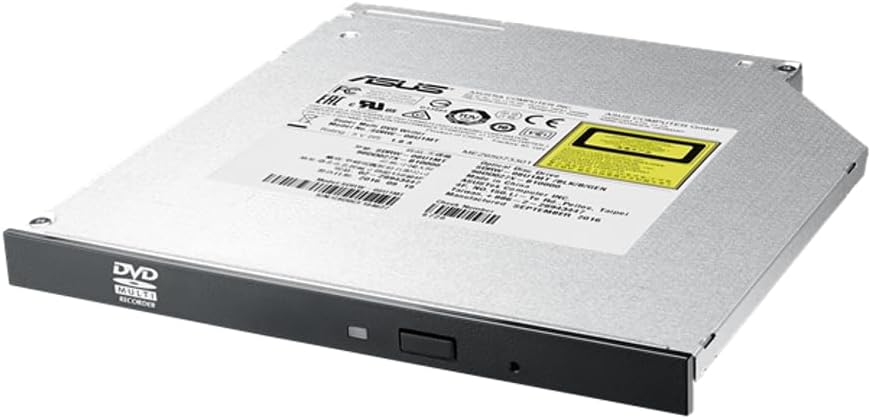
The ASUS SDRW-08U1MT is a 9.5mm ultra-slim DVD writer suited to laptops designed around modern slim optical bays. It carries a 4.4 rating and combines an eight-speed maximum DVD-writing capability with M-DISC support. For buyers who want a relatively compact internal replacement without giving up physical disc creation, it presents a balanced and feature-focused choice.
We may earn a commission when you buy through this link, at no additional cost to you.
M-DISC is central to the model's positioning, with the product information emphasizing archival-quality storage for photos, video, and data. The drive also includes E-Green technology, which automatically closes its application when not in use to reduce power consumption. E-Media is included to create a quieter operating environment, making the model suitable for users who dislike fan or motor noise during routine disc work.
Its 9.5mm height is substantially more accommodating than a 12.7mm unit, although it still requires more space than a 7mm model. The product information does not provide a detailed list of supported laptop brands, operating systems, connector arrangements, or mounting details. As a result, physical compatibility must be confirmed with the laptop's service manual or existing optical drive rather than inferred from thickness alone.
The SDRW-08U1MT is best suited to owners of a 9.5mm-bay laptop who value archival media, quiet operation, and convenient power management. It stands out as a premium slim writer because it doesn't limit the user to reading discs. Verify the bay, faceplate, cable routing, and connector type before installation; if they match, this is a polished and functionally complete option.
The combination of a 9.5mm profile and M-DISC recording gives the drive a clear purpose for users who want physical backup media. It supports preservation workflows without requiring a full-size external optical drive.
E-Green closes the drive application when it is not needed, reducing unnecessary power use. E-Media complements that feature with a quieter operating environment for everyday use.
We may earn a commission when you buy through this link, at no additional cost to you.
The HP 16X DVD-ROM is a straightforward internal SATA reader for users who only need to open existing optical discs. Its 5.0 rating is the highest among the listed products, and its dedicated DVD-ROM role makes it a clean option for legacy software installers, archived movies, or disc collections that no longer need to be copied.
We may earn a commission when you buy through this link, at no additional cost to you.
Because it is a reader rather than a writer, the drive should not be selected for tasks involving DVD creation, rewriting, or disc backups. Its listed package dimensions are also substantial, suggesting a conventional optical-drive format rather than a slim laptop module. That makes it more relevant to compatible desktop-style optical bays or less-compact laptops than to thin ultraportables.
The main benefit is simplicity. There is no need to navigate writer software, disc format choices, or buffering questions when the task is only playback or installation. The tradeoff is that a reader-only design removes the flexibility offered by the many DVD-RW models in this guide. A buyer who later wants to archive files to physical media would need to replace or supplement the unit.
This drive is recommended for a specific use case: reading existing DVDs from a system with a compatible internal SATA optical bay. Its perfect rating is appealing, but functionality should come first. Confirm that the laptop was designed around a DVD-ROM module and that the user has no need to record discs. Subject to those conditions, it offers a focused and potentially dependable reading solution.
The drive keeps its role simple: open and read compatible optical discs. That focus is useful for installed software and archived media collections where burning capability is unnecessary.
The listed dimensions indicate that this is not a modern ultra-slim module. Laptop owners should inspect their optical bay carefully and verify that a reader-only replacement is acceptable.
We may earn a commission when you buy through this link, at no additional cost to you.
The HP Samsung SH-216 is an internal SATA DVD rewriter built around dual-layer disc support. Its 4.7 rating is one of the strongest in the collection, making it a compelling choice when the laptop bay accepts this OEM replacement and the user wants more capability than a basic reader.
We may earn a commission when you buy through this link, at no additional cost to you.
Dual-layer support is particularly useful for higher-capacity DVD formats, while DVD±RW and DVD±R compatibility covers the common recordable and rewritable standards. The listing identifies the unit as an HP-branded optical drive associated with the Samsung SH-216 and includes OEM part numbers, suggesting it was intended as a replacement or compatible service component for particular systems.
The limited amount of supplied information is the principal drawback. It does not state the drive's exact thickness, loading mechanism, buffer size, supported CD functions, operating-system compatibility, or whether M-DISC is available. That makes it impossible to treat the part number alone as proof of universal compatibility. The connector, mounting points, faceplate, and physical depth all need to be confirmed.
Choose the SH-216 when your laptop used this specific optical-drive design and you want to retain or restore DVD writing, including dual-layer media. Its rating and format flexibility suggest a well-regarded unit, but the buyer's main task is compatibility research. If the model number and bay dimensions match an existing supported drive, it becomes a strong replacement candidate.
Dual-layer recording allows compatible larger-capacity DVDs to be used when the writer and blank media support the format. This is useful for consolidated video and data archives.
Because this is an OEM-style replacement, matching the original service part is more informative than comparing broad drive categories. The laptop's existing bay and connector arrangement should guide the decision.
We may earn a commission when you buy through this link, at no additional cost to you.
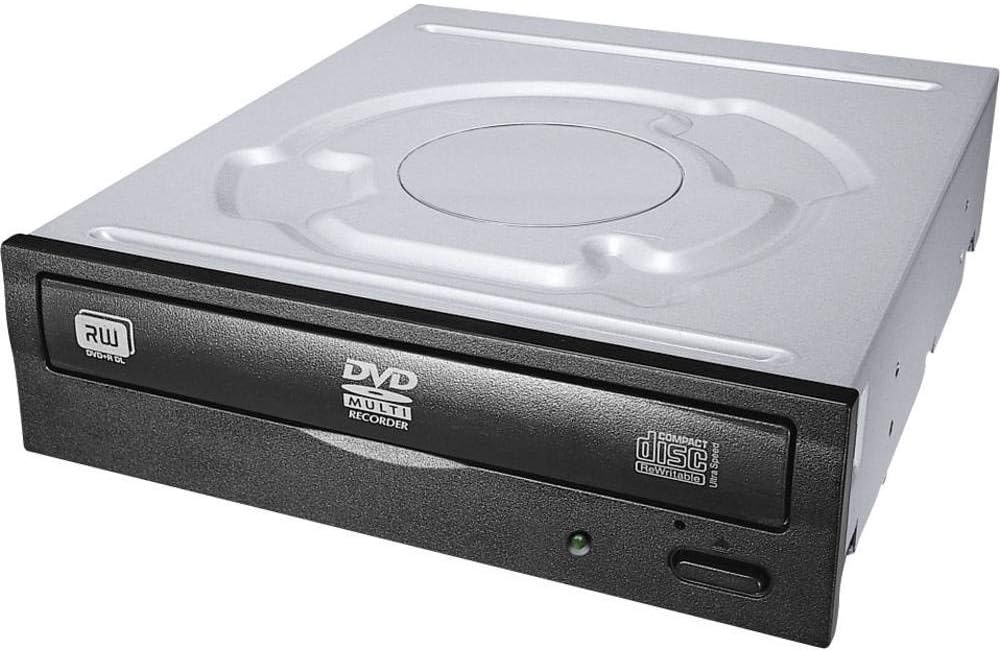
The Lite-On IHAS124-14 is a conventional SATA DVD rewriter built for straightforward disc reading and writing. Its 4.5 rating gives it a positive foundation, while the product name's 24X designation and the supplied optical-drive information point to a familiar full-size design rather than an ultra-slim laptop module.
We may earn a commission when you buy through this link, at no additional cost to you.
DVD+/-RW compatibility covers the most commonly used recordable DVD formats, and the drive also serves CD-based tasks. That makes it useful for creating installation discs, copying audio CDs, backing up files, and reading legacy optical media. Its SATA interface supports straightforward integration with a compatible laptop or compact desktop that has an internal optical bay.
Physical compatibility is the important limitation. The supplied specifications do not give the drive height, and its conventional designation suggests it will not fit a 9.5mm or 7mm bay. No M-DISC support is listed either. Buyers seeking long-term archival features, ultra-thin construction, or a slot-in mechanism should look elsewhere in this roundup.
The IHAS124-14 is best for a system with room for a traditional SATA DVD writer and a need for everyday DVD and CD creation. Its strong rating and broad conventional format support make it a practical alternative to the more specialized slim drives here. Measure the available bay and compare the replacement with the current optical drive before ordering.
SATA and DVD+/-RW support provide a familiar platform for common installation and backup tasks. It is a natural choice when the host computer has a full-size internal optical bay.
This drive is most appropriate when physical space is not the primary concern. Ultra-slim laptop users should not choose it without confirming that their machine accepts a conventional-sized module.
We may earn a commission when you buy through this link, at no additional cost to you.
The LG DVD Rewriter Internal Slim is a tray-loading writer that pairs a perfect 5.0 rating with useful quiet-operation and archival features. It can read and write CD-R/RW, DVD-R/RW, DVD+R/RW, and dual-layer DVD formats, making it more versatile than a read-only module.
We may earn a commission when you buy through this link, at no additional cost to you.
Silent Play is a notable addition for a drive intended for media playback. It adjusts playback speed based on the disc to reduce noise from disc rotation. For writing, maximum DVD±R speed is listed at 8X, while a buffer under-run prevention function helps reduce recording errors if the source data flow is interrupted.
The tray uses manual loading and electrical release, meaning the drive opens in the conventional manner rather than using a slot-in mechanism. Power-saving and sleep modes are also included. Exact height dimensions and the complete supported-format matrix are not supplied, so laptop owners should verify physical clearance and connector requirements before purchase.
This LG model is a strong recommendation for a compatible laptop that accepts an internal slim tray-loading writer and prioritizes quiet playback. It suits users who want a full rating, broad disc support, and M-Disc capability. A slot-loading model may be easier to fit in a particularly constrained chassis, but for conventional slim bays this drive offers an attractive balance of features.
Silent Play recognizes different media and adjusts playback behavior to reduce rotational noise. The feature makes the drive more pleasant for films and music in quiet environments.
M-Disc single-layer read and write support adds a durable backup option, while standard DVD and CD formats ensure the drive remains useful for routine disc tasks.
We may earn a commission when you buy through this link, at no additional cost to you.
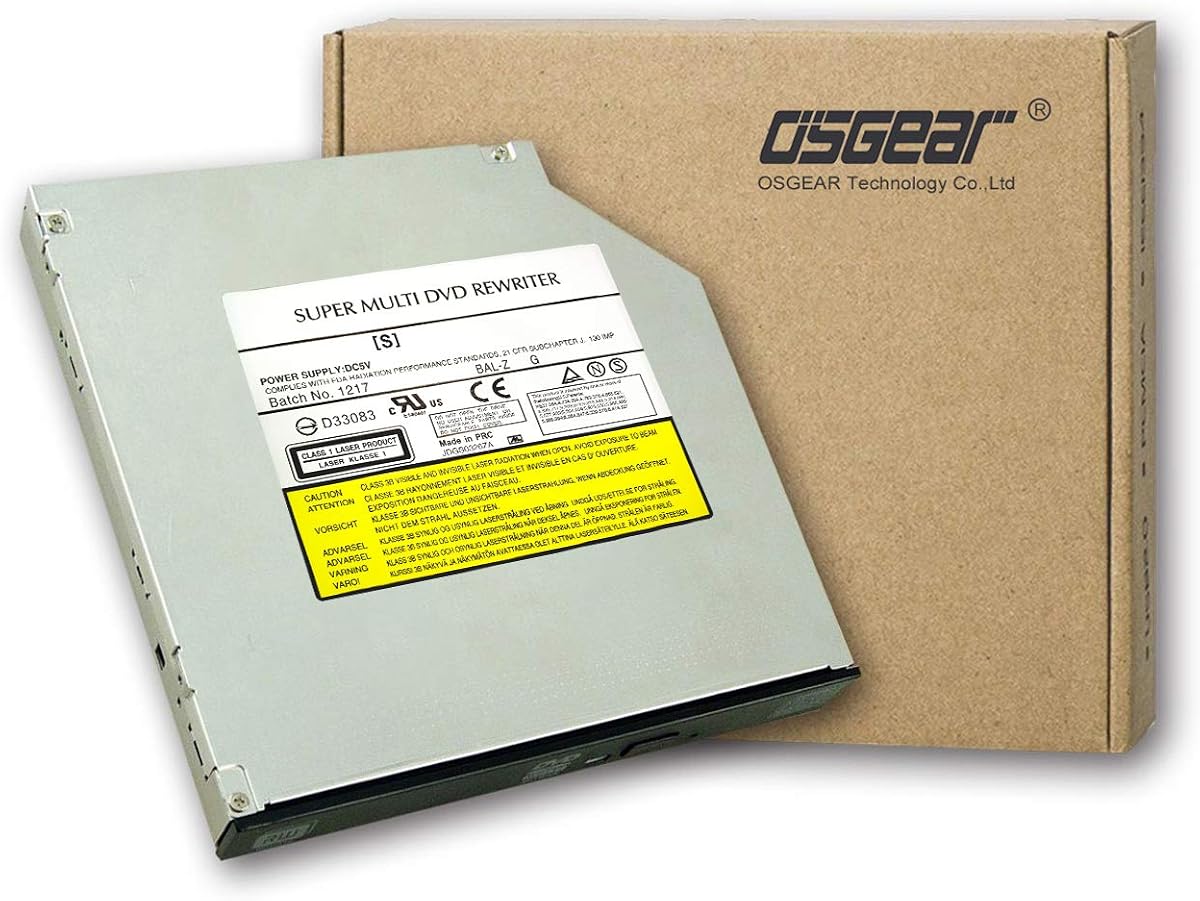
The OSGEAR Internal 9.5mm DVD-RW is a budget-oriented slim writer for compatible SATA laptops. It offers eight-speed DVD reading and writing, 24X CD performance, and a tray-loading design within a housing measuring 127 by 125 by 9.5mm. Its 4.1 rating is lower than the leaders, but the core function set is substantial.
We may earn a commission when you buy through this link, at no additional cost to you.
The listing names ASUS, Acer, HP, Dell, Sony, Lenovo, ThinkPad, Toshiba, and Samsung laptops among compatible systems, provided they use a 9.5mm SATA optical bay. It also lists support for numerous Windows versions, Mac OS, and Linux. That broad software statement is useful, but the physical bay, faceplate, connector routing, and mounting hardware remain more decisive than the operating-system label.
The strict thickness warning is sensible. This drive cannot substitute for a 12.7mm, 9.5mm-bay-less, or 7mm design, and buyers should compare the stated dimensions with their current drive before ordering. Installation may also require professional technical help if they are not comfortable with laptop disassembly, connector attachment, and drive mounting.
As a value-focused choice, the OSGEAR drive serves users who need basic DVD and CD creation in a slim SATA bay. It does not offer the highest rating or M-Disc support, but it combines useful speeds with wide platform claims. It is best for a compatible 9.5mm laptop and a straightforward replacement need, not for users seeking the most compact possible installation.
Eight-speed DVD performance handles standard recording tasks, while 24X CD support speeds up audio and data disc work. These figures make the drive practical for routine optical media use.
The manufacturer's repeated thickness warning is the essential buying advice. A drive that fits the features but not the bay cannot be used, regardless of its software compatibility.
We may earn a commission when you buy through this link, at no additional cost to you.
The UJ8C2 UJ8E2 UJ8G2 is a 9.5mm slot-loading internal optical drive with a perfect 5.0 rating. It offers an unusual combination for a slim replacement: a SATA interface, a bundled USB 3.0 SATA cable, broad disc functions, and plug-and-play operation without additional driver programs.
We may earn a commission when you buy through this link, at no additional cost to you.
It functions as more than a reader. The listing specifies writing and rewriting support for CD-R, CD+/-RW, DVD-R, DVD+/-RW, and DVD-R DL, plus reading for DVD-ROM, VCD, and other listed formats. These capabilities cover music creation, software installation, physical backups, and playback. The included data cable can simplify connection testing or installation, although internal SATA power remains necessary in a laptop.
Its 9.5mm height limits compatibility to bays designed for that thickness, and the slot-in mechanism may not match a laptop whose original drive used a tray. The description alternates between slot-in loading and a reference to tray-loading style disks, which creates some ambiguity. Buyers should therefore rely on photographs and the exact model fit rather than assuming the mechanism is interchangeable.
This drive is a compelling option for someone who values a high rating, driver-free setup, and the supplied cable. It is especially useful as a replacement where the original bay matches the 9.5mm slot-in design. Confirm the loading mechanism, connector position, and bay dimensions before ordering. Once those details align, the broad media support makes it a flexible choice.
The drive is described as plug and play without additional driver software. That simplifies setup for systems that already recognize standard SATA optical devices.
Read, write, and rewrite functions cover installation discs, music, video, and file backups. The included USB cable can also assist with testing or connection outside a final laptop installation.
We may earn a commission when you buy through this link, at no additional cost to you.
The TechMagnet 7mm DVD-RW is designed for laptops and compact desktops that cannot accept a thicker optical module. Its 7mm height is the smallest figure listed in this guide, and the drive combines that space-saving design with eight-speed DVD writing, CD support, M-Disc capability, and a tray-loading mechanism.
We may earn a commission when you buy through this link, at no additional cost to you.
Format support includes CD-R/RW, DVD±R/±RW, DVD-ROM, and M-Disc. The listing identifies Dell, Lenovo, HP, Asus, and Acer among compatible brands and says plug-and-play operation works for most supported operating systems. As with the other slim options, those claims remain conditional on the computer actually having a 7mm SATA optical bay and enough space around the connector and mounting points.
This is a renewed listing, which is the clearest reason to consider it carefully. Its 3.8 rating is the lowest in the collection, and buyers may have less confidence in cosmetic condition or long-term consistency. The product information does not detail the warranty terms, included accessories, exact connector arrangement, or whether a mounting bracket and faceplate are provided.
The TechMagnet drive is best for a buyer whose laptop absolutely requires a 7mm optical module and whose priority is saving space. The M-Disc and broad disc support make it functionally attractive, but the renewed condition and lower rating warrant more careful research. Confirm bay depth, mounting hardware, connector type, and the seller's return terms before installing it.
A 7mm housing is useful in ultraportable designs where a 9.5mm drive would sit too close to other internal components. It offers the most compact option among the ten selections.
A renewed product may provide substantial value, but buyers should examine the condition description, warranty, accessories, and return policy. These details can be more important than a small difference in maximum speed.
We may earn a commission when you buy through this link, at no additional cost to you.
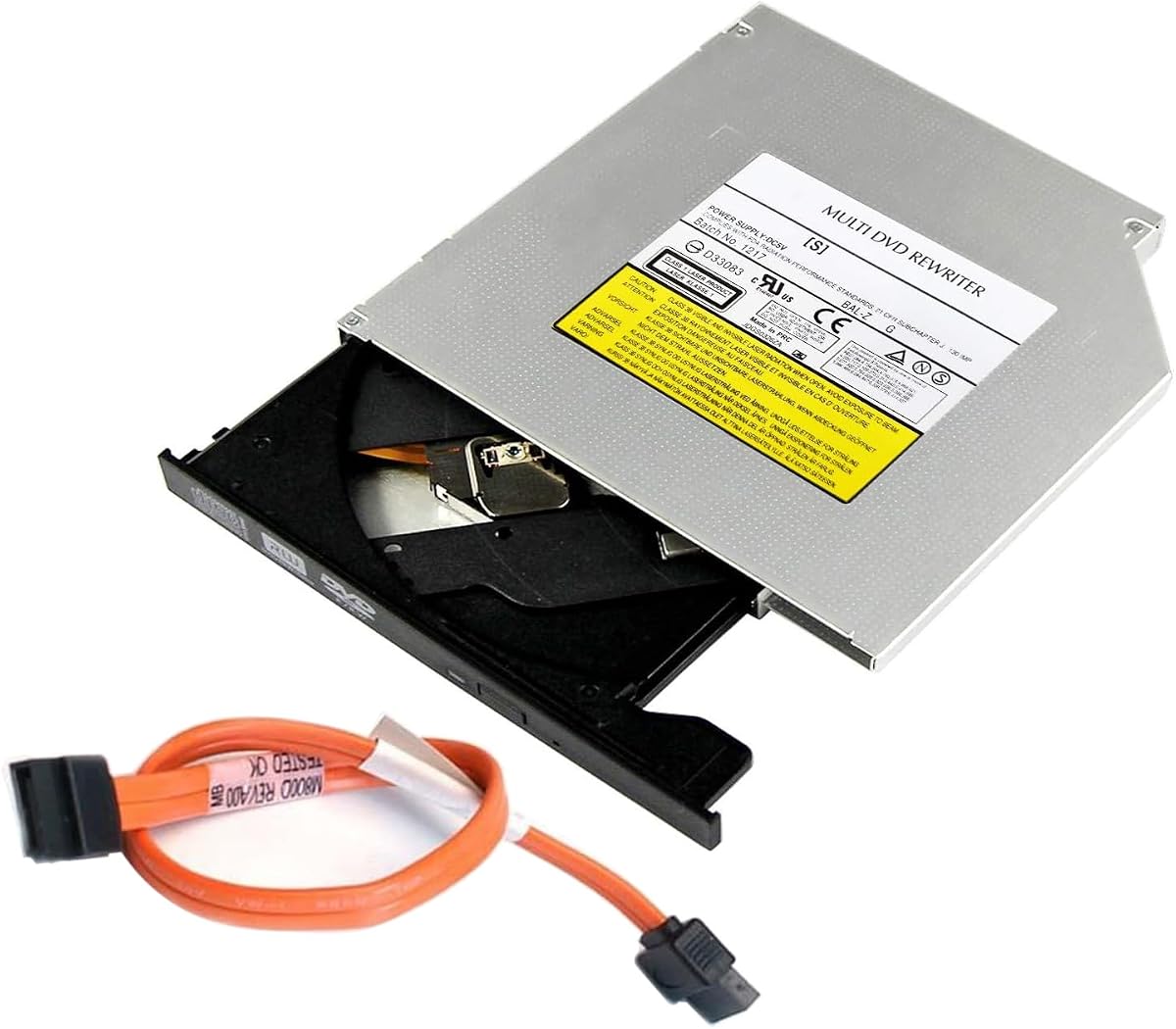
The GUD1N 9.5mm DVD-RW is a compact tray-loading internal drive with a clearly defined physical format. Its external dimensions are approximately 128 by 127 by 9.5mm, and the supplied information explicitly limits it to 9.5mm slim SATA optical bays. That transparency makes it easier to screen than a generic slim replacement.
We may earn a commission when you buy through this link, at no additional cost to you.
It supports an extensive range of media, including DVD+R, DVD-R, DVD+RW, DVD-RW, single- and dual-layer formats, DVD-RAM, DVD-ROM, CD-R, CD-RW, and CD-ROM. Maximum performance is listed at 8X for DVD read and write and 24X for CD read and write. M-Disc support adds an archival option for photos, videos, and files.
A SATA data cable is included in the package, which can be helpful for testing, replacement, or installation in a compatible device. The drive still requires the laptop's normal internal SATA power and optical-drive connector. It is expressly not intended for 12.7mm bays, external USB use, or systems without a SATA data connection.
The GUD1N is a well-specified option for a 9.5mm SATA laptop that needs a broad-format writer. Its 4.2 rating is solid, and the included cable plus extensive format list distinguish it from a bare-bones replacement. Confirm the bay, mounting points, faceplate, and connector routing before ordering. If those match, it is a practical, flexible slim drive.
The Super Multi compatibility list covers conventional recordable and rewritable DVDs, dual-layer media, DVD-RAM, and standard CDs. That makes the drive useful for both active projects and older archives.
The stated exclusions help prevent wasted purchases. The drive is intended only for a 9.5mm internal SATA optical bay and should not be mistaken for an external solution or a 12.7mm replacement.
We may earn a commission when you buy through this link, at no additional cost to you.
Choosing an internal DVD drive for a laptop starts with the original bay rather than brand or speed. Measure the available space, identify the connector and loading mechanism, then select the writing features, media compatibility, and physical design that suit your intended use.
Drive thickness is the most consequential physical specification. The roundup includes 12.7mm, 9.5mm, and 7mm designs, and those sizes are not interchangeable. Compare the candidate's height with the original drive or the laptop service manual, leaving room for the connector, cable bend, and mounting hardware. A nominal drive height alone does not guarantee a fit because faceplate shapes and internal clearances can vary.
These products use internal SATA data connections for their intended laptop installations, but the connector position and cable routing still need to match the machine. SATA power and SATA data are separate connections, so a laptop with both available may be required. A bundled USB data cable can assist with testing or temporary connection, as noted for the UJ8C2 and GUD1N, but it does not turn a SATA-only internal laptop into a universally compatible system.
A DVD-ROM drive is sufficient for playing discs and running software installers, while a DVD-RW model can record and rewrite supported media. The HP 16X DVD-ROM is a reader-only option, whereas most other selections offer writing functions. Buying a writer adds convenience for backups, music discs, and software distribution, but it does not make the drive appropriate for every machine; physical fit still takes priority.
Tray-loading drives extend a small platform to hold the disc, while slot-in drives accept media through a narrow opening. Both appear in this roundup, and their mechanisms are not necessarily interchangeable. A slot-in model can suit laptops designed around that mechanism, whereas a tray-loading replacement often fits conventional slim bays. Examine the original drive, eject behavior, bezel, and service documentation rather than relying only on the listing photograph.
DVD+/-R, DVD+/-RW, dual-layer DVD, DVD-RAM, CD-R, and CD-RW cover different media needs. The Hitachi-LG GTC2N and GUD1N provide particularly broad lists, while the HP 16X DVD-ROM is focused on reading. Users with an existing disc library should inventory the formats they actually own, and users planning future backups should confirm that the drive can write the chosen standard rather than merely read it.
M-DISC support appears on several attractive models, including the Hitachi-LG GTC2N, ASUS SDRW-08U1MT, LG Slim DVD Rewriter, TechMagnet 7mm model, and GUD1N. It is intended for long-term physical storage using a different recording layer. While the presence of M-Disc support adds value for archival workflows, it should not replace sensible backup practices involving multiple copies and regularly verified files.
Maximum speeds range from six-speed labeling on the GTC2N to eight-speed writing in many slim models, while CD performance reaches 24X in several selections. Speed matters most when creating multiple discs, and it can affect motor noise. Silent Play, E-Media, and quiet-operation claims may be valuable for media playback or shared workspaces. Look for both efficiency features and speed stability rather than treating maximum headline speed as the only measure of quality.
Condition matters particularly when selecting a renewed item. The TechMagnet 7mm model is explicitly renewed and has a lower rating than the other selections, so a buyer should review its cosmetic description, included parts, warranty, and return policy. For any new or renewed drive, confirm that the seller provides a legitimate path for installation questions, defective-part returns, and compatibility support.
Before installation, disconnect the laptop from power, consult its service manual, and compare the replacement with the original optical drive. Confirm the drive height, faceplate, mounting points, connector locations, and loading mechanism. If the laptop is under warranty or the replacement is not a direct match, a qualified technician should perform the work.
After installation, insert a known-good disc and allow the operating system to detect the new hardware. Use the system's built-in optical-disc tools for basic playback, then install only the software required by the selected drive. When burning, choose a format supported by both the drive and the blank media, use a reputable burning application, and close other heavy applications to reduce the chance of interrupted recording sessions.
Handle media by the edges, keep discs clean and stored in cases, and avoid touching the reflective surfaces. Do not force a tray, continue using a disc after visible cracking, or leave the drive open in a dusty environment. For archival discs, store them in a cool, dry, dark location, label each disc clearly, and periodically check that important files can still be read from another copy.
The correct size depends on the laptop's original optical bay. The most common options in this guide are 9.5mm and 12.7mm, while some ultraportables use a 7mm module. Check the service manual or measure the existing drive and compare its height, connector position, and loading mechanism before buying.
Not necessarily. SATA compatibility addresses the data interface, but the drive must also match the bay height, mounting points, faceplate, connector position, and available clearance. Software support matters too. A drive that uses the right connector can still be impossible to mount if its physical design differs from the laptop's original module.
An internal drive gives a laptop a permanent, integrated disc solution without occupying a USB port. An external drive is usually easier to add and move between computers, but it adds another device and connection. The better choice depends on how often you use discs, whether the laptop has a suitable bay, and how important portability and simplicity are.
A DVD-ROM drive is intended primarily to read existing discs. A DVD-RW drive can also write and rewrite compatible DVD media, while many models additionally support CD-R and CD-RW. Choose RW when you need backups, installers, music discs, or copies; choose ROM when reading old discs is your only requirement.
No. M-DISC is listed for the Hitachi-LG GTC2N, ASUS SDRW-08U1MT, LG slim rewriter, TechMagnet 7mm model, and GUD1N, but it is not listed for every product. Confirm the drive's format table before relying on M-DISC for a specific archival workflow.
They can provide the physical disc hardware, but the laptop must recognize standard SATA optical devices and have suitable drivers or operating-system support. The product listings mention broad compatibility for several models, including older and current Windows versions, Mac OS, and Linux. Check both hardware and software requirements before installation.
Choose the mechanism used by the laptop's original bay whenever possible. Tray-loading drives provide a small platform for the disc, while slot-in drives pull media directly into the chassis. Their bezels, openings, and internal mounting arrangements can differ, so one should not be treated as a drop-in replacement for the other.
Use a reputable burning application, a compatible blank-disc brand, and a drive that explicitly supports the chosen format. Close heavy applications, avoid interrupting the burn, and verify that important files can be read back from the finished disc. Keep additional copies in separate locations because one archival disc should not be the only copy of irreplaceable data.
The Hitachi-LG GTC2N is the most versatile overall pick for a compatible 12.7mm bay, combining broad format support, M-DISC, quiet playback, and eight-speed writing. The ASUS SDRW-08U1MT offers a more compact 9.5mm premium option, while the OSGEAR model serves as a value-focused slim writer for compatible laptops.
For most modern laptop replacements, physical fit should be the first filter: compare height, connector position, mounting points, faceplate, and loading mechanism before weighing speed or format support. Users with very tight chassis designs may need a 7mm model, but the renewed TechMagnet listing deserves additional care. Read-only buyers can consider the HP 16X DVD-ROM when the bay accepts it.
Ratings, availability, and prices can change, so check current product details before purchasing. Confirm the laptop compatibility, included accessories, warranty, and seller support at the same time. With those checks completed, the drive that matches both the bay and the user's disc habits will provide the most satisfying result.