
Canon imageCLASS LBP122dw
3.9Editor score
Automatic duplex printing
30 pages per minute
Compact wireless design
Genuine Canon 071 toner
Compare the best laser printer with cheap toner, including print speed, duplexing, connectivity, toner options, and features for home or office use.
A laser printer with cheap toner can lower routine printing costs, but the hardware, toner format, and page yield all influence the true value. The strongest options combine affordable consumables with reliable text output, practical connectivity, and enough capacity for regular home, school, or small-office use.
We compared ten monochrome laser printers on the criteria that shape everyday ownership: toner compatibility and yield, print speed, duplex capability, wireless or wired connections, paper capacity, scanning features, and intended workload. The guide covers single-function models, all-in-ones, and options designed for teams as well as individual users.
Each review explains where a model stands out, where compromises appear, and which type of buyer it suits best. The top picks represent a budget-friendly printer, a versatile office all-in-one, and a premium-featured compact multifunction model. Prices and promotions can change, so confirm current toner costs and availability before purchasing.
3.9Editor score

4.3Editor score

4.5Editor score
The comparison highlights toner compatibility, speed, duplexing, connectivity, document handling, and extra functions across all ten printers, helping buyers match a model to a particular home or office workflow.



The Brother HL-L2405W is a straightforward monochrome laser printer aimed at homes and home offices that want fast, wireless text output without paying for scanning and copying functions. Its 4.1 rating reflects a balanced package, with especially useful speed, paper handling, and mobile connectivity for a relatively simple printer.
We may earn a commission when you buy through this link, at no additional cost to you.
Its main advantage is the combination of a 250-sheet tray and print speeds up to 30 pages per minute. Dual-band Wi-Fi at 2.4GHz and 5GHz can provide a more stable connection than a single-band connection, particularly in busy homes or offices. The Brother Mobile Connect app adds remote printing, toner ordering, and toner tracking, while a manual feed slot handles envelopes and specialty paper.
Toner is a central consideration for this model. It uses Brother Genuine TN830 and TN830XL cartridges, and the included Refresh EZ Print subscription trial gives eligible users a structured way to manage replacements. That can make ongoing costs easier to anticipate. The trade-off is that this printer does not automatically duplex documents, so double-sided printing requires flipping pages manually. It also performs no scanning or copying.
This is a sensible recommendation for a student, household, or small remote office that primarily prints letters, reports, invoices, and other black-and-white documents. Buyers who print large stacks of double-sided paperwork may prefer the HL-L2460DW, while those needing copy and scan functions should consider one of the multifunction alternatives.
The HL-L2405W focuses on the essentials rather than adding a control panel or scanning hardware. That focus can make sense when the main requirement is dependable monochrome printing from several computers and mobile devices.
Using the TN830 and TN830XL cartridges makes supply selection straightforward, while the Brother Mobile Connect app and Refresh trial can help households monitor usage and arrange replacements without repeatedly researching compatible products.
We may earn a commission when you buy through this link, at no additional cost to you.
The Canon imageCLASS LBP6030w is the most straightforward budget printer in this group, offering basic wireless black-and-white printing in a compact housing. Its 3.8 rating is the lowest among the ten products, but that figure should be evaluated alongside its simple design, low entry cost, and suitability for light-duty printing.
We may earn a commission when you buy through this link, at no additional cost to you.
The printer produces up to 19 pages per minute and holds up to 150 sheets. It supports printing from compatible mobile devices, which is valuable for students, apartment dwellers, and home users who do not want to run a USB cable to every device. Its energy-saver mode uses less than two watts, making it a practical option in spaces where the printer may remain connected around the clock.
Toner cost is easier to evaluate because the LBP6030w uses Canon Genuine Toner 125, with a stated page yield of 1,600 pages. Buyers can use that information to estimate replacement frequency. However, the printer lacks automatic duplex printing, scanning, and copying, so it may be less attractive for users who want fewer separate devices or routinely print two-sided documents.
The LBP6030w best serves occasional users with modest output needs, such as a student printing assignments or a household producing occasional forms and letters. A busy shared office may find its 150-sheet capacity and 19-page-per-minute speed limiting. In that scenario, the Canon LBP122dw or a Brother model with a larger tray would be a stronger fit.
At 19 pages per minute, this model prioritizes simplicity and a small footprint over rapid production. It works well when documents arrive intermittently rather than in large batches.
Compatible mobile-device printing removes the need for a dedicated computer or wired connection. The result is a convenient option for a dorm room, apartment, or quiet corner of a home office.
We may earn a commission when you buy through this link, at no additional cost to you.
The Brother MFC-L2820DW is the most complete small-office package in the roundup, combining printing, copying, scanning, and faxing in a compact monochrome laser system. Its 4.3 rating and rich feature set make it the strongest all-around choice for buyers who want to consolidate several devices without sacrificing speed or duplex capability.
We may earn a commission when you buy through this link, at no additional cost to you.
It prints up to 36 pages per minute and scans at speeds up to 23.6 black-and-white images per minute, with color scanning also supported. The 50-page automatic document feeder saves considerable time when copying, scanning, or faxing multipage records. A 2.7-inch touchscreen provides straightforward access to settings and popular cloud destinations including Google Drive, Dropbox, Evernote, and OneNote.
Connectivity is unusually flexible for a compact model. Buyers can use dual-band Wi-Fi at either 2.4GHz or 5GHz, Ethernet, or a local USB connection. The Brother Mobile Connect app supports printing, scanning, remote management, toner tracking, and supply ordering. Automatic duplex printing further improves efficiency by reducing paper use and page-turning during long jobs.
The main compromise is size and complexity. A four-function office machine naturally occupies more space and costs more than a single-function printer, so occasional users with only basic printing needs may get better value elsewhere. Even so, this model is highly recommended for small teams, home offices, administrative workspaces, and anyone who values a 50-page feeder and reliable professional workflow.
Combining laser printing, copying, scanning, and faxing reduces the need for separate devices while keeping the core functions in one desktop footprint. The touchscreen and app support further reduce the learning curve.
A 50-page automatic document feeder is particularly useful for contracts, forms, invoices, and records that must be copied, scanned, or faxed. It saves more time than the manual feeder found on many compact multifunction models.
We may earn a commission when you buy through this link, at no additional cost to you.
The Canon imageCLASS MF3010 VP is a wired monochrome multifunction laser printer designed for homes, schools, and small offices that need scanning and copying without a large feature set. Its 4.2 rating reflects a solid general-purpose package, especially notable for the stated 2,300-page toner yield in the box and a useful ID card copy function.
We may earn a commission when you buy through this link, at no additional cost to you.
The core functions include printing, scanning, and copying. Color scanning is supported at up to 600 dpi interpolated quality, which can be helpful for occasional documents containing images or colored text. A USB cable is included, making a direct connection to a compatible computer simple. The printer also supports a broad list of Windows, Mac, and Linux print environments, with Linux support described as print-only.
The strong in-box toner yield helps reduce the need for an immediate replacement, although buyers should still compare ongoing cartridge costs with their expected volume. Its paper capacity is 150 sheets, and print speed reaches 19 pages per minute. The lack of wireless networking and automatic duplexing limits flexibility, but it also keeps installation and operation uncomplicated.
This model is a good option for a fixed workstation, classroom, reception desk, or home office that can rely on a USB connection. ID card copying is a bonus for offices handling identification documents. People who need wireless printing, automatic double-sided output, or faxing should choose a more connected model instead.
The stated 2,300-page toner yield makes the MF3010 VP appealing for users who want fewer immediate supply interruptions. It can be especially useful in environments with steady but predictable printing volume.
The flatbed scanner supports color scanning, and dedicated ID card copying provides a convenient path for producing duplicate identification cards. These functions broaden its usefulness without adding a bulky touchscreen.
We may earn a commission when you buy through this link, at no additional cost to you.
The Brother HL-L2460DW is a fast, single-function monochrome laser printer aimed at home offices and small teams that regularly produce two-sided documents. Its 4.0 rating makes it a solid productivity-focused option, with a 250-sheet tray, Ethernet, and dual-band wireless connectivity providing more flexibility than many entry-level models.
We may earn a commission when you buy through this link, at no additional cost to you.
Print speeds reach up to 36 pages per minute, placing it among the fastest printers in the roundup. Automatic duplex printing is the crucial feature for lengthy reports, educational packets, contracts, and other documents where single-sided printing would waste paper and add handling time. A manual feed slot remains available for envelopes and specialty media.
The HL-L2460DW accepts Brother Genuine TN830 and TN830XL toner, and the Brother Mobile Connect app helps users print from mobile devices, manage the printer, track toner, and order supplies. It also supports USB for direct local connections and includes a one-year limited warranty. The absence of scanning and copying makes it less versatile than an all-in-one.
This printer is recommended for a busy home office or a small team that values speed, automatic duplexing, and flexible connectivity more than multifunction features. If a scanner is occasionally useful but not essential, it may still serve as the main printer alongside a separate all-in-one. Users wanting a touchscreen and integrated copy functions should move up to the Brother MFC-L2820DW.
Two-sided printing happens automatically, which is especially valuable for multi-page reports and mixed print batches. This saves paper while eliminating the need to manually reorganize every sheet.
At up to 36 pages per minute, the HL-L2460DW handles larger jobs efficiently. The 250-sheet tray reduces the frequency of refills during routine office printing.
We may earn a commission when you buy through this link, at no additional cost to you.
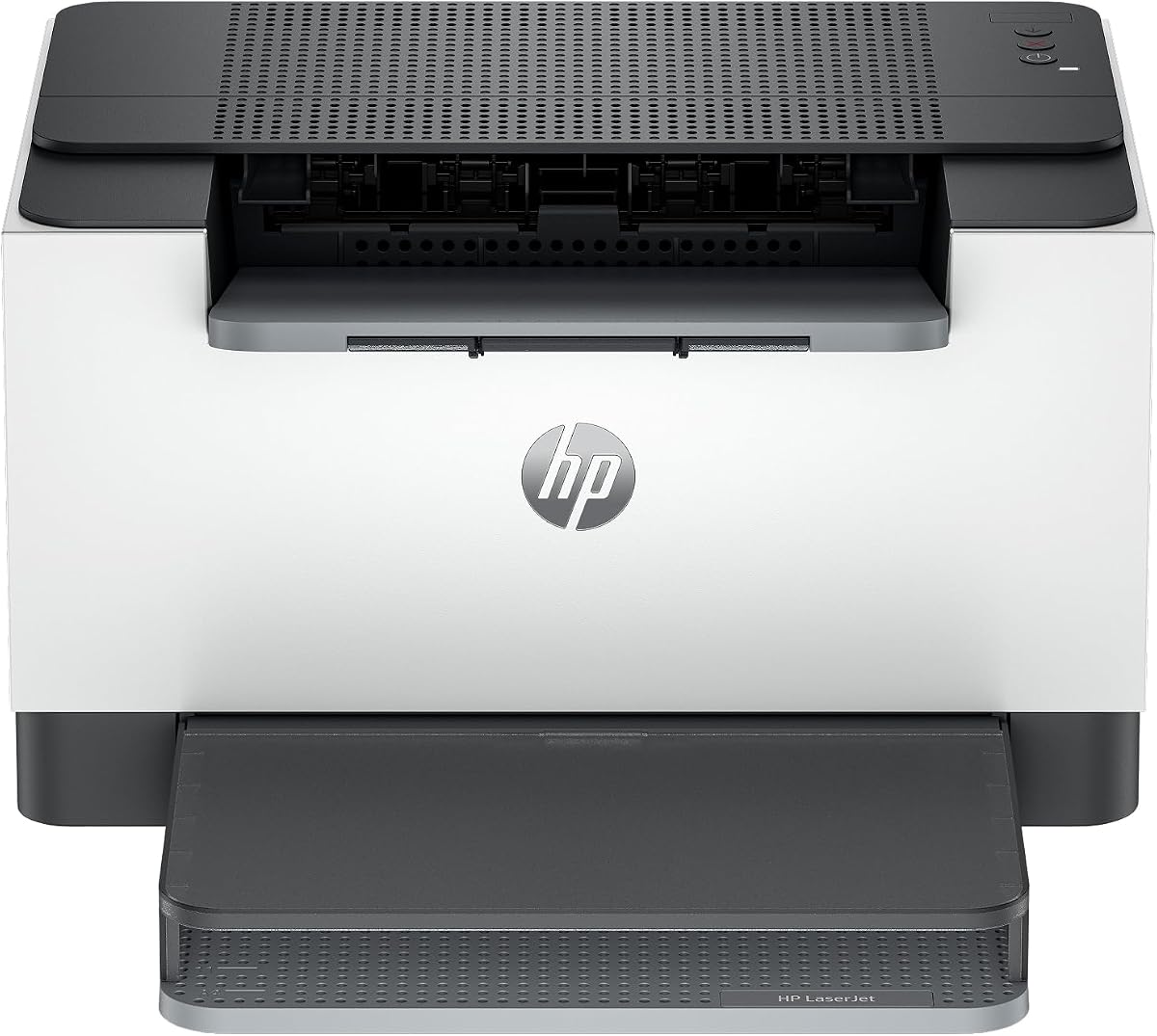
The HP LaserJet M110w is a compact wireless printer aimed at one to three people who need uncomplicated black-and-white output. Its 3.9 rating reflects solid basics: a small footprint, mobile printing support, and quick access from computers and tablets, though some cartridge restrictions and missing duplexing narrow its appeal.
We may earn a commission when you buy through this link, at no additional cost to you.
It prints up to 21 pages per minute, enough for modest home-office and small-team workloads. Wireless printing works with Microsoft, Mac, AirPrint, Android, and Chromebook devices. The HP Smart app streamlines repetitive tasks and offers cloud scanning and printing or copying workflows from a smartphone, even though the physical printer itself is primarily focused on printing.
The most important buying consideration is cartridge compatibility. The product information states that it is intended to work only with cartridges containing original HP chips or circuitry and will block cartridges using non-HP chips or circuitry. That limitation deserves careful attention for buyers who may otherwise expect broad third-party compatibility. The printer also lacks automatic duplex printing.
The M110w makes sense for a spare room, apartment, small reception area, or minimal shared workspace where space matters and occasional printing is the goal. It is less suitable for budget-conscious high-volume offices because duplexing would be manual and cartridge restrictions may narrow choices. Users who regularly print two-sided documents should prioritize a model with automatic duplex printing.
HP describes the M110w as the world's smallest laser printer in its class, and its compact design is clearly aimed at locations where every bit of desk or shelf space matters.
The stated restriction on cartridges with non-HP chips or circuitry should be checked before purchase. It is an essential compatibility issue rather than a minor specification detail.
We may earn a commission when you buy through this link, at no additional cost to you.
The HP LaserJet M209dw is a wireless print-only model intended for small teams of one to five people. Its 4.2 rating makes it one of the stronger performers in the roundup, particularly because automatic duplex printing and dual-band Wi-Fi are rarely automatic at this level of general-purpose hardware.
We may earn a commission when you buy through this link, at no additional cost to you.
The printer reaches up to 30 pages per minute for single-sided black-and-white output and up to 19 black-and-white images per minute for two-sided printing. Automatic duplexing reduces paper consumption and manual handling, making it a better fit for recurring business documents than a compact single-sided printer. The product is also Instant Ink eligible, giving eligible users another route to managing supplies.
Its dual-band wireless connection includes a self-reset feature intended to help maintain or restore connectivity. Built-in security features are another meaningful advantage in shared offices, particularly when the printer is connected to a business network. These network-oriented features make it more compelling for a team than for a single isolated household.
The trade-off is that it remains a single-function printer. It cannot scan or copy, so a separate multifunction device may still be required in document-heavy offices. It is best recommended for a small team that prints many two-sided reports, forms, and meeting packets and values network reliability and security over integrated scanning.
Dual-band Wi-Fi and self-reset connectivity are especially valuable where several users print from different devices. The printer is designed to serve a team rather than a single fixed computer.
Built-in security measures add confidence in shared environments, while automatic two-sided output improves paper efficiency. Together they make the M209dw practical for recurring administrative printing.
We may earn a commission when you buy through this link, at no additional cost to you.
The Canon imageCLASS LBP122dw combines a compact footprint with automatic duplex printing and speeds up to 30 pages per minute. Its 3.9 rating makes it a well-rounded budget choice, particularly for buyers who want duplex capability without moving into a larger multifunction or enterprise-oriented model.
We may earn a commission when you buy through this link, at no additional cost to you.
Its most useful feature is automatic two-sided printing. That makes it a stronger everyday choice for reports, worksheets, and packets than the LBP6030w, which lacks duplexing. The wireless connection and Canon PRINT app support printing from compatible mobile devices, so it can fit into a flexible home or small-office workflow.
The printer uses Canon Genuine Toner 071 and the higher-capacity 071 variant. Buyers should compare the availability and cost of both before settling on a model, especially if they expect a sizable monthly workload. Its compact design is suitable for home use and personal printing, although it does not include scanning or copying.
This model is recommended for buyers seeking a balanced set of features at the lower end of the roundup. It is particularly good for students, home offices, and small teams that want fast wireless output and automatic duplexing. A user who needs scan-to-cloud workflows, document copying, or a larger feeder should choose a multifunction model instead.
The LBP122dw adds duplexing and faster output to the compact printer format, offering meaningful improvements over basic single-sided models without requiring a full multifunction machine.
The printer supports Canon Genuine Toner 071 and the high-capacity 071 option. That gives owners a standard and a larger-yield choice to compare against their expected print volume.
We may earn a commission when you buy through this link, at no additional cost to you.
The HP LaserJet MFP M235sdw is a wireless monochrome multifunction printer built for offices of one to five people. Its 4.0 rating reflects a balanced set of capabilities: printing, copying, scanning, automatic duplexing, and flexible connectivity in a package intended for everyday business documents.
We may earn a commission when you buy through this link, at no additional cost to you.
It prints up to 28 black-and-white pages per minute and emphasizes fast two-sided output for multipage projects. Dual-band Wi-Fi with self-reset helps maintain connectivity, while built-in security features are useful in office networks. Ethernet is included, and wireless printing supports Microsoft, Mac, AirPrint, Android, and Chromebook devices.
The multifunction side allows the printer to handle brochures, business documents, presentations, and other material that may need to be copied or scanned. This reduces the need for separate peripherals. Compared with the Brother MFC-L2820DW, however, it does not provide faxing or a large automatic document feeder, and its listed print speed is below the leading 36-page-per-minute models.
The M235sdw is a good recommendation for a small office that wants duplex printing and basic copy-scan functions but does not require fax. It is especially useful where both Ethernet and wireless access are important. Buyers who routinely fax documents or process thick multi-page originals through an automatic feeder should favor the Brother MFC-L2820DW.
Print, copy, and scan cover the most common office tasks while keeping the device focused on monochrome output. It is a practical middle ground between a basic printer and a full-featured communications machine.
Dual-band wireless, self-reset connectivity, and Ethernet provide multiple ways to integrate the printer. Broad platform support also makes it easier for mixed-device teams to print.
We may earn a commission when you buy through this link, at no additional cost to you.
The Brother HL-L2480DW combines laser printing, copying, and scanning with a 2.7-inch touchscreen in a compact monochrome design. Its 4.5 rating is the highest among the ten products, and its feature set makes it the strongest premium pick for a home office or small workspace that values both speed and integrated functions.
We may earn a commission when you buy through this link, at no additional cost to you.
Print speeds reach up to 36 pages per minute, and automatic duplex printing improves efficiency for lengthy documents. The flatbed scanner supports copying and scanning, while the touchscreen provides access to cloud-based services including Google Drive, Dropbox, Evernote, and OneNote. Connectivity includes dual-band Wi-Fi, Ethernet, and USB, covering both network and direct-use arrangements.
The 250-sheet paper tray and manual feed slot make it suitable for sustained document handling. Brother Mobile Connect adds mobile printing, scanning, management, toner tracking, and supply ordering. Toner uses Brother Genuine TN830 or TN830XL cartridges, with the Refresh EZ Print subscription trial offering a more structured replacement option.
The main limitation is the absence of fax, which makes this less versatile than the Brother MFC-L2820DW for offices that still depend on traditional fax workflows. It also represents a larger investment than a basic print-only model. Even so, it is highly recommended for users who want a fast, connected three-function machine without the bulk of a conventional office copier.
The 2.7-inch display makes common functions easier to access and supports cloud destinations without requiring users to navigate a computer menu. It adds convenience while retaining a relatively compact footprint.
Up to 36 pages per minute, automatic duplexing, and a 250-sheet tray form a strong productivity combination. The manual feed remains useful for envelopes and specialty paper.
We may earn a commission when you buy through this link, at no additional cost to you.
The right low-cost laser printer depends on more than the advertised hardware cost. Toner format, expected page volume, duplexing, connectivity, and the need for scanning or copying should be evaluated together before making a purchase.
A cheap printer can still be expensive to operate if its toner is costly, yields few pages, or is difficult to find. Compare the cartridge yield, compatible product numbers, standard and high-capacity versions, and expected monthly page volume. Divide the cartridge cost by its stated yield to estimate the cost per page, then repeat that calculation for each printer under consideration.
Also check whether the printer enforces original-brand cartridges or compatible chips. The HP LaserJet M110w specifically requires cartridges with original HP chips or circuitry, so that requirement can materially narrow available supply options. Printers using Brother Genuine TN830 and TN830XL, Canon Genuine Toner 125, or Canon Toner 071 and 071H allow buyers to compare established consumable lines directly.
Choose toner based on real workload, not just the smallest cartridge price. A high-capacity cartridge may offer better value for frequent printing, while a standard cartridge can be practical for light use. Always verify the model number and toner specification before ordering.
Print speed is listed in pages per minute, and the range across these products extends from 19 to 36 pages per minute. Light users may find 19 or 21 pages per minute sufficient, while small teams can benefit from faster models that complete multi-page documents more quickly. Speed is especially relevant when several people share one printer.
Fast output cannot compensate for inconvenient paper handling, limited network access, or an unsuitable toner supply. Consider speed alongside duplexing, input capacity, and workflow features. A 30-page-per-minute duplex printer may handle routine office work better than a nominally faster model without duplexing.
For occasional home use, prioritize convenience and cost rather than maximum speed. For invoices, reports, school packets, and recurring business documents, a model at or above 28 pages per minute provides a useful margin. The highest-speed Brother options also support automatic duplexing, improving real-world efficiency.
Automatic duplex printing prints both sides of a sheet without manual intervention. It saves paper and time when working with multipage reports, worksheets, contracts, and presentations. In this roundup, the Brother HL-L2460DW, Brother MFC-L2820DW, HP LaserJet M209dw, Canon LBP122dw, HP MFP M235sdw, and Brother HL-L2480DW include it.
Printers without automatic duplexing, such as the Brother HL-L2405W and Canon LBP6030w, can still print both sides manually, but the process requires flipping and reinserting pages. For occasional two-sided jobs that is manageable. For frequent use, automatic duplexing is a meaningful productivity and paper-saving feature.
The best choice is not automatically the printer with the most features. If duplexing saves enough time to justify the investment, it should be a priority. If you almost exclusively print single-sided pages, a simpler model may deliver better overall value.
Wireless connectivity allows several devices to print without a physical cable to each computer. It is essential for shared printers and convenient for phones and tablets. Models supporting 2.4GHz and 5GHz dual-band Wi-Fi can provide more flexibility in crowded wireless environments, while Ethernet remains useful for a fixed office network.
USB is still relevant for direct local connections, initial setup, or environments where wireless access is unavailable or restricted. The Canon MF3010 VP includes a USB cable but focuses on wired use. Several Brother and HP models support both network and local options, giving users more ways to integrate the printer.
The mobile application is another useful indicator. Brother Mobile Connect supports printing, scanning, toner tracking, and supply ordering on compatible models. HP Smart provides mobile print and copy workflows, while Canon PRINT supports mobile printing on the LBP122dw. Choose software that matches the devices and services you actually use.
A larger input tray reduces interruptions during routine printing. The Brother HL-L2405W, HL-L2460DW, and HL-L2480DW hold 250 sheets, while the Canon LBP6030w and MF3010 VP hold up to 150 sheets. For a home office or team that prints in batches, the larger tray can be more convenient.
Check manual feed availability when envelopes, labels, or specialty paper are important. It is present on the Brother HL-L2405W, HL-L2460DW, and HL-L2480DW. For recurring multipage copying or scanning, an automatic document feeder can matter more than paper-tray capacity. The MFC-L2820DW's 50-page feeder is designed specifically for those longer jobs.
Match capacity to workflow rather than maximizing every specification. A student printing a few pages at a time may never fill a 250-sheet tray, while an administrative office may empty it frequently.
Single-function printers are the simplest and often the most economical route when scanning and copying are available elsewhere. The HL-L2405W, Canon LBP6030w, Brother HL-L2460DW, and HP LaserJet M209dw focus on printing, duplex capability, and network access.
Multifunction models can replace several devices. The Brother MFC-L2820DW provides printing, copying, scanning, and faxing with a large feeder, making it ideal for document-heavy offices. The Brother HL-L2480DW and HP MFP M235sdw cover printing, copying, and scanning without fax. The Canon MF3010 VP combines printing, copying, and scanning in a wired design.
Avoid paying for functions that will never be used, but consider the time and clutter saved by an all-in-one. A single multifunction machine can be especially valuable in a home office where space is limited or in a team that regularly copies and scans.
Simple printers generally rely on a computer or mobile app for most settings, while models with a touchscreen provide direct access to status information and common destinations. The Brother MFC-L2820DW and HL-L2480DW include 2.7-inch touchscreens with cloud-service options such as Google Drive, Dropbox, Evernote, and OneNote.
Controls should match the user's technical comfort and document destinations. Cloud shortcuts can save time for people who regularly scan to online storage, while a basic interface may be preferable for occasional users who mainly send jobs from a computer. Mobile app quality is similarly relevant for checking supplies or printing away from the desk.
Also consider support and warranty coverage. The Brother HL-L2405W, HL-L2460DW, and HL-L2480DW are backed by a one-year limited warranty and listed access to online, call, or live chat support. Canon LBP6030w and MF3010 VP also include one-year limited warranties.
Begin by unpacking the printer, removing any packing material, and installing the supplied toner according to the manufacturer's instructions. Connect the unit by USB or place it on the intended wireless network. Install the manufacturer's mobile or desktop software, confirm that the printer appears as an available device, and print a test page before beginning a large project.
Load only the paper types supported by the model and keep the input tray within its stated capacity. For envelopes or specialty media, use the manual feed slot and adjust the guides to prevent jams. When duplex printing is available, choose automatic two-sided output for multipage documents and confirm the orientation on a test page before processing an entire job.
Treat toner cartridges as sensitive components. Keep them sealed until installation, avoid touching exposed contacts or toner, and roll them gently when instructed. Clean the exterior with a soft, dry cloth, keep the paper path free of dust and debris, and follow the manual for cleaning the platen or internal imaging components. If the printer reports a supply problem, replace the relevant cartridge or run the manufacturer's cleaning cycle rather than repeatedly repeating large print jobs.
The total operating cost depends on more than the printer's purchase price. Buyers should compare toner cost per page, cartridge yield, availability of standard and high-capacity options, and whether the machine requires proprietary chips. Duplex printing can also reduce paper consumption. The best value is therefore the printer whose complete workflow matches your monthly volume, not necessarily the model with the cheapest individual cartridge.
Not always. High-capacity cartridges are most useful when the printer will be used frequently enough to consume them before storage conditions become a concern. A standard cartridge may be sufficient for occasional printing. Compare the cartridge's stated yield and current cost, and confirm that it is compatible with the exact printer model before ordering.
The Brother MFC-L2820DW is the strongest all-around option for a small office because it combines fast printing, duplexing, copying, scanning, faxing, a 50-page document feeder, and a touchscreen. The Brother HL-L2480DW is also strong but lacks fax. If a dedicated multifunction device already handles copying and scanning, a faster single-function model may offer simpler value.
It depends on how often you print on both sides. Automatic duplexing is valuable for school projects, long reports, and recurring household documents because it saves paper and reduces manual page flipping. If most jobs are brief and single-sided, a less expensive single-function printer without duplexing may meet your needs sufficiently.
These models are described as monochrome or black-and-white laser printers, so their primary output is black text and graphics. Some models, including the Canon imageCLASS MF3010 VP, can scan in color even though the printing function remains monochrome. For full-color laser printing, you would need to consider a printer outside this roundup.
Yes, particularly when the printer will serve one fixed computer or sit in a location where USB is more secure and reliable than wireless access. The Canon imageCLASS MF3010 VP includes a USB cable and provides printing, copying, and scanning. Wireless models offer greater placement flexibility and easier shared access, but a wired unit can still provide strong everyday value.
Review a few months of printed pages and distinguish large document jobs from routine pages. The stated cartridge yields provide a starting point, while duplex printing and page layout affect how many physical sheets you use. You can then compare available cartridge yields and current costs to estimate replacement frequency and identify whether a standard or high-capacity toner makes more sense.
No. Ratings offer a general view of customer satisfaction, while toner economics depend on cartridge compatibility, yield, availability, and cost at the time of purchase. Reviews can help identify recurring strengths and weaknesses, but buyers should verify the printer's official specifications and current supply costs. Ratings are most useful alongside hands-on expectations about speed, connectivity, and paper handling.
The Canon LBP122dw stands out as the best budget option because it combines wireless printing, automatic duplexing, and a 30-page-per-minute speed in a compact design. The Brother MFC-L2820DW is the most versatile overall pick for a small office, with fast output, copying, scanning, faxing, a 50-page feeder, and a useful touchscreen. For a premium compact workflow, the Brother HL-L2480DW adds scanning and copying while preserving fast duplex printing.
Prioritize the combination of toner availability, duplexing, and workflow needs rather than hardware alone. Frequent office users should consider the larger trays and faster Brother models, while light-duty households may prefer the Canon LBP6030w. Scanned or faxed documents point toward an all-in-one, and shared users should examine wireless, Ethernet, and mobile application support before deciding.
Finally, verify current toner prices, cartridge compatibility, and the latest product specifications before ordering. Supply costs can change, promotions can shift, and printer models continue to receive software and firmware updates. Checking those details at the time of purchase will help ensure that the selected printer remains economical for your actual printing habits.