
Bmax B6
4.9Editor score
Core i3-8109U processor
Iris Plus 655 graphics
Dual 4K display support
Our best Mini PC for Digital Art guide compares 10 compact PCs by processor, graphics, memory, storage, displays, and connectivity for creative work.
A mini PC for digital art should provide enough processing power, graphics capability, memory, and display connectivity to run demanding creative applications in a compact workspace. The strongest choices balance performance with a small footprint, while making room for color-critical monitors, drawing tablets, fast storage, and other peripherals artists use throughout the day.
We compared the 10 featured mini PCs using their stated processors, integrated graphics, memory configurations, storage options, display support, connectivity, cooling, and expandability. The guide covers everything from lightweight systems for browser-based illustration to higher-performance machines for photo editing, 3D work, programming, streaming, and content creation.
Each review identifies the workloads the system is best suited for and explains the practical tradeoffs behind its specifications. Ratings and product details reflect the supplied marketplace information, while availability and pricing can change at any time. Use the comparison table to narrow the field before checking the latest listing.
4.9Editor score

4.6Editor score

4.2Editor score
The comparison below highlights each mini PC's processor, graphics, memory, and display capabilities, making it easier to identify a system for illustration, photo editing, 3D design, animation, or a mixed creative workflow.




The KAMRUI AK1PLUS pairs a 2.9GHz Intel Celeron N5095 with 16GB of LPDDR4X memory and a 256GB M.2 SSD, giving it a useful balance for everyday creative computing. Its 4.4 rating reflects a generally capable system for digital art tasks that emphasize illustration, layout, reference gathering, cloud applications, and browser-based workflows rather than intensive 3D rendering.
We may earn a commission when you buy through this link, at no additional cost to you.
The strongest feature for an artist is its storage flexibility. The internal 256GB drive provides a fast starting point, while an additional M.2 SATA or NVMe drive and a 2.5-inch SATA SSD or hard drive can raise total capacity to as much as 4TB. That makes the system practical for separating active projects, brush libraries, reference material, finished artwork, and backups without relying entirely on external media.
Its dual HDMI 2.0 outputs can drive two 4K displays at 60Hz simultaneously, allowing an artist to keep a canvas on one screen and tools on another. Intel UHD Graphics is suitable for vector artwork, basic raster editing, presentations, and general design work, although demanding filters, complex 3D scenes, and high-frame-rate game rendering are outside its strongest territory.
This is a good choice for students, educators, and professionals who want a compact, expandable desktop for 2D design, office work, and digital art education. Artists needing serious 3D modeling or high-end color work should step up to a system with stronger Radeon graphics, but the AK1PLUS remains a versatile and approachable creative workstation.
The AK1PLUS can begin with a compact 256GB SSD and expand through additional M.2 and 2.5-inch drives. This is useful for artists who accumulate layered files, large brush packs, textures, client revisions, and archival projects over time.
Dual 4K output supports a more natural working arrangement, such as a main drawing display beside a smaller reference or task panel. The compact enclosure also leaves more desk space for a tablet, keyboard, and other creative tools.
We may earn a commission when you buy through this link, at no additional cost to you.
The ACEMAGICIAN S3A stands out with a Ryzen 7 H 255 processor featuring eight cores and 16 threads, Radeon 780M graphics, 16GB of LPDDR5 memory, and a 512GB PCIe 4.0 SSD. Its 4.6 rating and specification mix make it one of the strongest options in this guide for demanding illustration, photo, video, programming, 3D, and streaming workflows.
We may earn a commission when you buy through this link, at no additional cost to you.
RDNA 3 Radeon 780M graphics provide a meaningful advantage for an integrated mini PC, especially in 3D modeling, GPU-assisted filters, motion work, and game-engine tasks. The processor's 4.9GHz maximum clock also gives demanding applications more headroom than the entry-level alternatives, while the fast SSD helps reduce pauses when loading large project files.
The main limitation is the soldered LPDDR5 memory. Its 16GB allocation is adequate for many creative applications, but it cannot be replaced later in the same way as a system with dual upgradeable SO-DIMMs. The S3A also supports removable storage expansion up to 4TB, which partly offsets the fixed memory limitation for artists with extensive asset libraries.
For digital artists who regularly move beyond basic 2D work, this is the most compelling all-around recommendation. It suits illustrators exploring 3D, editors working with larger timelines, developers creating interactive art, and streamers managing multiple applications at once. Artists who prioritize simple upgrades should consider a mini PC with accessible memory slots.
Radeon 780M graphics make the S3A more credible for GPU-intensive creative tasks than basic mini PCs with older integrated graphics. It remains an integrated solution, so dedicated GPU users should still consider a larger workstation.
HDMI 2.0, DisplayPort 2.0, and USB4 Type-C outputs support up to three 4K displays. Silent, Auto, and Performance modes let artists balance acoustics, energy use, and processing speed as the task changes.
We may earn a commission when you buy through this link, at no additional cost to you.
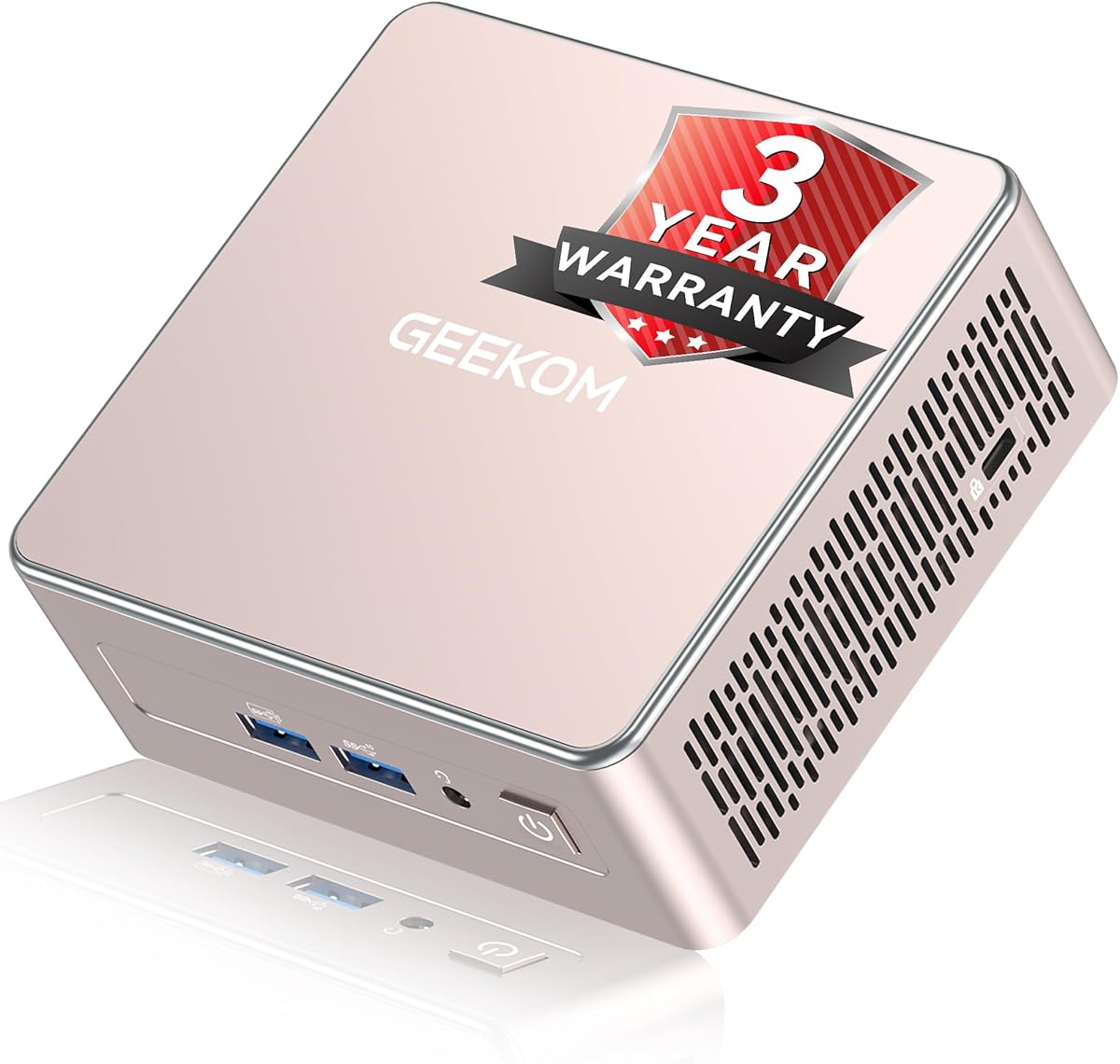
This GEEKOM A5 combines an AMD Ryzen 7 7730U with eight cores and 16 threads, 16GB of DDR4 memory, and a 256GB PCIe NVMe SSD. Its 4.4 rating reflects a capable productivity platform for digital art, especially for artists who value flexible upgrades and extensive multi-display support.
We may earn a commission when you buy through this link, at no additional cost to you.
Unlike systems with fixed LPDDR memory, the A5 has dual-slot DDR4 memory that can be expanded to 64GB. It also supports an M.2 SSD up to 4TB, an extra M.2 2242 slot, and a 2.5-inch hard drive bay for up to 10TB of total storage. That scalability is particularly useful for large asset libraries, local backups, simulations, and video projects.
Dual HDMI and dual USB-C connections support as many as four displays, including up to 8K output through USB-C. The Ryzen 7 7730U also handles office applications, many browser tabs, spreadsheets, remote learning, and cloud AI workflows well. For digital artists, the biggest limitation is the 256GB starting SSD and the relatively modest integrated graphics for intensive 3D rendering.
Choose the A5 if you expect your creative workflow to evolve. It is a strong fit for a designer who starts with vector work and browser-based tools but may later add larger Photoshop files, video editing, 3D software, or multiple displays. It also works well as a compact office and production machine when memory and storage expansion matter as much as raw graphics performance.
The dual memory slots and multiple storage interfaces reduce the risk of choosing a system that quickly feels constrained. Artists can add capacity as project sizes, applications, and archive requirements increase.
Up to four displays can separate the main canvas, references, communication tools, and asset management. The 0.6L enclosure can also sit behind a monitor when desk space is limited.
We may earn a commission when you buy through this link, at no additional cost to you.
The Bmax B1 Plus uses an Intel Celeron J3355 processor, 6GB of LPDDR3 memory, and 128GB of onboard storage to deliver a straightforward desktop for browsing, documents, media, and light creative work. Its 4.2 rating is consistent with an entry-level system designed more for access and compactness than demanding rendering.
We may earn a commission when you buy through this link, at no additional cost to you.
For digital art, the system can handle basic vector illustration, lightweight raster editing, presentation design, and web-based drawing tools when application demands remain modest. Intel HD Graphics 500 supports two 4K displays at 60Hz through HDMI, which gives artists a practical way to organize reference material and working windows on separate screens.
Storage is more flexible than the initial capacity suggests. Dual M.2 slots support one SATA and one NVMe drive, allowing expansion to as much as 2TB without replacing the original storage. The 6GB memory is the more significant constraint because heavy multitasking with large images, multiple browser tabs, and demanding applications can exhaust it quickly.
The B1 Plus is best treated as a dedicated learning, browsing, or light-drawing station rather than a full professional workstation. Its palm-sized body and included VESA bracket are especially attractive for a compact or shared studio setup. Artists who regularly handle complex layers or 3D scenes should consider a system with more memory and faster graphics.
At just over four inches in each direction, the B1 Plus is easy to mount behind a display or place beside a laptop dock. Its small size is useful where traditional towers are impractical.
The dual M.2 design allows an artist to add fast NVMe storage and retain the original drive. It is a sensible way to start with essential software and expand later as project libraries develop.
We may earn a commission when you buy through this link, at no additional cost to you.
The second GEEKOM A5 listing uses the same Ryzen 7 7730U, 16GB DDR4 configuration, and 256GB NVMe SSD while carrying a 4.5 rating. It is a strong all-purpose digital art desktop for artists who split their time among illustration, office applications, research, communication, and web-based tools.
We may earn a commission when you buy through this link, at no additional cost to you.
Its eight-core, 16-thread processor gives it ample throughput for multitasking and sustained productivity. The dual DDR4 slots can be expanded to 64GB, making this a more future-facing choice than systems limited to soldered memory. Storage expansion extends to 10TB through NVMe, 2242 M.2, and 2.5-inch drive options.
Display connectivity is excellent for professional workspaces. Dual HDMI and dual USB-C outputs support up to four displays, with USB-C capable of up to 8K output. Wi-Fi 6, Bluetooth 5.4, 2.5GbE, an SD card reader, and multiple USB ports also suit a studio where files may arrive from cameras, scanners, and external drives.
The 4.5-rated A5 is a compelling general-purpose choice for artists working primarily in 2D and those who need a productivity system as much as a design machine. It can handle complex document workflows and moderate creative software well. For sustained 3D rendering or GPU-heavy effects, choose a mini PC with more powerful Radeon graphics.
The metal mid-frame, vibration-damping feet, and upgraded cooling system are designed for stable operation over extended periods. These details make the system suitable for a professional desk that remains on throughout the workday.
Wi-Fi 6 and 2.5GbE provide efficient access to cloud assets, shared storage, and remote collaboration services. The SD card reader is also convenient for importing photographs directly from compatible cameras.
We may earn a commission when you buy through this link, at no additional cost to you.
The BOSGAME E5 11 Pro combines a Ryzen 5300U processor, 16GB of DDR4 memory, and a 1TB NVMe SSD. Its 4.3 rating and generous starting storage make it an interesting option for digital artists who want room for artwork, textures, project files, and applications without immediately adding a larger drive.
We may earn a commission when you buy through this link, at no additional cost to you.
The four-core, eight-thread processor reaches up to 3.8GHz and works with Radeon integrated graphics. That combination is suitable for 2D illustration, photo editing, design applications, and everyday content production, although it is less compelling for advanced 3D rendering or heavily parallel creative workloads.
Triple display output through HDMI 2.0, DisplayPort, and USB-C supports up to three 4K panels at 60Hz. This is useful for placing a drawing tablet, reference display, and editing interface in separate areas. Three USB 3.2 Type-A ports, one USB 2.0 Type-A port, dual gigabit Ethernet ports, and a 3.5mm combo jack provide solid peripheral support.
The E5 11 Pro is most convincing for artists who value storage, memory, and monitor flexibility over having the newest processor. It can serve as a dedicated design, editing, or media workstation for moderate workloads. Artists should verify their specific applications and desired upgrade path before committing, especially if future 3D projects are a central part of the plan.
The 1TB PCIe SSD provides room for applications, active projects, and a meaningful local asset archive. Storage can scale as high as 4TB according to the product specifications.
HDMI, DisplayPort, and Type-C outputs can create a dedicated reference station. Artists can keep reference imagery, a working canvas, and editing tools visible without constantly resizing windows.
We may earn a commission when you buy through this link, at no additional cost to you.
The GMKtec K15 is a premium mini PC built around the Intel Core Ultra 5 125U, 16GB of DDR5-4800 memory, and a 1TB PCIe SSD. Its 4.2 rating does not diminish the breadth of its connectivity, and the 12-core, 14-thread processor gives digital artists a capable platform for multitasking and creative applications.
We may earn a commission when you buy through this link, at no additional cost to you.
The processor's hybrid architecture includes performance, efficient, and low-power efficient cores, while the built-in NPU adds support for compatible AI-enabled tools. Intel Graphics runs up to 1.85GHz, which is suitable for general design, photography, and 2D creative work, though artists needing extensive 3D rendering should look for stronger Radeon graphics.
Expansion is particularly attractive. Two SO-DIMM slots support up to 96GB of memory, while three M.2 2280 PCIe 4.0 slots can support up to 24TB of total storage. Four-display support through HDMI 2.1, DisplayPort 1.4, rear USB4, and a front display-capable USB-C port creates a flexible multi-screen workstation.
The K15 is ideal for advanced digital artists who need a compact system with fast networking, abundant expansion, AI support, and numerous high-speed ports. Dual 2.5GbE is especially useful for large asset transfers or segmented networks, while OCuLink provides a route to compatible external PCIe expansion. It is a premium productivity platform rather than a substitute for a dedicated graphics workstation.
Front and rear USB-C connections support display output, data transfer, and USB-C power input, while USB4 adds high-bandwidth connectivity. These features can simplify connections to modern tablets, displays, docks, and storage devices.
Silent, Balanced, and Performance modes range from 15W to 35W. The dual-fan cooling design gives artists flexibility between quiet focused work and higher sustained performance for demanding applications.
We may earn a commission when you buy through this link, at no additional cost to you.
The GMKtec M6 Ultra combines a Ryzen 5 7640HS processor with Radeon 760M graphics, 32GB of dual-channel DDR5 memory, and a 1TB PCIe SSD. Its 4.2 rating and high-memory configuration make it a strong candidate for artists who work with complex layers, large files, multiple applications, and graphics-intensive creative tools.
We may earn a commission when you buy through this link, at no additional cost to you.
The six-core, 12-thread Ryzen processor runs at 4.3GHz base speed and can boost to 5.0GHz. Radeon 760M integrated graphics with eight compute units and up to 2.6GHz graphics clocks are more capable than basic Intel HD Graphics, providing useful acceleration for 2D graphics, video, 3D workflows, and moderate gaming.
One of the system's strongest creative advantages is its 32GB of memory. That capacity benefits large Photoshop documents, digital painting applications, 3D scenes, browser-based tools, and simultaneous communication or reference applications. The dual 2.5GbE networking and Wi-Fi 6 also suit studios that transfer substantial asset libraries between computers or shared storage.
The M6 Ultra is a good match for illustrators, motion designers, and 3D artists who want more graphics and memory than a business mini PC. Triple display support includes 8K at 60Hz through USB4 plus 4K through HDMI and DisplayPort. Those high-resolution claims still depend on monitor, cable, operating system, and output combinations, so the final display arrangement should be verified.
The 32GB allocation reduces the likelihood of memory pressure when an artist runs a detailed illustration, reference browser, file browser, and communication tools together. It also leaves useful headroom for 3D and video projects.
Radeon 760M graphics make the M6 Ultra more attractive for GPU-dependent artwork than basic office mini PCs. Hardware encoding and decoding support for AV1, HEVC, and AVC also help with modern media workflows.
We may earn a commission when you buy through this link, at no additional cost to you.
The Bmax B6 combines an Intel Core i3-8109U processor, 12GB of onboard memory, and a 256GB M.2 SATA SSD. With a 4.9 rating, it stands out in this roundup as a budget-focused creative desktop with more conventional Core-series performance and memory than the entry-level Celeron alternatives.
We may earn a commission when you buy through this link, at no additional cost to you.
The processor has two cores and four threads, with a 3.0GHz base speed and up to 3.6GHz burst frequency. Iris Plus 655 graphics support routine photo editing, vector illustration, design applications, and general visual work. Two display outputs through HDMI 1.4 and DisplayPort 1.2 can run two 4K panels at 60Hz.
Storage can expand to as much as 4TB through the dual M.2 2280 SATA and NVMe slots. This allows an artist to add a large project drive while preserving the original system drive, which is useful for separating active work from backups. The fixed 12GB memory is acceptable for many 2D workflows, though it is less flexible than the upgradeable memory found in the Ryzen-based mini PCs.
The B6 is a strong budget recommendation for students, hobbyists, and professionals whose digital art work is primarily 2D. Its compact dimensions, VESA support, quiet cooling design, and 35dB stated noise level make it unobtrusive in a home office or studio. It is not intended to replace a high-end 3D workstation, but it offers a capable platform for learning and everyday creative production.
Compared with basic Celeron systems, the i3-8109U provides a more familiar Core-series experience for multitasking and creative applications. The 12GB memory allocation also gives browser-heavy workflows more breathing room.
Dual M.2 slots make it straightforward to add a larger NVMe drive for artwork and project archives. VESA mounting helps keep the small enclosure hidden behind a display.
We may earn a commission when you buy through this link, at no additional cost to you.
The Bmax B1 Plus is an entry-level mini PC built around the Intel Celeron J3355, 6GB of LPDDR3 memory, and 128GB of eMMC storage. It carries a 4.2 rating and is best suited to light digital art, web-based creative tools, document tasks, and users who prioritize a minimal footprint.
We may earn a commission when you buy through this link, at no additional cost to you.
Intel HD Graphics 500 drives two 4K displays at 60Hz through dual HDMI, a useful feature for arranging a working screen beside a reference screen. The system is appropriate for basic vector work, light raster editing, presentation design, and online creative applications. More demanding illustration, 3D, or video tasks will quickly expose the limits of the processor and memory.
Its storage can be expanded to 2TB through a combination of SATA and NVMe M.2 slots. Dual-band Wi-Fi, Bluetooth 5.0, and Gigabit Ethernet cover the main connectivity needs, while a one-click restore function offers a convenient recovery option for nontechnical users.
This mini PC works best as a dedicated light-work station, a student system, or a small office computer with occasional creative duties. Its extremely small size makes it easy to place behind a monitor, and the included VESA bracket supports a tidy installation. Anyone managing large files or professional creative applications should favor a model with more memory and stronger graphics.
The enclosure measures only a little over four inches wide and deep and weighs just 0.49 pounds. It is easy to deploy in a dorm, studio, reception desk, or shared creative area.
The F9 one-click restore function helps users recover the operating system without navigating a lengthy manual process. Dual-band Wi-Fi and Bluetooth 5.0 provide convenient wireless peripheral support.
We may earn a commission when you buy through this link, at no additional cost to you.
Choosing a mini PC for digital art means balancing graphics capability, processor performance, memory, storage, display support, and physical workspace. The most important factors depend on whether your work centers on 2D illustration, photo editing, 3D design, animation, video, or browser-based tools.
The processor determines how effectively a system can handle large files, filters, exports, multitasking, and compute-heavy creative tools. An eight-core Ryzen 7 or modern Intel Core Ultra processor provides more headroom for 3D modeling, animation, video editing, and large project files than a low-power Celeron. Four-core processors can still handle 2D illustration and light photo editing, but they are less comfortable when several demanding applications run together.
Choose a modern multi-core processor for professional work, and pair it with adequate memory. A faster processor also helps the system maintain responsiveness during exports, background rendering, and cloud collaboration.
Most mini PCs rely on integrated graphics, so the specific GPU matters. Intel HD Graphics 500 and Iris Plus 655 cover basic 2D design and general creative use, while Radeon 760M and Radeon 780M provide substantially more capability for GPU-accelerated filters, 3D modeling, motion work, and game-engine tasks. Artists should also consider color pipeline and display support alongside raw benchmark performance.
Prioritize stronger integrated graphics for 3D or motion work. For intensive rendering, a desktop with a dedicated GPU remains the more realistic choice, even if it occupies more desk space.
Memory is especially important when working with layered illustrations, large photographs, 3D scenes, video timelines, and many browser-based applications. A 16GB configuration is a sensible baseline for regular creative work, while 32GB provides additional comfort for demanding projects. Systems with dual SO-DIMM slots are easier to expand over time, whereas soldered LPDDR memory is fixed after purchase.
Aim for at least 16GB when possible. If your workflow is likely to grow, favor upgradeable DDR4 or DDR5 memory and confirm the maximum supported capacity before adding modules.
Digital art projects can consume substantial space through layered files, textures, brushes, photographs, video, caches, and backups. An NVMe SSD provides faster application loading and project access than a basic SATA drive or eMMC storage, but the starting capacity should still be considered. Artists often benefit from using a primary drive for active work and a secondary drive for archives.
Look for multiple M.2 slots and support for NVMe, SATA, or 2.5-inch drives. A larger starting SSD can also reduce the need for immediate upgrades, while separate drives simplify backup organization.
Digital artists often use two or more screens for the canvas, references, brush controls, and communication. Dual 4K output is useful for 2D workflows, while three- or four-display systems offer more separation for complex projects. The available connector types also matter: USB-C DisplayPort Alt Mode can simplify modern monitor connections, while DisplayPort and HDMI cover a wide range of equipment.
Match the number of outputs to your actual desk arrangement and verify the maximum resolution for each port combination. Also check that the system has a convenient USB connection for your drawing tablet, pen display, or calibrated reference monitor.
Creative applications can sustain processor and graphics loads, making thermal design and fan noise relevant to comfort. Some mini PCs offer Silent, Balanced, and Performance modes that let the user change the power limit according to the task. A quiet system is particularly useful for recording voiceovers, editing audio, or working in a shared room.
Use silent or balanced modes for routine work and performance mode for rendering or exports. Leave adequate ventilation around the enclosure and avoid placing it inside a closed cabinet during intensive tasks.
A modern studio may involve shared storage, cloud services, camera imports, external drives, scanners, tablets, and network transfers. Wi-Fi 6 or Wi-Fi 6E, Bluetooth, gigabit Ethernet, and faster 2.5GbE connections offer different benefits. Artists working with large media libraries can benefit from wired networking and multiple high-speed USB ports.
Check the ports you actually use before purchasing. A USB-C port with video output and data transfer is convenient, but adapters may be necessary for legacy peripherals, and dual Ethernet ports are useful only if your network plan requires them.
A mini PC should free desk space rather than create installation problems. Many enclosures support VESA mounting behind compatible monitors, while compact dimensions make it easier to position the system near a display or tablet. Consider access to memory and storage, warranty coverage, system recovery options, and technical support when comparing long-term ownership.
Choose a size that suits your workspace and mount it out of the way if necessary. Confirm which components are user-upgradeable and retain regular backups before making major changes to the operating system.
Begin by connecting the mini PC to a monitor, keyboard, mouse, and drawing tablet, then install the operating system, creative applications, and required drivers. Update the system and graphics software before importing important work, and confirm that the tablet and secondary display are recognized at their intended resolutions. Calibrate each display independently when accurate color is important.
Create a sensible folder structure for active projects, source images, brushes, textures, exports, and backups. Keep large caches and completed files on a fast NVMe drive, and maintain separate copies of irreplaceable artwork. When using performance modes for rendering, provide clear airflow around the vents and avoid placing the system on soft fabric.
For routine care, restart the system periodically, remove temporary files through the operating system's storage tools, and check that ventilation openings remain clear. Update software regularly and use the included restore feature carefully after creating a backup. Shut down cleanly before adding storage, changing memory, or connecting specialized expansion hardware.
Yes, for many 2D illustration, photo-editing, graphic-design, and education workflows. Performance depends heavily on the processor, integrated graphics, memory, and software being used. Artists should choose at least 16GB of memory for regular work and prioritize stronger Radeon graphics for advanced 3D or GPU-heavy tasks.
Not necessarily for standard 2D illustration or light photo editing. Modern integrated graphics can handle drawing applications, vector work, and moderate editing, but intensive 3D rendering, complex effects, and video work benefit from a dedicated GPU. Those users may find a larger desktop more suitable than a compact mini PC.
Sixteen gigabytes is a practical minimum for modern creative multitasking, while 32GB is preferable for large illustrations, photographs, 3D scenes, and video timelines. Applications and background processes can consume memory quickly, so a system with upgradeable slots offers more flexibility.
Many models can, and dual 4K support appears across several picks in this guide. Confirm the supported resolution of each output and use the correct adapters or cables. Three- and four-display systems are better suited to artists who need separate screens for the canvas, references, tools, and communication.
It is better viewed as a basic starting platform than a long-term art archive. The Bmax B1 Plus offers M.2 expansion, allowing a faster NVMe drive to be added for projects and assets. Active work should always be backed up separately because storage expansion does not replace a backup.
An upgradeable system is generally safer when your workload may grow. Fixed 16GB or 32GB configurations can be sufficient, but they cannot be replaced later. Artists with heavy project files, 3D assets, or frequent application changes should favor dual memory slots and add capacity only after checking compatibility.
Most drawing tablets use USB, and the featured systems provide multiple USB-A and USB-C connections. Some newer tablets also support display or charging over USB-C. Check the tablet's cable and power requirements, and avoid unnecessary hubs during installation if the tablet is not recognized.
Yes, when its specifications match the workflow. The ACEMAGICIAN S3A, GMKtec K15, and GMKtec M6 Ultra offer stronger performance and display connectivity, while the GEEKOM A5 provides particularly flexible memory and storage expansion. Professional users with intensive 3D rendering should still assess whether a dedicated GPU is necessary.
The ACEMAGICIAN S3A is the strongest overall recommendation because its Ryzen 7 H 255 processor and Radeon 780M graphics provide the best balance of creative power, multi-display support, and compact performance in the group. The Bmax B6 stands out as the budget pick for 2D artists, while the GMKtec K15 offers premium connectivity, AI support, extensive expansion, and flexible networking.
Prioritize the workload rather than the product name. 2D artists can focus on memory, storage, and dual-display support, while 3D and motion designers should emphasize stronger Radeon graphics. Artists with growing files should consider systems with upgradeable DDR4 or DDR5 memory, multiple M.2 slots, and multiple display outputs.
Finally, review the current listing, operating system details, included accessories, warranty terms, and compatibility requirements before purchasing. Marketplace ratings and product configurations can change over time, and the right mini PC should support both your present creative work and the projects you expect to take on next.