
GLOTRENDS M.2 NVMe PCIe 4.0
4.6Editor score
PCIe 4.0 x4 capability
Regular and low-profile brackets
M.2 SSD cooling included
Discover the best Pcie to Pcie X16 Adapter options, comparing NVMe cards, risers, extenders, compatibility, and installation features for modern desktop PC
A PCIe to PCIe x16 adapter can give a compatible computer an extra way to use an M.2 NVMe drive, reposition a graphics card, connect specialized expansion hardware, or add high-capacity U.2 storage. The right choice depends on lane compatibility, physical clearance, connector design, cooling, and whether your motherboard can boot from the adapter.
We compared all ten supplied products by their intended function, supported devices, PCIe generations, slot dimensions, installation requirements, operating-system compatibility, and cooling provisions. The list includes dedicated M.2 NVMe cards, general-purpose risers, lane-changing cables, and a four-drive U.2 adapter, making the differences clear.
Each review explains what the product does best, where compatibility limits apply, and who should consider it. Rankings reflect the supplied customer ratings and practical fit for the broad adapter category. Current prices and availability can change, so compare the latest listing details before purchasing.
4.6Editor score
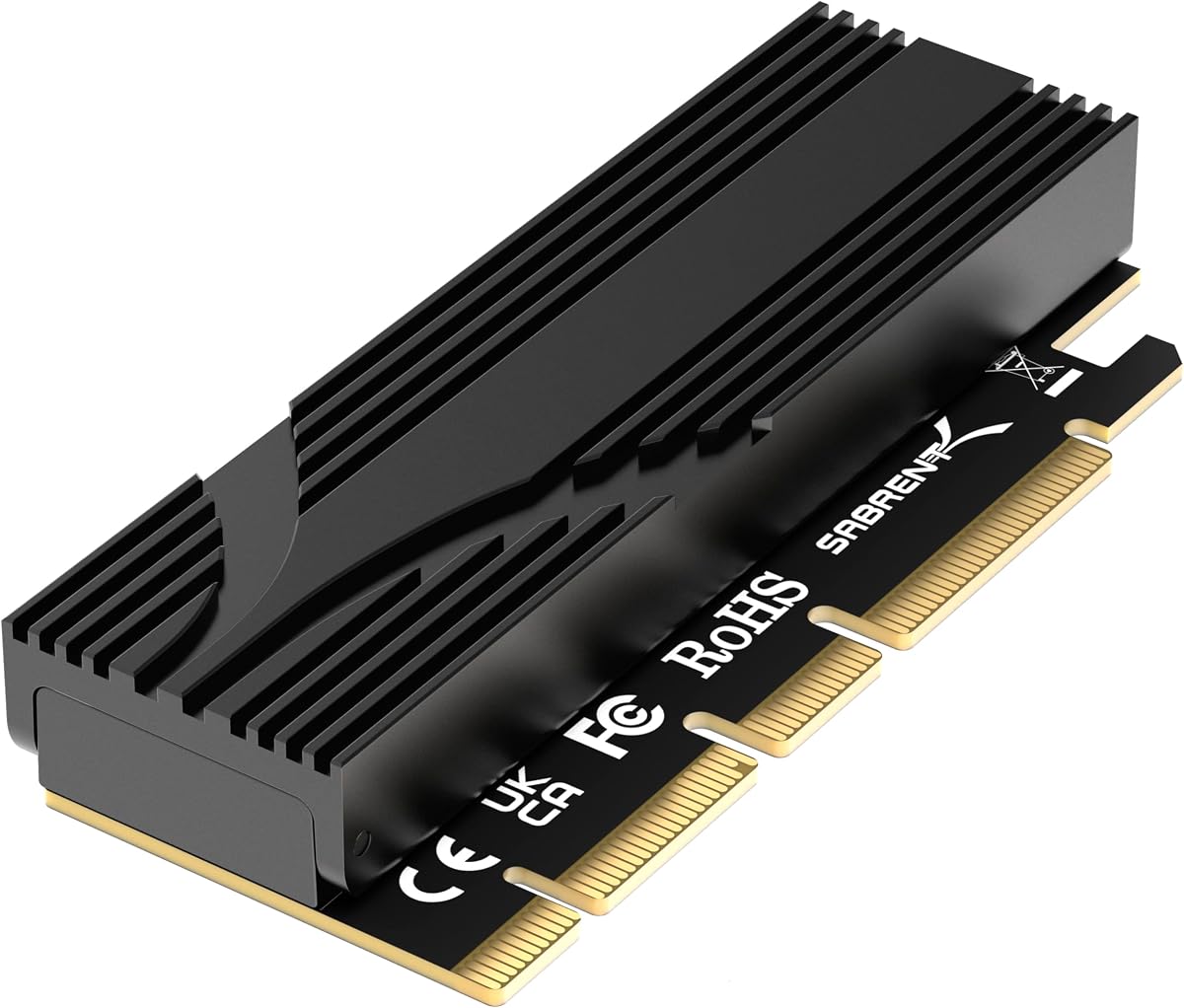
4.7Editor score

5.0Editor score
This side-by-side overview highlights each adapter's primary device support, interface, installation model, and thermal design, helping distinguish dedicated NVMe upgrades from graphics-card risers, lane converters, and multi-drive storage cards.
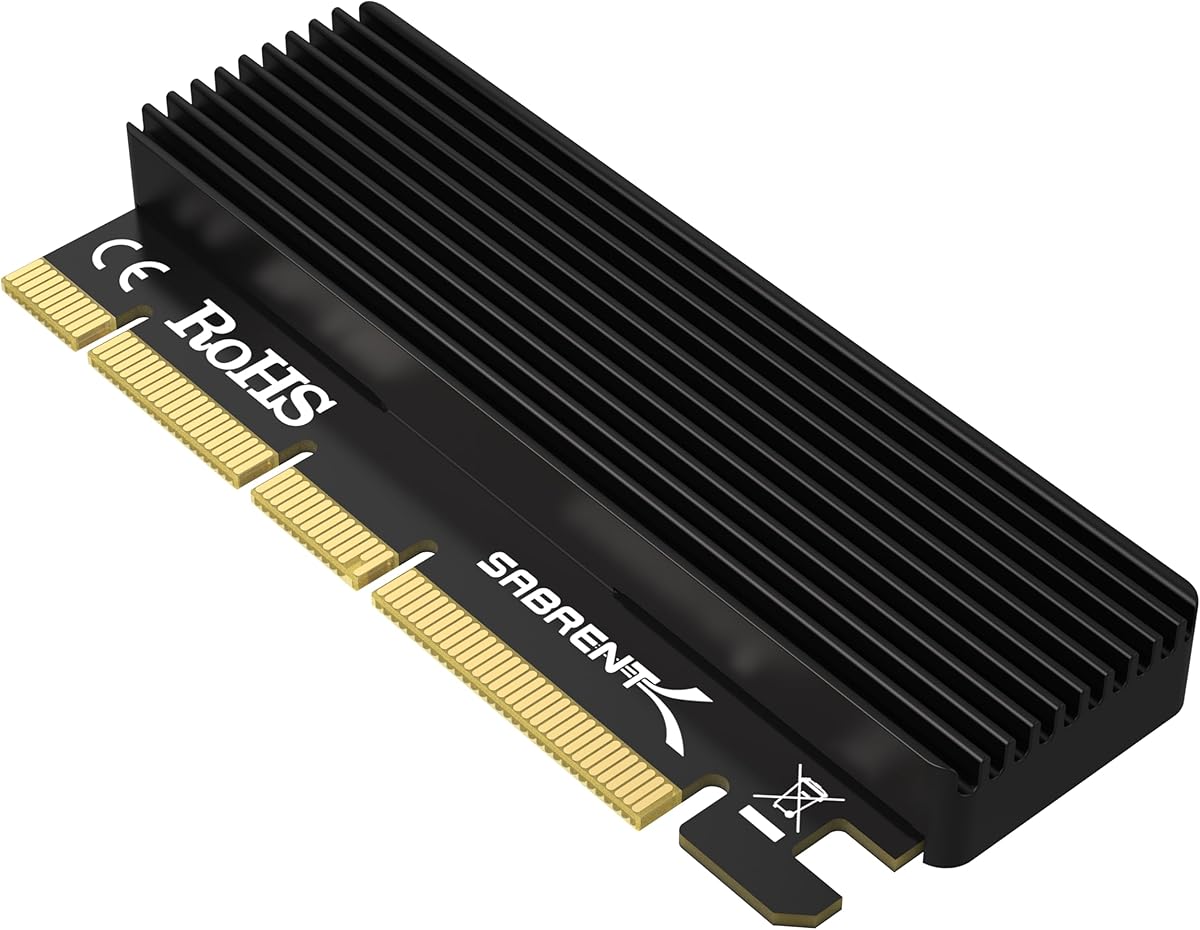


This SABRENT adapter is a dedicated way to connect an M.2 NVMe drive through a desktop's PCIe slot, and its supplied rating of 4.7 reflects a strong overall reception. It stands out for supporting PCIe 5.0, a full-length x16 physical edge, tool-free mounting, and a built-in aluminum heatsink.
We may earn a commission when you buy through this link, at no additional cost to you.
The card electrically operates at x4 while using a physical x16 connector, so it can add stability and fit systems without requiring motherboard bifurcation for a single drive. It accepts 2230, 2242, 2260, and 2280 M.2 NVMe drives, along with older compatible B+M key PCIe drives. A Gen5 slot can provide the advertised generation of bandwidth, while Gen4 and Gen3 slots limit performance to their own capabilities.
There are important boundaries. M.2 SATA drives do not work, and the host motherboard must support NVMe over PCIe for the adapter to see or boot from the drive. A full-length card also needs physical clearance from a large graphics card, CPU cooler, or case fan. The included heatsink handles passive cooling but does not add active airflow.
This is a strong choice for a modern desktop that lacks a convenient M.2 connector, particularly when PCIe 5.0 support matters. It is especially convenient for builders who dislike tiny screws, and its passive design avoids adding another fan. Verify the slot generation, motherboard support, and chassis clearance before ordering.
The adapter can use a Gen5 slot, but it cannot manufacture a faster PCIe generation than the motherboard and CPU provide. A Gen3 or Gen4 system will still operate the drive at that system's supported link speed, so check the board specification and lane layout first.
Tool-free drive retention makes installation and removal unusually straightforward. The aluminum heatsink and thermal padding provide passive heat dissipation, which is useful during sustained file transfers and other extended workloads.
We may earn a commission when you buy through this link, at no additional cost to you.
This passive SABRENT adapter earns a 4.5 rating by combining straightforward M.2 installation with broad desktop compatibility. It accepts common M.2 NVMe sizes, fits physical PCIe x16, x8, and x4 slots, and includes an aluminum heatsink, thermal pads, screws, and a screwdriver.
We may earn a commission when you buy through this link, at no additional cost to you.
Its main appeal is compatibility rather than a specialized feature. The card supports 2230, 2242, 2260, and 2280 NVMe drives, and the motherboard's BIOS or operating system handles NVMe detection. The supplied information lists Windows 7 with the necessary hotfixes, Windows 8, 10, and 11, plus Linux support.
The limitation is that this is a passive adapter, not a storage controller. Motherboards that cannot read or boot NVMe through PCIe lanes may not recognize the installed drive, and SATA-labeled M.2 drives are incompatible. Users must also apply the appropriate thermal pad between the SSD and heatsink.
It is a well-rounded recommendation for builders adding NVMe storage to a compatible desktop that lacks a native M.2 slot. The included tools and cooling components simplify assembly, while support for three physical slot widths gives it broader relevance than a narrow-purpose x4-only card.
Supporting four M.2 form factors makes it easier to reuse an existing drive or select a size that fits the available chassis space. The card also fits physical x16, x8, and x4 connectors, although actual lane throughput remains controlled by the slot and platform.
The included aluminum heatsink and multiple thermal-pad thicknesses help accommodate different drive constructions. Correct pad placement is important because a proper thermal interface supports steadier performance under sustained workloads.
We may earn a commission when you buy through this link, at no additional cost to you.
The GLOTRENDS adapter provides one of the most practical ways to add an M.2 NVMe drive through a conventional desktop PCIe slot, earning a supplied rating of 4.6. It supports PCIe 4.0 and 3.0 NVMe SSDs, fits physical x4, x8, and x16 slots, and includes cooling hardware.
We may earn a commission when you buy through this link, at no additional cost to you.
The included 12 cm standard and 8 cm low-profile brackets make it useful in different chassis layouts. The supplied information says the heatsinks can reduce M.2 SSD temperatures by 5–20°C, while support for 2230, 2242, 2260, and 2280 sizes broadens the available drive options.
Platform support remains essential. Full PCIe 4.0 x4 performance requires compatible CPU, motherboard, slot, and SSD components, and Intel processors below 11th generation do not support PCIe 4.0. Some older motherboards can use the adapter for storage without booting from it, while Windows 7 requires an appropriate NVMe driver.
This is a compelling budget-oriented choice for a compatible desktop that needs extra NVMe storage. It has no stated capacity limitation, includes the brackets needed for common cases, and avoids the expense of a more elaborate multi-device expansion system. Confirm native NVMe support before relying on it as a boot drive.
The two bracket lengths improve the chance of fitting the card inside both conventional towers and more compact cases. That flexibility is particularly valuable when replacing an onboard storage connector with a PCIe-based solution.
The supplied specifications indicate that 2TB and 4TB NVMe drives are supported and describe no card-imposed capacity ceiling. Actual usability still depends on the motherboard, file system, operating system, and drive itself.
We may earn a commission when you buy through this link, at no additional cost to you.
This generic PCIe NVMe adapter card has a 4.4 rating and offers a practical route to add M.2 storage through an unused expansion slot. It supports 2230, 2242, 2260, and 2280 NVMe drives and can physically fit x4, x8, and x16 slots.
We may earn a commission when you buy through this link, at no additional cost to you.
Its plug-and-play approach avoids requiring a dedicated driver, while the gold-plated connectors and PCB construction are intended to support stable signal transmission. Mounting screws and a heatsink are included, giving the installer the essential components for a complete basic installation.
The advertised performance should be interpreted carefully. An adapter can expose a compatible M.2 NVMe interface, but it cannot overcome limitations in the CPU, motherboard slot, drive, BIOS, or operating system. The product description is also optimistic about older systems, so buyers should confirm that the motherboard recognizes NVMe devices over PCIe.
This card is best for a desktop with an available PCIe slot, no convenient native M.2 connector, and confirmed NVMe support. It is a straightforward way to add fast storage, although buyers seeking more explicit bracket, installation, or thermal specifications may prefer a model with a more clearly documented accessory set.
Support for PCIe 2.0, 3.0, and 4.0 devices broadens the potential platform range. The effective speed still follows the weakest link in the chain, including the motherboard slot and the connected SSD.
The included screws and heatsink simplify assembly, while the claimed absence of additional drivers makes the card attractive for plug-and-play users. Motherboard BIOS support remains an independent requirement.
We may earn a commission when you buy through this link, at no additional cost to you.
This M.2 extender cable provides a different kind of PCIe adapter flexibility: it places an NVMe drive farther from the motherboard slot. Its 4.1 rating is the lowest among the M.2-focused products in this list, and the cable-based format introduces more installation variables than a short rigid card.
We may earn a commission when you buy through this link, at no additional cost to you.
The supplied specifications emphasize high-frequency cable construction, imported connectors, differential signal routing, and a high-TG PCB with 1 oz copper and gold-plated fingers. It supports M.2 2230, 2242, 2260, and 2280 drives while connecting through a PCIe x16 graphics-card-style interface.
Cable length matters to performance and reliability. The information states that cables below 60 cm can sustain PCIe 3.0 full-speed reading and writing, while this 25 cm version is within that range. Even so, cable routing should avoid sharp bends and tight compression, and the system must still support NVMe booting or storage through PCIe.
This riser is most appropriate for a compact or unusual chassis where the M.2 drive cannot sit directly beneath the expansion slot. It is less attractive for a conventional desktop that has ample room for a rigid adapter card, because the extra cable creates more opportunities for installation mistakes.
The extender's principal advantage is physical freedom. It can move the M.2 drive away from obstructions, making it useful in compact builds where a rigid card or a graphics card would interfere with the drive.
The short 25 cm length is favorable according to the supplied information. Gentle routing, secure connectors, and avoidance of sharp folds remain essential to prevent connection problems.
We may earn a commission when you buy through this link, at no additional cost to you.
This PCIe 8x to 16x ribbon riser has a supplied rating of 5.0 and focuses on server and small-chassis expansion. It allows an x8 physical connection to reach a card fitted with a x16 edge, making it relevant to 1U and 2U systems where slot placement and cable routing are constrained.
We may earn a commission when you buy through this link, at no additional cost to you.
It is a pass-through adapter rather than an active conversion or controller. That means it can support devices such as graphics cards, sound cards, disk controllers, and SSD RAID controllers, but the attached equipment still needs its own driver. The flexible dual-wire ribbon helps conserve internal space.
The fundamental bandwidth limit remains x8. Fitting a physically x16 device does not grant it sixteen lanes of communication, so the host slot, adapter, and target device must agree on the available link width. The pass-through design also cannot correct an incompatible BIOS or operating system.
This riser is a strong option for compact servers, industrial cases, and network appliances needing a shorter route between a PCIe slot and a device. It is not the correct choice for someone specifically seeking to mount an M.2 NVMe drive or move a full-size graphics card into a consumer desktop.
The 19 cm flexible ribbon and compact card arrangement are particularly useful in 1U and 2U chassis. They allow an expansion device to be positioned according to enclosure constraints rather than only by a conventional motherboard slot layout.
Because the adapter simply passes the connection through, it does not add a driver layer. The linked device's software and firmware requirements still apply, and any installation issue should be diagnosed with those components in mind.
We may earn a commission when you buy through this link, at no additional cost to you.
This PCIe x1-to-x16 extension cable has a 4.6 rating and offers a simple way to connect an expansion card from a small x1 slot. Despite its x16 female end, the product is explicitly limited to x1 operation and a maximum stated bandwidth of 1 GB/s.
We may earn a commission when you buy through this link, at no additional cost to you.
That limitation defines the product's appropriate uses. It can serve low-power graphics cards, remote-switch cards, capture cards, WiFi adapters, USB expansion cards, and sound cards when those devices are designed for a narrow PCIe link. The total listed length is 23 cm, including a 19 cm cable section.
The adapter's physical shape allows the connected device to face in different directions, which is helpful in unconventional layouts. Gold-plated connectors are intended to preserve signal quality, but the ribbon cable should not be folded sharply because doing so can produce an unstable connection.
This cable is a sensible choice for a low-bandwidth peripheral when no suitable slot is available. It is unsuitable for a high-performance graphics card or a bandwidth-hungry NVMe storage adapter. Checking the attached device's lane and power requirements prevents an otherwise functional physical connection from becoming a performance problem.
A one-lane connection is sufficient for many compact peripherals, including basic sound, capture, network, and USB expansion cards. Performance-oriented devices need a wider lane and should not be chosen based on the x16-shaped connector alone.
The flexible ribbon is designed to change the position of the attached card, but a tight fold can impair the connection. Route it in a broad curve and keep it away from moving fans or components that could pinch it.
We may earn a commission when you buy through this link, at no additional cost to you.
The Quad U.2 adapter is the most specialized premium option in the group, carrying a supplied rating of 5.0. It installs up to four 2.5-inch U.2 devices through a motherboard's PCIe x16 slot, making it suitable for compact high-capacity desktop and server storage expansion.
We may earn a commission when you buy through this link, at no additional cost to you.
Its PCIe 4.0 x16 interface is designed for high-bandwidth communication when the CPU, motherboard slot, and attached drives all support the required generation. The supplied information states that 4TB, 6TB, and larger U.2 NVMe drives are supported without a stated capacity restriction.
Compatibility is broader than a basic M.2 card because the adapter supports U.2 NVMe and SATA SSD or HDD devices. It is also listed for Windows 11, 10, and 8, Linux, and macOS, with backward compatibility to PCIe 3.0, 2.0, and 1.0. New drives still need initialization and formatting.
This card is ideal for a workstation, server, or enthusiast system that needs several large U.2 devices without relying on a limited number of onboard connectors. It is overkill for a typical single-drive upgrade, but its multi-device capacity makes it the group's strongest dedicated high-capacity storage solution.
Four U.2 positions turn one PCIe x16 slot into a multi-drive storage platform. This is useful for data-intensive systems where several large SSDs or SATA devices are needed without installing multiple individual expansion cards.
The card can operate with older PCIe generations, but full PCIe 4.0 performance requires modern platform support. Older motherboards may recognize the drives for storage while refusing to boot the operating system from one of them.
We may earn a commission when you buy through this link, at no additional cost to you.
This M.2 PCIe NVMe x16 expansion card combines storage expansion with an RGB light bar and earns a supplied rating of 4.6. It supports 2230, 2242, 2260, and 2280 M.2 NVMe drives while fitting physical PCIe x4, x8, and x16 slots.
We may earn a commission when you buy through this link, at no additional cost to you.
The package is notably complete. It includes the adapter, a spare SSD bolt with a screwdriver, thick and thin thermal pads, an aluminum heatsink, spring-loaded heatsink mounting nails, and plastic bolts. The card supports common desktop operating systems and does not require an additional driver for the adapter itself.
Its RGB treatment is functional as well as decorative: the lights alternate colors in standby and flow during reads or writes, while a manual option can turn them off. That makes it possible to retain the storage benefits without bright lighting in a professional or understated build.
The card is best for a gaming desktop where a visible storage expansion card fits the design and there is room for its full-length connector. It is not a good fit for a minimalist case with no lighting, and older motherboards may lack the ability to boot from a PCIe-connected NVMe drive.
The included screws, screwdriver, thermal pads, and mounting hardware reduce the chance of missing a small component during assembly. Buyers still need an M.2 NVMe drive, which is not included with the adapter.
The flowing light bar adds visible activity during storage operations, and the manual shutoff provides control over the appearance. A system with a windowed case and visible expansion area will make the feature most noticeable.
We may earn a commission when you buy through this link, at no additional cost to you.
This CY riser is a simple physical and electrical adapter for placing a PCIe device in a different position from its original slot. It has a supplied rating of 4.1, supports PCIe 3.0 and 4.0, and lets a 4x or 8x card connect through a 16x female arrangement.
We may earn a commission when you buy through this link, at no additional cost to you.
The important limitation is that it provides only x4 speed, even when a larger device is attached. It can therefore accommodate the physical shape of certain expansion cards, but it cannot deliver the bandwidth of a true x16 connection and should not be mistaken for one.
Its multilayer PCB construction and male-to-female arrangement are practical for system builders needing a little more routing freedom. It does not include an M.2 socket, so it is not a dedicated NVMe-to-PCIe storage card and requires separate hardware for that purpose.
This adapter is best for a compatible PCIe 3.0 or 4.0 device that works within a four-lane connection and needs repositioning. Buyers should check lane width, power requirements, physical clearance, and chassis space. It is less suitable for graphics cards or controllers that expect the full bandwidth and power of a complete x16 slot.
The 16x female connector can accept the edge of a larger card, but the adapter remains limited to x4 operation. Device specifications should be checked carefully to avoid expecting x16 performance from a physically x16-shaped connection.
Network, storage, capture, and other controllers designed for four lanes or fewer can be good candidates. The adapter's value is primarily in installation flexibility, so the target device must also fit the available chassis space and power configuration.
We may earn a commission when you buy through this link, at no additional cost to you.
The right PCIe adapter depends on the device you need to connect, the lanes your system provides, the physical space inside your case, and whether you need the adapter to be recognized during startup.
Start by naming the hardware the adapter must support. A conventional M.2 NVMe card has an M.2 socket and accepts M-key NVMe drives, while the U.2 model in this list accepts up to four 2.5-inch U.2 devices. The remaining products are general-purpose risers or lane converters for cards such as graphics cards, sound cards, capture devices, WiFi adapters, disk controllers, and RAID controllers.
Choose the adapter category that matches the intended hardware rather than judging only by the x16 label.
Most dedicated M.2 cards in this roundup support M.2 NVMe drives, not SATA models. The SABRENT Gen5 card also accepts older compatible B+M key PCIe drives, but still excludes SATA-labeled drives. Confirm the key, protocol, dimensions, and capacity of the SSD before ordering an adapter.
A card that looks physically compatible can still reject a drive because it lacks the correct protocol or key arrangement.
PCIe generation and lane width are separate considerations. A card may use a full-length x16 physical edge while communicating over only x4 lanes, as the SABRENT Gen5 adapter does. Conversely, a riser with a x16 female connector may limit communication to x1 or x4. The CPU, motherboard, slot, adapter, and target device all influence the final link.
Prioritize the lowest common capability in the connection chain rather than relying on the shape of a connector.
An adapter can make a drive physically visible without guaranteeing that the system will boot from it. Motherboard BIOS support, operating-system drivers, and storage controller support determine whether a PCIe-connected NVMe or U.2 drive can be used for startup. Some older systems recognize an adapter only as secondary storage.
Review the motherboard manual and current operating-system requirements before treating any adapter as a boot solution.
A full-length card can conflict with a large graphics card, a tower CPU cooler, a case fan, or internal drive cages. Cable-style adapters add another dimension because the ribbon must bend gently and avoid pinching. Short-form systems also need right-angle approaches, low-profile brackets, or a carefully planned device arrangement.
Measure the available slot area and inspect the path of every cable before finalizing a purchase.
M.2 NVMe drives can become hot when sustaining high write or transfer activity. The GLOTRENDS, SABRENT, RGB, and generic heat-sink models include passive cooling provisions, but installation quality matters. The drive and heatsink must make proper contact through an appropriate thermal pad, and airflow should reach the card where possible.
For servers or workstations running continuous workloads, consider the chassis airflow and whether active cooling would be preferable to a passive design.
Adapter packages vary considerably. The RGB model includes a screwdriver, spare bolt, thermal pads, heatsink, and mounting hardware, while the GLOTRENDS model includes regular and low-profile brackets. Other options may focus on a bare riser board and ribbon. A complete kit can simplify assembly, but bracket fit and included tools are only useful if they match your chassis.
Inventory the included parts and compare them with your case and drive before ordering.
Tool-free retention is convenient for repeated drive changes, while screw-mounted designs may provide a more conventional and secure hold. For a permanent secondary storage card, either approach can work if the chassis has suitable retention. For a frequently moved drive, consider whether the card and SSD will be transported together or installed separately.
Choose a design that matches how often you expect to service the storage or connected expansion card.
Before installation, power down the computer completely, disconnect the power cable, and use appropriate anti-static precautions. Identify the intended PCIe slot, inspect the adapter and drive for damage, confirm the drive is an M.2 NVMe or U.2 model when applicable, and check that the card can physically clear nearby components.
Install the drive or U.2 devices according to the adapter's design, apply the correct thermal pad if a heatsink is included, and secure all fasteners or locking mechanisms. Connect the adapter to the motherboard slot, route any ribbon gently without sharp folds, and reinstall the power supply and cables before starting the system.
After startup, use the operating system's disk-management or storage utility to initialize and format a new drive if it is not detected immediately. Monitor drive temperatures during sustained transfers, keep airflow around passive heatsinks unobstructed, and avoid repositioning or disconnecting the adapter while the system is running.
Only if the adapter is specifically designed with an M.2 NVMe socket. The SABRENT, GLOTRENDS, generic heat-sink, RGB, and M.2 extender options in this guide can mount compatible M.2 drives, while general risers and the U.2 adapter serve other device types. Check the connector and supported protocol before buying.
Booting is possible when the motherboard supports NVMe over PCIe and the operating system has the necessary drivers. Some older motherboards can read an NVMe drive through the adapter but cannot select it as a startup device. Review the motherboard manual and confirm both storage and boot support before installation.
No. Physical connector size and negotiated lane width are different. Several adapters use a full-length x16 edge for fit and stability while operating at x4, and some risers accept x16-shaped devices but communicate at only x1 or x4. The adapter listing and motherboard slot specifications reveal the actual usable bandwidth.
A drive must be M.2 NVMe with a compatible key, and its length must be supported. Most of the dedicated cards accept 2230, 2242, 2260, and 2280 sizes, but SATA M.2 drives are excluded. The SABRENT Gen5 card additionally lists support for older compatible B+M key PCIe drives, not SATA models.
Match the adapter to the capabilities of the entire platform. A PCIe 5.0-capable card can operate at lower generations, but it cannot make a motherboard's older slot faster. Full PCIe 4.0 x4 performance requires a compatible CPU, motherboard, slot configuration, SSD, and adapter.
It depends on the cable's lane width and the graphics card's requirements. The x1-to-x16 cable is limited to x1 bandwidth, while the 4x-to-16x and 8x-to-16x risers are also narrower than a full x16 link. A high-end graphics card generally needs a direct full-width slot for predictable performance.
Passive NVMe and U.2 adapters generally do not add an adapter driver, but the operating system must support the attached drive protocol. General pass-through risers likewise do not require their own driver, although the device connected to them still may. Legacy Windows systems may need appropriate NVMe or storage drivers.
Use the included heatsink and the correct thermal pad so the drive makes consistent contact with the cooling surface. Leave room for case airflow, avoid placing the card where a fan or GPU blocks cooling, and monitor temperatures during long transfers. Secure the drive firmly and keep the adapter from moving during operation.
The SABRENT Gen5 NVMe card is the strongest all-around choice for a compatible modern desktop, combining tool-free installation, passive cooling, broad M.2 support, and PCIe 5.0 potential. The GLOTRENDS PCIe 4.0 model stands out as the best budget option, while the Quad U.2 adapter is the premium choice for adding several large drives through one slot.
Prioritize protocol compatibility, negotiated PCIe lanes, motherboard support, physical clearance, and cooling before considering appearance or added convenience. A connector that looks correct cannot overcome a mismatched drive key, limited lanes, insufficient power, or BIOS support that does not extend to PCIe storage.
Ratings, prices, and availability can change, so confirm the current listing and your system's specifications before buying. Comparing the adapter against the exact drive, slot, and case involved will produce a more reliable match than choosing solely from the x16 designation.