
NIMO 15.6 AI Creator Laptop
5.0Editor score
Ryzen 5 6600H processor
16GB DDR5 memory
512GB PCIe SSD
A laptop for vlogging must balance several demanding jobs at once: capturing footage, editing 4K video, managing audio, uploading large files, and remaining available for calls or livestreams. The best model balances processing power, a clear display, dependable battery life, and enough connectivity to support a flexible creator workflow.
We compared all ten laptops based on their published processor, memory, storage, display, graphics, webcam, port, and portability specifications. The list covers budget creator laptops, large-screen editing machines, compact OLED models, convertible touchscreen devices, and premium systems for intensive creative work.
Each recommendation reveals the type of vlogger it is best suited for, from students building a first channel to mobile creators and professional editors working away from a desk. Product configurations and marketplace pricing can change, so verify the current specifications and availability before ordering.
5.0Editor score

4.9Editor score

4.3Editor score
As an Amazon Associate we earn from qualifying purchases.
This side-by-side comparison highlights each laptop's processor class, memory, storage, display, and creator-relevant features, helping vloggers match a machine to their editing workload and preferred level of mobility.





The NIMO 15.6 AI Creator Laptop combines a six-core Ryzen 5 6600H processor, 16GB of DDR5 memory, and a 512GB PCIe SSD in a configuration aimed at budget-conscious creators. Its 5.0 rating is the highest among the listed models, and the headline advantage is the balance of editing performance, practical connectivity, and future upgrade potential.
We may earn a commission when you buy through this link, at no additional cost to you.
The Ryzen 5 6600H provides 12 threads and boost speeds up to 4.5GHz, giving it more headroom than many lower-tier thin-and-light processors. That capacity is useful for timeline scrubbing, browser-based uploads, multitasking with several creative applications, and handling large media libraries. Radeon 660M integrated graphics with RDNA 2 architecture also handle media playback, routine photo adjustments, and casual gaming without a dedicated GPU's heat and power requirements.
Memory and storage are thoughtfully configured for a creator machine. The 16GB of DDR5 is sufficient for everyday editing and multitasking, while dual SO-DIMM slots can accommodate up to 64GB. The 512GB drive uses an M.2 2280 format and can be expanded to as much as 4TB, reducing the need to replace the laptop as project files accumulate. This flexibility is more useful than a cheaper configuration with fixed components.
The principal limitations are the 15.6-inch 1920 x 1080 IPS panel and integrated Radeon graphics. Color-critical grading, detailed timeline work, and demanding 3D or effects-heavy projects are not its strongest areas. Even so, for YouTube scripts, field review editing, 1080p production, streaming, uploads, and school or freelance assignments, this is a well-rounded recommendation with particularly useful ports and charging support.
The six-core processor and 16GB of memory make this laptop practical for editing, exporting, and running communication tools without constant stalling. It is a sensible center of a mobile editing setup rather than a workstation replacement for effects-heavy commercial work.
Two full-function USB-C ports, HDMI 2.0, three USB-A ports, a microSD reader, and a 3.5mm audio jack reduce the need for adapters. A fingerprint reader, backlit keyboard, and separate 100W PD charger add convenience for regular mobile use.
We may earn a commission when you buy through this link, at no additional cost to you.
The GEEKOM GeekBook X14 Pro is built for creators who put visual quality and portability first. Its 2.8K OLED display, 100% DCI-P3 coverage, 120Hz refresh rate, and up to 450 nits of brightness provide a particularly compelling canvas for video work. The 4.3 rating reflects a capable premium package rather than a flawless budget option.
We may earn a commission when you buy through this link, at no additional cost to you.
Inside, the Intel Core Ultra 9 185H offers 16 cores, 22 threads, boost speeds up to 5.1GHz, and 24MB of Smart Cache. Intel Arc graphics add hardware-accelerated features, including XeSS, ray tracing, and AV1 encoding. A dedicated NPU supports local AI tools such as background blur, eye tracking, and noise reduction, all of which are relevant to livestreaming and remote production.
The 32GB of 7500MHz LPDDR5x memory and 1TB PCIe Gen4 NVMe drive provide a strong foundation for large creative libraries. The 72Wh battery is claimed to last up to 16 hours, while the compact 65W GaN charger can restore up to 80% in about an hour. At 2.2 pounds and 0.23 inches thick, the magnesium unibody is easier to carry between a home desk, classroom, café, or client meeting.
Its premium compromises are the relatively high acquisition cost and absence of a dedicated graphics processor. Creators working with advanced 3D, demanding 3D effects, or continuous GPU-heavy rendering may need more graphics headroom. For mobile vloggers, filmmakers, and editors who value a beautiful display, modern connectivity, and strong general performance, however, this is an unusually refined choice.
The OLED panel's deep blacks, high contrast, 100% DCI-P3 coverage, and 1920 by 1200-class resolution make it useful for judging footage and reviewing visual details. Its 120Hz refresh rate also keeps editing interfaces and navigation smooth.
The Core Ultra 9, 32GB memory, and 1TB storage are backed by a 72Wh battery and a remarkably thin chassis. Two USB4 ports, HDMI 2.1, a physical camera shutter, and an included dock make it easy to build a portable editing station.
We may earn a commission when you buy through this link, at no additional cost to you.
This HP 17 is aimed at vloggers who want a roomy editing workspace without moving to a large desktop replacement. The 17.3-inch Full HD anti-glare screen offers substantially more timeline space than a compact notebook, while the Ryzen 5 7520U, 8GB of DDR5 memory, and 512GB SSD form a workable everyday configuration.
We may earn a commission when you buy through this link, at no additional cost to you.
The four-core, eight-thread Ryzen 5 7520U reaches up to 4.3GHz and is presented as a capable alternative to the older Core i7-1165G7 in multi-core benchmarks. For students, emerging creators, and people producing 1080p videos, that performance is adequate for video editing, streaming, conferencing, office work, and several applications running at once.
This package emphasizes practical features. Windows 11 Pro adds business-oriented security and management options, the 720p webcam includes a physical privacy shutter, and Wi-Fi 6 and Bluetooth 5.3 support modern connections. A full-size keyboard includes a numeric keypad, while the included mouse and tablet stand can make a fixed desk setup more comfortable. The large anti-glare display is particularly useful for scripting and timeline work.
Eight gigabytes of memory is the most significant limitation for a video-editing recommendation, especially when an editing application, browser, and communication tools are all open. The 17.3-inch chassis also sacrifices portability. Nevertheless, for a creator using a dedicated desk and concentrating on 1080p content, this HP 17 offers a useful screen, security features, and a capable-enough processor in one machine.
The 17.3-inch 1920 by 1080 anti-glare panel gives editors room for a wider timeline, preview, and tool panel. That extra workspace can reduce constant panel switching compared with a typical compact laptop.
The numeric keypad, mouse, tablet stand, and broad port selection suit a permanent desk. The privacy shutter is also a practical touch for creators who regularly use video-conferencing applications.
We may earn a commission when you buy through this link, at no additional cost to you.
This second HP 17 configuration combines a large 17.3-inch Full HD anti-glare display with a Ryzen 5 7520U processor, 8GB of LPDDR5 memory, and a 512GB PCIe NVMe drive. Its 5.0 rating makes it one of the strongest-rated options here, although its fixed-station strengths matter more than its portability.
We may earn a commission when you buy through this link, at no additional cost to you.
The Ryzen 5 processor provides four cores, eight threads, and speeds up to 4.3GHz. That is sufficient for 1080p editing, high-bitrate streaming, video calls, scripting, uploads, and routine multitasking. The NVMe storage improves boot and file-access times, while LPDDR5 memory supports energy efficiency. As with the preceding HP 17, 8GB is the amount most likely to constrain advanced timelines or many simultaneously open applications.
A wide 16:9 viewing area is valuable for arranging a preview, project files, and editing controls without an external display. The anti-glare finish can also make the large panel easier to use under indoor lighting. Outside the display, Windows 11 Pro, Wi-Fi 6, Bluetooth 5.3, a 720p privacy camera with physical shutter, and up to nine hours of stated battery life create a dependable everyday package.
The included mouse and tablet stand reinforce its desk-oriented identity, while one USB-C port, two USB-A ports, and HDMI 1.4 cover essential peripheral needs. It is best for a student or new vlogger who edits mainly at a fixed desk and wants a large workspace. Those who regularly travel should look toward a lighter machine, while demanding editors should prioritize 16GB or more memory.
The narrow-bezel 17.3-inch panel is ideal for previewing footage beside a timeline and file browser. Its anti-glare surface also reduces distracting reflections during long editing sessions.
Wi-Fi 6, Bluetooth 5.3, HDMI, and USB connectivity support the routine needs of a creator's desk. The physical camera shutter adds privacy when conferencing, while the 512GB NVMe drive gives project files a fast home.
We may earn a commission when you buy through this link, at no additional cost to you.
The Dell 16 DC16251 is a sensible choice for vloggers who want a professional, general-purpose laptop with a large display and comfortable everyday specifications. Its Core 7 150U processor, 16GB of memory, and 16-inch FHD+ screen cover the basics of content production, remote work, and entertainment without aiming at a highly specialized workstation.
We may earn a commission when you buy through this link, at no additional cost to you.
The 16:10 aspect ratio gives the display a more vertical working area than a conventional 16:9 screen, making it useful for editing controls, scripts, and side-by-side application layouts. Dell ComfortView Plus is designed to reduce harmful blue-light emissions while preserving color, which is helpful during long sessions. The built-in camera supports up to FHD resolution and uses wide dynamic range and temporal noise reduction for video calls.
Sixteen gigabytes of RAM provides a more comfortable multitasking foundation than an 8GB configuration. The Core 7 150U processor should handle browsing, uploads, communication applications, 1080p editing, and media playback without requiring a large desktop tower. Adaptive thermal technology adjusts power and thermals based on whether the laptop is on a stable surface, which is a sensible feature for a frequently moved computer.
Dell Services adds one year of onsite support for qualifying hardware issues that cannot be resolved remotely. Storage capacity and detailed port configuration are not specified in the supplied information, so buyers should confirm those details if large media libraries or particular accessories are priorities. Overall, this is a strong all-rounder for business-minded creators, remote workers, and vloggers who prefer a mature 16-inch format.
The FHD+ 16:10 panel provides a more vertically spacious workspace than a standard widescreen display. It is particularly helpful when editing, writing scripts, and keeping chat or upload-status tools visible.
The up-to-FHD camera includes wide dynamic range and temporal noise reduction for clearer virtual meetings and livestream appearances. One year of onsite service also adds convenience for users who value business-style support.
We may earn a commission when you buy through this link, at no additional cost to you.
The NIMO 15.6 FHD AI-Creator-Laptop is the most complete creator recommendation in this guide. It combines the eight-core Ryzen 7 8745HS, Radeon 780M graphics, 32GB of DDR5 memory, and a 1TB PCIe 4.0 SSD in a 15.6-inch chassis. Its 4.9 rating also makes it one of the most favorably reviewed models listed.
We may earn a commission when you buy through this link, at no additional cost to you.
The 45W Ryzen 7 8745HS provides eight cores, 16 threads, and speeds up to 4.9GHz, offering considerable headroom for video editing, code compiling, spreadsheets, and multitasked uploads. Radeon 780M integrated graphics with RDNA 3 architecture can support 1080p gaming and fast creative exports without the heat and battery drain of a dedicated GPU. The processor, memory, and storage combination is particularly well matched to demanding timelines and large project libraries.
The system remains upgradeable through dual SODIMM and dual M.2 slots, with support for up to 64GB of RAM and 4TB of storage. A 75Wh battery is claimed to provide up to 10 to 12 hours of office work, more than 15 hours of video or standby, or around 2.5 hours of heavy gaming. Its 100W Type-C PD charger is said to add 60% capacity in 35 minutes, a useful feature for creators working away from home.
Connectivity is a major strength: one 40Gbps USB4 port, a full-function Type-C port, HDMI 2.1, three USB-A ports, and a microSD reader can support external displays, fast storage, and accessories. The anti-glare FHD display, 180-degree hinge, backlit keyboard, fingerprint reader, and Kensington lock slot complete the creator-focused design. Although a dedicated GPU and higher-resolution panel would serve professionals better, this is the strongest balance of power, memory, storage, and flexibility.
The eight-core processor, Radeon 780M graphics, and 32GB of memory provide enough combined headroom for 4K-oriented workflows, 3D rendering, complex multitasking, and accelerated exports. Integrated graphics keep the system more portable than a typical dedicated-GPU notebook.
Dual memory and storage slots provide an unusually clear upgrade path. The 1TB PCIe 4.0 drive is ideal for current footage, while USB4 and the full port array make it easier to attach fast media, an external display, and a network.
We may earn a commission when you buy through this link, at no additional cost to you.
The Acer Aspire combines an Intel Core Ultra 7 258V processor, 32GB of LPDDR5x memory, and a spacious 2TB PCIe SSD in a portable 14-inch touchscreen chassis. Its 4.8 rating and creator-oriented specifications make it a compelling option for photographers, social media producers, and mobile editors.
We may earn a commission when you buy through this link, at no additional cost to you.
The processor includes a dedicated NPU rated at 47 TOPS, allowing supported AI features such as real-time video effects, background blur, auto-framing, photo editing, and task automation to run locally. Intel Arc 140V graphics with eight Xe cores accelerate photo editing and 1080p work in Premiere Pro or DaVinci Resolve. The touchscreen also supports stylus input, which can help with detailed retouching, storyboarding, and on-screen control.
With 32GB of RAM and 2TB of storage, the Acer can hold a large footage library while keeping multiple browser tabs and applications open. Wi-Fi 6E supports fast cloud transfers, and the included USB hub provides HDMI, USB-A, USB-C, SD card, and Ethernet connectivity. At 3.09 pounds and 0.7 inches thick, it is easier to carry than the 17-inch alternatives in this list.
The main limitation is that integrated graphics cannot match a dedicated GPU in demanding 3D rendering or heavily accelerated effects. The 14-inch display may also feel smaller than expected for a complex edit timeline. Nevertheless, for a creator who values local AI tools, a stylus-ready touchscreen, abundant storage, and mobility, this is a highly adaptable machine with an especially generous memory-to-storage balance.
The 47-TOPS NPU can handle supported effects and automation locally rather than depending entirely on cloud processing. Auto-framing, background blur, and intelligent noise reduction are especially relevant to livestream presenters and remote video calls.
The 2TB SSD can hold a substantial active project without immediate cleanup, while 32GB of memory supports demanding multitasking. At just over three pounds, the machine can move between a home office, coworking space, and client location.
We may earn a commission when you buy through this link, at no additional cost to you.
The Lenovo Yoga 7i 2-in-1 stands out for its 16-inch 2K touchscreen and 360-degree flip-and-fold chassis. It can operate as a conventional laptop, tablet, tent, or stand, giving vloggers a flexible device for editing, reviewing footage, presenting, or displaying work to collaborators.
We may earn a commission when you buy through this link, at no additional cost to you.
The Core Ultra 7 155U processor uses 12 cores and 14-way processing, with Intel Turbo Boost for short-duration performance increases and better efficiency when the workload is lighter. The 1920 by 1200 IPS display offers wide viewing angles, an LED backlight, and natural finger-touch navigation. Lenovo Transition can automatically adjust applications when the user changes orientation, improving the value of each mode.
Connectivity is a major strength for a creator. The system includes two USB-A ports, two USB-C ports, HDMI, a microSD card reader, and a combined headphone and microphone jack. Wi-Fi 6E can provide improved performance in congested wireless environments, while a Gigabit Ethernet port is useful for creators who need a stable wired connection during large uploads.
Detailed memory and storage capacities are not included in the supplied product information, so buyers should verify them against their project size and editing applications. A 16-inch convertible is also less discreet than a compact notebook. Still, for a creator who regularly presents, reviews content on a large touchscreen, or switches between laptop and stand modes, the Yoga 7i's flexibility is unusually valuable.
Laptop mode supports conventional editing, tablet mode enables touch interaction, tent mode suits watching, and stand mode can present footage without occupying much desk space. Automatic application transitions reduce friction when changing orientation.
The 2K IPS panel provides a spacious canvas for reviewing a cut, navigating timelines, or sharing a visual workflow. Wide viewing angles make it more practical than a conventional laptop screen when the device is positioned on a stand.
We may earn a commission when you buy through this link, at no additional cost to you.
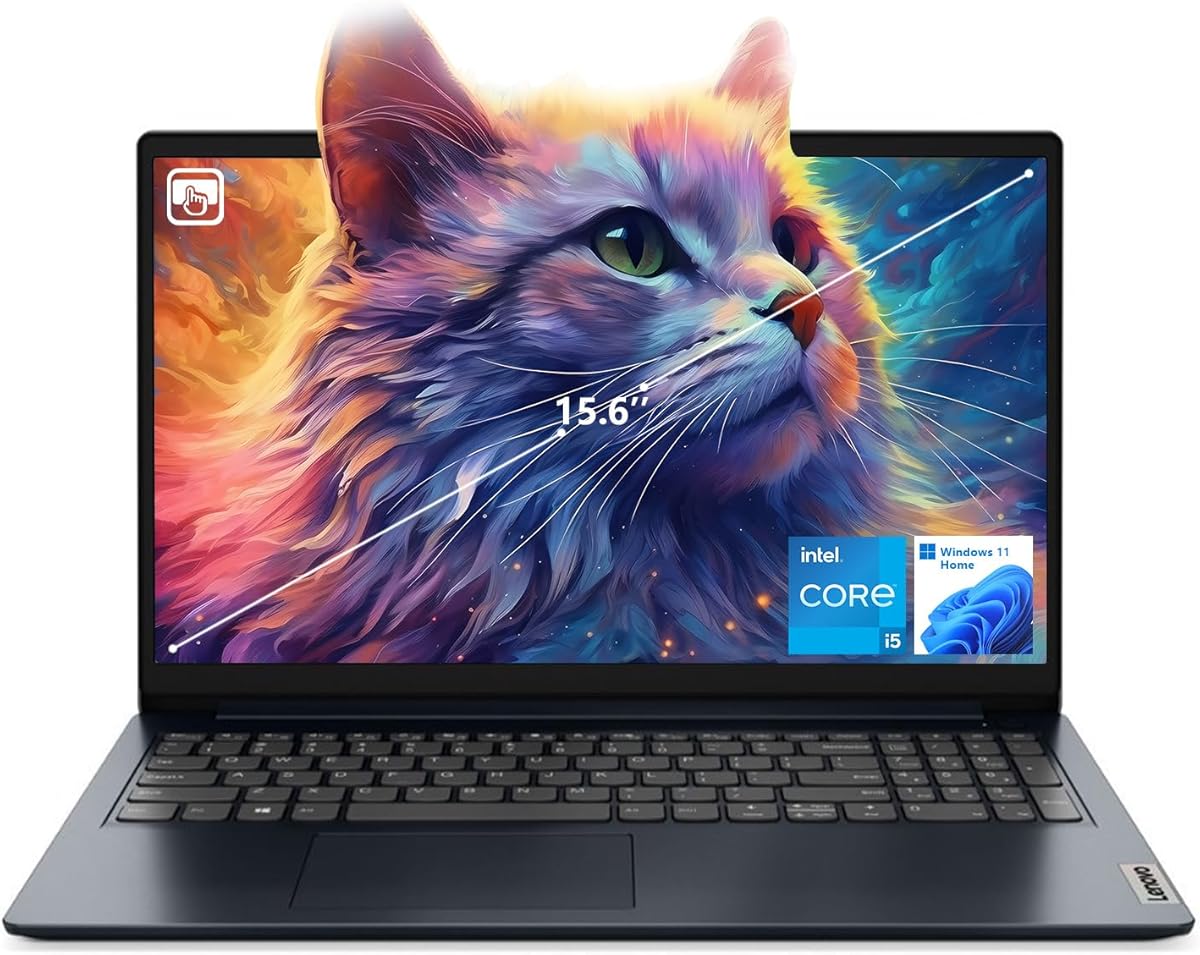
The Lenovo IdeaPad 1i is a straightforward entry point for vloggers who want a familiar 15.6-inch touchscreen laptop without moving into a premium creator machine. Its Core i5-1235U processor, 16GB of DDR4 memory, and 512GB PCIe NVMe SSD provide a usable foundation for editing, uploading, streaming, and everyday content production.
We may earn a commission when you buy through this link, at no additional cost to you.
The processor has 10 cores and 12 threads and can reach up to 4.4GHz. Paired with 16GB of RAM, it should handle browser-based editing, 1080p cuts, office applications, and several background processes without the severe limitations of an 8GB system. The NVMe drive also supports quicker startup and file access than a conventional hard drive.
Its 15.6-inch 1920 by 1080 IPS touchscreen has a narrow bezel, anti-glare finish, 300-nit brightness, and 60Hz refresh rate. Touch access can be helpful for reviewing images, navigating a player, or presenting content, although the 45% NTSC color coverage is not ideal for color-critical work. The included webcam supports the basic communication needs of a vlogger.
Connectivity includes one USB-C 3.2 Gen 1 port, one USB-A 2.0 port, one USB-A 3.2 Gen 1 port, HDMI 1.4, a combined audio jack, an SD card reader, and Wi-Fi 6. With a 4.2 rating, this laptop ranks below the stronger creator systems, but its memory capacity, touchscreen, and familiar 15.6-inch format make it a sensible general-purpose option for a new channel.
Sixteen gigabytes of RAM is one of the strongest aspects of this configuration. It allows an editing application, a browser with many tabs, and communication tools to coexist more comfortably than an 8GB alternative.
The anti-glare IPS touchscreen is easy to navigate and suitable for routine preview work. Its more limited color gamut means it is better for general content creation than for fine professional color grading.
We may earn a commission when you buy through this link, at no additional cost to you.
The NIMO 15.6 AI Creator Laptop pairs the eight-core Ryzen 7 8745HS with Radeon 780M graphics, 32GB of DDR5 memory, and a 1TB PCIe 4.0 SSD. Its 4.6 rating and emphasis on live streaming, rendering, upgradeability, and fast charging make it a compelling option for creators who want strong integrated performance with room to expand.
We may earn a commission when you buy through this link, at no additional cost to you.
The processor operates at a 45W standard TDP, and the RDNA 3 Radeon 780M graphics support mainstream games, 3D rendering, and 1080p live streaming. The 32GB of memory is particularly valuable for creators running editing software, stream tools, browsers, and recording applications together. The 1TB PCIe 4.0 drive provides fast access to footage and a generous starting capacity for 4K media.
Its most distinctive feature is the USB4 port, which can support an external graphics connection and expand graphics performance as a creator's needs grow. The design also supports memory expansion up to 64GB and reserves dual SSD slots. A 100W PD charger is said to restore 50% battery in 30 minutes, while the universal USB-C port can also charge compatible phones and tablets.
The 15.6-inch FHD display provides a familiar 16:9 canvas, and the 180-degree hinge lets it lie flat for client presentations or collaborative screen sharing. A backlit full-size keyboard supports low-light work. The two-year manufacturer warranty and 90-day return policy add reassurance, although the display's refinement trails OLED alternatives. Overall, this is a strong streaming and rendering choice for creators who value performance, expandability, and fast USB-C charging.
Radeon 780M graphics can support 1080p live streaming while the eight-core processor manages recording and multitasking. The 32GB memory configuration also gives streaming software, browser sources, chat tools, and an editing application more breathing room.
Expandable memory, dual storage slots, and USB4 create several paths for future needs. Creators can add media storage, improve capacity, or attach an external GPU without treating the original configuration as a permanent limit.
We may earn a commission when you buy through this link, at no additional cost to you.
The right vlogging laptop depends on how you create, how often you travel, and how demanding your editing work is. Evaluate processor performance, graphics, memory, storage, display quality, battery life, and connectivity together rather than focusing on one specification.
A modern processor with multiple cores helps with timeline playback, rendering, media transcoding, file exports, and the background tasks that accompany a busy editing session. The Ryzen 5 6600H, Ryzen 7 8745HS, and Intel Core Ultra processors in this list offer useful headroom, while a Core i5-1235U can handle more modest 1080p workflows. Check the number of cores and threads, but also consider sustained performance, cooling, and how long your typical project remains open.
Choose processing power according to your edit complexity. Short-form videos and 1080p projects are less demanding than 4K multicam footage, detailed color work, motion graphics, or 3D assets.
Integrated Radeon 660M, Radeon 780M, and Intel Arc graphics can accelerate media playback, encoding, and common editing effects, but they do not replace a dedicated GPU for demanding rendering. The Ryzen 7 8745HS configurations with Radeon 780M provide a particularly strong balance because the graphics are capable without a large dedicated GPU. For advanced 3D, intensive effects, or high-resolution timelines, prioritize sustained GPU performance and cooling over a high-resolution screen.
If you may add an external GPU, verify that the laptop includes a compatible USB4 or Thunderbolt-style connection and that the enclosure can support the proposed accessory.
Memory determines how comfortably the operating system, editing application, browser tabs, effects, and streaming tools can coexist. Sixteen gigabytes is a sensible minimum for regular vlogging, while 32GB provides a better buffer for 4K footage, large projects, and demanding multitasking. The NIMO models with dual SODIMM slots and the Acer with 32GB offer different ways to secure that headroom, either immediately or through expansion.
Also check whether RAM and storage are user-accessible. A model with 8GB and no stated upgrade path may become limiting sooner than one with a smaller initial capacity but easy expansion.
Screen size, resolution, brightness, color gamut, and finish each affect the editing experience. A 17.3-inch FHD anti-glare panel offers abundant timeline space, while the GeekBook's 2.8K OLED provides richer contrast and 100% DCI-P3 coverage for visual review. A 2K IPS touchscreen is useful for touch navigation and presentations, but a basic 45% NTSC panel is less suitable for color-critical grading. Consider where you will work, since outdoor and bright-room use also makes brightness important.
Choose a large display for stationary editing and a compact panel for travel. If accuracy matters to your channel, verify color coverage against your needs rather than relying on resolution alone.
A vlogging laptop is often used away from an outlet, so battery capacity and charger efficiency deserve close attention. The GeekBook's 72Wh battery and compact GaN charger suit mobile workflows, while the NIMO 75Wh configuration provides a larger power reserve for longer sessions. Fast USB-C PD charging can be invaluable between assignments. Weight and thickness matter just as much: a 2.2-pound OLED notebook travels comfortably, whereas a 17-inch laptop is better understood as a portable desktop.
Balance battery claims with real workflow needs. Editing loads differ greatly from video playback, and a screen used outdoors at high brightness consumes additional power.
Fast media card access can save substantial time after a shoot. Look for an SD or microSD reader, USB4 for external storage and displays, HDMI for an editing monitor, USB-A for existing accessories, and a headphone jack for monitoring. Full-function USB-C ports can support charging, displays, and peripherals, but their capabilities vary. The NIMO Ryzen 7 and GEEKOM models offer especially broad connectivity, while simpler laptops may require more adapters.
Match the ports to your equipment. A camera may use a specific card format, a monitor may favor a particular standard, and a creator may rely on wired audio gear or an external drive.
The built-in camera matters for livestreams, virtual appearances, reviews, and remote collaboration. The Dell provides an up-to-FHD camera with wide dynamic range and temporal noise reduction, while both HP 17 configurations include a 720p camera with a physical shutter. GEEKOM also includes a dedicated physical camera shutter. These features improve convenience and privacy, although serious livestreamers may still prefer a dedicated camera, microphone, and lighting system.
Check the audio situation as well. A 3.5mm headphone or microphone connection provides a simple route to better monitoring, but external USB audio can deliver cleaner results.
A fast NVMe or PCIe 4.0 drive keeps project files responsive and shortens the time required for exports, imports, and application launches. The 1TB options are generous starting points, while the Acer's 2TB drive reduces the need for constant archive transfers. Storage needs grow with bitrate and resolution, so consider using a second drive for finished footage and a separate drive for active projects. After recording, creators also need a dependable upload method, whether through Wi-Fi 6 or 6E, Ethernet, or a direct connection to a computer.
Choose enough storage for the footage you expect to keep on the device. Expansion is helpful, but a fast primary drive still improves day-to-day responsiveness.
Before filming, create a clean project structure with separate folders for source footage, audio, graphics, project files, and exports. Copy or import footage rather than editing directly from the camera card, and save project files onto the internal drive with regular backups to external storage or cloud services. Keeping the system drive below full capacity also helps maintain consistent SSD performance.
During editing, calibrate or visually evaluate footage on a consistent display, and avoid making major color decisions on a screen viewed in direct sunlight. Use a second monitor when available, close unused browser tabs to conserve memory, and export through hardware-accelerated options when your software and laptop support them. For streaming, test the camera, microphone, encoder, overlays, and network connection before the live session begins.
Long-term care starts with airflow. Avoid placing the laptop on soft bedding or other surfaces that can block vents, and let the system cool after demanding exports. Clean the screen with a soft microfiber cloth, keep liquids away from openings, and use a surge-protected source when charging or transferring large files. Periodic backups, storage checks, and firmware updates are simple habits that protect both the device and the creative work stored on it.
Sixteen gigabytes is a practical minimum for regular 1080p vlogging because it allows an editing application, browser, and communication tools to run together. Thirty-two gigabytes is preferable for 4K footage, long timelines, motion graphics, livestreaming, and other memory-intensive tasks. The best option is also easy to expand, since many editing workloads grow as a creator's library and ambitions develop.
Not necessarily. Modern integrated graphics such as Radeon 780M and Intel Arc can handle 1080p editing, encoding, media playback, and many common effects. A dedicated GPU becomes more valuable for demanding 3D work, intensive effects, high-resolution timelines, and constant rendering. Creators should also consider a USB4 laptop if they may want to add an external GPU later.
OLED can provide excellent contrast, deep blacks, and broad color coverage, making it appealing for reviewing visual footage. It is not automatically the correct choice for every creator, especially when a large workspace or long battery life takes priority. In professional color work, use a reliable reference workflow rather than relying on a consumer laptop display alone.
It is large for mobile shooting but useful for editing because it provides room for a preview, timeline, and tool panels. The best approach depends on whether the laptop stays at a desk or travels with you. A compact 14-inch model is easier to carry, while a 17.3-inch screen can reduce constant panel switching during longer sessions.
At least 512GB is a practical starting point for active footage, software, and project files, while 1TB or 2TB provides more room for high-bitrate 4K media. Your storage needs depend on camera settings, how long you retain footage, and whether you archive projects elsewhere. A fast NVMe drive and an SD card reader make importing and organizing footage much easier.
Most can run common streaming software, but actual stream quality depends on the processor, graphics, internet connection, encoder settings, and camera or capture equipment. The Core Ultra 7 and Ryzen 7 8745HS systems provide the strongest integrated performance here, while models with physical camera shutters and good connectivity offer added convenience. Always test the complete setup before going live.
A touchscreen is useful for navigating timelines, reviewing stills, presenting, and working with stylus-based tools. It is less essential for conventional keyboard-and-mouse editing, where speed often comes from shortcuts and a precise pointing device. Convertible and touchscreen models can be especially useful for clients or collaborators who prefer to review footage directly on the screen.
USB4 enables high-speed external storage, broad display support, and potentially an external graphics adapter, making it valuable for expanding a mobile editing setup. Fast USB-C PD charging can reduce downtime between shoots or editing sessions. Check whether a USB-C port also supports data, video output, and power delivery, as full-function ports are more flexible than charging-only connectors.
The NIMO 15.6 AI Creator Laptop is the strongest budget-oriented option, combining a six-core Ryzen 5 processor, 16GB of memory, useful ports, and an upgrade path. The GEEKOM GeekBook X14 Pro leads for display quality and mobile refinement, while the NIMO Ryzen 7 8745HS model earns the strongest all-around recommendation through its combination of eight cores, 32GB of memory, 1TB storage, Radeon 780M graphics, and extensive connectivity.
Prioritize the workload you actually have. Lightweight creators may value the OLED panel and portability of the GEEKOM, while fixed-desk editors can take advantage of the large HP displays. Mobile streamers and upgraders should examine the NIMO Ryzen 7 models, and touch-focused content producers may prefer the Acer Aspire or Lenovo Yoga 7i. Memory, sustained performance, and comfortable screen space usually matter more than a headline specification.
Before purchasing, confirm the current processor, memory, storage, webcam, port, and battery details with the seller, and check the latest marketplace pricing and warranty terms. Creator laptops change configurations frequently, and accessories or upgraded components may alter what you receive. Whichever model you choose, maintain backups and test your full recording, editing, and upload workflow before publishing.